01
Add it to your cloud library
Tap Add to Cloud on a document, then open it from your cloud library on any device you sign in on. Nothing moves on its own, and if both copies changed, you choose which to keep.
 Markd.ly: The markdown editor that respects your output.
Write in plain markdown and export it as the document you meant.
You write in plain markdown. The people you send it to get a polished PDF, Word file or web page.
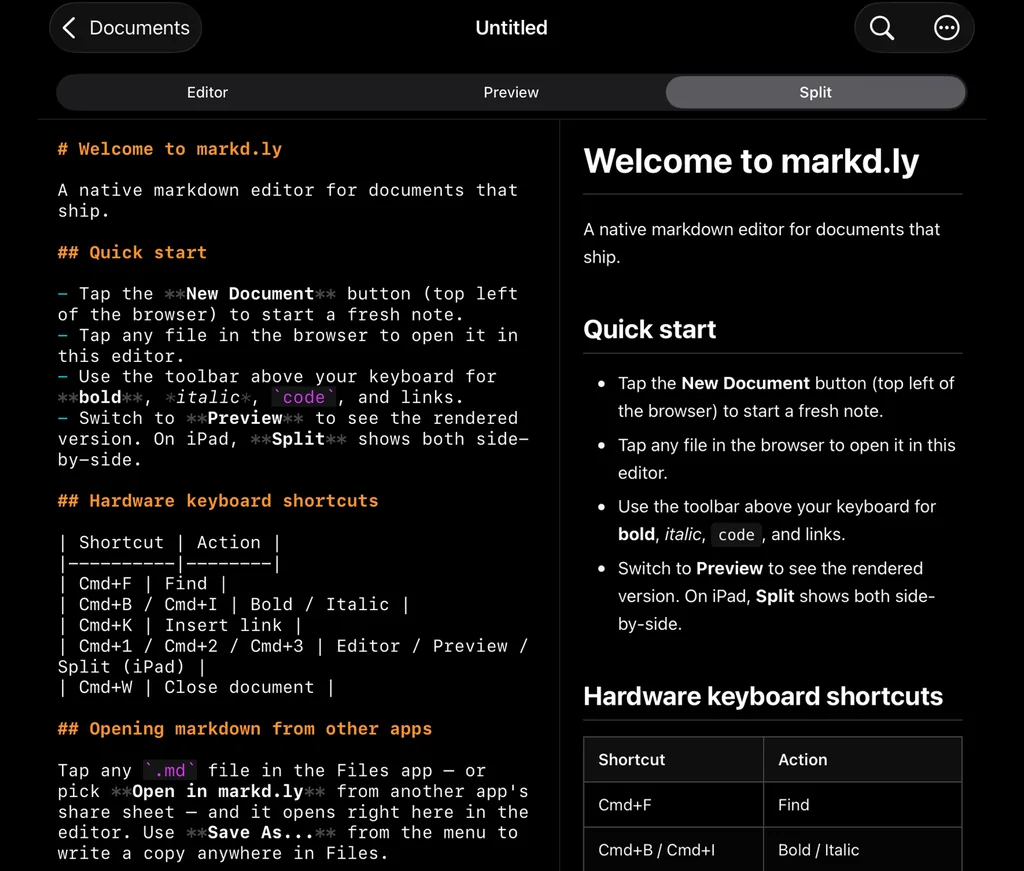
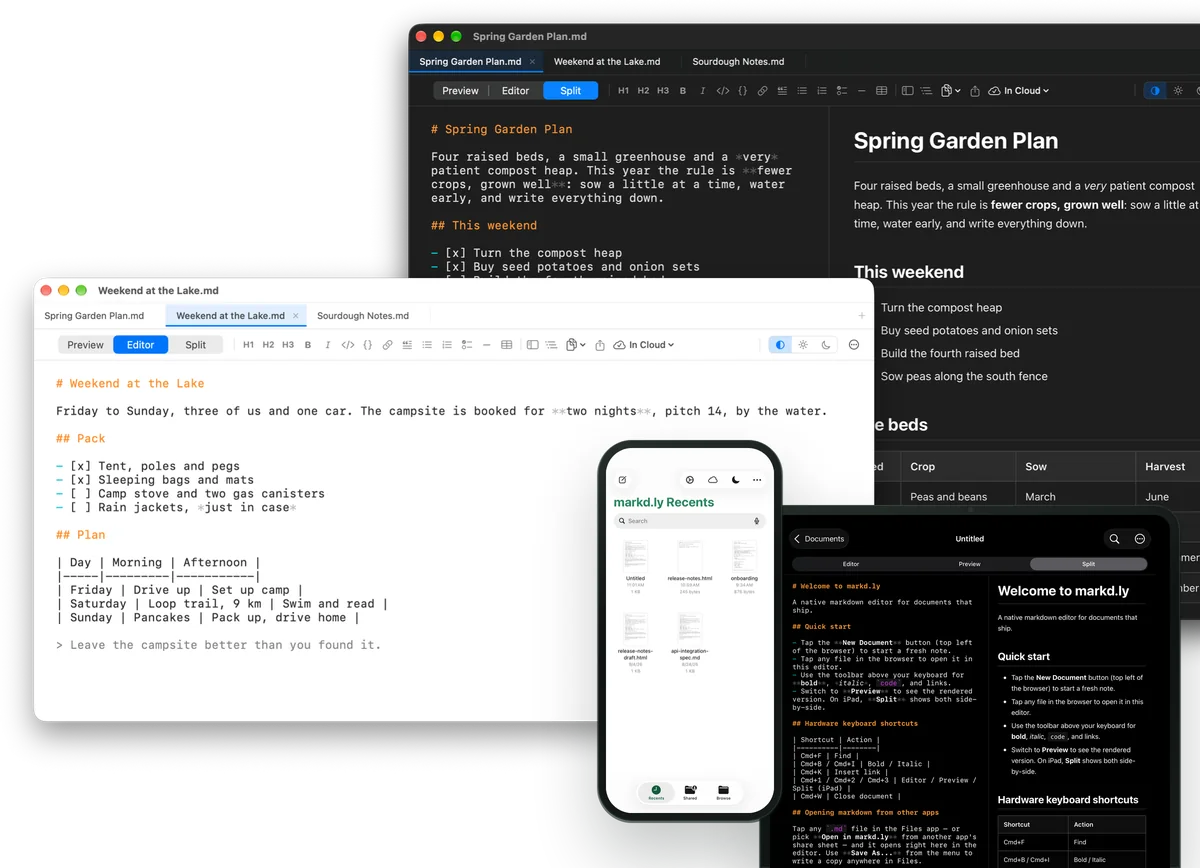
Switch views whenever you like. Split puts your markdown and the preview side by side on a computer, an iPad or an Android tablet, and stacks them on a phone.
Mermaid diagrams and LaTeX math render right in the preview as you type, on every device, even offline.
Your documents stay plain .md files, wherever you keep them. No vault, no import, no lock-in.
Tap Add to Cloud on a document, then open it from your cloud library on any device you sign in on. Nothing moves on its own. Up to 500 documents of up to 512 KB each.
A native app on every system: SwiftUI on Mac, WPF on Windows, GTK on Linux, and native apps for iPhone, iPad and Android. Not Electron.
Export clean HTML or print-ready PDF from any document on Mac, Windows and Linux. An HTML export is one self-contained file, with its diagrams and math inside.
Export to Word (DOCX), EPUB, LaTeX and reveal.js slides with Pandoc on Mac, Windows and Linux. On Mac and Windows these four are converted on our server and sent straight back, not kept, so you need to be online and signed in. Linux converts them on your computer.
On Mac, Windows and Linux, start from a built-in preview theme and layer your own CSS on top.
Type a short trigger, press Tab, and the whole block drops in, with today’s date, the time or the cursor placed where you want it. Snippets stay on the computer you make them on.
Turn on vim mode for normal, insert and visual modes, the motions and operators you reach for, counts, dot-repeat and :w and :q. It’s off until you switch it on.
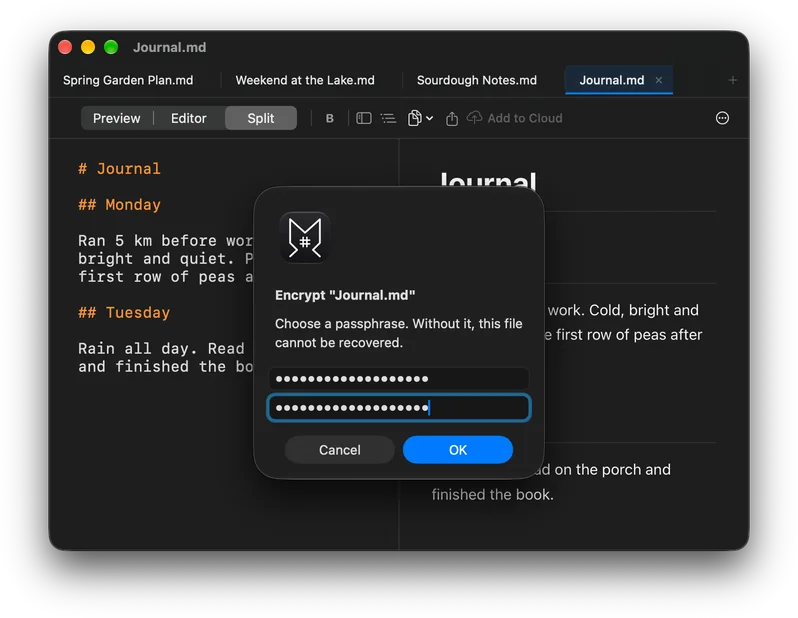
Lock a document with a passphrase. It’s saved with AES-256-GCM, so the file on disk can’t be read without the passphrase. The file format is the same on Mac, Windows and Linux.
Look for a word or phrase across a whole folder of documents and jump straight to the line where it appears.
Pick one of three preview themes on every device.
On Mac, Windows and Linux, keep several documents open in tabs, see every heading of a long one in the outline, and open a file fast with Quick Open.
On Mac, Windows and Linux, point the sidebar at a project folder to see every markdown file in it.
On a Mac, Touch ID can unlock an encrypted document for you.
On iPhone, iPad and Android, a toolbar above the keyboard adds bold, italic, code, links, lists and more.
On iPhone, iPad and Android, share a document, or copy it as rich text or HTML to paste anywhere.
On iPhone and iPad, find any word in the document you have open.
Markd.ly in 42 seconds 0:42
Write plain markdown in the Editor and read it rendered in Preview, or keep both in Split. Mermaid diagrams and LaTeX math render right in the preview.
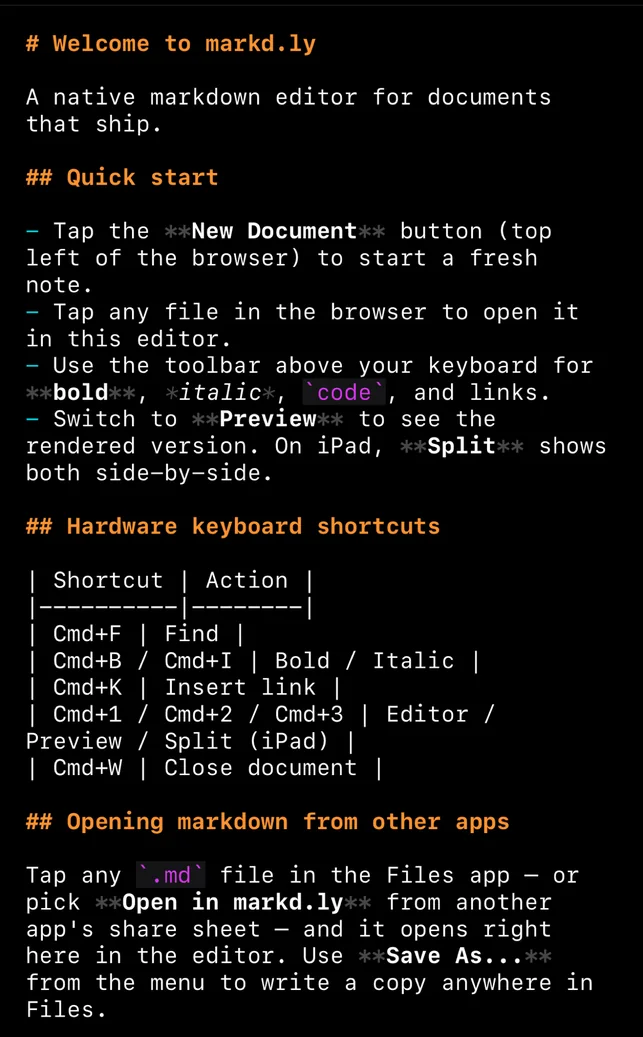
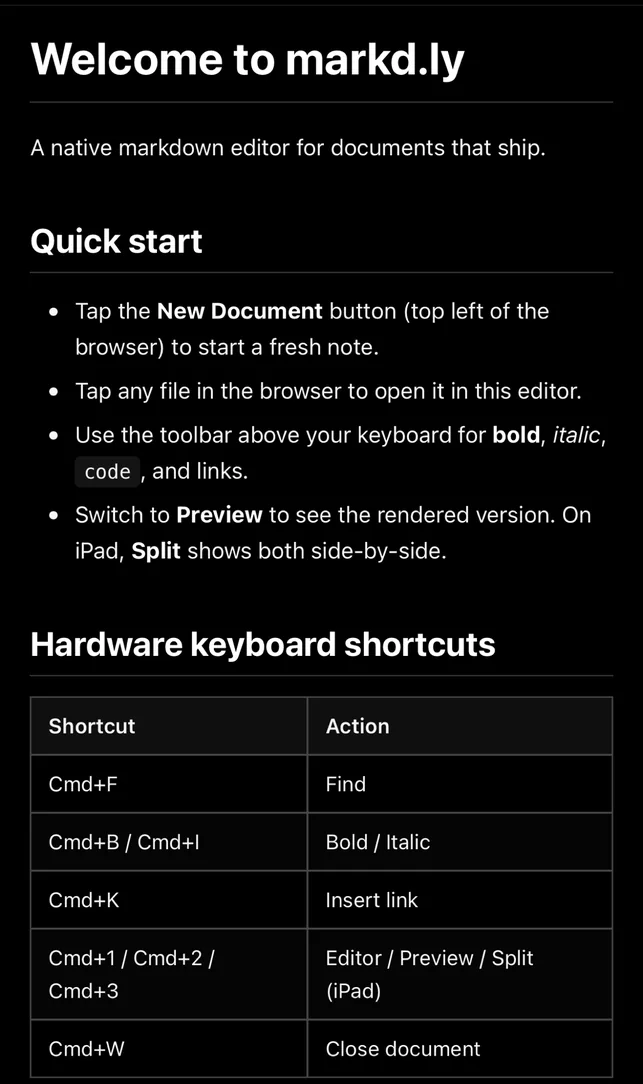
Switch views whenever you like. Split puts your markdown and the preview side by side on a computer, an iPad or an Android tablet, and stacks them on a phone.
Mermaid diagrams and LaTeX math render right in the preview as you type, on every device, even offline.
Pick one of three preview themes on every device.
Your documents stay plain .md files, wherever you keep them. No vault, no import, no lock-in.
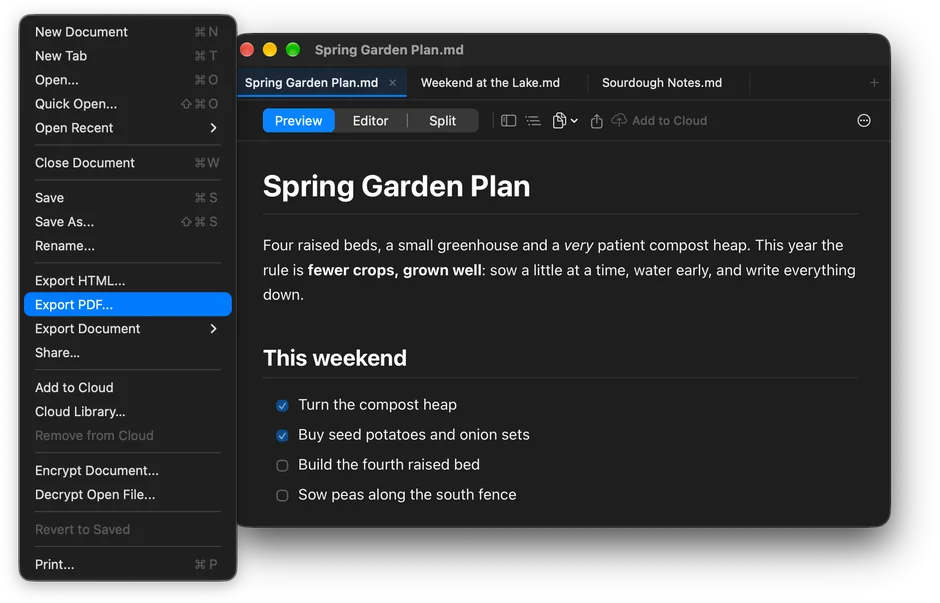
Export Mac, Windows & Linux
On Mac, Windows and Linux, export any document to HTML, PDF, Word (DOCX), EPUB, LaTeX or reveal.js slides. HTML and PDF are made on your computer. Word, EPUB, LaTeX and slides go through Pandoc: Linux converts them on your computer, and on Mac and Windows they’re converted on our server and sent straight back, not kept, so you need to be online.
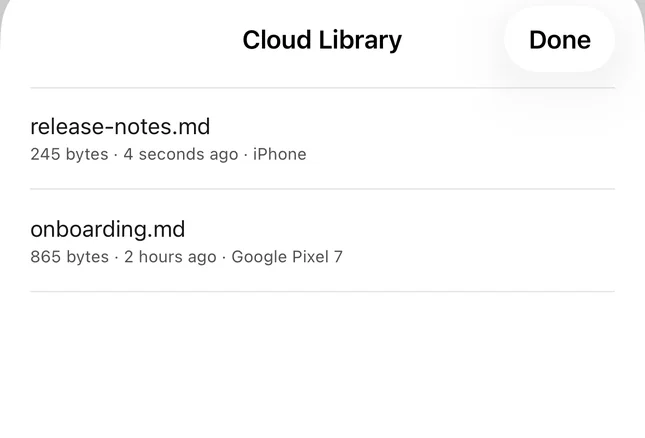
01
Tap Add to Cloud on a document, then open it from your cloud library on any device you sign in on. Nothing moves on its own, and if both copies changed, you choose which to keep.
02
Open a markdown file that’s on your iPhone, in iCloud Drive or in another cloud drive, and save it right back where it was. Recents keeps the last ones a tap away.
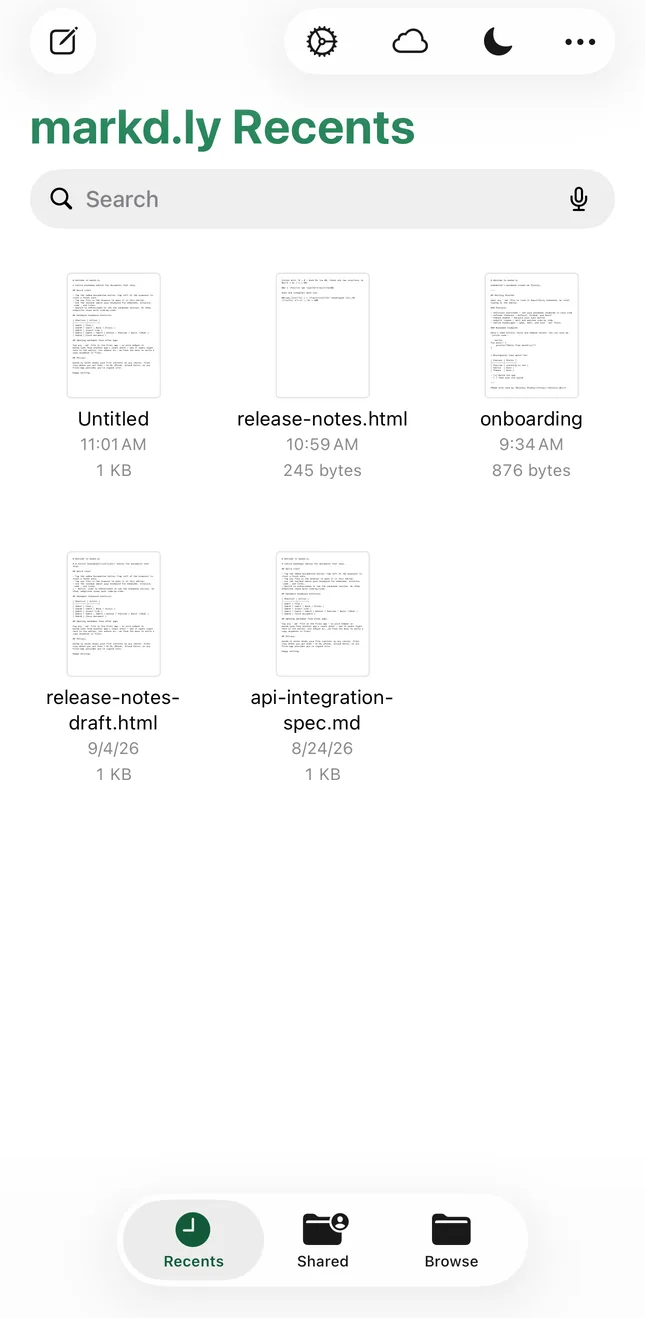
03
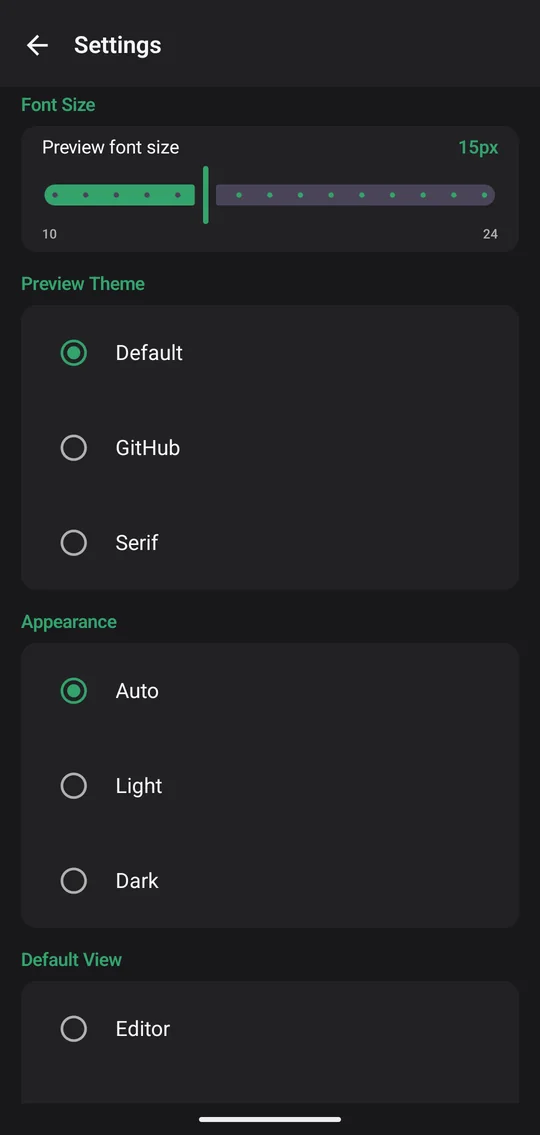
Pick one of three preview themes on any device. In Settings, you can also set the preview font size and choose Auto, Light or Dark.
Mac, Windows and Linux add the tools for long documents and daily writing.
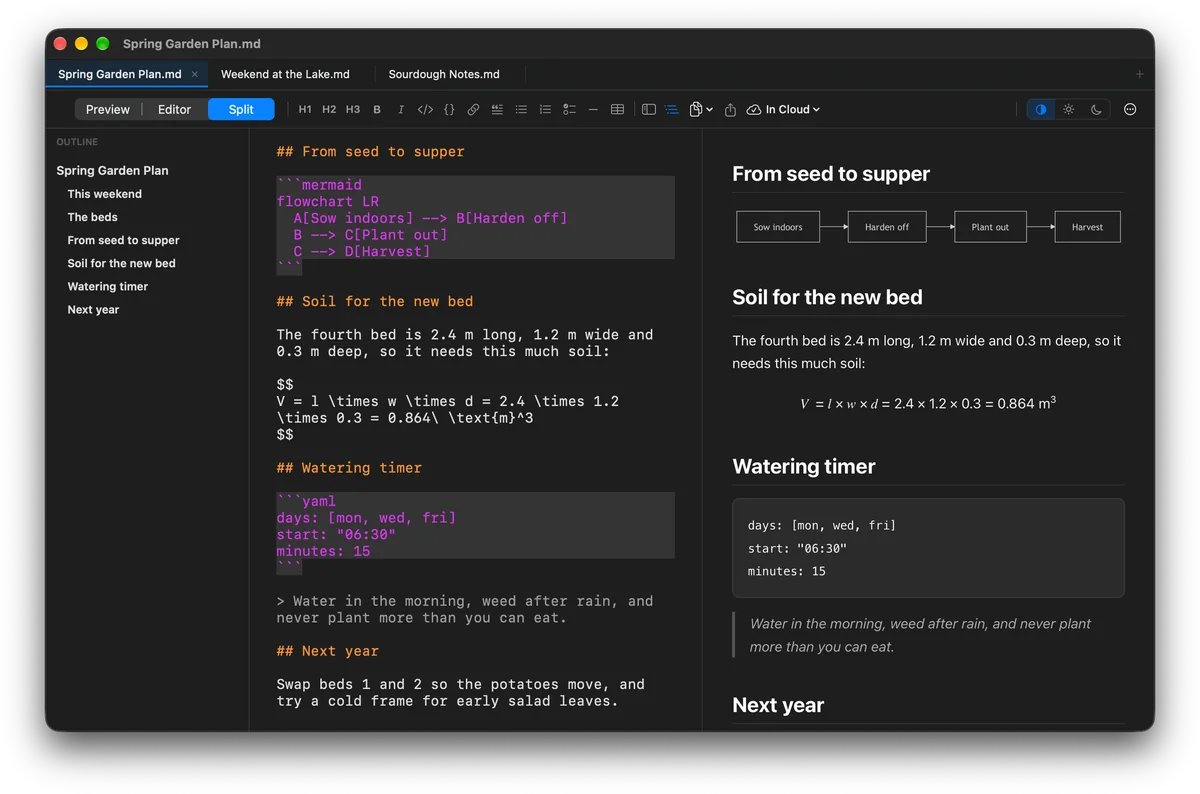
On Mac, Windows and Linux, keep several documents open in tabs, see every heading of a long one in the outline, and open a file fast with Quick Open.
On Mac, Windows and Linux, point the sidebar at a project folder to see every markdown file in it.
Look for a word or phrase across a whole folder of documents and jump straight to the line where it appears.
On Mac, Windows and Linux, start from a built-in preview theme and layer your own CSS on top.
Type a short trigger, press Tab, and the whole block drops in, with today’s date, the time or the cursor placed where you want it. Snippets stay on the computer you make them on.
Turn on vim mode for normal, insert and visual modes, the motions and operators you reach for, counts, dot-repeat and :w and :q. It’s off until you switch it on.
Encrypted documents Mac, Windows & Linux
On Mac, Windows and Linux, lock any document with a passphrase. It’s saved with AES-256-GCM, so the file on disk can’t be read without it, and the file format is the same on all three. On a Mac, Touch ID can unlock it for you. Forget the passphrase and nobody can open the file, not even us.
Sign in with the same Bravely Account on each one, and a single $19.99 purchase unlocks all of them. Your cloud library opens on every one.
Desktop
iPhone, iPad and Android

24-Hour No-Card Trial
When the 24 hours are up, you can add 24 more hours, once.
Pay once
Markd.ly unlocked on every platform & device
$19.99once
one-time unlock · no subscription
30-Day Money-Back Guarantee
Annual + Bonus
Markd.ly Pro for a year, plus all 8 other Bravely apps, free
$0.00for 7 days
then $95.99/yr · cancel anytime
30-Day Money-Back Guarantee
FREE full access to the 8 other premium utilities, all platforms





Lifetime + Bonus
Markd.ly Pro forever, plus all 8 other Bravely apps, free, forever
$399once
no subscription · all updates included
30-Day Money-Back Guarantee
FREE lifetime access to the 8 other premium utilities, all platforms
One sign-in · instant unlock. Secure checkout opens right here.
Learn more about Bravely Premium
Rolling out Markd.ly to a team? Email support@bravely.dev for volume licensing.
Downloading and signing in are free. After a short tour, try every feature free for 24 hours with no card, and add 24 more hours once if you need them. Then $19.99 once unlocks Markd.ly on Mac, Windows, Linux, iPhone, iPad and Android. When the trial ends, the editor locks until you buy, and your files stay where you saved them.
Everywhere: the editor, live preview, Mermaid diagrams and LaTeX math, three preview themes, plain .md files and your cloud library. On Mac, Windows and Linux only: HTML, PDF, Word, EPUB, LaTeX and slide export, custom CSS, snippets, vim mode, encrypted documents, folder search and tabs. On iPhone, iPad and Android you can share a document, or copy it as rich text or HTML. One purchase covers all of it.
Open it and tap Add to Cloud. It goes to your cloud library, and you open it from there on any device you sign in on. Nothing moves on its own: when both copies have changed, Markd.ly asks which one to keep. Each document can be up to 512 KB of text, up to 500 of them, and passphrase-locked documents can’t be added.
Your documents are plain .md files on your own disk. Two things send their text to our servers: adding a document to your cloud library, which keeps it there until you delete it, and, on Mac and Windows, exporting to Word, EPUB, LaTeX or slides, which is converted and sent straight back without being kept. Linux does those exports on your computer.
You need a connection to sign in, to use your cloud library, and on Mac and Windows to export Word, EPUB, LaTeX and slides. Writing, the preview with its diagrams and math, HTML and PDF export and encrypted documents work offline, for up to 72 hours at a time: Markd.ly checks your purchase online at least every 72 hours.
No — and that’s on purpose. Markd.ly has no wikilinks, no graph, no vault. It is a markdown editor for documents that ship: writing you publish, docs you export, READMEs you polish. If you need a second brain, use Obsidian. If you need documents to look great when exported, use Markd.ly.
macOS 14 or later. Windows 10 (version 1809 or later) or Windows 11 on a 64-bit (x64) PC. 64-bit (x64) Linux with GTK 4, WebKitGTK 6.0 and FUSE 2, as a .deb or an AppImage. iOS 17 or later on iPhone and iPad. Android 8.0 or later.
Compared to
More on Markd.ly