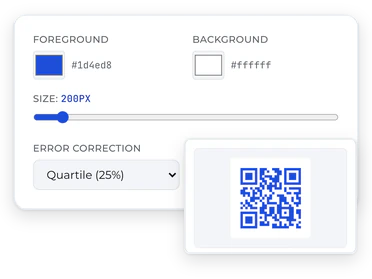
Colors, size and error correction, with a live preview.
3
Download it
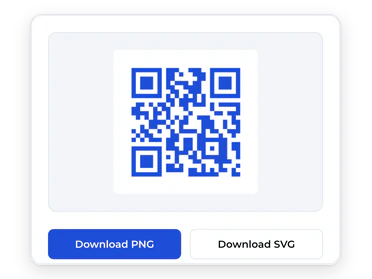
A crisp PNG or SVG. No watermark, no expiry.
What you get
Everything included, free
Links, text, and Wi-Fi
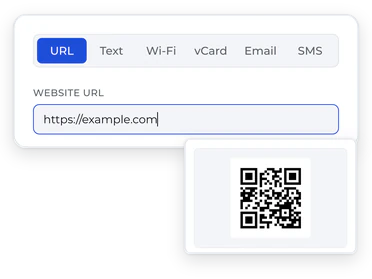
Any URL, plain text, or a network guests join in one scan.
PNG and SVG downloads
PNG for screens and documents, SVG for sharp print at any size.
Custom colors
Match your brand, with a live preview that keeps it scannable.
High-resolution output
Print-ready sizes, from business cards to storefront windows.
Error correction control
L, M, Q or H: more redundancy for small or worn codes.
No watermark, no expiry
Your content is in the code itself.
What people make with it
Restaurant menus
Business cards
Guest Wi-Fi
Flyers and posters
Product packaging
Events
Good to know
Many generators
Scan Their server Your link
Stops working when the service does
This one
Scan Your link
Nothing in between. It scans for good.
Static QR codes: why yours will never stop working
Many generators send every scan through their own server, so the code dies with the service. This one puts your link in the code itself.
Read more
Many QR services generate a code that points at their redirect server, which then forwards scanners to your real destination. That design lets them count scans — and lets them break your code when a subscription lapses or the service shuts down.
This generator encodes your content directly into the code. There is no middleman URL, which means no expiry, no scan limits, and no dependency on us. Print it on ten thousand boxes with confidence.
L7%Clean screens
M15%Screens and printDefault
Q25%Small or laminated
H30%Outdoors and worn
Picking the right error correction
Higher levels survive more damage but make denser codes. M suits screens and clean print; use Q or H for small, laminated or outdoor codes.
Read more
QR codes carry built-in redundancy so they scan even when damaged or partially obscured. The four levels — L (7%), M (15%), Q (25%), H (30%) — trade capacity for resilience: higher levels make denser codes that survive more abuse.
M is the right default for screens and clean print. Move up to Q or H when the code will be printed small, laminated, placed behind glass, or exposed to wear — a sticker on a delivery box earns H; a code in a slide deck doesn't need it.
Frequently asked questions
Is this QR code generator really free?
Yes. Sign in with a free Bravely account, claim free lifetime access once, and the generator is yours — full customization, PNG and SVG downloads, no watermark, no paid tier, no usage caps.
Why do I need an account to download?
The account is the whole price. Bravely Studios makes paid desktop utilities; free tools like this one are how we introduce ourselves. One free account works across every Bravely app and tool, and there is nothing to cancel because there is nothing billed.
Do the QR codes expire?
No. This generator makes static QR codes — your link, text, or Wi-Fi details are encoded directly into the pattern itself. Nothing routes through our servers, so there is no redirect that can be shut off, no scan limit, and no expiry date. A code you download today scans forever.
Is there a watermark?
No watermark, no logo, no attribution — on the free downloads, in any format, at any size.
Can I use the codes commercially?
Yes. Codes you generate are yours to use anywhere — menus, packaging, ads, products you sell. No license fees and no attribution required.
Should I download PNG or SVG?
PNG is a fixed-size image that drops into documents, slides, and web pages. SVG is a vector — it scales to any size with perfectly sharp edges, which is what you want for print work like posters, signage, and packaging. When in doubt: PNG for screens, SVG for print.
How does a Wi-Fi QR code work?
It encodes your network name, password, and security type in a standard format every modern phone understands. When someone scans it, their phone offers to join the network — no typing, no reading the password off the router. Perfect for guest networks, rentals, and cafés.
Is my data private?
The code is generated entirely in your browser — the link, text, or Wi-Fi password you enter is never sent to our servers. What you encode stays on your device.