Markd.ly for iPhone Duo
The short answer
Yes. Markd.ly 1.11.12 and later is optimized for iPhone Duo. Open the phone and the editor uses the full 7.6-inch inner display; fold it and Markd.ly runs on the 5.4-inch outer display.
- Three views of one document: Visual (the finished document), Markdown, and Split with both.
- Your documents stay plain .md files, opened from Files and saved back where they live.
Try every feature free for 24 hours, no card needed.
- Updated
- Screens captured on Apple's iPhone Duo simulator
- All our apps for iPhone Duo
Open
The 7.6-inch inner display
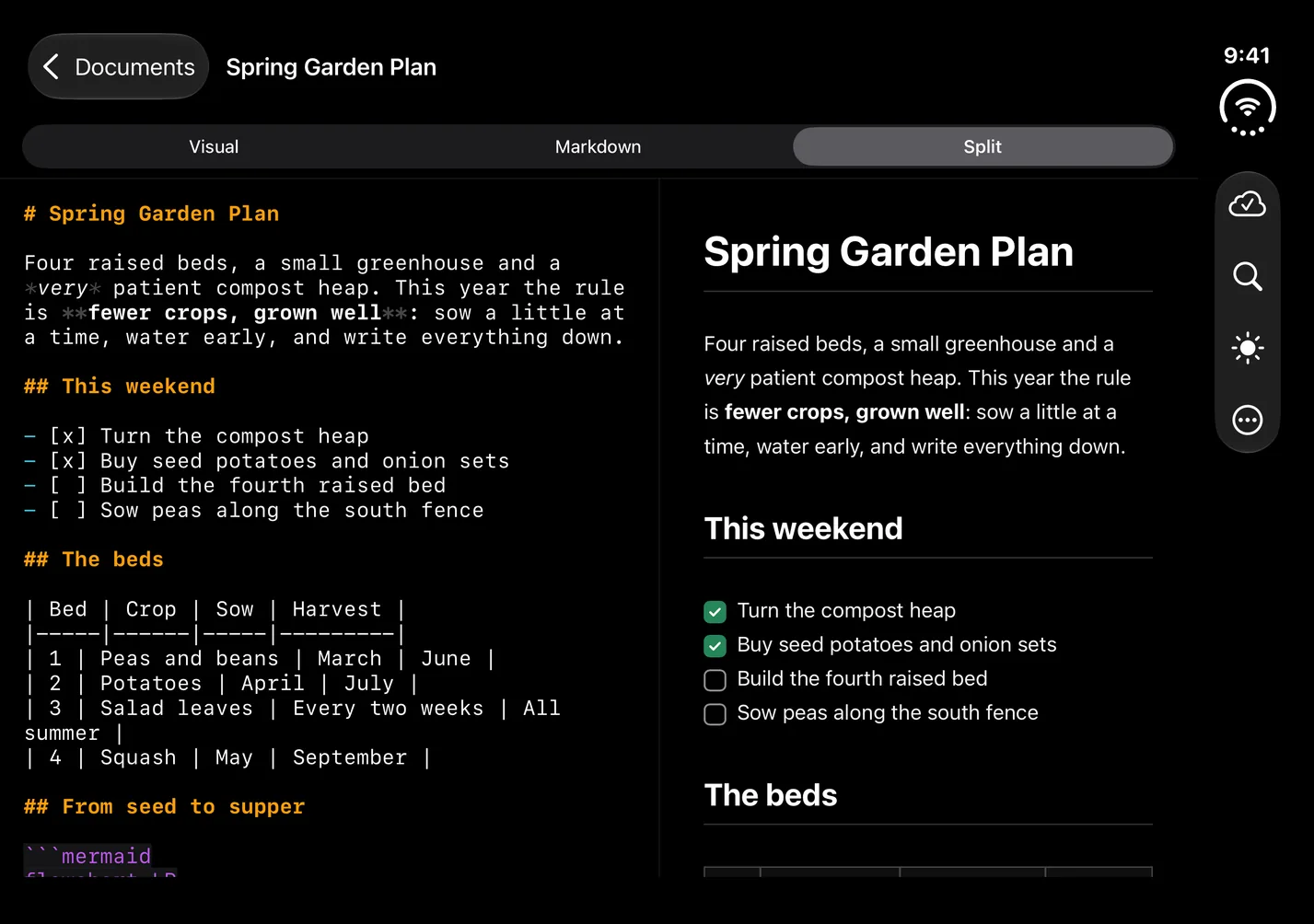
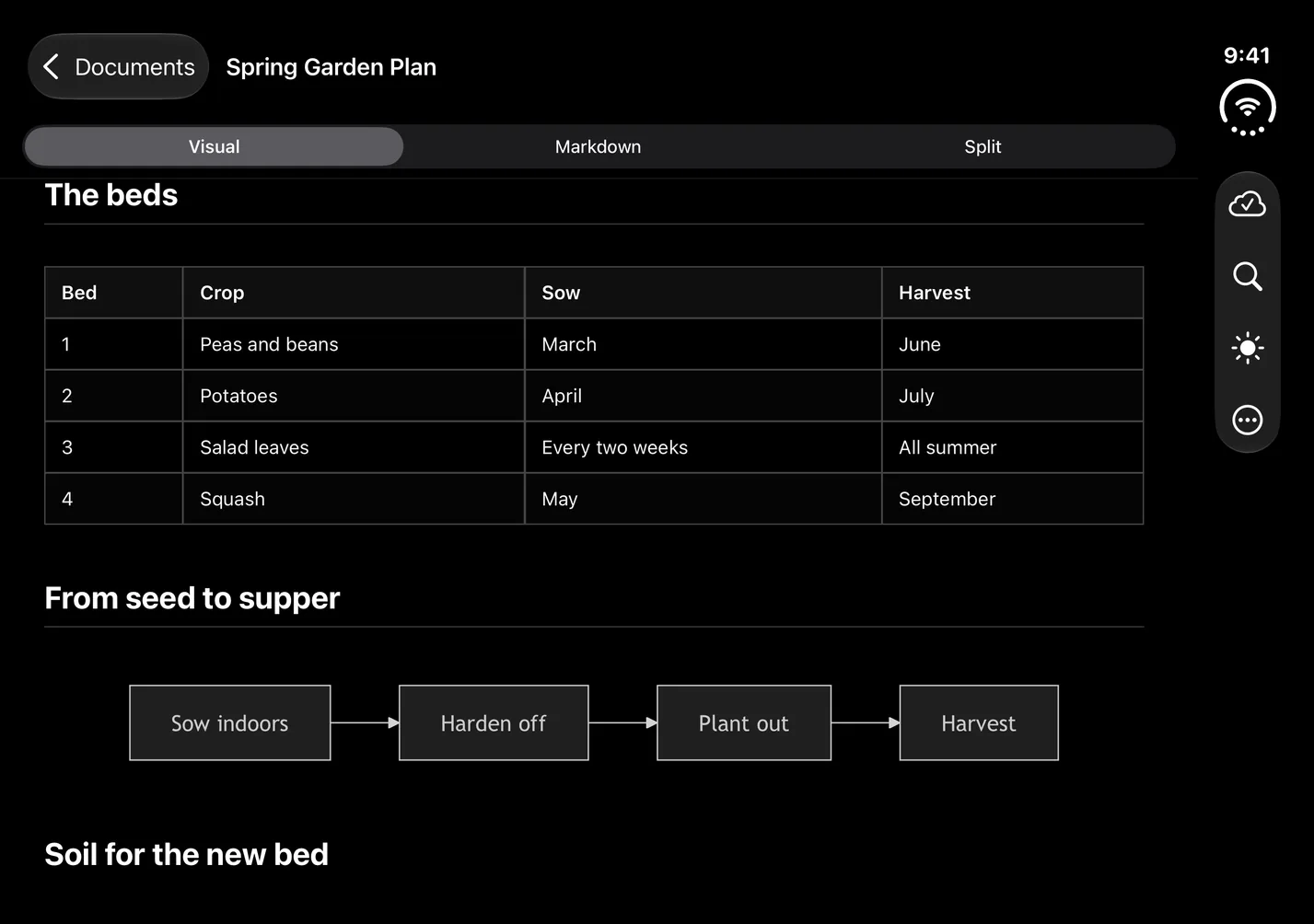
Open the phone and Markd.ly spreads across the whole inner display. In Split, the fold becomes the divider: your Markdown on the left, the finished document on the right, both editable and always in step.
Visual draws tables, checklists and diagrams across the full width, and the format bar runs the width of the display with all its buttons in one row.
Closed
The 5.4-inch outer display
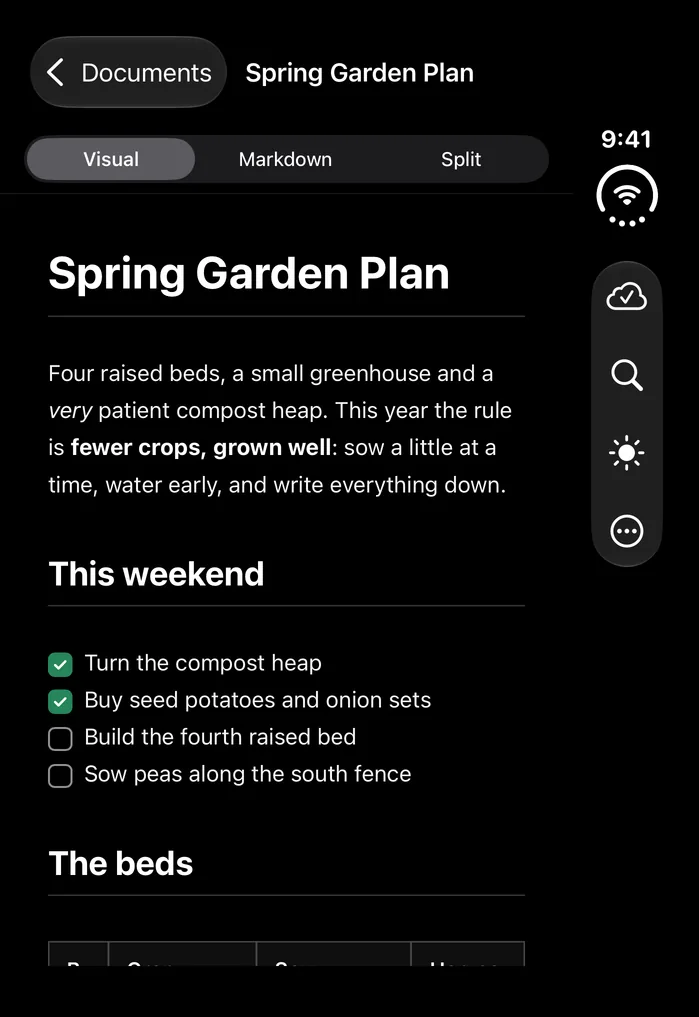
Fold it and the same document fills the 5.4-inch outer display. Visual and Markdown each take the whole screen, and Split stacks the Markdown above the finished document.
Fold it in the middle of a sentence
Folding doesn't close your document or move your cursor. Fold iPhone Duo mid-sentence, keep typing on the outer display, then open it again: your text and your cursor are where you left them, in the view you were using.
Every edit saves as you type, so there's nothing to save before you fold.
What Markd.ly does on iPhone Duo
Markd.ly is a native Markdown editor, and the iPhone app is the one on both displays:
- Visual: type, select, paste and format in the finished document. Markdown's marks show only where your cursor is.
- Mermaid diagrams and LaTeX math draw in Visual, offline.
- A format bar for headings, bold, italic, code, links, quotes, lists, task lists, tables and page breaks.
- Export from the ⋯ menu as PDF, Word, HTML, Markdown, EPUB, LaTeX or Slides. PDF, HTML and Markdown are made on the device, even offline; the other four need a connection.
- Print with page breaks, share the text or a self-contained HTML file, or copy the document as rich text or HTML.
- Find in the document, and see its word count.
What Markd.ly doesn't do on iPhone Duo
- Document encryption is a Mac, Windows and Linux feature; there's none on iPhone.
- One document at a time: no tabs and no folder sidebar.
- The cloud library holds the documents you add to it, one at a time; it doesn't keep a whole folder in step.
- Vim mode, snippets and custom CSS are on the desktop apps only.
- Turn the open phone on its side and Split's two panes get narrow, so wide tables wrap; hold it upright for room.
Questions about Markd.ly on iPhone Duo
What makes Markd.ly optimized for iPhone Duo?
Apple says apps built with the iOS 27.1 SDK or later are optimized for iPhone Duo and extend to use the full display. Markd.ly is built with it, so it fills whichever display you're using.
Do I need to buy Markd.ly again for iPhone Duo?
No. It's the same app as on iPhone and iPad, and Markd.ly Pro bought once on any platform, the App Store included, unlocks it wherever you sign in with the same Bravely Account.
Can I open my Markd.ly documents on my computer?
Yes. Markd.ly runs on Mac, Windows, Linux and Android too. Add a document to your cloud library and it opens on every device you sign in on; nothing moves until you add it.
What does Markd.ly cost on iPhone Duo?
After the free 24 hours, buy Markd.ly Pro once or start a plan. The App Store shows its own prices, in your currency.
Sources, with the date each was read
Markd.ly for iPhone Duo
Try every feature free for 24 hours, no card needed.
Updated . Facts about iPhone Duo were read on Apple’s own pages on the dates shown. Apple, iPhone, iPad and Mac are trademarks of Apple Inc., registered in the U.S. and other countries and regions. iPhone Duo is a trademark of Apple Inc. App Store is a service mark of Apple Inc., registered in the U.S. and other countries and regions. IOS is a trademark or registered trademark of Cisco in the U.S. and other countries and is used under license.