01
Today, Inbox, Calendar
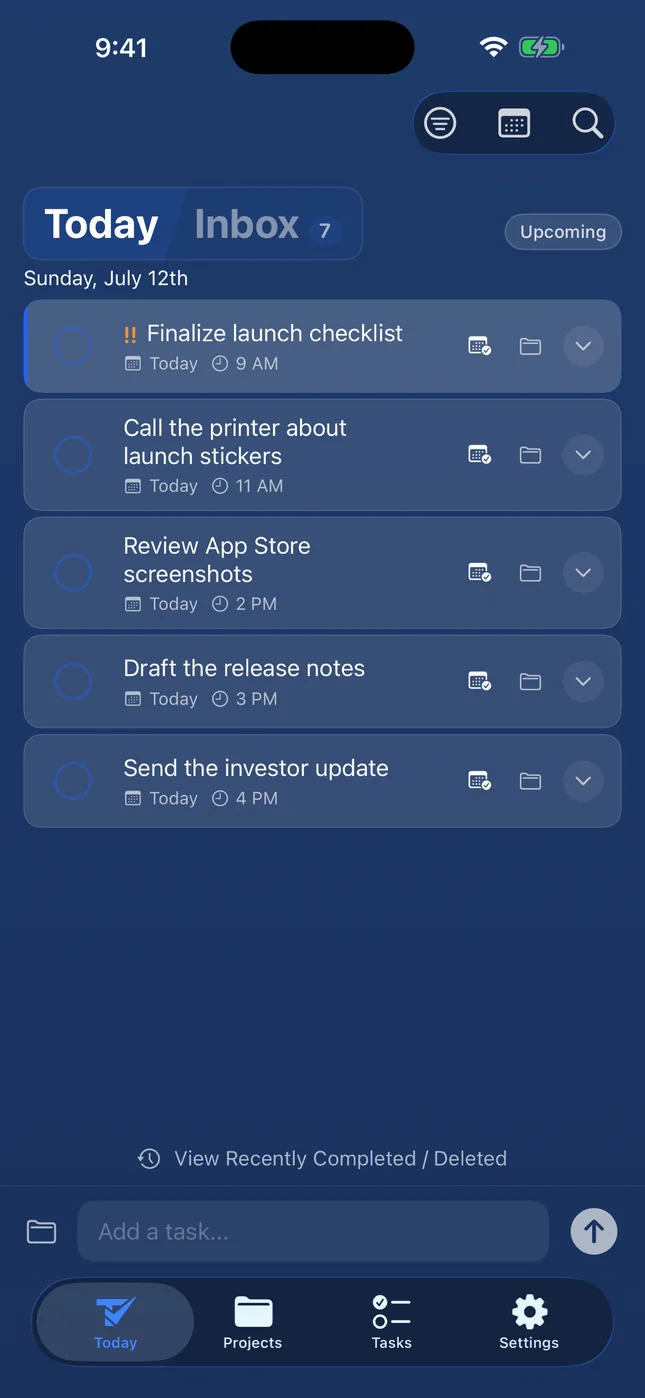
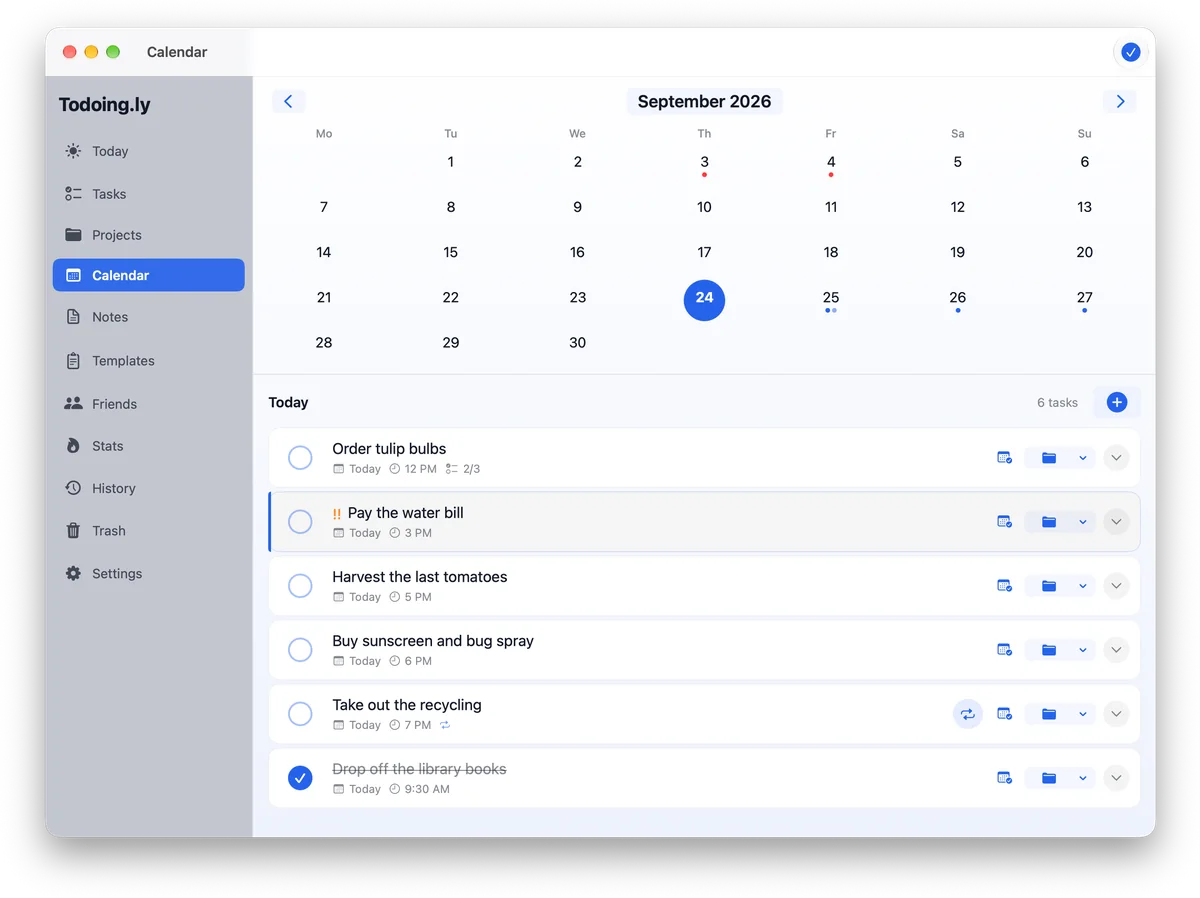
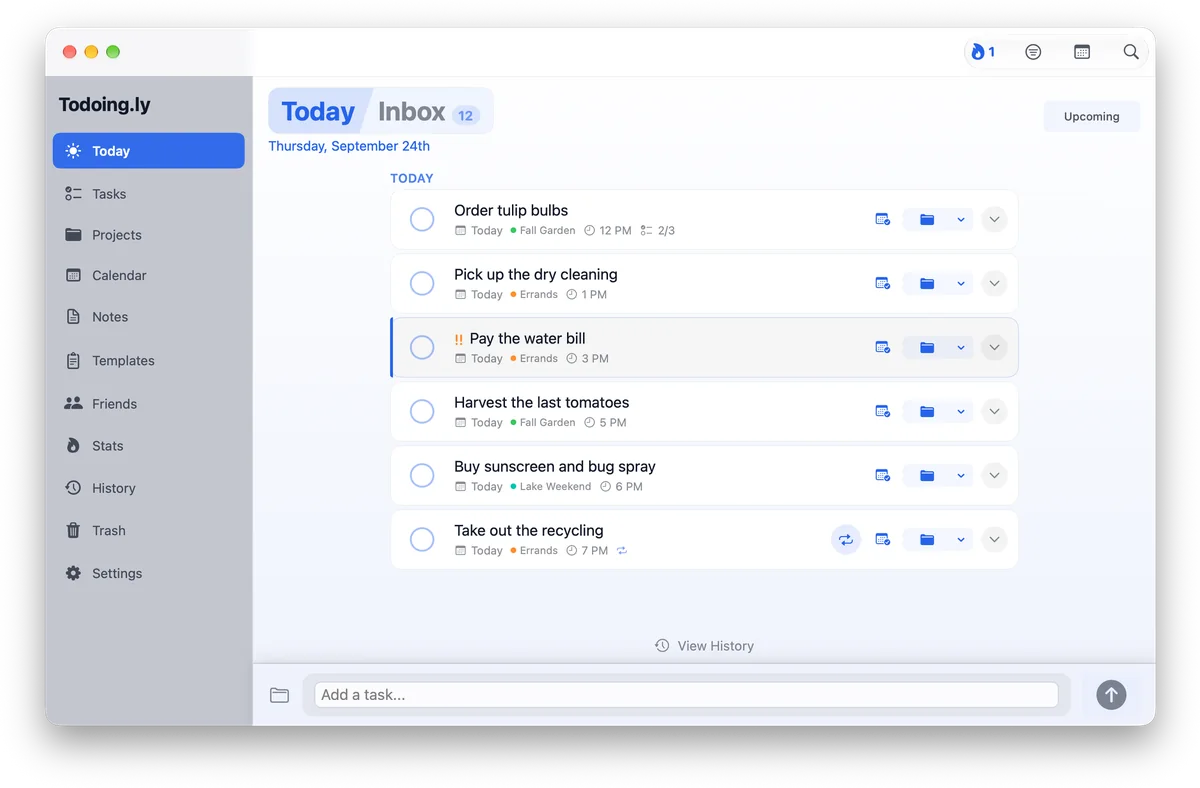
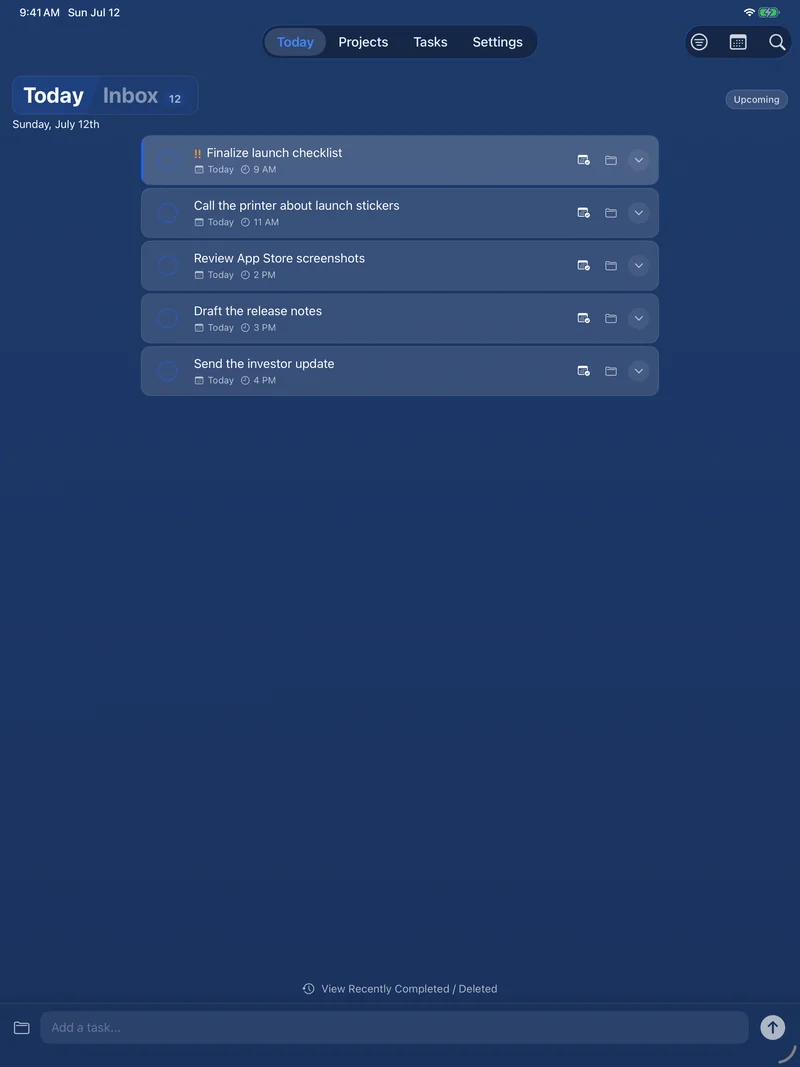
Due dates with times, a Today view that rolls up overdue work, a calendar, reminders, and home-screen widgets on your phone.
 Todoing.ly: Task management for people who do things.
Projects, repeating tasks, subtasks, and lists you can share with someone else, synced across Mac, Windows, Linux, the web, and your phone.
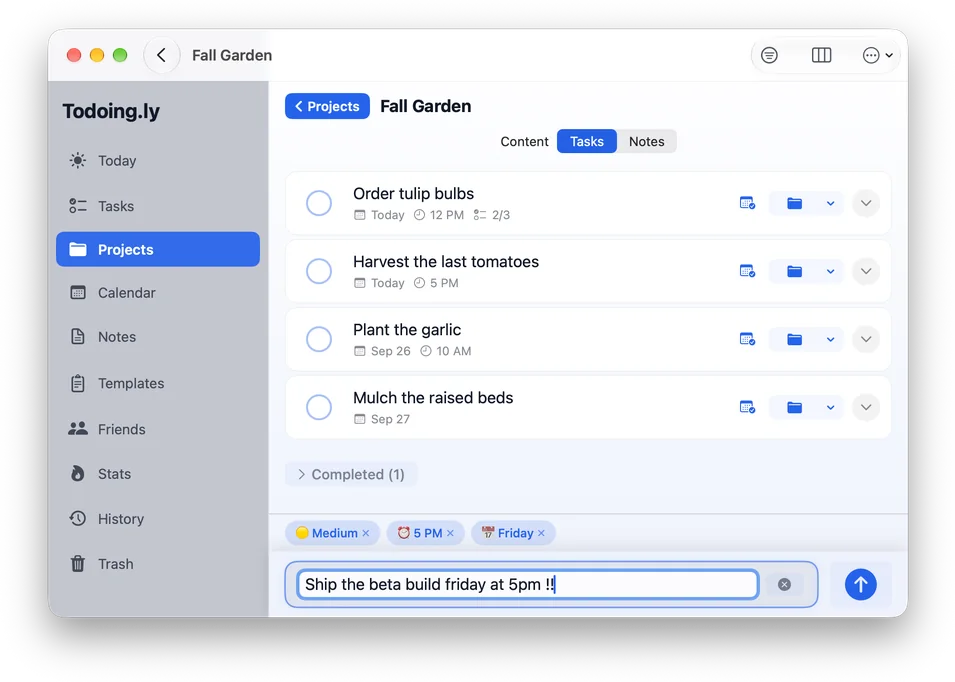
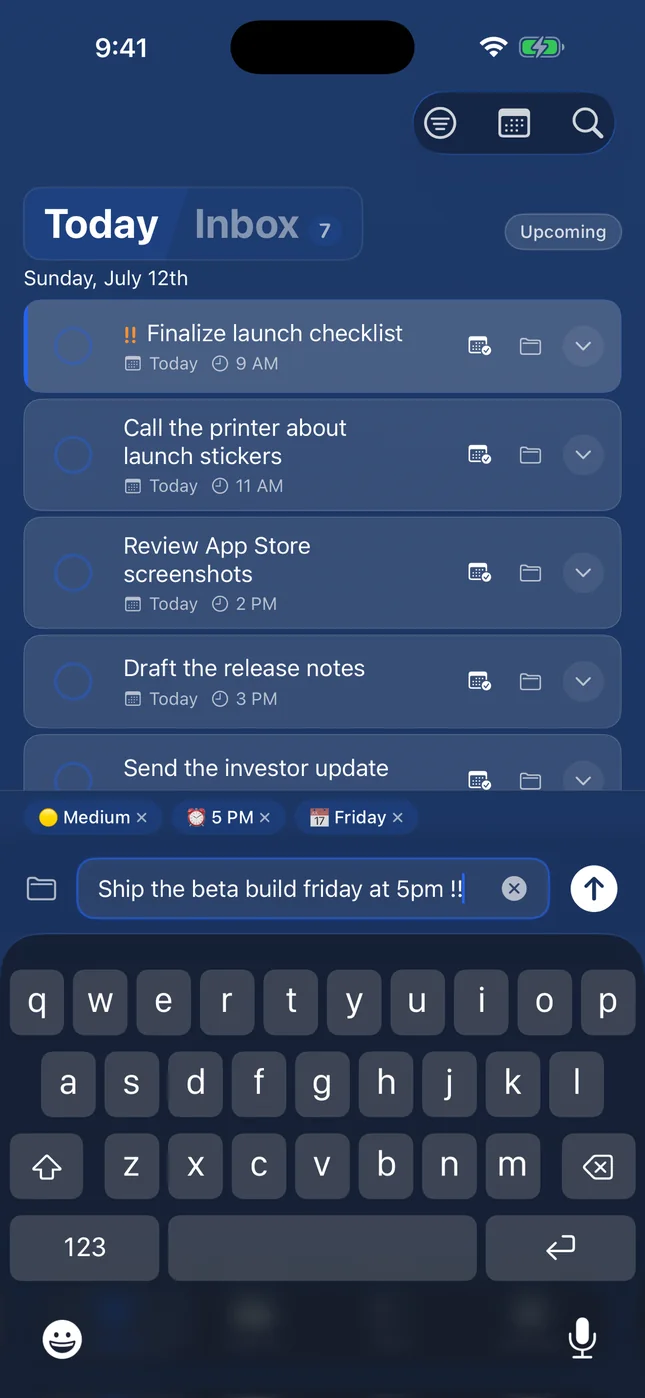
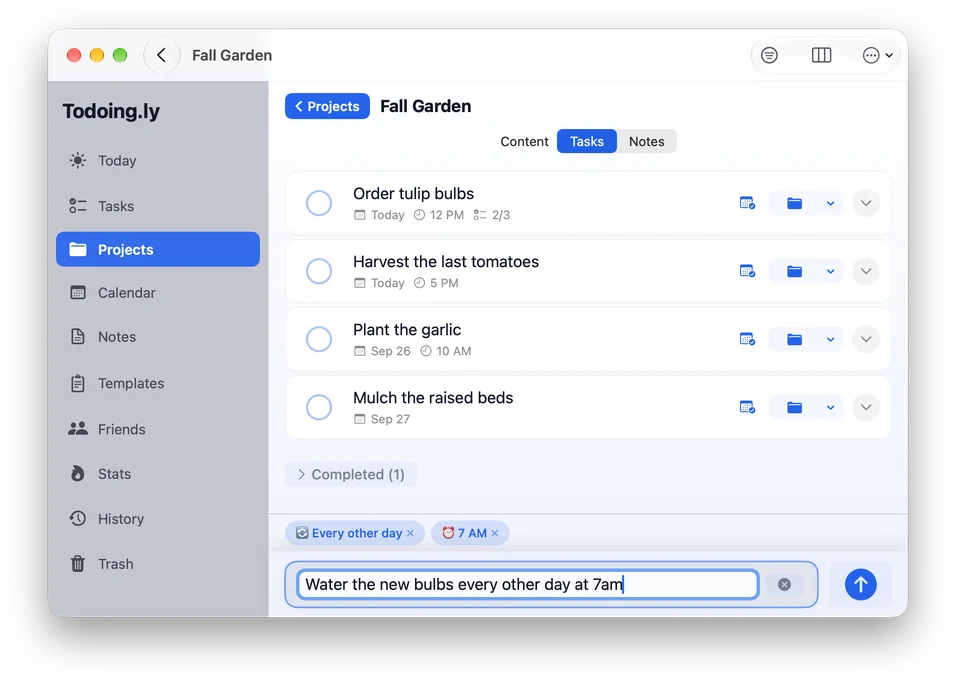
Type “Ship the beta build friday at 5pm !!” and the date, time and priority fill themselves in. Add #project to file it.
Daily, weekly, monthly, or yearly, with intervals and specific weekdays. Just write the schedule the way you’d say it.
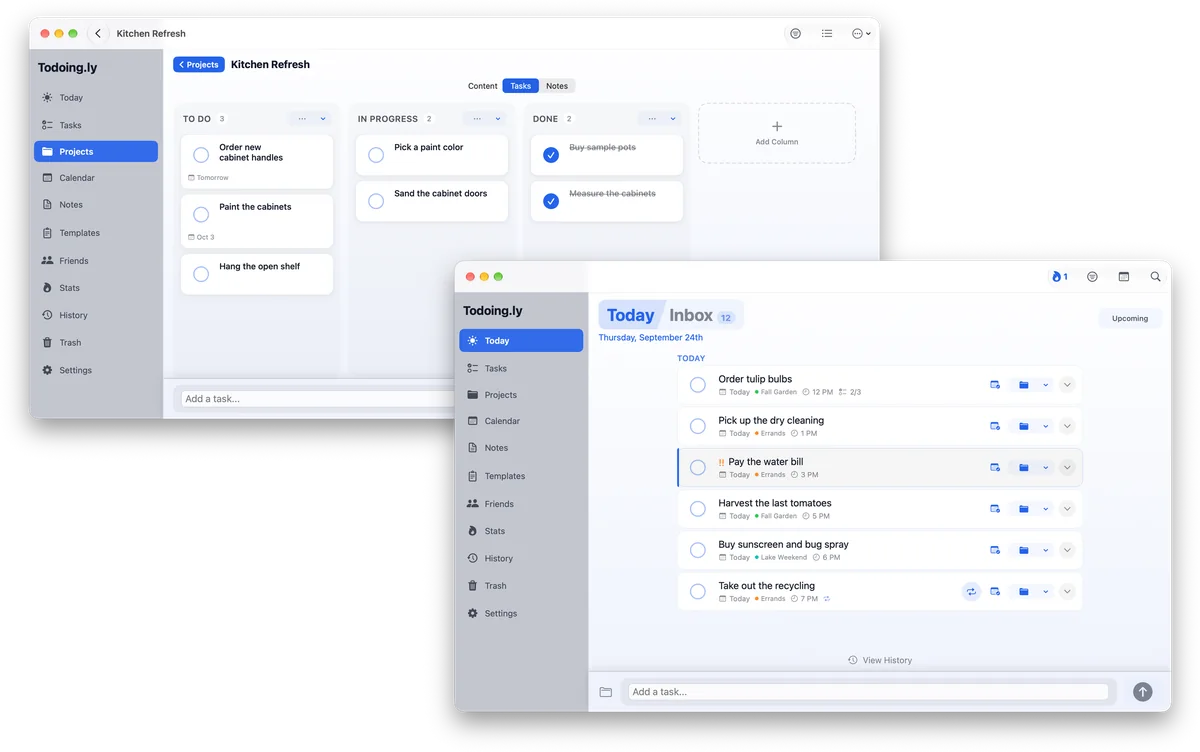
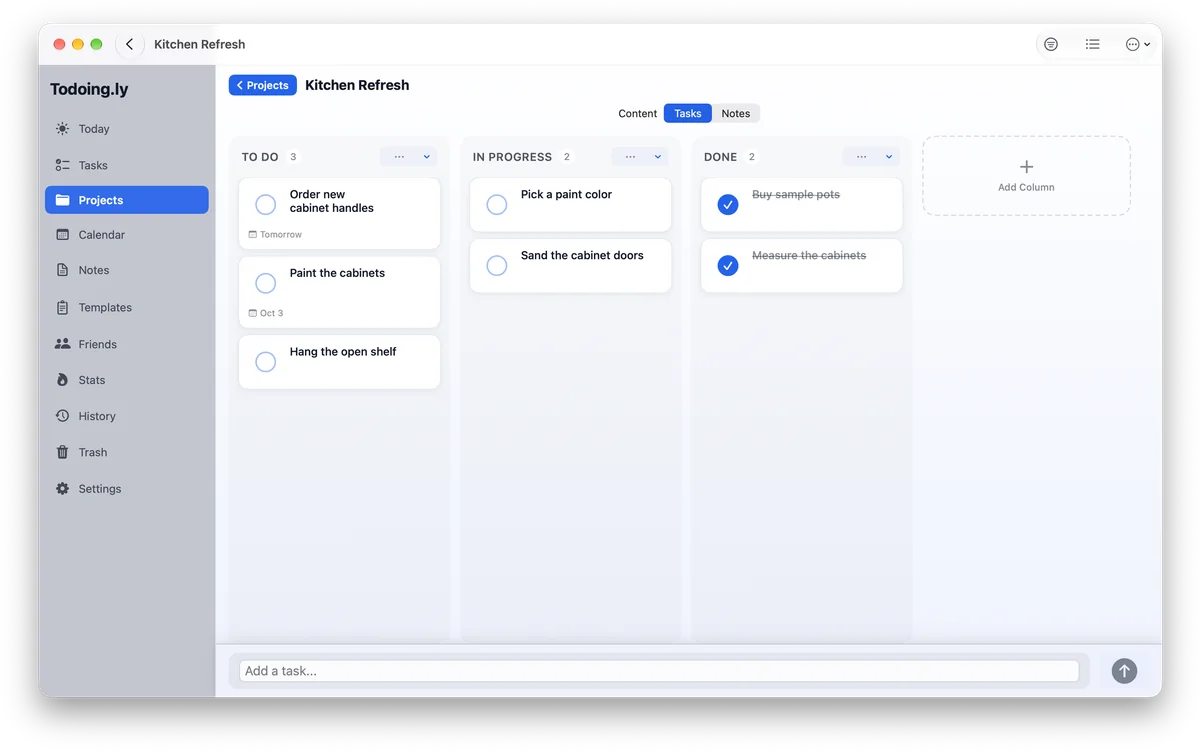
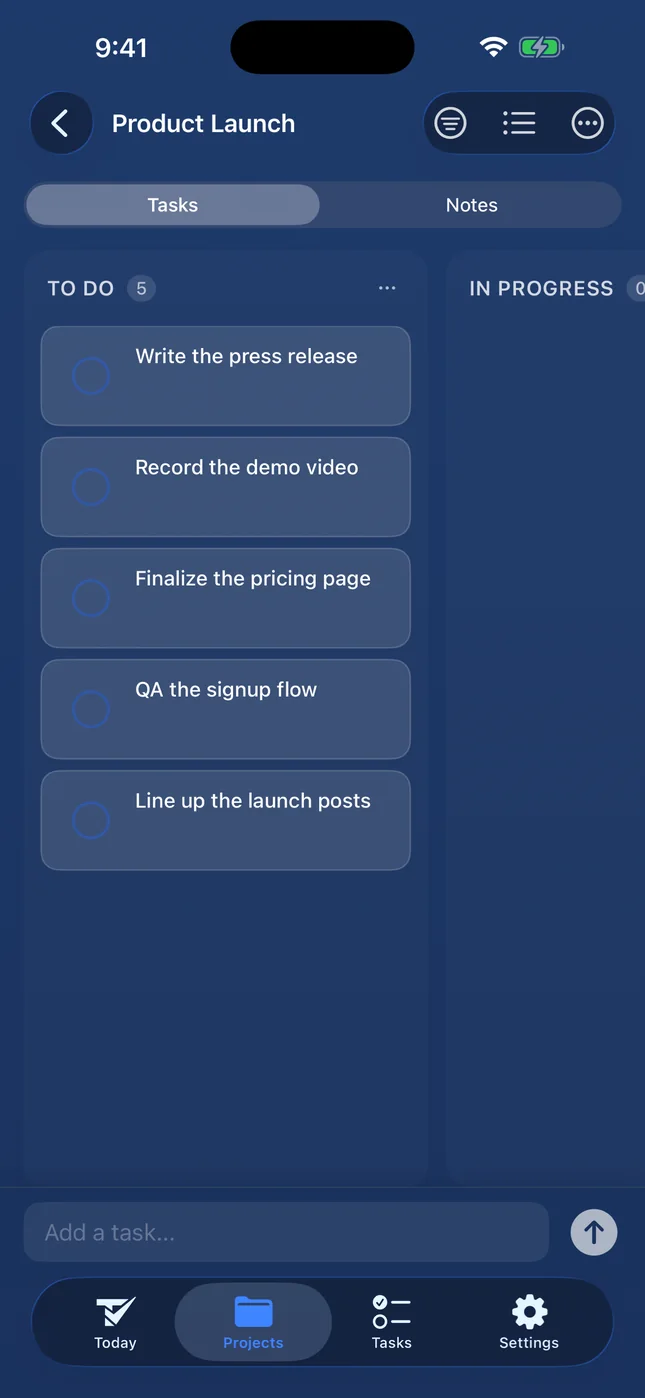
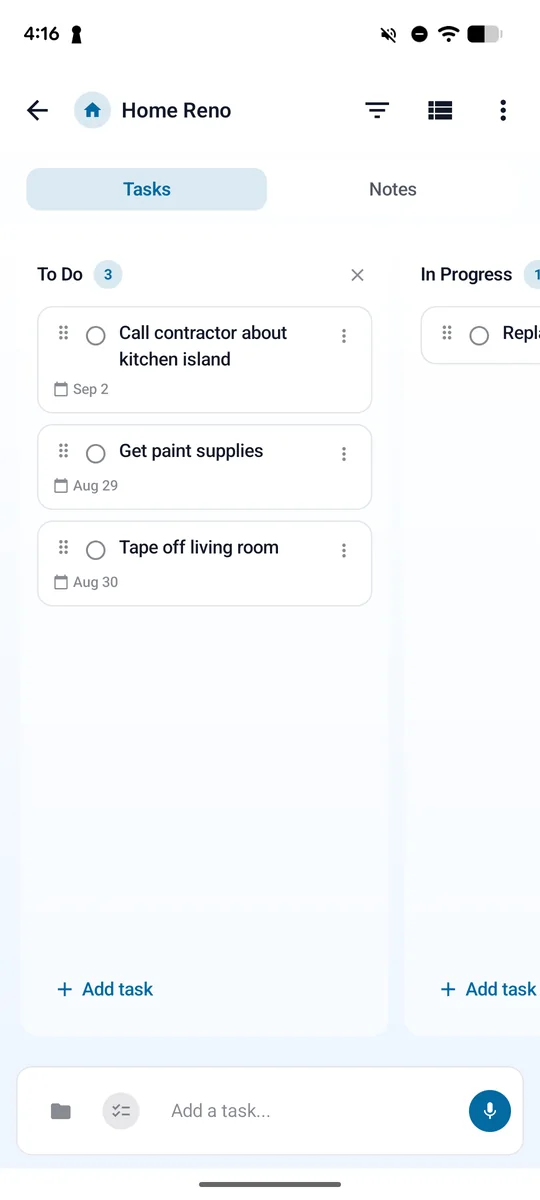
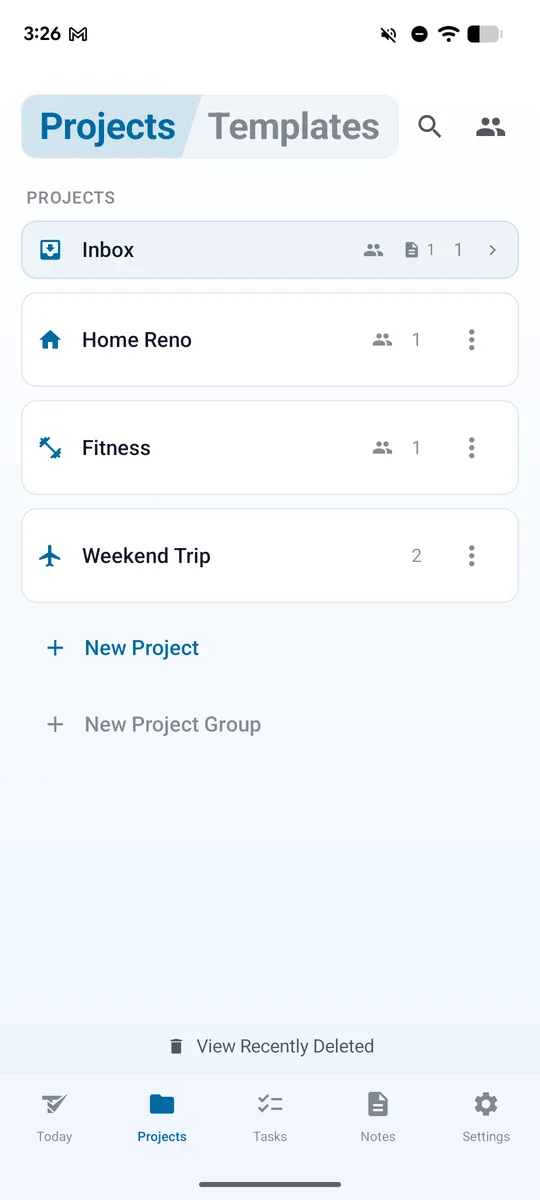
Flip any project between a list and a kanban board with your own columns, and move cards as work progresses.
Add a friend by email or friend code, share a project, and choose what they can do: view, add, edit, or complete. Everyone you share with uses their own Todoing.ly, or the one seat your plan covers.
Today rolls up overdue work, Inbox holds tasks with no date, Upcoming shows what’s next, and a calendar shows your tasks by date.
Break any task down and watch the progress count fill in. Priorities and filters keep a long list honest.
Set a reminder on any task and Todoing.ly lets you know when it’s due, even with the main window closed.
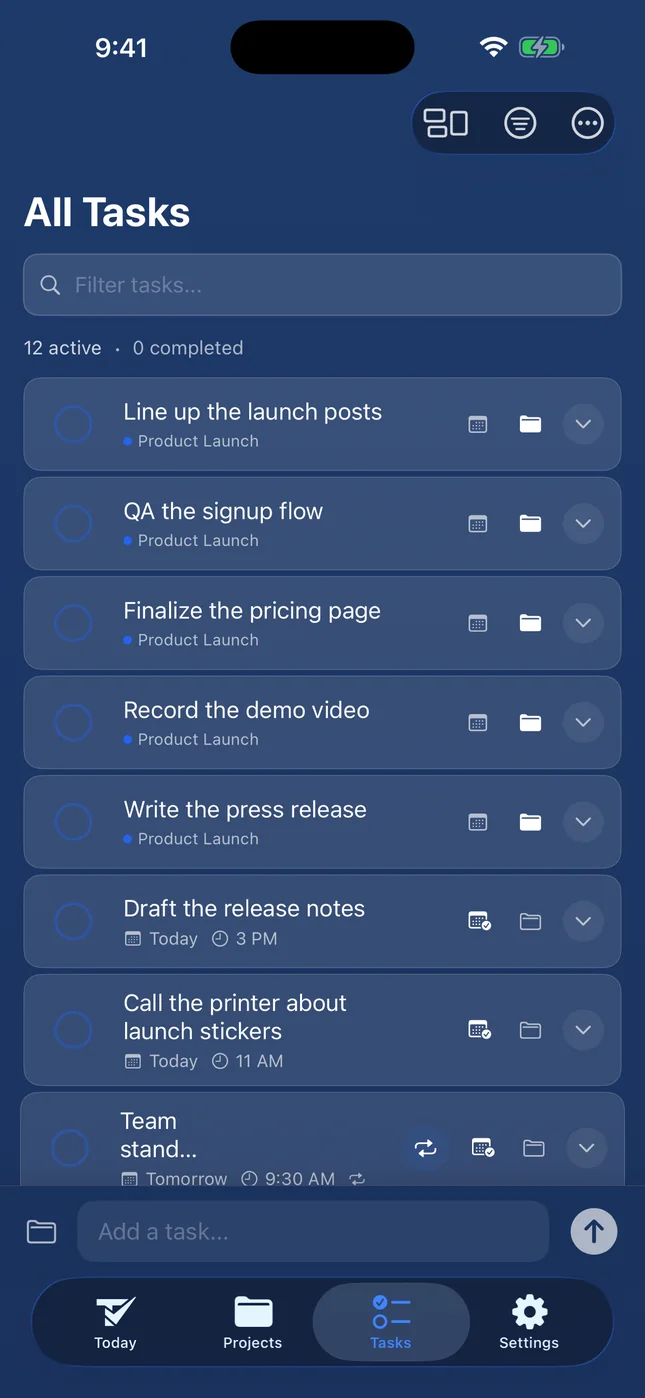
Your tasks work offline and sync across Mac, Windows, Linux, iPhone, Android, and the web.
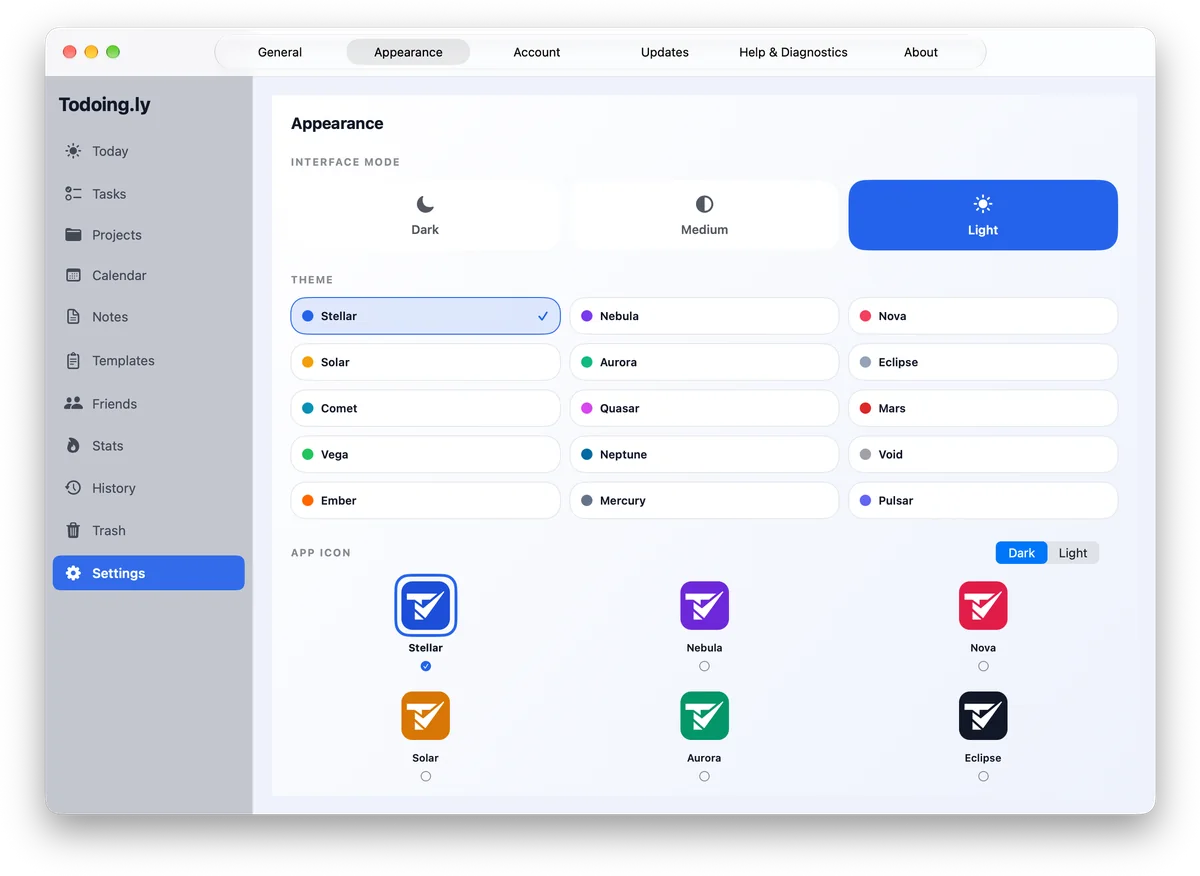
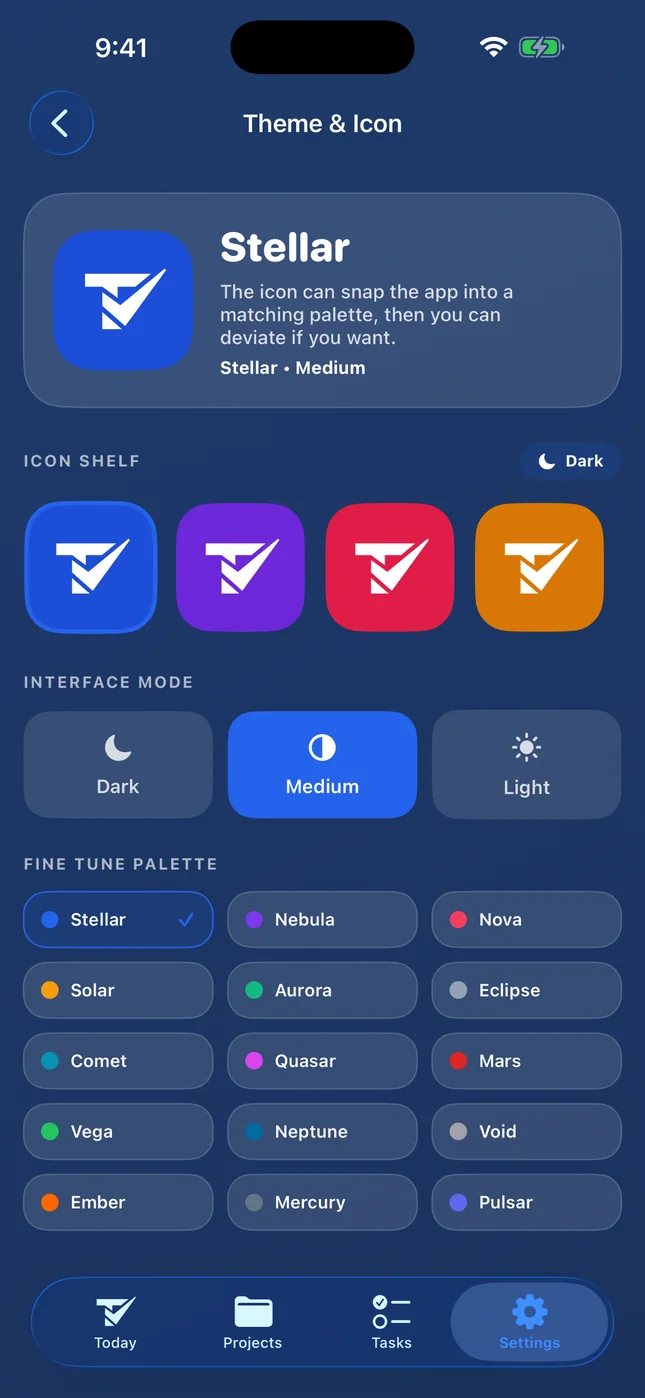
15 themes, each in dark, medium or light, and 30 matching app icons on iPhone, iPad and Android.
Add a task without opening the window: from the menu bar on Mac, or the tray on Windows and Linux.
Home-screen widgets: four on iPhone and iPad (Today’s Focus, Add Task, Speak to Add, Stats), one Today widget on Android.
On iPhone, iPad and Android, tap the microphone and say the task.
On Mac, iPhone, iPad, Android and the web, assign a task in a shared project to one or more people.
Each shared project has an activity feed of what its members do, like who completed a task.
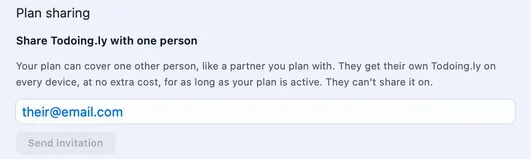
From Settings, share Todoing.ly with one partner at no extra cost, for as long as your paid plan is active.
Keep notes and templates right next to your tasks.
See what you’ve finished and keep a streak going.
Look back at what you’ve completed, and at what you deleted in Trash.
On Mac, Windows and Linux, start a new task, search, and jump between sections from the keyboard.
Export your tasks any time: as a CSV file on phones, Mac and the web, and with your projects, notes and templates as a file on Windows and Linux.
Todoing.ly in 44 seconds 0:44
Ship the beta build friday at 5pm !!
Type “Ship the beta build friday at 5pm !!” and the date, time and priority fill themselves in. Add #project to file it.
Daily, weekly, monthly, or yearly, with intervals and specific weekdays. Just write the schedule the way you’d say it.
Set a reminder on any task and Todoing.ly lets you know when it’s due, even with the main window closed.
Add a task without opening the window: from the menu bar on Mac, or the tray on Windows and Linux.
On iPhone, iPad and Android, tap the microphone and say the task.
Flip any project between a list and a kanban board with your own columns, and move cards as work progresses.
Shared projects
Add a friend by email or friend code, share a project, and choose what they can do: view, add, edit, or complete.
Everyone you share with uses their own Todoing.ly, or the one seat your plan covers.
On Mac, iPhone, iPad, Android and the web, assign a task in a shared project to one or more people.
Each shared project has an activity feed of what its members do, like who completed a task.
From Settings, share Todoing.ly with one partner at no extra cost, for as long as your paid plan is active.
01
Due dates with times, a Today view that rolls up overdue work, a calendar, reminders, and home-screen widgets on your phone.
02
Daily, weekly, monthly, or yearly, with intervals and specific weekdays. Just write the schedule the way you’d say it.
03
Swap the palette, swap the icon, go light, medium, or dark. 15 themes, and 30 matching app icons on iPhone, iPad and Android.
No ads. No sold data. Your tasks work offline and sync across Mac, Windows, Linux, iPhone, Android, and the web.
Keep working offline; it catches up when you’re back.
Sign in once and your tasks follow you everywhere you use Todoing.ly.
Desktop
Phone, tablet and web

Try everything free for 24 hours. No card needed. When it’s up, you can add 24 more hours once.
Start free
Todoing.ly unlocked on every platform & device
$0.00for 7 days
then $9.99/mo · credit card required · cancel anytime
Annual + Bonus
Todoing.ly Pro for a year, plus all 8 other Bravely apps, free
$0.00for 7 days
then $95.99/yr · 20% less than monthly · cancel anytime
30-Day Money-Back Guarantee
FREE full access to the 8 other premium utilities, all platforms







Lifetime + Bonus
Todoing.ly Pro forever, plus all 8 other Bravely apps, free, forever
$399once
no subscription · all updates included
30-Day Money-Back Guarantee
FREE lifetime access to the 8 other premium utilities, all platforms
One sign-in · instant unlock · sync everywhere. Secure checkout opens right here.
Signing in and adding your first task come before any price. Then try everything free for 24 hours with no card (you can add 24 more hours once), or start a plan: monthly and annual both begin with 7 days free, and lifetime is one payment.
Yes. Add them as a friend by email or friend code (they need a Bravely Account), then share a project and choose what each person can do: view, add, edit or complete. Each person uses their own Todoing.ly: their own plan or trial, Bravely Premium, or the one seat your paid plan covers. If the owner’s plan ends, the shared project closes for everyone.
No caps on tasks, projects or notes. Everything is in the one plan, on every device you use.
Yes. Keep working offline; it catches up when you’re back. On Windows and Linux, connect at least once every 72 hours: after that, the app waits for a connection before it opens your tasks. On the web, a tab that’s already open keeps working.
On iPhone, iPad, Android and Mac, at the time you set, whether Todoing.ly is open or not. On the web, as browser notifications once you allow them. On Windows and Linux, while Todoing.ly is running; on Windows, closing the window keeps it in the tray.
Dates, times and repeats in plain words, like “tomorrow 4pm”, “friday at 5pm” or “every monday”. Add !! for medium priority or !!! for high, and #project to file it in a project.
A Mac with macOS 14 or later, a 64-bit (x64) PC with Windows 10 or 11, and 64-bit (x64) Linux with GTK 4, as a .deb or an AppImage. Or use it in your browser at todoingly.bravely.dev.