Markd.ly vs MarkText — honest comparison

Looking for a MarkText alternative? Here is an honest Markd.ly vs MarkText comparison. Markd.ly is a native editor, not Electron, on Mac, Windows and Linux, and it runs on iPhone, iPad and Android too, where MarkText has no official app. One $19.99 purchase unlocks all six, and the desktop apps add vim mode, snippets and AES-256-GCM encrypted documents. If you want free, open-source software that formats your markdown in place as you type, MarkText is built for that.

$19.99 once, no subscription. Try it free for 24 hours first, no card.

Markd.ly vs MarkText at a glance

At a glanceMarkd.lyMarkText
Entry price$19.99 one-timeFree
Next plan up$0 for 7 days, then $95.99/yrFree (open source, MIT)
Lifetime license$399 onceFree and open source (MIT), nothing to buy (verified github.com/marktext/marktext, 2026-09-24)
PlatformsMac, Windows, Linux, iPhone, iPad, AndroidMac, Windows, Linux

Where Markd.ly and MarkText each win

Pick Markd.ly if

  • You want your editor on your phone too. Markd.ly runs on iPhone, iPad and Android as well as Mac, Windows and Linux, and one $19.99 purchase unlocks all six. MarkText's team makes no phone or tablet app; an unofficial community port brings it to Android as an APK from GitHub, and there is nothing for iPhone or iPad.
  • You want a native app with notarized Mac builds. Markd.ly is built with SwiftUI on Mac, WPF on Windows and GTK on Linux, and its Mac app is signed with Apple Developer ID and notarized by Apple. MarkText runs on Electron. Its maintainer says its Mac builds are not code-signed or notarized, so macOS can call the download damaged until you run a Terminal command, and Homebrew disabled its cask on 2026-09-01.
  • You want tools MarkText doesn't have: vim mode, snippets that expand on Tab, and AES-256-GCM encrypted documents, on Mac, Windows and Linux.
  • You deliver Word, EPUB, LaTeX or slides. On Mac, Windows and Linux, Markd.ly exports all four with nothing extra to install, as well as HTML and PDF. MarkText 0.19.1 exports HTML and PDF; its 0.20 release candidates add Pandoc conversion, which needs Pandoc installed separately.

Pick MarkText if

  • You want it free and open source: MarkText costs nothing, and its code is on GitHub under the MIT license.
  • You want to write inside the rendered page: MarkText's WYSIWYG editor formats your markdown in place as you type. Markd.ly shows the rendered document in Preview, or together with your markdown in Split.
  • You want more search and PDF options: MarkText's folder search matches regular expressions and whole words, and its PDF export sets page size, margins, a header and a footer.
  • You like focus and typewriter modes: MarkText has both; Markd.ly has neither.
  • You use a Windows PC with an ARM chip: MarkText ships arm64 installers for Windows; Markd.ly's Windows build is x64 only.

Markd.ly vs MarkText, feature by feature

Verified . Source linked at the bottom.

FeatureMarkd.lyMarkText
PriceOne-time $19.99Free, open source (MIT)
Open sourceNoYes
Latest public releaseMac 1.6.16, Windows 1.12.4 and Linux 0.7.4, all released September 20-22, 2026v0.19.1, Jun 6 2026; v0.20.0-rc.6, Sep 24 2026 (github.com/marktext/marktext)
Signed / notarized buildsYes: Developer ID signed and notarized on Mac; signed installer on WindowsNo: its maintainer says the Mac builds are not code-signed or notarized (2026-09-18), Homebrew disabled its cask on 2026-09-01, and its Windows installer carries no code signature
Automatic in-app updatesYes, built inYes (in-app update check)
Native (non-Electron)Yes (native)No (Electron)
Runs onMac (macOS 14 or later), Windows 10 (1809) or later, Linux (x64), iPhone and iPad (iOS 17 or later), Android 8.0 or laterMac (macOS 12 or later), Windows 10 or 11 (x64 and arm64), Linux x64 (AppImage, .deb, .rpm and Snap)
Account neededYes: one Bravely Account sign-in (Apple, Google or email)No
Phone and tablet appsYes: iPhone, iPad and AndroidNo official app. An unofficial Android port (APK on GitHub); nothing for iPhone or iPad.
Inline WYSIWYG renderNo — pane live preview onlyYes (in place, as you type)
Focus / typewriter modeNoYes (both)
File formatPlain .md on diskPlain .md
Vim mode (normal/insert/visual, core motions + operators)Yes (desktop)No
Pandoc export (DOCX/EPUB/LaTeX/Reveal.js)Yes (desktop): Linux converts on your computer; Mac and Windows convert on our server, so they need a connectionNot in v0.19.1 (HTML and PDF export only); v0.20 release candidates add it, with Pandoc installed separately
Encrypted documents (AES-256-GCM)Yes (desktop)No
Snippet library (date, time, cursor placeholders)Yes (desktop)No
Folder-wide searchYes (desktop; plain text, match case)Yes (regular expressions, whole word, match case)
Mermaid / KaTeXYesYes
Windows on ARMNo (x64 only)Yes (arm64 installer)

Markd.ly on Windows and Linux: what we ran, and when

Screenshots and measurements from our own machines, . Test files only; no one's real data.

Linux · measured

2.2 s

From launching Markd.ly for Linux with a markdown file to its window on screen.

Median of 3 cold launches of the AppImage (2.16 to 2.64 s).

Build
Markd.ly 0.7.4
System
Linux with the Cinnamon desktop (kernel 6.14)
Machine
a desktop PC with an AMD Ryzen 5 7600X
Disk
TEAM TM8FP6512G 512 GB NVMe SSD (ext4)
How to repeat it
  1. Quit Markd.ly.
  2. Run Markdly.AppImage README.md from a terminal.
  3. Time until a window titled README.md is on screen.
  4. Repeat 3 times and take the median.

Mac · measured

8.6 MB

Markd.ly for Mac's download, a DMG that macOS accepts as notarized.

spctl on macOS 27.0 accepts the DMG and the app inside it: source Notarized Developer ID, Bravely Studios LLC.

Build
Markd.ly 1.6.16
System
macOS 27.0
Machine
a Mac Studio with an Apple M4 Max
How to repeat it
  1. Download https://bravely.dev/downloads/Markdly.dmg.
  2. Run spctl --assess --type open --context context:primary-signature -vv Markdly.dmg.
  3. Open the DMG and run spctl -a -vv -t exec on Markd.ly.app.
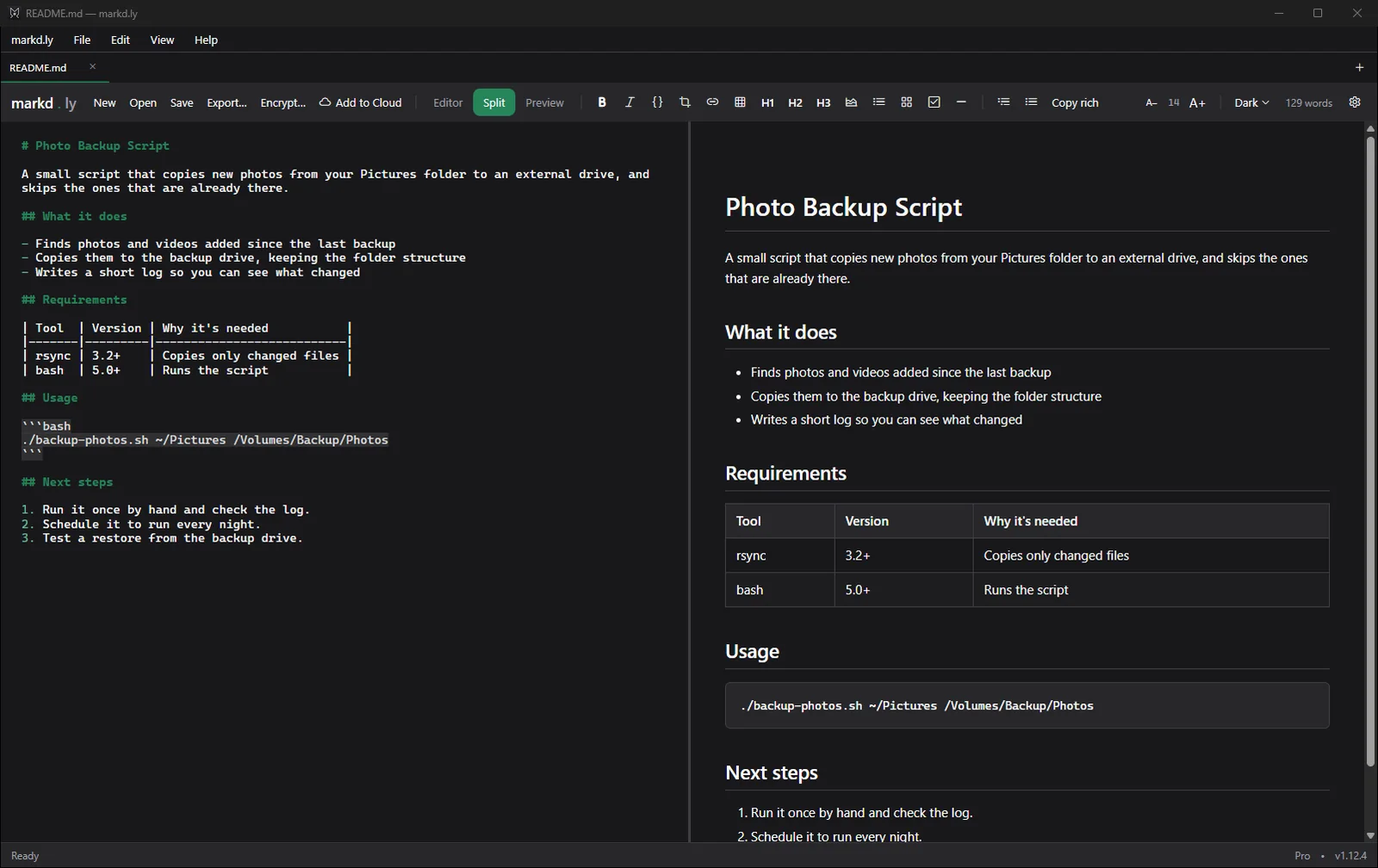
Markd.ly on Windows 11 showing a README file in Split view: markdown source on the left, and on the right the formatted page with headings, a bulleted list, a table and a code block
A README opened in Markd.ly on Windows 11, in Split view.Markd.ly 1.12.4 on Windows 11 Pro 25H2 (build 26200),
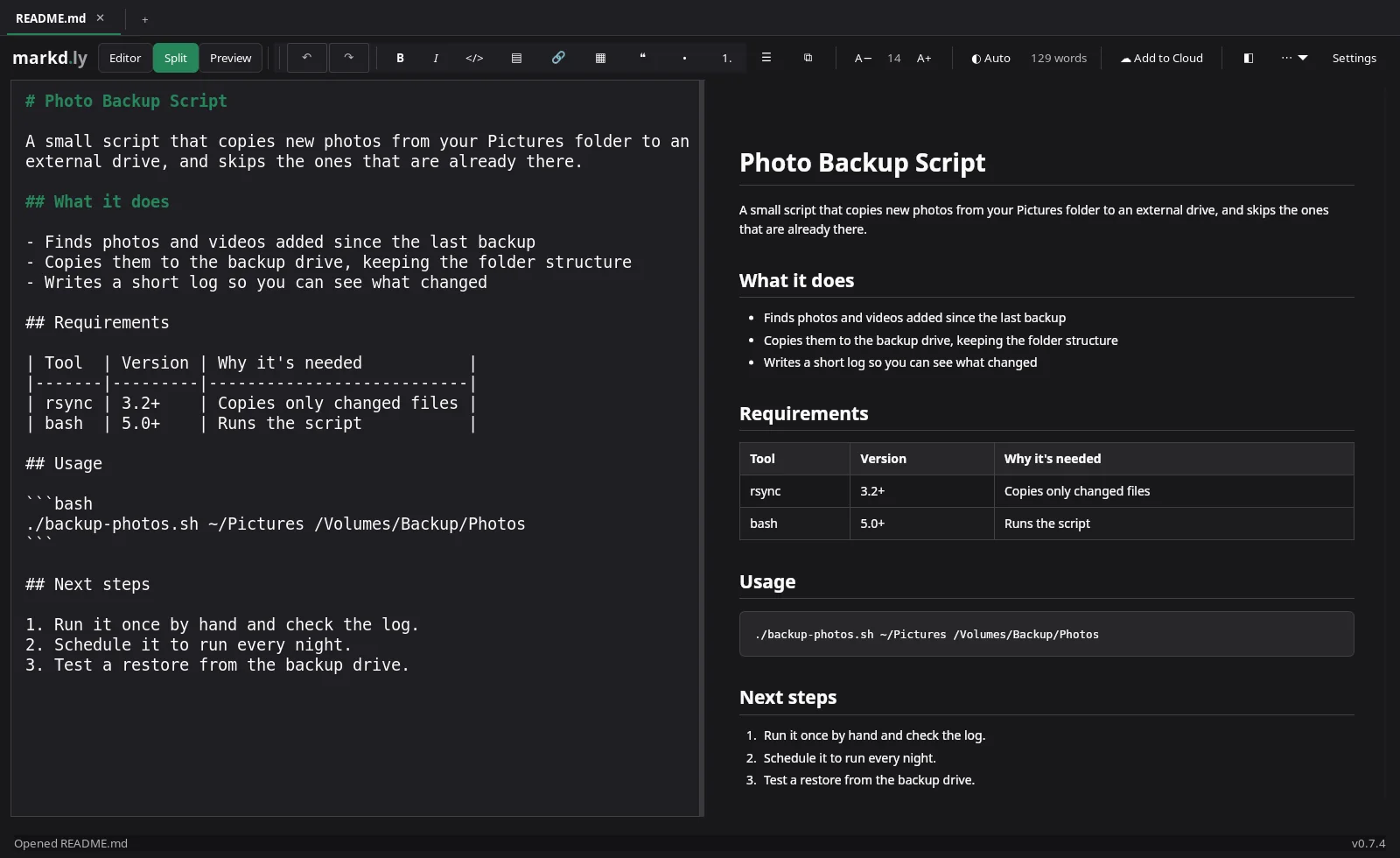
Markd.ly on Linux showing the README in Split view, markdown source on the left and the formatted preview on the right
The same README in Markd.ly on Linux, in Split view.Markd.ly 0.7.4 on Linux with the Cinnamon desktop (kernel 6.14),

Markd.ly vs MarkText FAQs

Is MarkText still maintained?

Yes. MarkText v0.19.1 shipped on June 6, 2026, and its v0.20.0 release candidates are shipping in September 2026, the latest on September 24 (github.com/marktext/marktext).

Does Markd.ly run on my phone?

Yes. Markd.ly runs on iPhone, iPad and Android, and the same $19.99 purchase unlocks it there. On a phone or tablet you get the editor, the live preview with diagrams and math, and your cloud library.

What does Markd.ly cost?

$19.99, once, and it unlocks Markd.ly on Mac, Windows, Linux, iPhone, iPad and Android. Before you buy, try every feature free for 24 hours with no card, and add 24 more hours once if you need them.

Can I open my MarkText files in Markd.ly?

Yes. Both use plain .md files, so there is nothing to convert.

Why does macOS say MarkText is damaged?

Its Mac builds aren't code-signed or notarized, its maintainer says (2026-09-18), so Gatekeeper quarantines the download and macOS reports it as damaged. MarkText's own fix is a Terminal command that clears the quarantine flag; Homebrew disabled its cask on 2026-09-01 for failing the Gatekeeper check. Markd.ly's Mac app is signed with Developer ID and notarized by Apple.

Markd.ly icon

Markd.ly

Native markdown editor

$19.99 once, no subscription. Try it free for 24 hours first, no card.

Pricing verified . MarkText on GitHub. Subject to change.