Start free
PrintScreen.ly Pro
PrintScreen.ly unlocked on every platform & device
$0.00for 7 days
then $9.99/mo · credit card required · cancel anytime
 PrintScreen.ly: Screenshots and screen recording your desktop deserves.
Take screenshots on your desktop, bring in the ones from your phone or tablet, and find them all in one synced library on every device and the web.
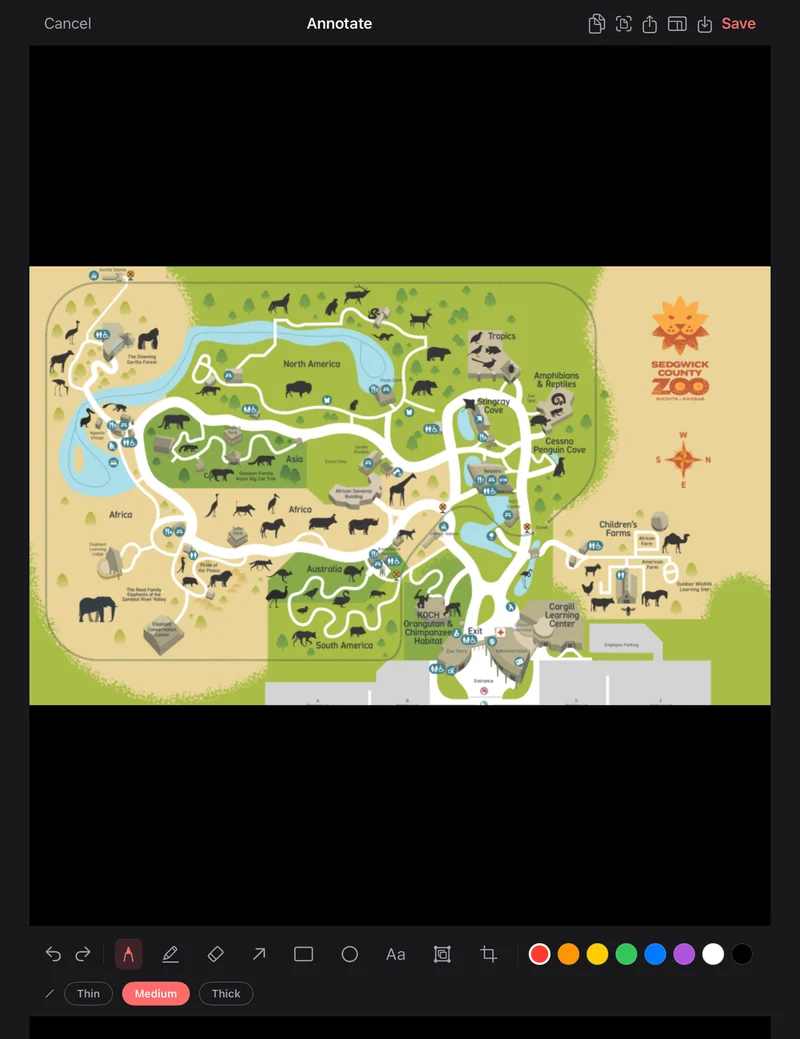
Region, window, fullscreen, and scrolling screenshot capture, plus screen recording to MP4 on Mac, Windows, and Linux (X11).
Select any area of your screen with pixel precision.
Click any window to capture just that window.
Capture the whole screen from the capture bar or the menu.
Pick the area and PrintScreen.ly scrolls and stitches it into one tall image, on Mac, Windows and Linux on an X11 desktop.
Capture on a 3 or 5 second timer to catch menus and tooltips.
Record a region or the whole screen to MP4, with system sound and your microphone, at 30 or 60 fps. Pause and pick up again any time. On Linux, recording needs an X11 desktop.
Mark it up the moment you take it: pen, highlighter, arrows, boxes, circles, text, blur and crop, with undo. Then copy it or save it.
Pull the text out of any screenshot and copy it. The text is read right on your device.
Every screenshot saves to a folder you choose, named with the date and time, and lands on your clipboard ready to paste.
Press ⌘⇧1 on a Mac or Ctrl+Shift+1 on Windows and a small bar opens: pick Region, Scroll, Window, Full screen or a recording. Change the shortcut in Settings.
Sign in and your screenshots sync to your library on your other computers, your phone and the web, with 2 GB of cloud storage.
The iPhone, iPad and Android apps hold the screenshots from your computers: mark them up, pull the text out, share a link. Snap a photo of a screen or whiteboard, or pick an image from your photos, and it joins them.
Quick preview after each capture. Review or dismiss in a click.
From the iPhone, iPad, Android or web app, or the Windows library, share a link to any screenshot. It works for 24 hours, and you can revoke it sooner.
Copy a screenshot on a Mac or Windows PC and it shows up in the Clipboard sheet of the iPhone, iPad or Android app while you have it open.
Turn on auto-import in the phone app’s Settings and the screenshots you take on your phone are added to your library the next time you open the app.
Sign in at printscreenly.bravely.dev to see the same library in your browser: open a screenshot, mark it up, download it or share a link.
On Linux, bind printscreenly --capture region (or window, fullscreen or scroll) to a key in your desktop’s keyboard settings.
PrintScreen.ly in 37 seconds 0:37
Capture
Region, window, full screen or a scrolling page, from a keyboard shortcut or the menu on every computer. A 3 or 5 second timer catches menus and tooltips.
Select any area of your screen with pixel precision.
Click any window to capture just that window.
Capture the whole screen from the capture bar or the menu.
Pick the area and PrintScreen.ly scrolls and stitches it into one tall image, on Mac, Windows and Linux on an X11 desktop.
Capture on a 3 or 5 second timer to catch menus and tooltips.
The editor opens right after each capture: pen, highlighter, arrows, boxes, circles, text, blur and crop, with undo. Then copy it or save it.
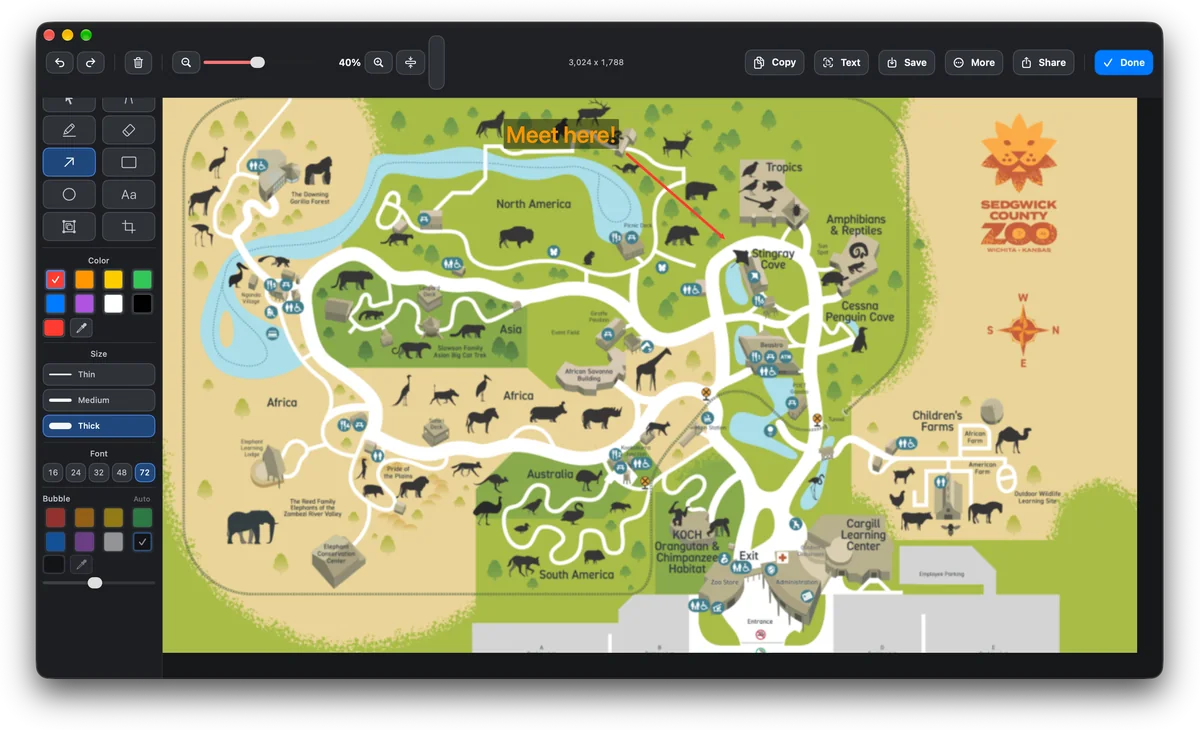

Mark it up the moment you take it: pen, highlighter, arrows, boxes, circles, text, blur and crop, with undo. Then copy it or save it.
Pull the text out of any screenshot and copy it. The text is read right on your device.
Every screenshot saves to a folder you choose, named with the date and time, and lands on your clipboard ready to paste.
Quick preview after each capture. Review or dismiss in a click.
Record
PrintScreen.ly records screen video, too — region or fullscreen, with system audio and mic, on Mac, Windows, and Linux (X11). Recordings save to a standard MP4 on your machine and stay there.
Record the area you select or the whole display. Same overlay you already use for screenshots.
Both on by default. On Mac and Windows, mute either one mid-recording from the floating control bar.
Standard MP4 with H.264 video and AAC audio. Plays in QuickTime, Movies & TV, anywhere.
Recordings save to your Movies folder on Mac, or your Videos folder on Windows and Linux, and stay there. No cloud upload, no share link.
Smooth at 30 for everyday capture. Bump to 60 for motion-heavy demos.
⌘⇧R on Mac, Ctrl+Shift+R on Windows, rebindable to whatever you like in Settings. Press it again to stop. On Linux, point a desktop shortcut at PrintScreen.ly’s record command.
Cloud library
Sign in with the same account everywhere and the screenshots you take on your computers sync on their own to one private cloud library, 2 GB per account. Recordings save on your computer and stay there.
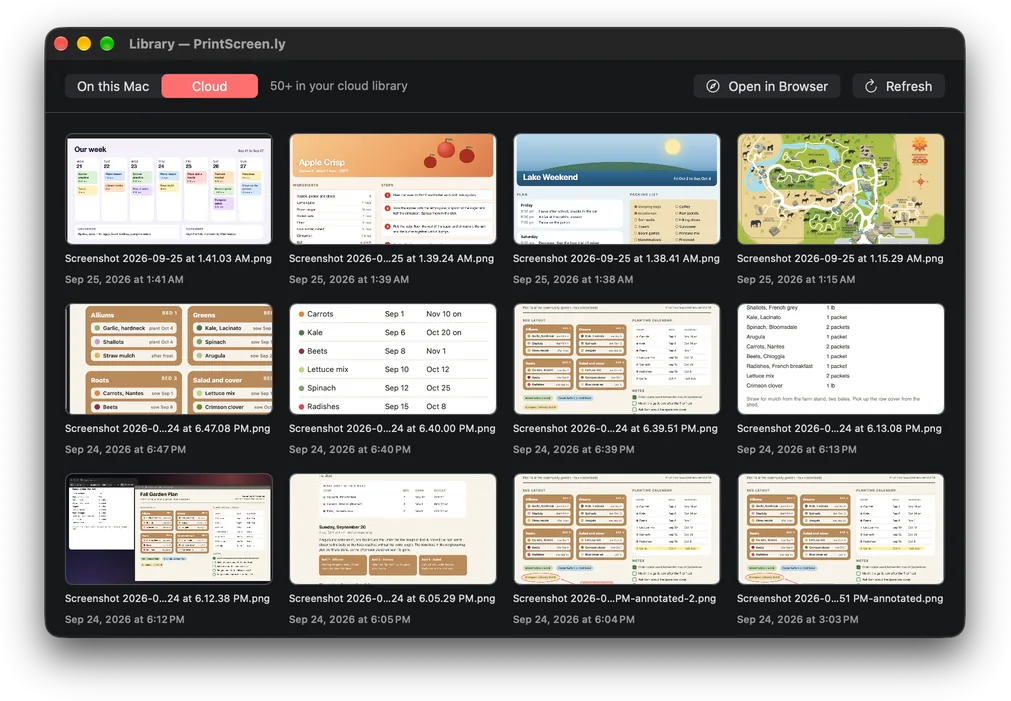
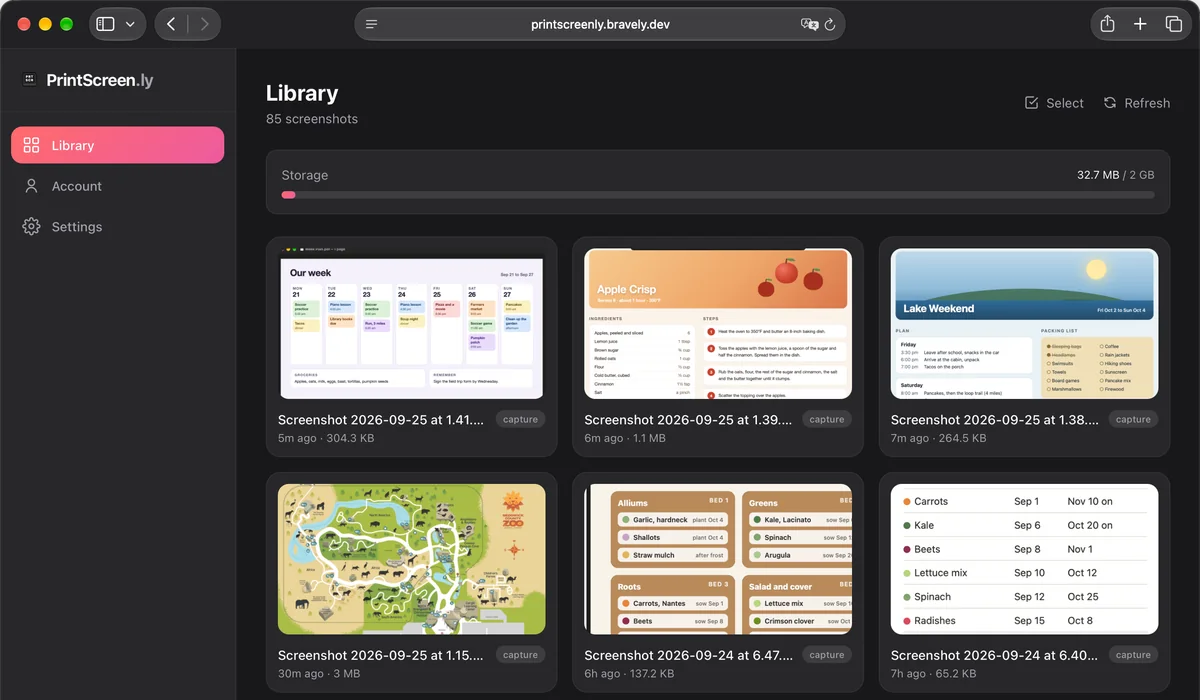
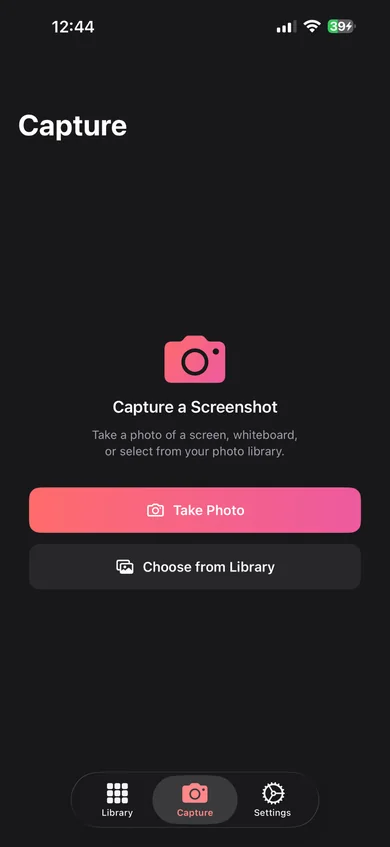
Auto-import from your phone. Turn on auto-import in the phone app’s Settings and the screenshots you take on your phone are added to your library the next time you open the app.
Desktop
Phone, tablet and web
Try every feature free for 24 hours. No card needed. When the day is up, you can add 24 more hours, once.
Start free
PrintScreen.ly unlocked on every platform & device
$0.00for 7 days
then $9.99/mo · credit card required · cancel anytime
Annual + Bonus
PrintScreen.ly Pro for a year, plus all 8 other Bravely apps, free
$0.00for 7 days
then $95.99/yr · 20% less than monthly · cancel anytime
30-Day Money-Back Guarantee
FREE full access to the 8 other premium utilities, all platforms




Lifetime + Bonus
PrintScreen.ly Pro forever, plus all 8 other Bravely apps, free, forever
$399once
no subscription · all updates included
30-Day Money-Back Guarantee
FREE lifetime access to the 8 other premium utilities, all platforms
One sign-in · instant unlock · sync everywhere. Secure checkout opens right here.
It takes screenshots (a region, a window, the full screen or a scrolling page, now or on a 3 or 5 second timer), records your screen to MP4, and opens every capture in a markup editor. Each screenshot saves to a folder, lands on your clipboard and syncs to your library.
They hold the screenshots you take on your computers. Mark them up, pull the text out, share a link or delete them. You can also snap a photo of a screen or whiteboard, pick an image from your photos, or turn on auto-import so the screenshots you take on your phone join your library.
Downloading and signing in are free. On a computer, a quick guided step has you take your first screenshot. Then try every feature free for 24 hours with no card, or start a plan: monthly and annual both begin with 7 days free (on the App Store and Google Play, the store decides whether your account gets the 7 days). There’s no free tier: after your trial, PrintScreen.ly needs a plan to capture.
Recordings save as MP4 files to your Movies folder on Mac, or your Videos folder on Windows and Linux, and stay there. No cloud upload, no share link. Only screenshots go to your synced library.
24 hours. Make one from the iPhone, iPad, Android or web app, or the Windows library, and revoke it sooner if you like. Your library is private to your account: a screenshot is visible to someone else only through a link you make.
Yes, on 64-bit (x64) Linux, as a .deb or an AppImage. PrintScreen.ly uses your desktop’s own capture tools and gives you a one-line install command for anything missing. Screen recording needs an X11 desktop. Copy Text from Screen sets up its own shortcut, Ctrl+Shift+2, where your desktop allows it, and Settings shows whether it’s on. For screenshots, bind printscreenly --capture region to a key in your desktop’s keyboard settings. On Linux the editor has undo but no redo.
Macs with Apple silicon, on macOS 14 or later. PrintScreen.ly lives in your menu bar and asks for Screen Recording permission when you set it up.
Compared to