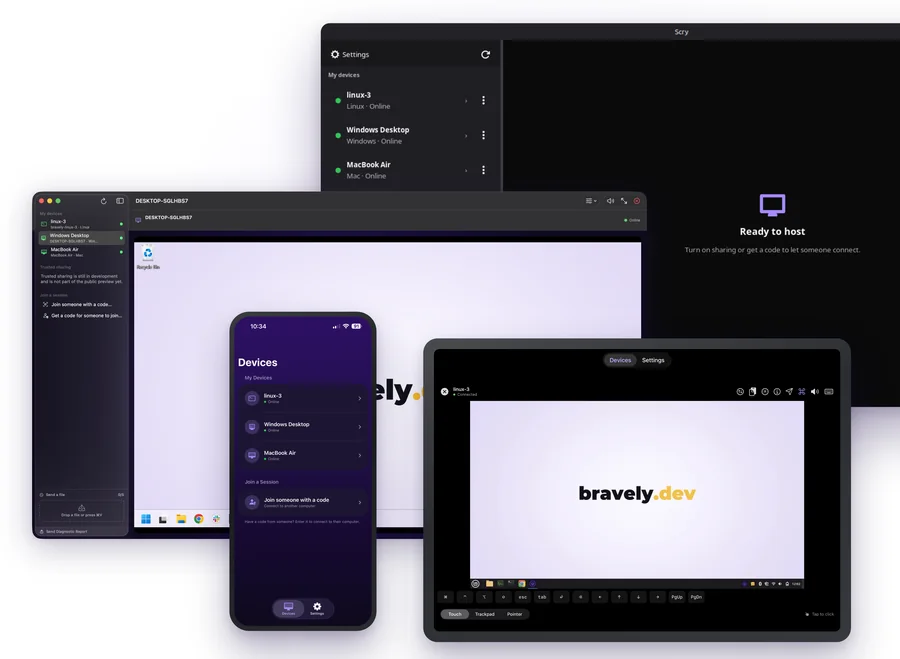
See the other computer’s screen and drive it with your own mouse, keyboard or touch.
Every Mac, PC & Linux box in one list
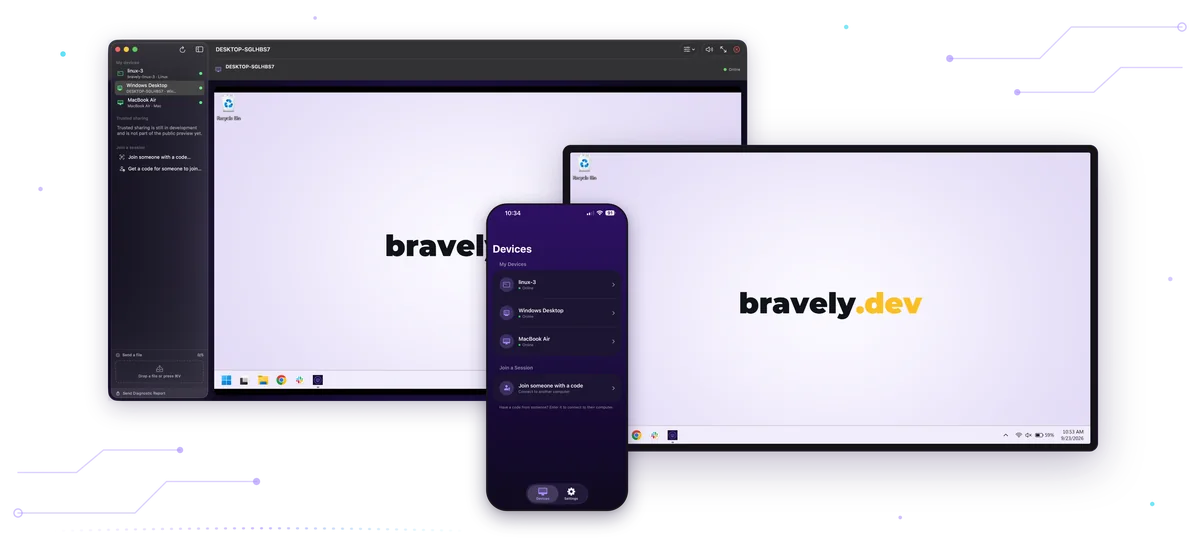
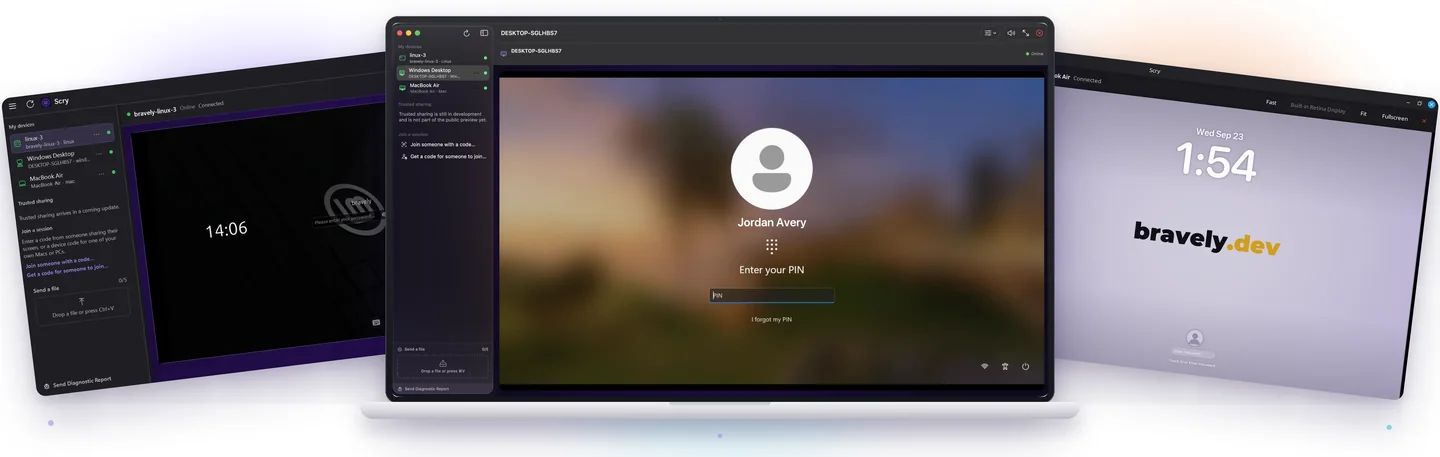
Every Mac, PC and Linux machine you’ve set up with Scry shows up in one list, with a live online dot.
Works at the lock screen
Connect to a locked Mac, Windows PC or Linux machine and type your password right at its lock screen.
Send files mid-session
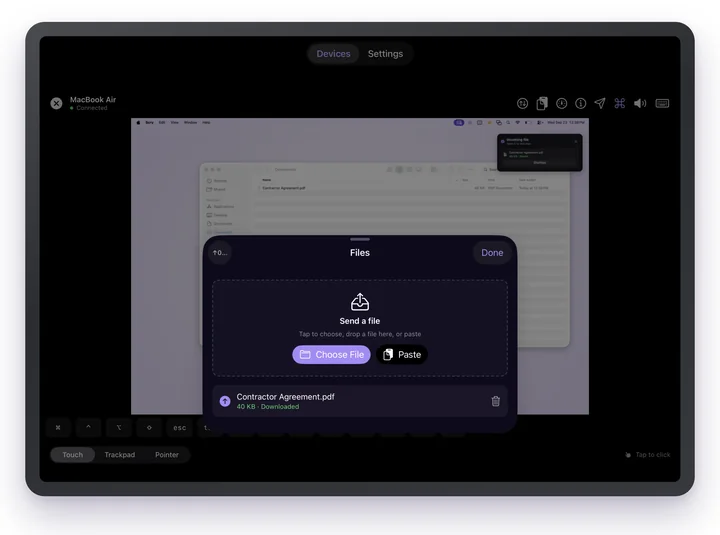
Drop a file in mid-session and it shows up on the computer you’re controlling. Click Save on that screen without leaving the session, and the file is ready to open.
Clipboard both ways
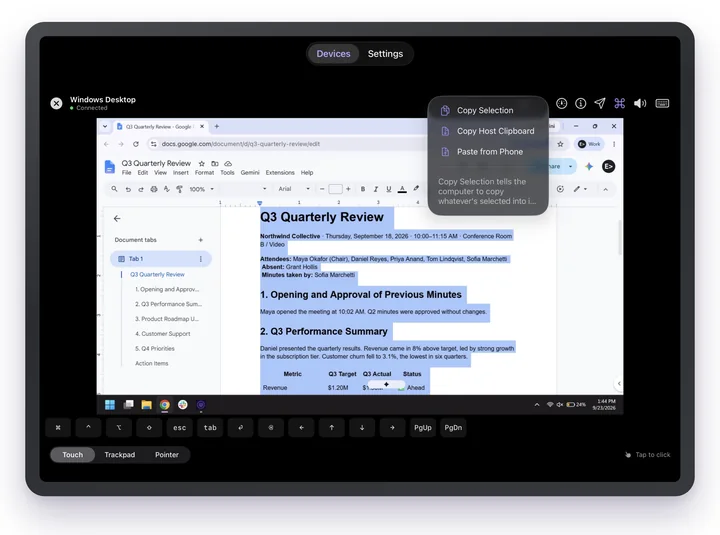
Copy text on one machine and paste it on the other, in either direction, while you’re connected.
One-time share codes
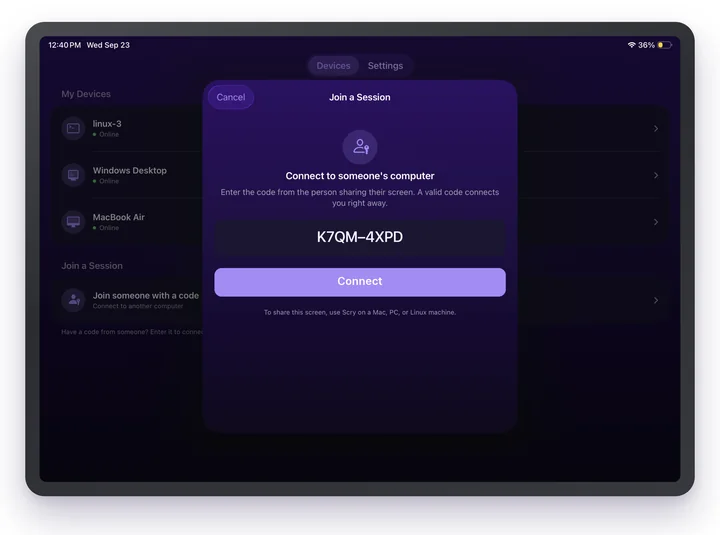
Someone reads you the code from their screen and you’re looking at their computer. A code opens one session and expires after 15 minutes. You both need Scry and an active plan or trial.
Switch displays
Scry streams one display at a time. Got more than one? Flip between them mid-session and keep working.
Touch, Trackpad & PointerPhones & tablets
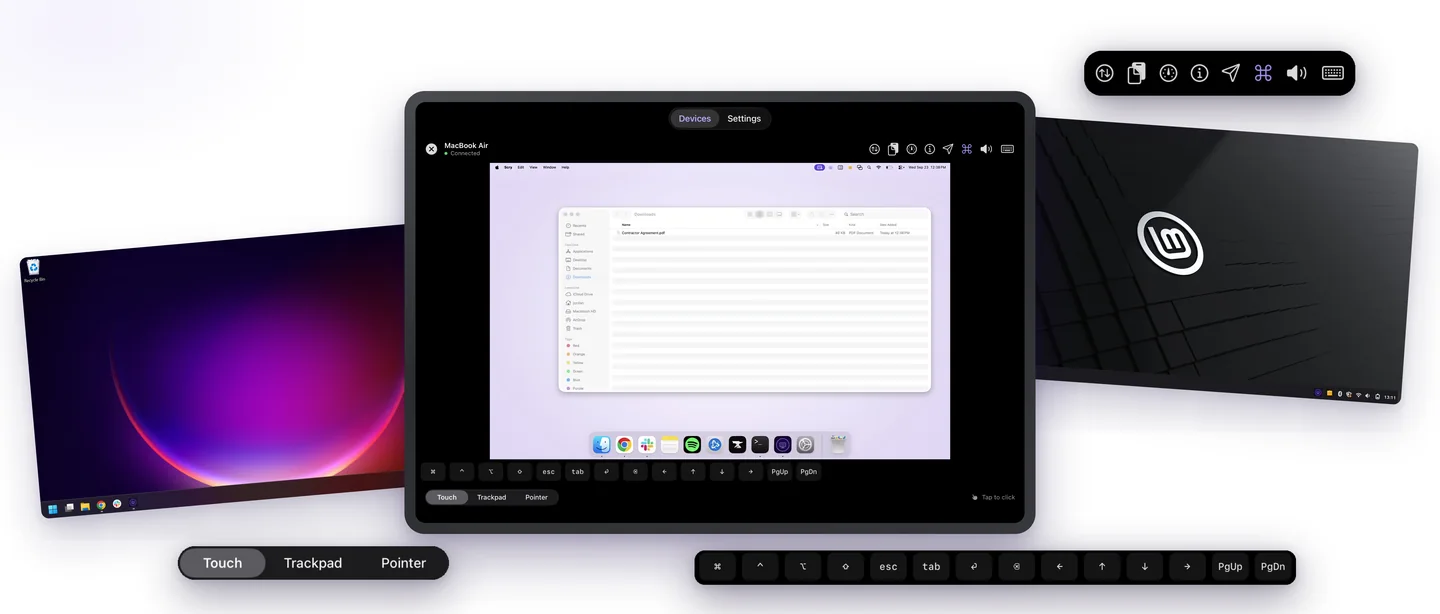
On iPhone, iPad and Android, choose how your finger drives the pointer: Touch, Trackpad or Pointer.
⌘, Ctrl and more on screenPhones & tablets
On iPhone, iPad and Android, a key bar adds the keys a phone keyboard lacks: ⌘, Ctrl, Option, Shift, Esc, Tab and the arrows.
Sound from the other computer
Hear what’s playing on the other computer. It’s on by default, with a mute button.
End-to-end encrypted
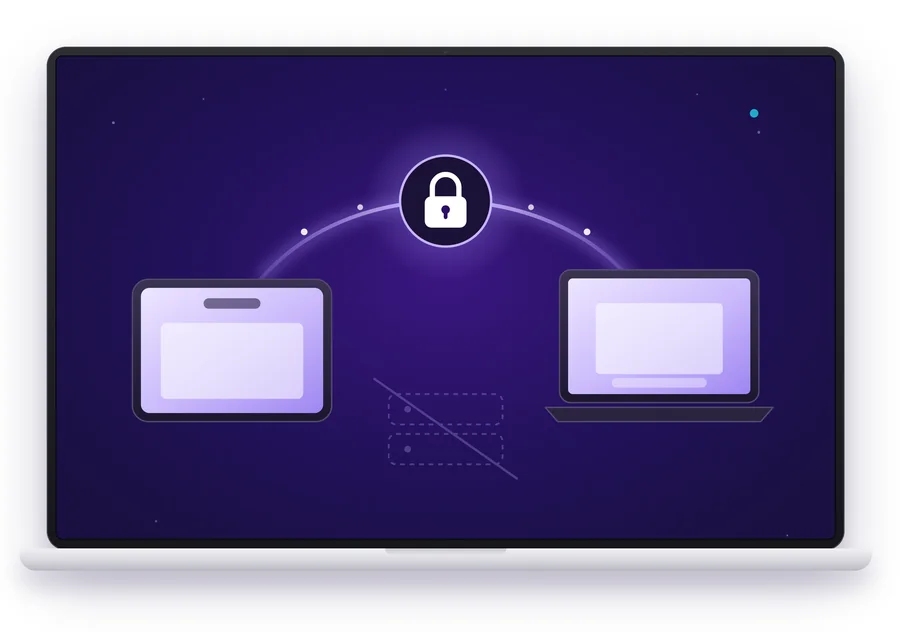
Every session is end-to-end encrypted between your two devices. Our servers never see your screen.
Connect from a browser
No Scry on the device you’re using? Sign in at scry.bravely.dev and connect from your browser. Tested in Chrome.
Right-click with a long press
On iPhone, iPad and Android, press and hold to right-click.
Pinch to zoom
On iPhone and iPad, pinch to zoom in on the other screen, up to 4x.
Ctrl+Alt+Del
Connected to a Windows PC at its lock screen? Scry on a Mac, iPhone, iPad or Android gives you a Ctrl+Alt+Del button.
Scry in 40 seconds 0:40
Controlfrom any device.
Touch, Trackpad & Pointer Phones & tablets
On iPhone, iPad and Android, choose how your finger drives the pointer: Touch, Trackpad or Pointer.
⌘, Ctrl and more on screen Phones & tablets
On iPhone, iPad and Android, a key bar adds the keys a phone keyboard lacks: ⌘, Ctrl, Option, Shift, Esc, Tab and the arrows.
Switch displays
Scry streams one display at a time. Got more than one? Flip between them mid-session and keep working.
Sound from the other computer
Hear what’s playing on the other computer. It’s on by default, with a mute button.
Private by design
Our servers never see your screen.
Every session is end-to-end encrypted between your devices. It goes straight from one to the other whenever the network allows, and stays encrypted even when it has to take a detour. Only the devices in the session can see what’s on screen.
End-to-end encrypted
Never seen by our servers
One-time codes
Help, share, and work across machines.
01
Help someone with a code
They open Scry on their computer and choose Get a code. Type it in within 15 minutes and you’re looking at their screen, ready to help. The code works for that one session, then it’s done. You’ll both need Scry and an active plan or trial.
02
Send it to their desktop
Drop a file in mid-session and it shows up on the other computer. Click Save on that screen without leaving the session, and the file is ready to open.
03
Copy here, paste there
Copy text on one machine and paste it on the other, in either direction, while you’re connected.
Scry goes on both ends. Install it on each Mac, Windows PC or Linux machine you want to reach, and sign in. Then connect from another computer, an iPhone, iPad or Android phone, or a browser at scry.bravely.dev, signed in to the same account the same way (Apple, Google or email).
When do I pay?
Setting up and signing in are free, and you’ll see Scry connect to your computer before we ask you to pick a plan. Then try every feature free for 24 hours with no card, or start a plan. The monthly and annual plans start with 7 days free.
Can I help someone who doesn’t have Scry?
No. The person you’re helping installs Scry, signs in to a Bravely Account with an active plan or trial, and chooses Get a code for someone to join. You type the code within 15 minutes and you’re looking at their screen. You need a plan or trial too.
Can anyone else see my screen?
Only the devices in the session. Every session is end-to-end encrypted between your two devices, and our servers never see your screen. When a network blocks a direct path, the session takes a detour through a relay and stays encrypted the whole way.
Does it work when my computer is locked?
Yes, on Mac, Windows and Linux: connect to the locked computer and type your password at its lock screen. A computer that has restarted can be reached again once someone signs in to it; on a Mac, turn on Launch Scry at login in Scry’s Settings so Scry starts whenever you sign in.
Which way do files go?
Files go from the device you’re on to the computer you’re controlling, up to 5 at a time. On that computer, someone clicks Save and picks where it goes, and you can click it yourself right in the session. Over a relayed connection, files are limited to 2 GB.
Which Linux does Scry run on?
64-bit (x64) Linux, as a .deb or an AppImage. To be reached, Scry sets up a background service and asks for your password once. The lock screen and switching displays need an X11 desktop.