01
Sign it yourself
Sign with a finger or an Apple Pencil, then drop the signature anywhere on the page. Save it once and reuse it on any document, on any device.
 ASAPDF: Sign anything.
 Open, fill, and sign PDFs on whatever device is in your hand. Need someone else to sign? Show a QR code or send a link. No app for them to install.
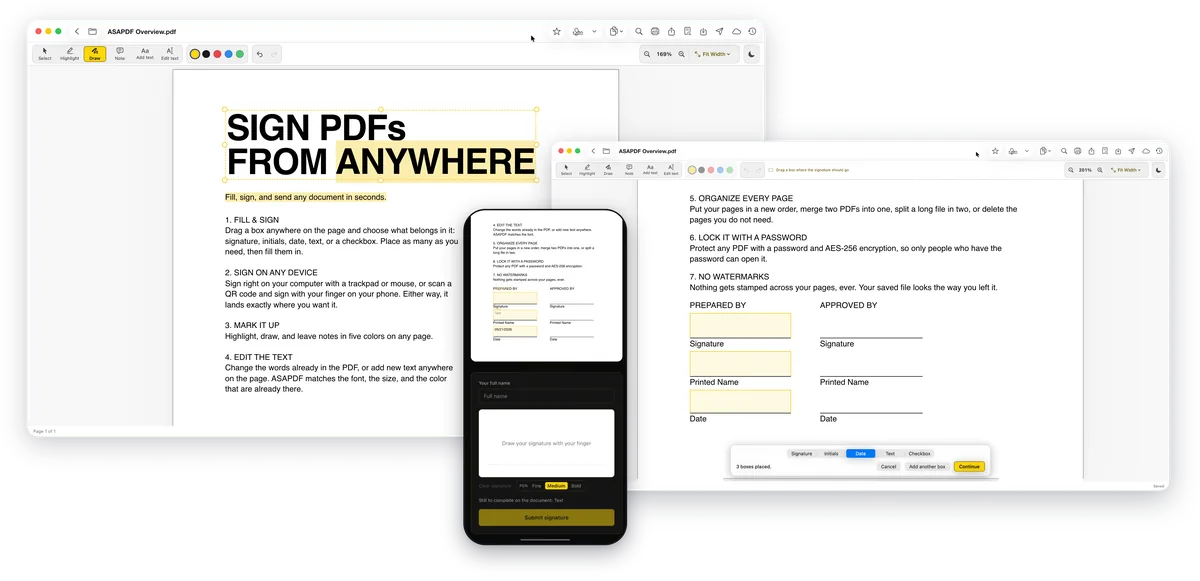
Fill it, sign it, send it, fix it. Every tool is in every plan.
Fill out existing PDF forms: text fields, checkboxes and dropdowns.
Drop signature, initials, date, text and checkbox fields anywhere on the page, as many as you need.
Sign with your finger, an Apple Pencil, your Mac’s trackpad or a mouse.
Paste a screenshot of a signature you already have and ASAPDF turns it into clean ink.
Save a signature once and it is there on every device you sign in on.
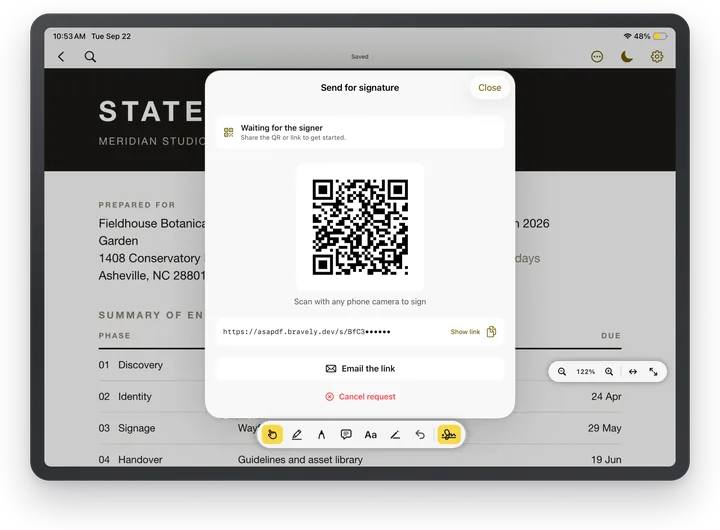
Show a QR code, sign with your finger on your phone, and watch it land in the document on your screen.
Send by QR code, link or email. They sign in the browser with no app and no account, and the signed copy comes back to you with a Certificate of Completion.
Not signed yet? Send a reminder and they get a fresh link.
Highlight, draw and leave sticky notes in five colors. Move, change or delete them any time, with undo.
Add lines, arrows, rectangles, squares, circles, ovals and stars, outlined or filled.
Click any word to change it. ASAPDF matches the original font, size and color.
Type new text anywhere on the page.
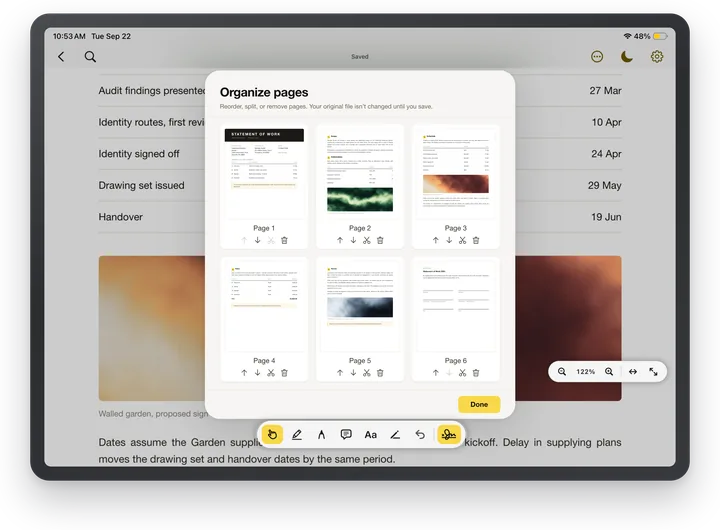
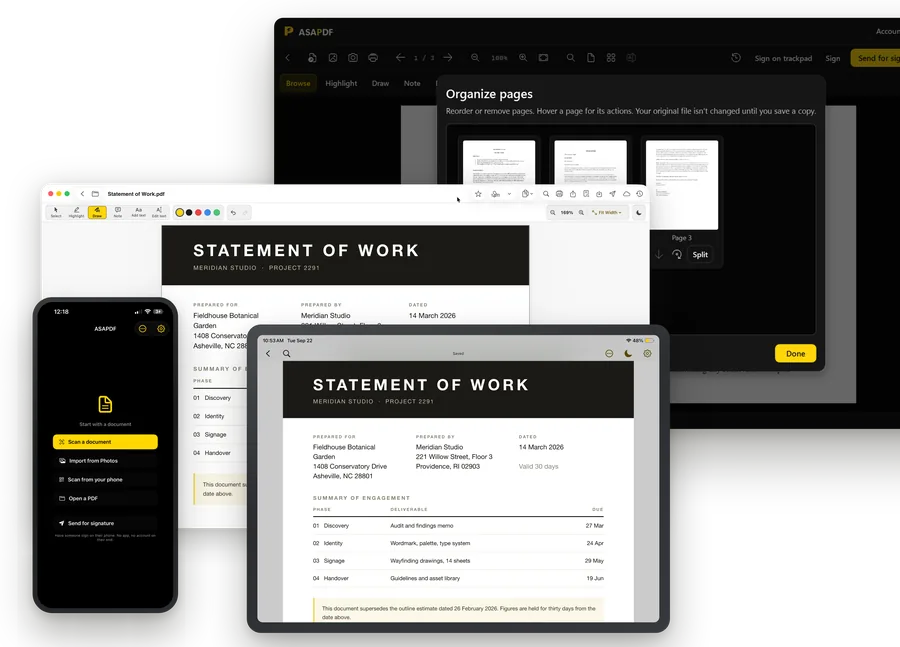
Reorder, delete and split pages, and merge PDFs into one on Mac, Linux, iPhone, iPad and Android. Your original file is untouched until you save.
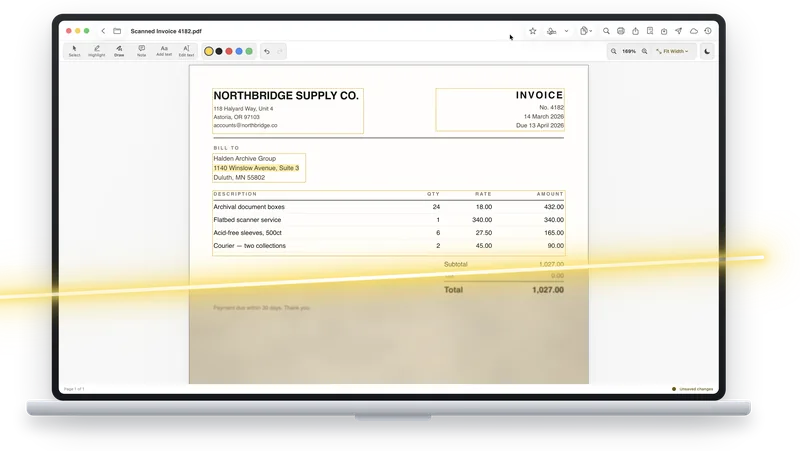
Scan paper with the camera on iPhone, iPad and Android, or scan with your phone straight into ASAPDF on your Mac, Windows or Linux computer.
Scanned pages become searchable, selectable and copyable, right inside the PDF.
Lock any PDF with a password and AES-256 encryption.
Find any word in the document.
Work in dark mode or light mode.
Print or share the finished PDF from the app.
Nothing is ever stamped on what you make.
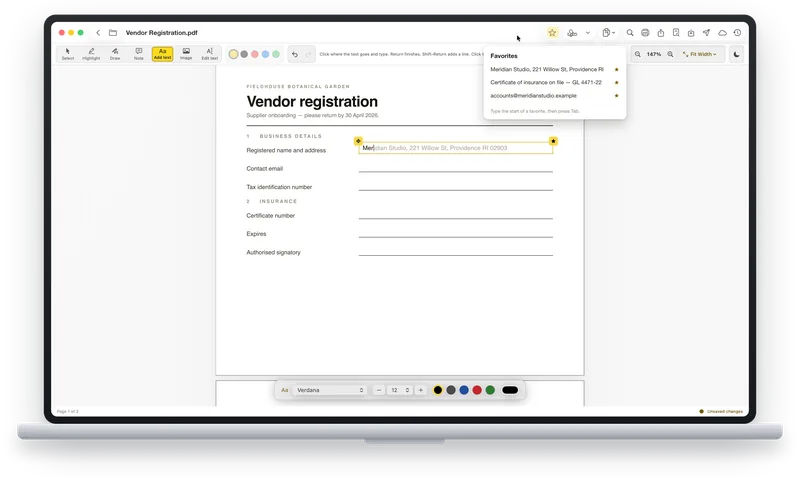
Save text you type again and again, then type its first letters and press Tab to drop it in.
Drop a picture onto the page, then resize and crop it.
On Mac and iPad, add a blank page; on Mac, start a new document from one.
ASAPDF in 37 seconds 0:37
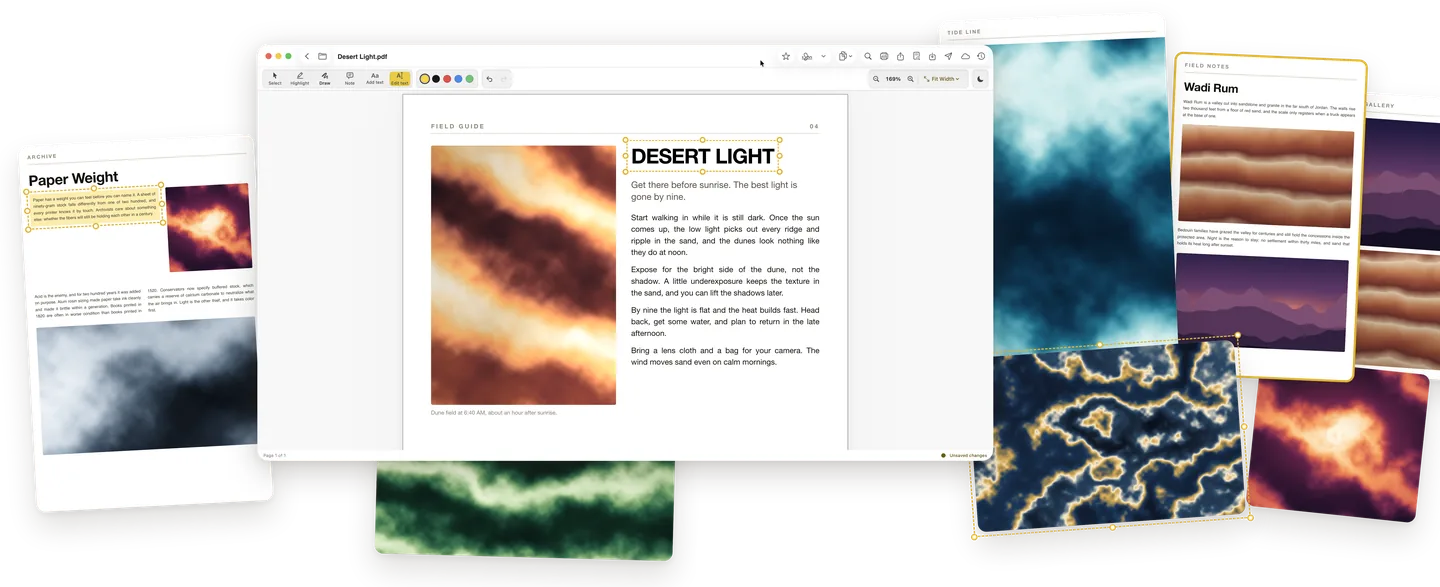
Change the words already on the page, or add your own.
Click any word to change it. ASAPDF matches the original font, size and color.
Type new text anywhere on the page.
Highlight, draw and leave sticky notes in five colors. Move, change or delete them any time, with undo.
Drop a picture onto the page, then resize and crop it.
01
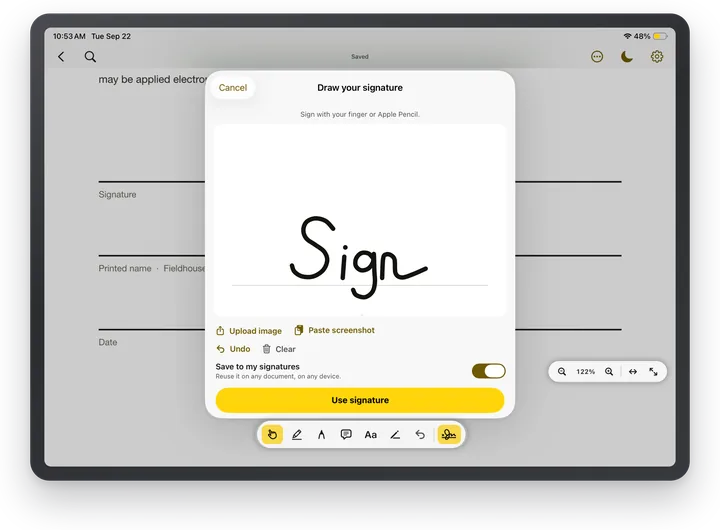
Sign with a finger or an Apple Pencil, then drop the signature anywhere on the page. Save it once and reuse it on any document, on any device.
02
Save the text you type again and again, like an address, a license number or a disclaimer, as a favorite. Type its first few letters and press Tab to drop the whole thing in.
03
Move pages up or down, split a long file apart, or drop the ones you do not need. Your original is untouched until you save.
04
Share a QR code or a link and the other person signs in their browser. No app to install, no account to create, nothing for them to sign up for.
Scan & text recognition
Scan paper with the camera on iPhone, iPad and Android, or scan with your phone straight into ASAPDF on your Mac, Windows or Linux computer. Scanned pages become searchable, selectable and copyable, right inside the PDF.
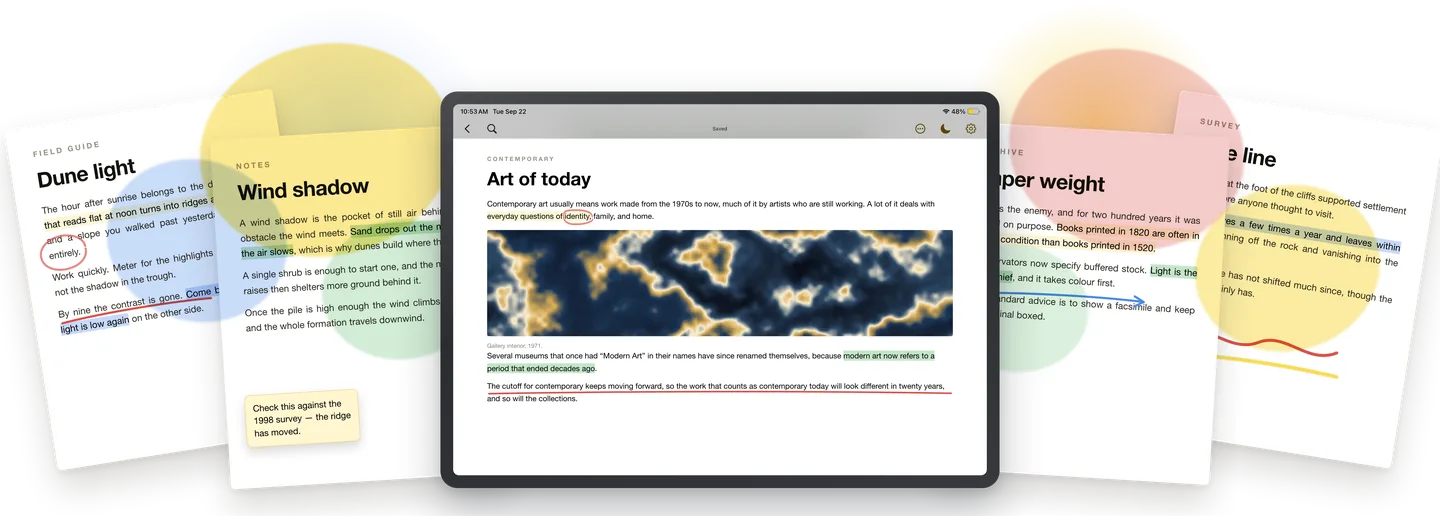
Highlight, draw and leave sticky notes in five colors. Move, change or delete them any time, with undo. Add lines, arrows, rectangles, squares, circles, ovals and stars, outlined or filled.
Different documents, different devices, different people. ASAPDF treats the best signing surface on each device as a first-class flow — not a fallback. Every flow is included.
On iPad, tap a signature field and the page zooms to a comfortable writing scale. Pressure dynamics, palm rejection, stored as a crisp vector.
Turn your screen toward someone, they scan with their camera, and sign in the browser. No app, no account. The universal in-person handoff.
Email the link to anyone. They sign in the browser on whatever device they have, with no app and no account, and the signed copy comes back to you with a Certificate of Completion.
Save a signature once and apply it with two taps on any future document — as many signatures as you like.
Highlight passages, draw with a pen, and drop text notes before you sign or send. The same markup tools ship on every platform.
At your desk with no phone handy? Sign right on your laptop trackpad — a natural, pressure-aware signature without leaving the app.
Sign in with the same account on each one, and your saved signatures come with you.
Desktop
Phone, tablet and web
Try every feature free for 24 hours. No card needed. When the 24 hours are up, you can add 24 more hours, once.
Start free
ASAPDF unlocked on every platform & device
$0.00for 7 days
then $9.99/mo · credit card required · cancel anytime
Annual + Bonus
ASAPDF Pro for a year, plus all 8 other Bravely apps, free
$0.00for 7 days
then $95.99/yr · 20% less than monthly · cancel anytime
30-Day Money-Back Guarantee
FREE full access to the 8 other premium utilities, all platforms




Lifetime + Bonus
ASAPDF Pro forever, plus all 8 other Bravely apps, free, forever
$399once
no subscription · all updates included
30-Day Money-Back Guarantee
FREE lifetime access to the 8 other premium utilities, all platforms
One sign-in · instant unlock · sync everywhere. Secure checkout opens right here.
Learn more about Bravely Premium
Buying for a team? Purchase for a Team
The monthly plan starts with a 7-day free trial — the full app, every feature, on every device. After 7 days it’s $9.99/mo unless you cancel, and you can cancel anytime.
Everything. Open, view, annotate, fill form fields, and sign your own documents with any signing flow — Apple Pencil, finger, or trackpad — plus send for signature to others (QR-code drop, email link, no account for them) and a saved signature library. Nothing is locked behind a higher tier and there’s no watermark.
Yes — $399 once, with all future updates included. It also adds lifetime access to the other premium Bravely utilities. The annual plan starts free for 7 days, then $95.99/yr, and includes those utilities while your plan is active.
ASAPDF runs on Mac, Windows, Linux, iPhone, iPad, Android, and the web. iPad with Apple Pencil is the canonical signing experience; the web signer means anyone with a browser can sign without installing anything.
No. A recipient scans a QR code or taps an email link and signs in their browser — no app install and no account required.
No. Your output is always clean — there’s no free tier to upsell from, so there’s nothing to watermark.
More on ASAPDF