Markd.ly vs iA Writer — honest comparison

Looking for an iA Writer alternative? Here is an honest Markd.ly vs iA Writer comparison. One $19.99 purchase unlocks Markd.ly on Mac, Windows, Linux, iPhone, iPad and Android; iA Writer is sold per platform, and its Mac and Windows apps alone cost $89.98. Markd.ly also runs on Linux and Android, where iA Writer has no app. On a computer it exports EPUB, LaTeX and reveal.js slides as well as Word, HTML and PDF, with vim mode and encrypted documents. If Focus Mode and Style Check are why you write, iA Writer is built for exactly that.

$19.99 once, no subscription.

Markd.ly vs iA Writer at a glance

At a glanceMarkd.lyiA Writer
Entry price$19.99 one-time7-day free trial on Mac and Windows, no credit card; then a one-time price per platform
Next plan up$95.99/yrMac $49.99 / Windows $39.99 / iPhone & iPad $19.99 on the App Store (separate purchases)
Lifetime license$399 onceNo lifetime plan: one-time per platform, and iA Writer's own terms say One-Time ≠ Lifetime (minor updates free, major updates may cost extra). Verified ia.net/writer/pricing (rendered) and the App Store, 2026-09-25.
PlatformsMac, Windows, Linux, iPhone, iPad, AndroidMac, Windows, iPhone, iPad

Where Markd.ly and iA Writer each win

Pick Markd.ly if

  • One purchase for every device. $19.99 once unlocks Markd.ly on Mac, Windows, Linux, iPhone, iPad and Android. iA Writer sells each platform separately: $49.99 on Mac, $39.99 on Windows and $19.99 on iPhone and iPad.
  • Linux and Android. Markd.ly runs natively on both; iA Writer has no Linux app, and its Android app was removed from sale in September 2024.
  • EPUB, LaTeX and slide export. On Mac, Windows and Linux, Markd.ly exports EPUB, LaTeX and reveal.js slides as well as Word, HTML and PDF; iA Writer has no EPUB, LaTeX or slide export.
  • Vim mode, snippets and AES-256-GCM encrypted documents on Mac, Windows and Linux, and Mermaid diagrams on every device. iA Writer has none of these built in, apart from snippets in its Windows app.

Pick iA Writer if

  • Writing tools built for prose. Focus Mode, Syntax Highlight for parts of speech, Style Check for fillers, redundancies and clichés, and Authorship, which sets your own words apart from AI text and other authors, on every iA Writer platform. Markd.ly has none of them.
  • Your documents follow you automatically. iA Writer works in iCloud, Dropbox, Google Drive and OneDrive folders on Mac, Windows, iPhone and iPad; Markd.ly moves a document only when you tap Add to Cloud.
  • Export and publishing on iPhone and iPad. iA Writer exports Word and PDF and publishes to WordPress, Ghost, Medium and Micro.blog from an iPhone or iPad. Markd.ly has no export on phones: it shares and copies.
  • Templates and typefaces. iA Writer's custom templates, built with HTML, CSS and JavaScript, shape its Preview and its exports, and it ships its own Mono, Duo and Quattro typefaces. Markd.ly's CSS styles its preview.

Markd.ly vs iA Writer, feature by feature

Verified . Source linked at the bottom.

FeatureMarkd.lyiA Writer
Price$19.99 once, every platformOne-time, per platform: Mac $49.99, Windows $39.99, iPhone & iPad $19.99 on the App Store
One purchase covers every platformYesNo — a separate purchase per platform
Linux and AndroidYes, native on bothNo (Android app removed from sale in September 2024)
Runs onMac (macOS 14 or later), Windows 10 (1809) or later, Linux (x64), iPhone and iPad (iOS 17 or later), Android 8.0 or laterMac (macOS 10.15 or later), Windows 10 or later, iPhone and iPad (iOS and iPadOS 15 or later); no Linux or Android app
Account neededYes: one Bravely Account sign-in (Apple, Google or email)On Windows, and on a Mac copy bought from ia.net: an iA Account (your email and a one-time code); App Store copies need none of their own
Cross-device syncNot automatic: tap Add to Cloud, then open it on your other devicesYes, through iCloud, Dropbox, Google Drive or OneDrive folders
Focus Mode, Style Check, AuthorshipNoYes, on every iA Writer platform
Typography and stylingThree preview themes plus your own CSS for the preview (desktop)Its own Mono, Duo and Quattro typefaces; custom templates for Preview and export
Live previewEditor, Preview and Split viewsYes; on a Mac, Preview sits beside the editor or goes full width
Vim mode (normal/insert/visual, core motions + operators)Yes (desktop)No
Pandoc export (DOCX/EPUB/LaTeX/Reveal.js)Yes (desktop): Linux converts on your computer; Mac and Windows convert on our server, so they need a connectionWord (DOCX) only; no EPUB, LaTeX or slides
Export on iPhone and iPadNo: share and copy onlyYes: Word and PDF, and publishing to WordPress, Ghost, Medium and Micro.blog
Encrypted documents (AES-256-GCM)Yes (desktop)No
Snippet library (date, time, cursor placeholders)Yes (desktop)Windows only (date and clipboard placeholders)
Search across documentsYes (Mac, Windows, Linux; current folder, plain text)Global Document Search (Mac, iPhone, iPad; not Windows)
Mermaid diagrams and LaTeX mathYes (every platform)Math; no built-in Mermaid

Markd.ly on Linux: what we ran, and when

Screenshots and measurements from our own machines, . Test files only; no one's real data.

Linux · measured

2.2 s

From launching Markd.ly for Linux with a markdown file to its window on screen.

Median of 3 cold launches of the AppImage (2.16 to 2.64 s).

Build
Markd.ly 0.7.4
System
Linux with the Cinnamon desktop (kernel 6.14)
Machine
a desktop PC with an AMD Ryzen 5 7600X
Disk
TEAM TM8FP6512G 512 GB NVMe SSD (ext4)
How to repeat it
  1. Quit Markd.ly.
  2. Run Markdly.AppImage README.md from a terminal.
  3. Time until a window titled README.md is on screen.
  4. Repeat 3 times and take the median.
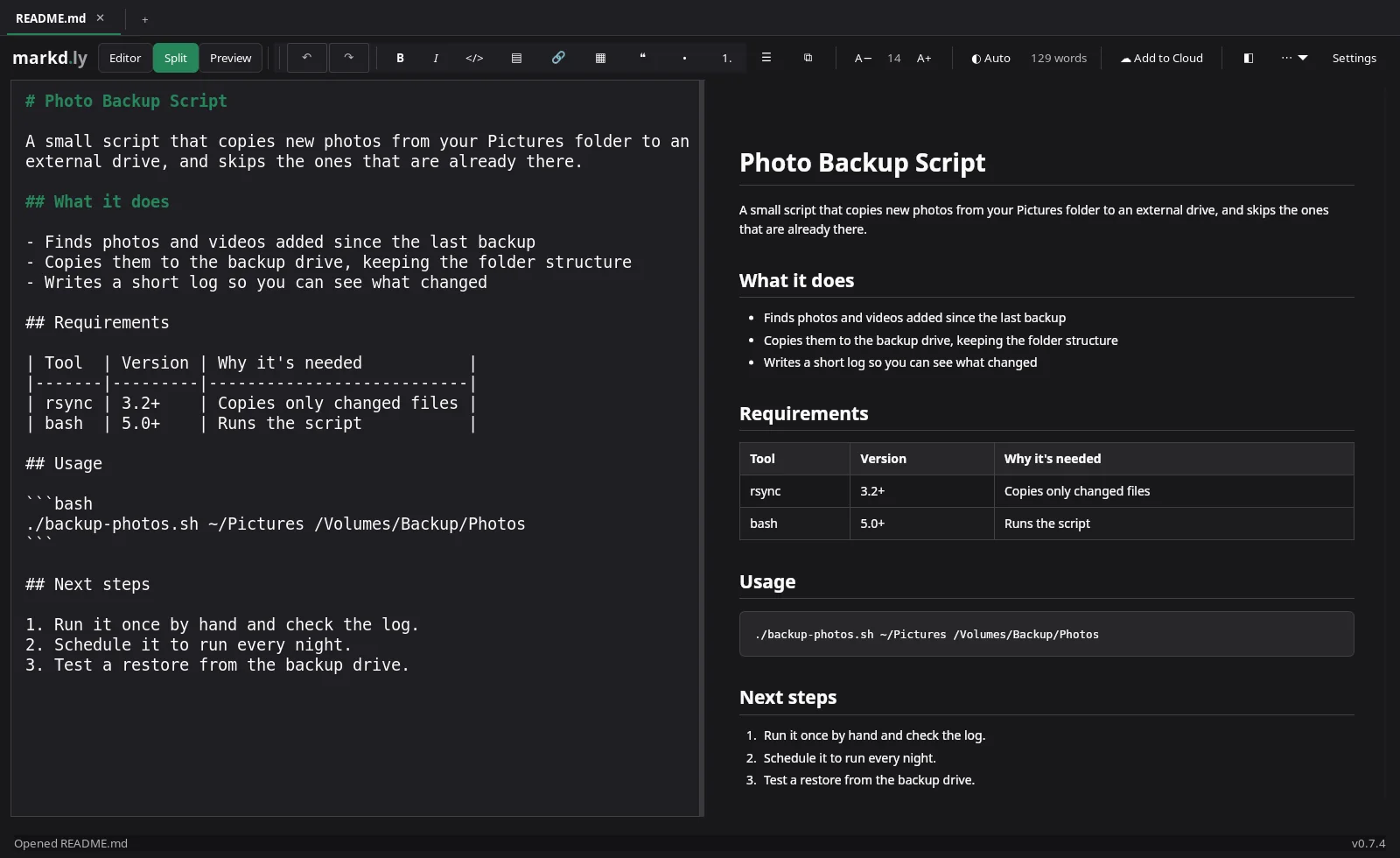
Markd.ly on Linux showing the README in Split view, markdown source on the left and the formatted preview on the right
The same README in Markd.ly on Linux, in Split view.Markd.ly 0.7.4 on Linux with the Cinnamon desktop (kernel 6.14),
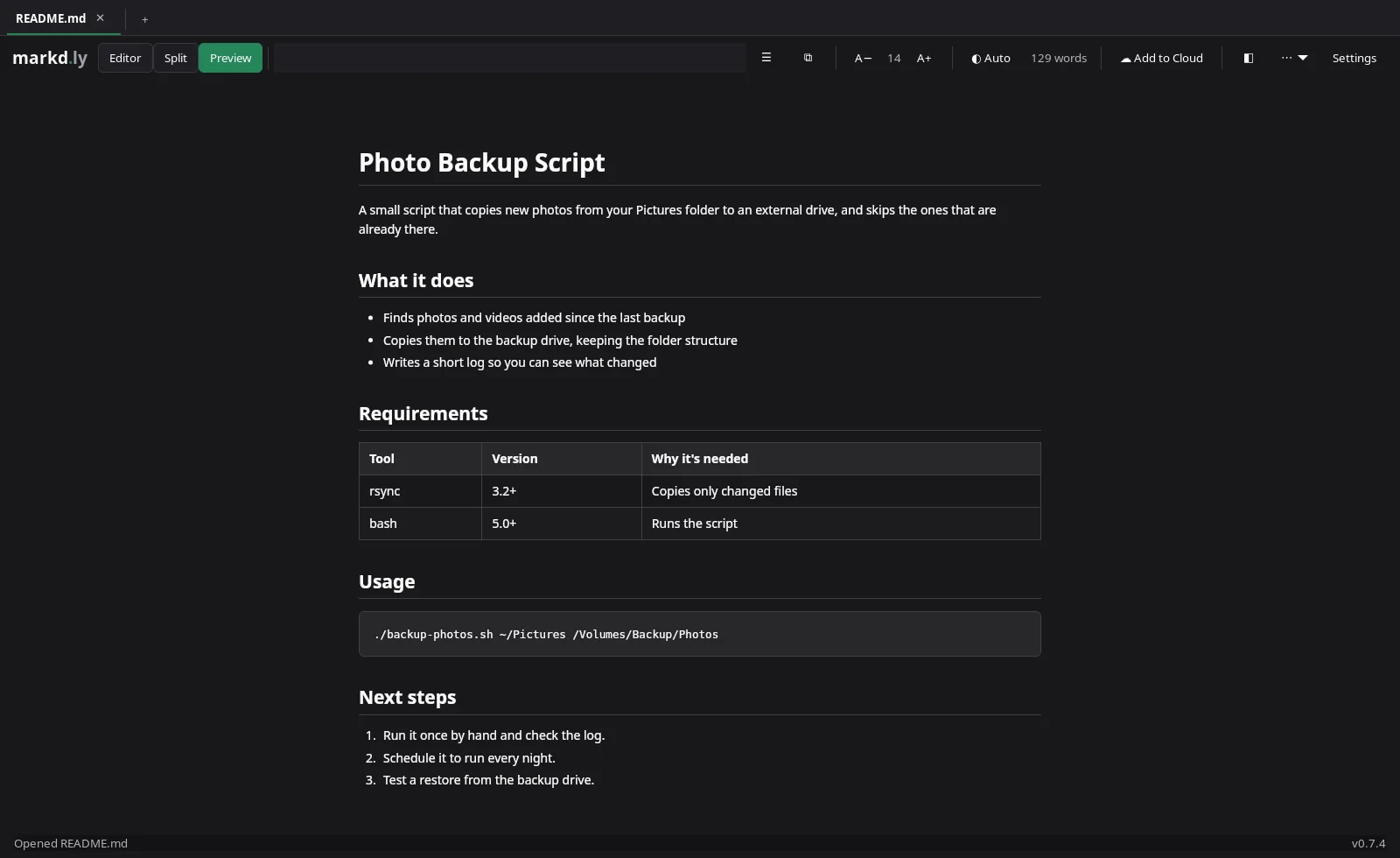
Markd.ly on Linux showing the README in Preview, with its table and code block formatted
Preview on Linux.Markd.ly 0.7.4 on Linux with the Cinnamon desktop (kernel 6.14),

Markd.ly vs iA Writer FAQs

Which platforms does one Markd.ly purchase cover?

All six: Mac, Windows, Linux, iPhone, iPad and Android, for $19.99 once. iA Writer is bought per platform: $49.99 on Mac, $39.99 on Windows and $19.99 on iPhone and iPad.

Does Markd.ly run on Android and Linux?

Yes. Markd.ly runs natively on Android phones and tablets and on x64 Linux, as a .deb or an AppImage. iA Writer's Android app was removed from sale in September 2024, and it has no Linux app.

Can I open my iA Writer documents in Markd.ly?

Yes. iA Writer saves plain text and Markdown files, and Markd.ly opens .md files wherever you keep them, with no import step.

Does Markd.ly have vim mode?

Yes, on Mac, Windows and Linux: normal, insert and visual modes, the motions and operators you reach for, counts, dot-repeat and :w and :q. iA Writer has no vim mode.

Markd.ly icon

Markd.ly

Native markdown editor

$19.99 once, no subscription.

Pricing verified . iA Writer pricing source. Subject to change.