Markd.ly vs Inkdrop — honest comparison

Looking for an Inkdrop alternative? Here is an honest Markd.ly vs Inkdrop comparison. Markd.ly is $19.99 once, with no subscription, where Inkdrop is $99.80 a year, and that one payment covers Mac, Windows, Linux, iPhone, iPad and Android. Markd.ly is a native app on every desktop, not Electron, and it keeps your writing as plain .md files instead of a notes database. On Mac, Windows and Linux it exports Word, EPUB, LaTeX and slides and encrypts documents with AES-256-GCM. If end-to-end encrypted sync across all your devices is the point, Inkdrop is built for that.

$19.99 once, no subscription. Try it free for 24 hours first, no card.

Markd.ly vs Inkdrop at a glance

At a glanceMarkd.lyInkdrop
Entry price$19.99 one-time$9.98/month (billed monthly), after a 30-day free trial
Next plan up$0 for 7 days, then $95.99/yr$99.80/year ($8.31/month, billed annually)
Lifetime license$399 onceSubscription only — $9.98/mo or $99.80/yr USD, no one-time or lifetime license (verified inkdrop.app/pricing, 2026-09-24)
PlatformsMac, Windows, Linux, iPhone, iPad, AndroidMac, Windows, Linux, iPhone, iPad, Android

Where Markd.ly and Inkdrop each win

Pick Markd.ly if

  • No subscription. $19.99 once unlocks Markd.ly on Mac, Windows, Linux, iPhone, iPad and Android; Inkdrop is $9.98 a month or $99.80 a year.
  • Plain .md files, not a database. Markd.ly edits ordinary markdown files wherever you keep them, with no export step to leave; Inkdrop keeps notes in its own local database.
  • A native app on every desktop: SwiftUI on Mac, WPF on Windows and GTK on Linux. Inkdrop's desktop app is built on Electron.
  • Document tools built in on Mac, Windows and Linux: Word, EPUB, LaTeX and reveal.js slide export, vim mode and AES-256-GCM encrypted document files. Inkdrop exports HTML, PDF and Markdown, adds vim through a plugin, and encrypts its sync rather than your files.

Pick Inkdrop if

  • End-to-end encrypted sync on every device. Inkdrop keeps your notes in step across Mac, Windows, Linux, iPhone, iPad and Android through its own service, with 30 GB of storage, or your own CouchDB-compatible server, or no sync at all. Markd.ly has no automatic sync, and its cloud library copy is not end-to-end encrypted.
  • Notebooks, tags and statuses. Inkdrop organizes notes in nestable notebooks with tags and note statuses, and finds them with a fuzzy-search command palette; Markd.ly works on plain files and has none of that.
  • Extensions and automation. Inkdrop has a plugin system, a local HTTP server for automation and an MCP server that gives AI agents access to your notes; Markd.ly has none of these.
  • AI in the editor. Inkdrop's desktop app rewrites a selection with its inline AI assistant and completes the line with next-edit suggestions, using your own AI provider key, and ships note templates written for AI agents; Markd.ly has no AI features.

Markd.ly vs Inkdrop, feature by feature

Verified . Source linked at the bottom.

FeatureMarkd.lyInkdrop
Price$19.99 onceSubscription $9.98/mo or $99.80/yr, after a 30-day free trial
Where your writing livesPlain .md files, wherever you keep themInkdrop's local database
Cross-device syncNot automatic: tap Add to Cloud, then open it on your other devicesYes, end-to-end encrypted, with 30 GB of storage
Runs on (oldest supported system)macOS 14, Windows 10 (1809), Linux (x64), iOS and iPadOS 17, Android 8.0macOS 12, Windows 10, Ubuntu 22.04, iOS and iPadOS 15.6, Android 7.0
Account neededYes: one Bravely Account sign-in (Apple, Google or email)Yes: an Inkdrop account
Notebooks, tags and statusesNoYes
Note revision historyNoYes
Plugin systemNoYes
MCP server for AI agentsNoYes
AI writing assistantNoYes, with your own AI provider key
Native (non-Electron)Yes (SwiftUI, WPF, GTK)No (Electron)
Live previewEditor, Preview and Split viewsYes
Vim mode (normal/insert/visual, core motions + operators)Yes, built in (desktop)Via the official vim plugin
Pandoc export (DOCX/EPUB/LaTeX/Reveal.js)Yes (desktop): Linux converts on your computer; Mac and Windows convert on our server, so they need a connectionNot built in (exports HTML, PDF and Markdown)
EncryptionAES-256-GCM on the document file (desktop)End-to-end encryption on sync
Mermaid diagrams and LaTeX mathYes (every platform)Yes

Markd.ly on Windows and Linux: what we ran, and when

Screenshots and measurements from our own machines, . Test files only; no one's real data.

Linux · measured

2.2 s

From launching Markd.ly for Linux with a markdown file to its window on screen.

Median of 3 cold launches of the AppImage (2.16 to 2.64 s).

Build
Markd.ly 0.7.4
System
Linux with the Cinnamon desktop (kernel 6.14)
Machine
a desktop PC with an AMD Ryzen 5 7600X
Disk
TEAM TM8FP6512G 512 GB NVMe SSD (ext4)
How to repeat it
  1. Quit Markd.ly.
  2. Run Markdly.AppImage README.md from a terminal.
  3. Time until a window titled README.md is on screen.
  4. Repeat 3 times and take the median.
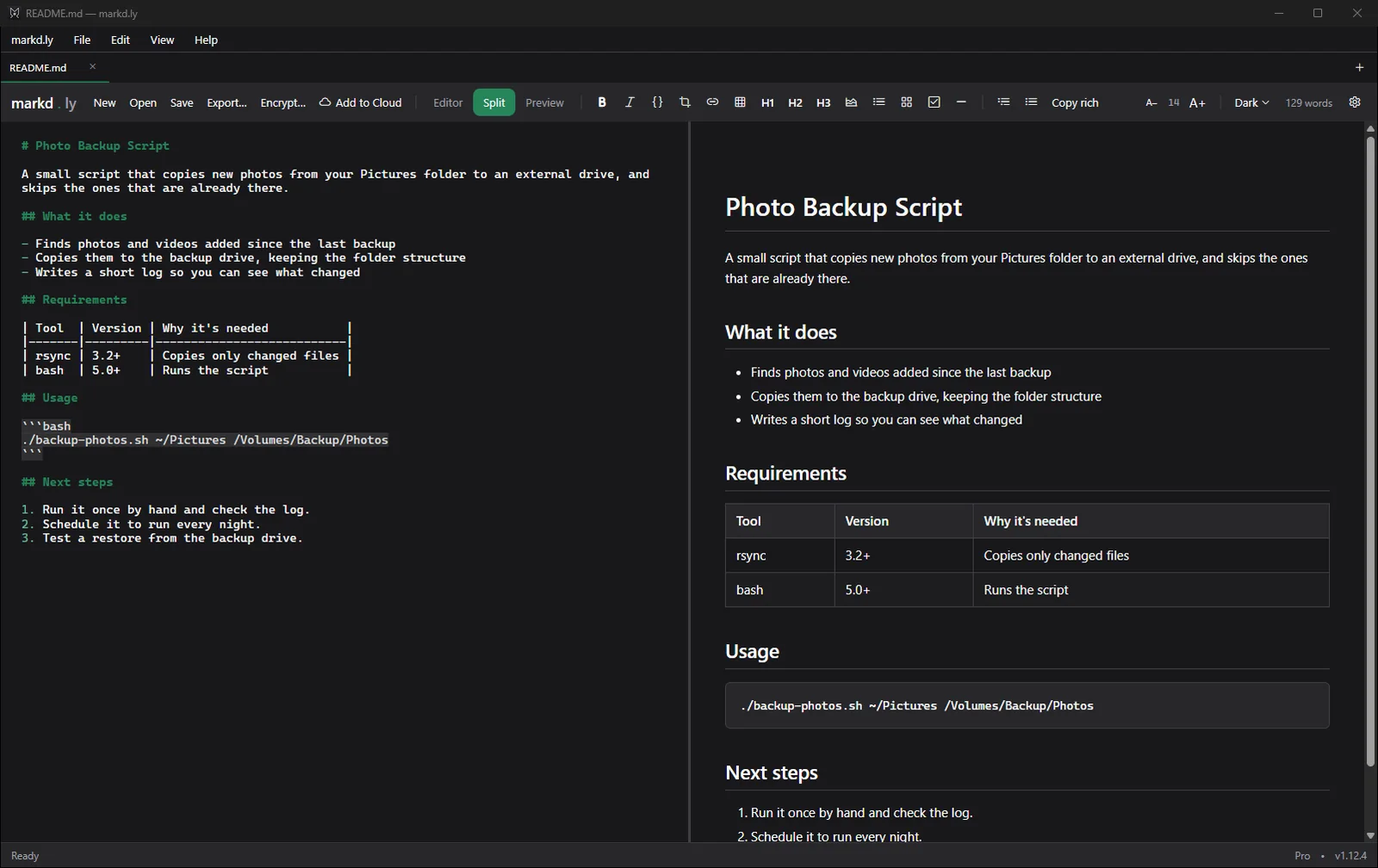
Markd.ly on Windows 11 showing a README file in Split view: markdown source on the left, and on the right the formatted page with headings, a bulleted list, a table and a code block
A README opened in Markd.ly on Windows 11, in Split view.Markd.ly 1.12.4 on Windows 11 Pro 25H2 (build 26200),
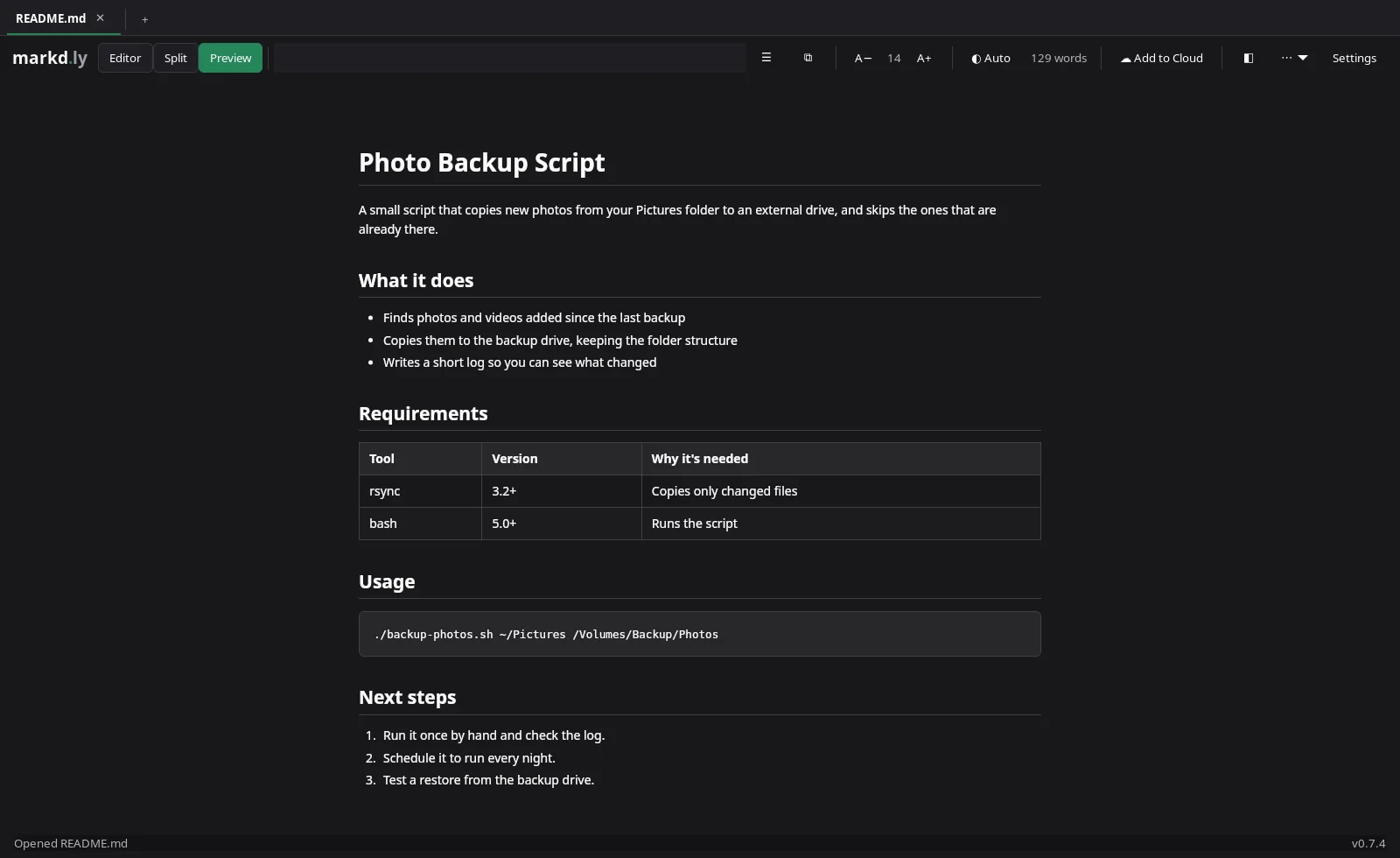
Markd.ly on Linux showing the README in Preview, with its table and code block formatted
Preview on Linux.Markd.ly 0.7.4 on Linux with the Cinnamon desktop (kernel 6.14),

Markd.ly vs Inkdrop FAQs

Is Markd.ly a subscription?

No. $19.99 once unlocks Markd.ly on Mac, Windows, Linux, iPhone, iPad and Android, and you can try every feature free for 24 hours first, with no card.

Is Markd.ly built on Electron like Inkdrop?

No. Markd.ly is native on every desktop: SwiftUI on Mac, WPF on Windows and GTK on Linux, with native apps for iPhone, iPad and Android.

What does Markd.ly's encryption protect?

The document file itself. On Mac, Windows and Linux, a passphrase locks the file with AES-256-GCM, so the file on disk can't be read without it. Forget the passphrase and nobody can open the file, not even us.

Can I move my Inkdrop notes to Markd.ly?

Yes. Export them from Inkdrop as Markdown, and Markd.ly opens the .md files wherever you save them.

Markd.ly icon

Markd.ly

Native markdown editor

$19.99 once, no subscription. Try it free for 24 hours first, no card.

Pricing verified . Inkdrop pricing source. Subject to change.