How to open MD files on any device, with formatting
The short answer
An .md file is plain text written in Markdown, so any text editor opens it, with the # and * marks showing. To see it formatted, open it in something that renders Markdown: VS Code’s preview on any computer, Notepad on Windows 11, or github.com for a file on GitHub. On an iPhone, iPad or Android phone, Apple and Google document no built-in way to see the formatting, so you need an app, such as Markd.ly.
- Windows 11: Notepad can switch between the formatted view and the raw Markdown.
- Any computer: VS Code opens a formatted preview with Ctrl+Shift+V, or ⇧⌘V on a Mac.
- Mac, Windows, Linux, iPhone, iPad and Android: Markd.ly opens .md files with a formatted preview.
One $19.99 purchase covers Mac, Windows, Linux, iPhone, iPad and Android. Try it free for 24 hours with no card.
- Updated
- Outside facts dated and linked at the bottom
Your options
The free ways first, each with its catch.
Step by step with Markd.ly
Get Markd.ly for your device
Download it for Mac, Windows or Linux, or get it for iPhone and iPad or Android.
Sign in with your Bravely Account: Apple, Google or email. Try everything free for 24 hours with no card, and add 24 more hours once; the free hours need a verified email address. After that, one $19.99 purchase unlocks Markd.ly on every platform.
Open the .md file
Mac: right-click the file and choose Open With, then Markd.ly. After you sign in, Markd.ly offers once to become your default app for Markdown, so a double-click opens it.
Windows: open Markd.ly and choose Open (Ctrl+O), or drag the file onto its window.
Linux: with the .deb installed, Markd.ly is in your file manager’s Open With menu for Markdown files. You can also choose Open in the app.
iPhone and iPad: open Markd.ly and pick the file in its Files-style browser. It edits the file where it is.
Android: tap the file in your file manager and choose Markd.ly under Open with, or open Markd.ly and pick the file.
See the formatting
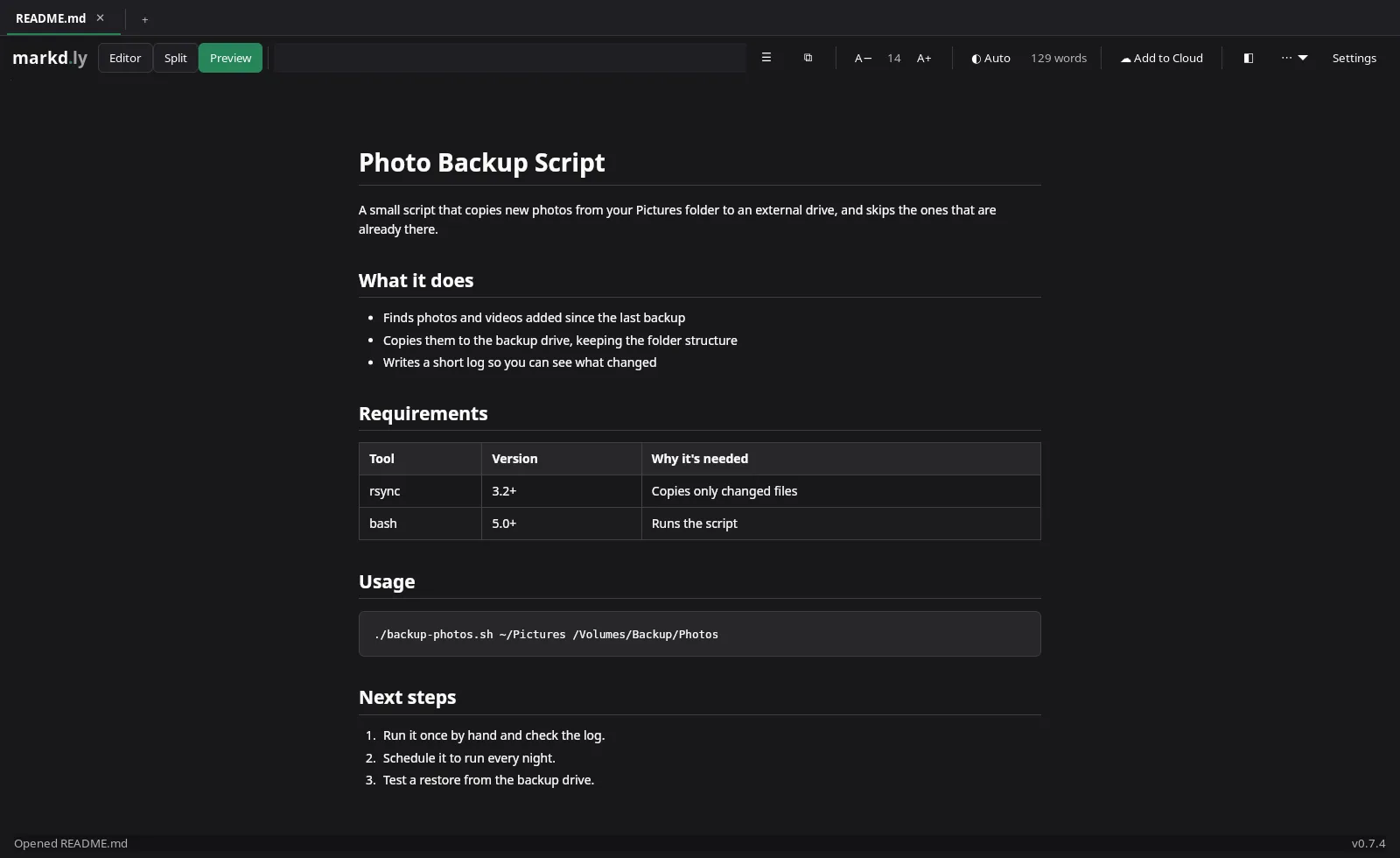
On Mac, Windows and Linux, switch views at the top of the window: Split puts the Markdown on the left and the formatted page on the right, Preview shows the formatted page alone, and Editor shows the text alone.
On iPhone, iPad and Android the same switch sits at the top of the document: tap Preview to see the formatted page.
The preview shows headings, lists, tables, task lists and code blocks, and draws Mermaid diagrams and math, even with no connection.
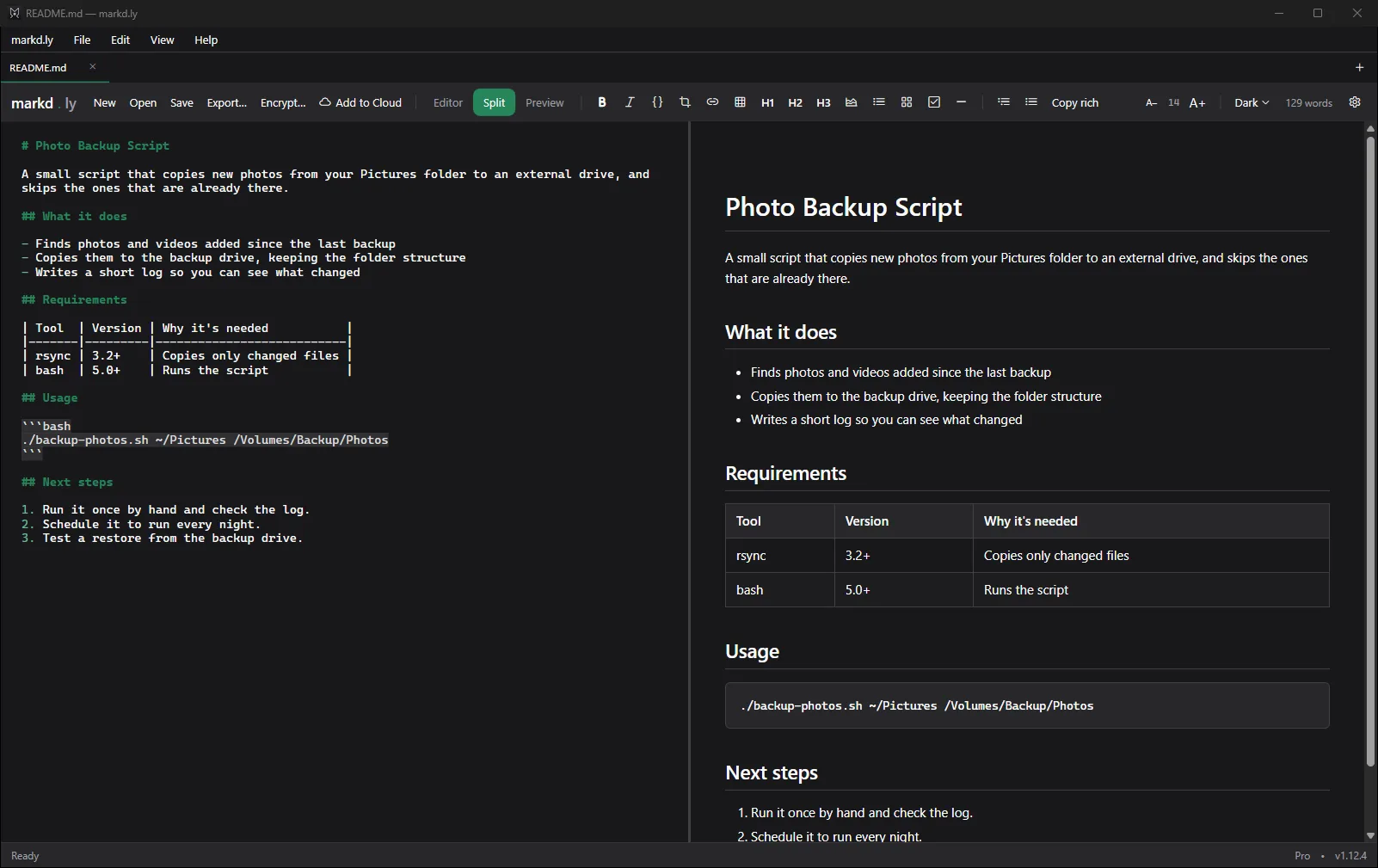
Markd.ly 1.12.4 for Windows on a Windows 11 Pro PC, with a sample README.md in Split view. Captured . Edit it, and it stays a .md file
Change anything and save: Markd.ly writes it back as plain text, into the same .md file. Nothing is imported or converted.
What an .md file is
Markdown is a way of writing formatting into plain text: a line that starts with # is a heading, two asterisks on each side make text bold, and a line that starts with a dash is a bullet. Its creator, John Gruber, calls it an easy-to-read, easy-to-write plain text format.
So an .md file is ordinary text. Any text editor opens it, which is why you see the marks, and anything that renders Markdown shows the formatted page. The usual extensions are .md and .markdown.
Files from Claude, ChatGPT or GitHub
A Markdown file from Claude, ChatGPT or GitHub is an ordinary .md file once it’s on your device, so open it any of the ways above.
Claude can export a doc as a Markdown (.md) file. On GitHub, a README.md or any other Markdown file shows formatted on github.com, and the Download raw file button saves that one file.
What Markd.ly doesn’t do here
- It isn’t free: $19.99 once, after the 24-hour trial.
- You sign in with a Bravely Account on every device.
- On Windows it doesn’t make itself the app for .md files, so a double-click won’t open them in it: use Open, or drag the file in.
- Code blocks aren’t colored by language.
- On iPhone, iPad and Android you read, edit, share and copy a document; making a Word or PDF file takes the desktop app.
FAQs
How do I open an MD file on Windows?
Open it in Notepad: on Windows 11, Notepad can show Markdown formatting, with a toggle back to the raw text. VS Code’s preview works too (Ctrl+Shift+V). In Markd.ly, choose Open (Ctrl+O) or drag the file in; Split view puts the text next to the formatted page.
How do I open an MD file on a Mac?
TextEdit opens it as plain text, with the Markdown marks showing. To see it formatted, use VS Code’s preview (⇧⌘V), import it into Notes on macOS Tahoe 26 or later (File > Import Markdown), or open it with Markd.ly.
How do I open an MD file on an iPhone or Android phone?
Neither comes with a way to show the formatting: Apple doesn’t say what the Files app does with .md files, and Google’s help doesn’t describe one on Android. Markd.ly opens .md files on both: on iPhone and iPad from its Files-style browser, and on Android through Open with or its file picker.
How do I open an MD file from Claude?
Save it to your device first: Claude can export a doc as a Markdown (.md) file. Then open it like any other .md file, in VS Code, in Notepad on Windows 11, or in Markd.ly on any of your devices.
How do I see the formatting instead of the symbols?
Open the file in something that renders Markdown rather than a plain text editor: Notepad’s formatted view on Windows 11, VS Code’s preview, github.com for a file on GitHub, or Markd.ly’s Preview.
Can I open an MD file online?
Yes. VS Code runs at vscode.dev with its Markdown preview, and viewer sites show a file you drop in. Several say your file stays on your device; read a site’s own statement before you open anything private.
Sources, with the date each was read
- Windows Insider Blog: Text formatting in Notepad (May 30, 2025) (2026-09-27)
- Microsoft Learn: Notepad release notes (July 24, 2026) (2026-09-27)
- Visual Studio Code docs: Markdown (2026-09-27)
- Visual Studio Code FAQ (2026-09-27)
- GitHub Docs: Viewing and understanding files (2026-09-27)
- Apple: Import, export and print notes on Mac (2026-09-27)
- Claude help center: Get started with Claude Docs (2026-09-27)
- Daring Fireball: Markdown (2026-09-27)
Markd.ly
Native markdown editor
$19.99 once, no subscription. Try it free for 24 hours first, no card.
Updated . Facts about other companies’ products were read on their own pages on the dates shown and can change.