PrintScreen.ly for iPhone Duo
The short answer
Yes. PrintScreen.ly 1.12.6 and later is optimized for iPhone Duo: it fills the 7.6-inch inner display when the phone is open and runs on the 5.4-inch outer display when it's closed. On iPhone it holds the screenshots you take on your Mac, Windows PC or Linux computer, ready to mark up, copy text from or share by link.
Try every feature free for 24 hours, no card needed.
- Updated
- Screens captured on Apple's iPhone Duo simulator
- All our apps for iPhone Duo
Open
The 7.6-inch inner display
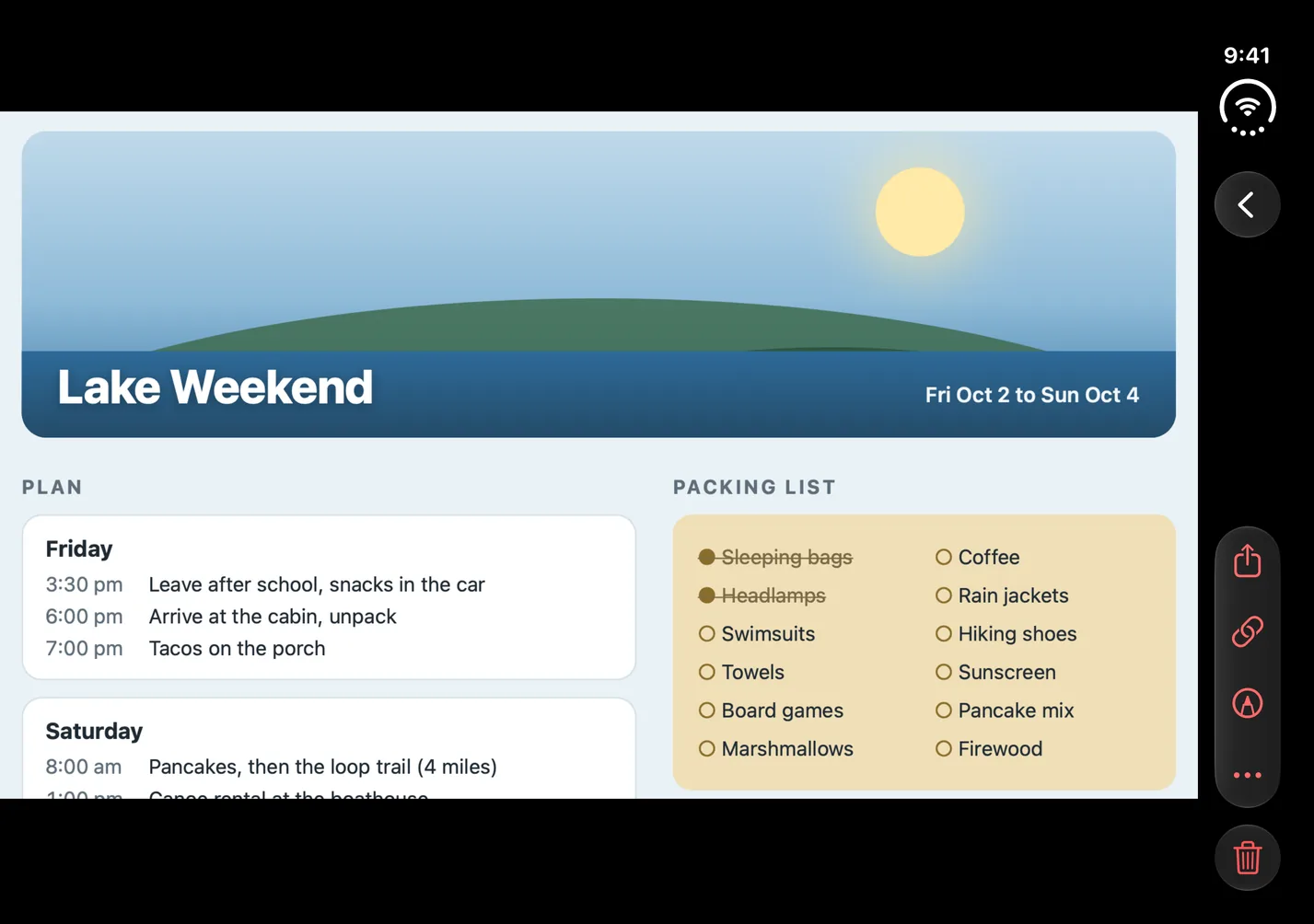
Open the phone and the library runs the full width of the inner display, three screenshots to a row, with the Library, Capture and Settings tabs in a rail on the right. A screenshot opens just as wide, with its share, link, markup and delete buttons in a rail of their own.
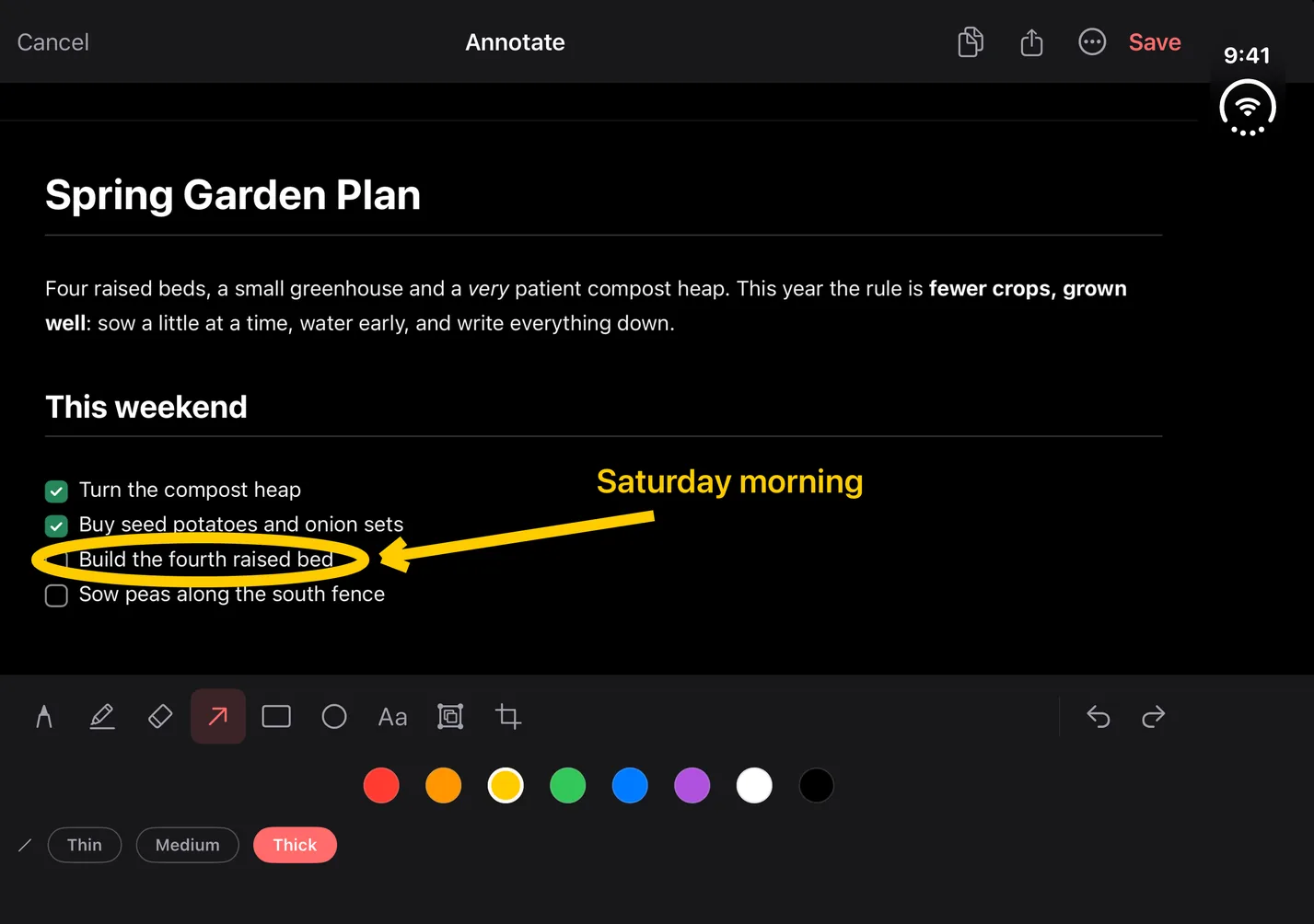
The markup editor uses the whole display: the screenshot across the top and the tools in rows below it.
Closed
The 5.4-inch outer display
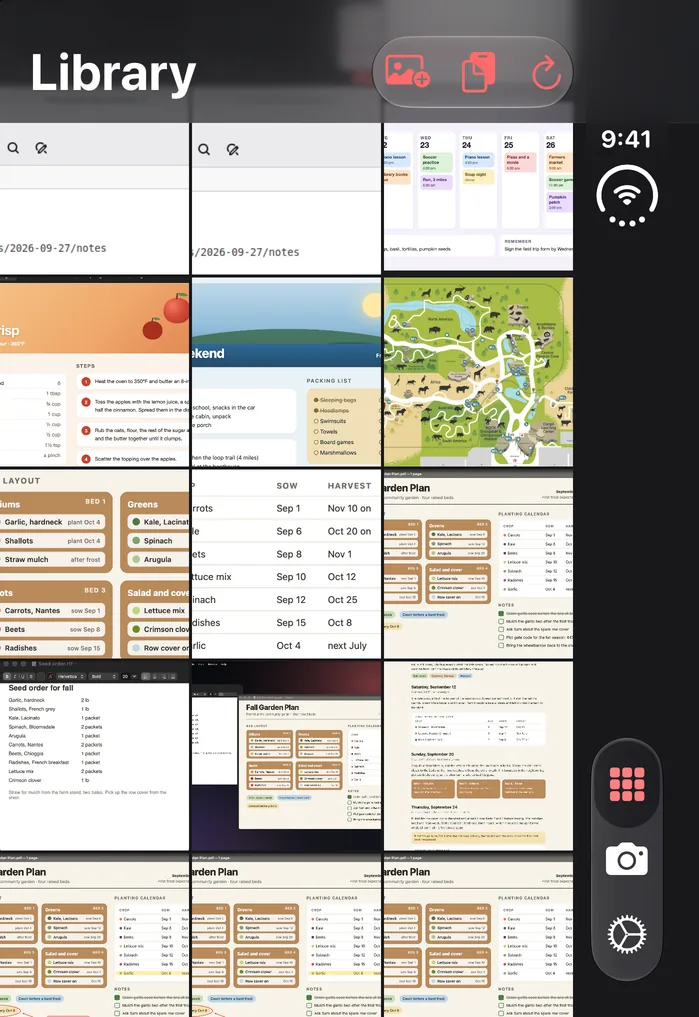
Folded, the outer display shows the same library and tab rail, under the Library title.
Fold it in the middle of a markup
Fold or unfold the phone while you're marking up and the editor stays open, with your marks in place. Open a screenshot, fold the phone and open it again, and the screenshot's share, markup and delete buttons still work.
What PrintScreen.ly does on iPhone Duo
In the iPhone app:
- Your library of synced screenshots, with 2 GB of cloud storage per account. Open one whole, pinch to zoom up to 5x, or double-tap for 3x.
- Markup: pen, highlighter, eraser, arrow, rectangle, ellipse, text, blur and crop, in eight colours, three line widths and five text sizes, with undo and redo. Draw with your finger; pinch with two fingers to zoom from 1x to 6x.
- When you're done, save the marked-up copy to your library or replace the original, copy it, share it, or save it to Photos.
- Extract text copies a screenshot's text to your clipboard, read right on your device. A link that wraps onto the next line comes out in one piece.
- Share links: copy a link to any screenshot. It works for 24 hours (you can't choose longer); to end it sooner, revoke it before you leave that screenshot.
- The Clipboard sheet: copy a screenshot on your Mac or Windows PC and it shows up in the sheet while it's open, ready to copy or save to your library.
- From the phone: take a photo of a screen or whiteboard, or pick one from Photos, and upload it to your library. Import screenshots from Photos in bulk, or send an image to PrintScreen.ly from another app's share sheet or from Files.
What PrintScreen.ly doesn't do on iPhone Duo
- PrintScreen.ly doesn't capture or record the screen on iPhone. Screen recording is on Mac, Windows and Linux (on an X11 desktop), and recordings stay on the computer that made them.
- No scrolling capture or stitching, and no capture timer: those are in the computer apps.
- Nothing you copy on the phone goes to your computer: the Clipboard sheet only receives.
- There's no Select tool: once drawn, an arrow, box, ellipse or blur stays put until you undo it. Text labels can be moved.
- The library has no folders, tags, renaming, search or sorting.
Questions about PrintScreen.ly on iPhone Duo
How do I take a screenshot on iPhone Duo?
For an iPhone without a Home button, Apple's iPhone User Guide says: “Quickly press and release the side button and the volume up button at the same time.” The guide doesn't name iPhone Duo, though Apple's specs show it has a side button and volume buttons. PrintScreen.ly picks the screenshot up from there: take one while PrintScreen.ly is open and a banner offers to open it in the markup editor, or turn on Auto-import new screenshots in PrintScreen.ly's Settings and new screenshots join your library the next time you open the app. Both ask for access to your photos.
Is PrintScreen.ly optimized for iPhone Duo?
Yes. Version 1.12.6 is built with Apple's iOS 27.1 SDK, and Apple says apps built with it “will extend to use the full display, with toolbars and tab bars appearing vertically below the status bar.”
Why don't the screenshots from my computer show up on iPhone Duo?
Check that you signed in to PrintScreen.ly the same way on both (Apple, Google or email): different sign-in methods can make two separate accounts, each with its own library.
Do I need to buy PrintScreen.ly again for iPhone Duo?
No. iPhone Duo runs the same PrintScreen.ly as iPhone and iPad, and a purchase on any platform, the App Store included, unlocks it wherever you sign in with the same Bravely Account.
What happens when the free trial ends?
You can add 24 more hours, once. After that, start a plan; the App Store shows its own prices.
Sources, with the date each was read
PrintScreen.ly for iPhone Duo
Try every feature free for 24 hours, no card needed.
Updated . Facts about iPhone Duo were read on Apple’s own pages on the dates shown. Apple, iPhone, iPad and Mac are trademarks of Apple Inc., registered in the U.S. and other countries and regions. iPhone Duo is a trademark of Apple Inc. App Store is a service mark of Apple Inc., registered in the U.S. and other countries and regions. IOS is a trademark or registered trademark of Cisco in the U.S. and other countries and is used under license.