Scry for iPhone Duo
The short answer
Yes. Scry 1.8.5 and later is optimized for iPhone Duo: it shows and controls your Mac, Windows PC or Linux computer on the 7.6-inch inner display when the phone is open, and on the 5.4-inch outer display when it's closed.
- Every session is end-to-end encrypted between your two devices. Our servers never see your screen.
- Scry runs on Mac, Windows, Linux, iPhone, iPad, Android and the web.
- You'll see Scry connect to your computer before it asks you to pick a plan.
Set up Scry on your computer too. Try every feature free for 24 hours, no card needed.
- Updated
- Screens captured on Apple's iPhone Duo simulator
- All our apps for iPhone Duo
Open
Your computer on the 7.6-inch inner display
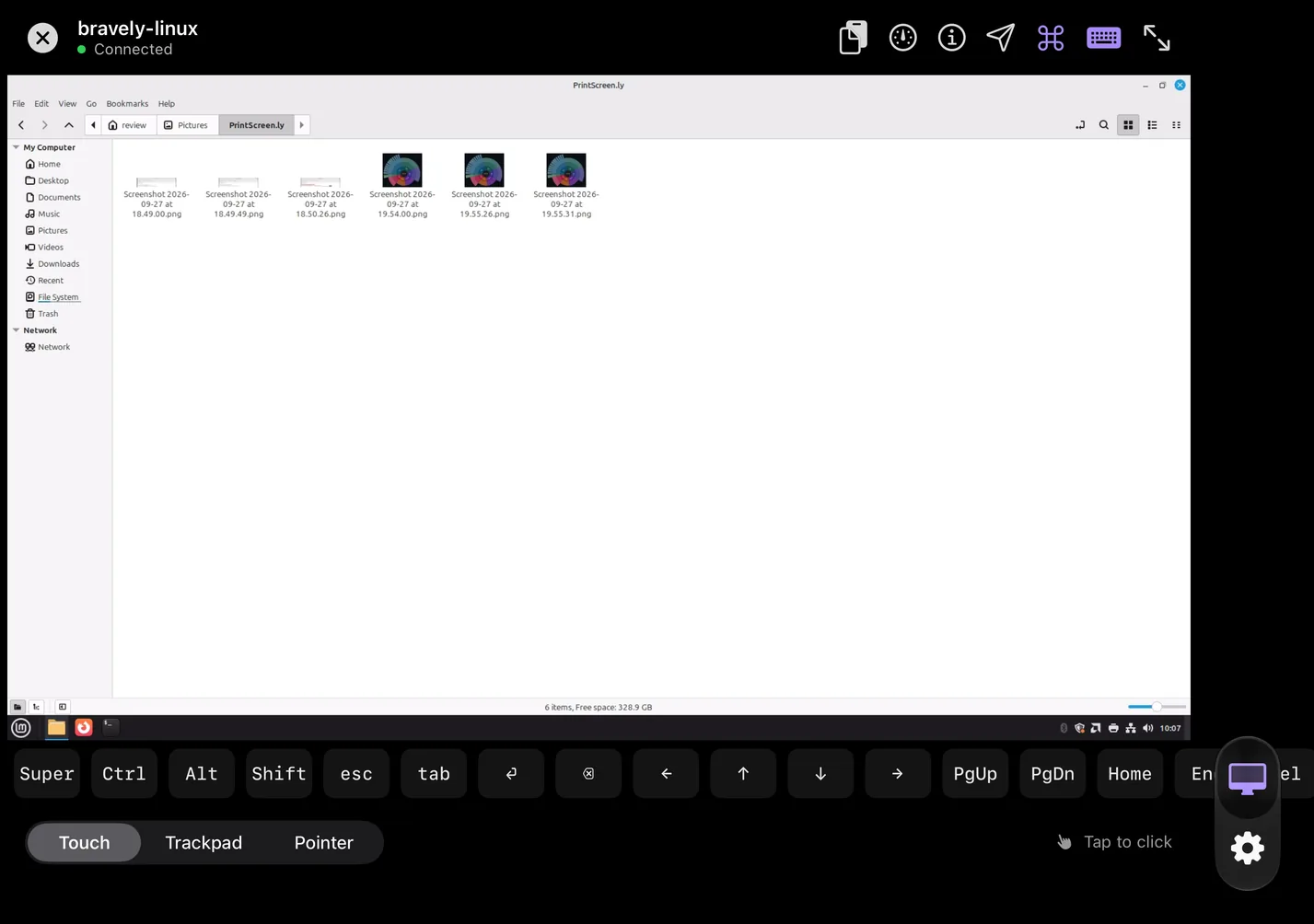
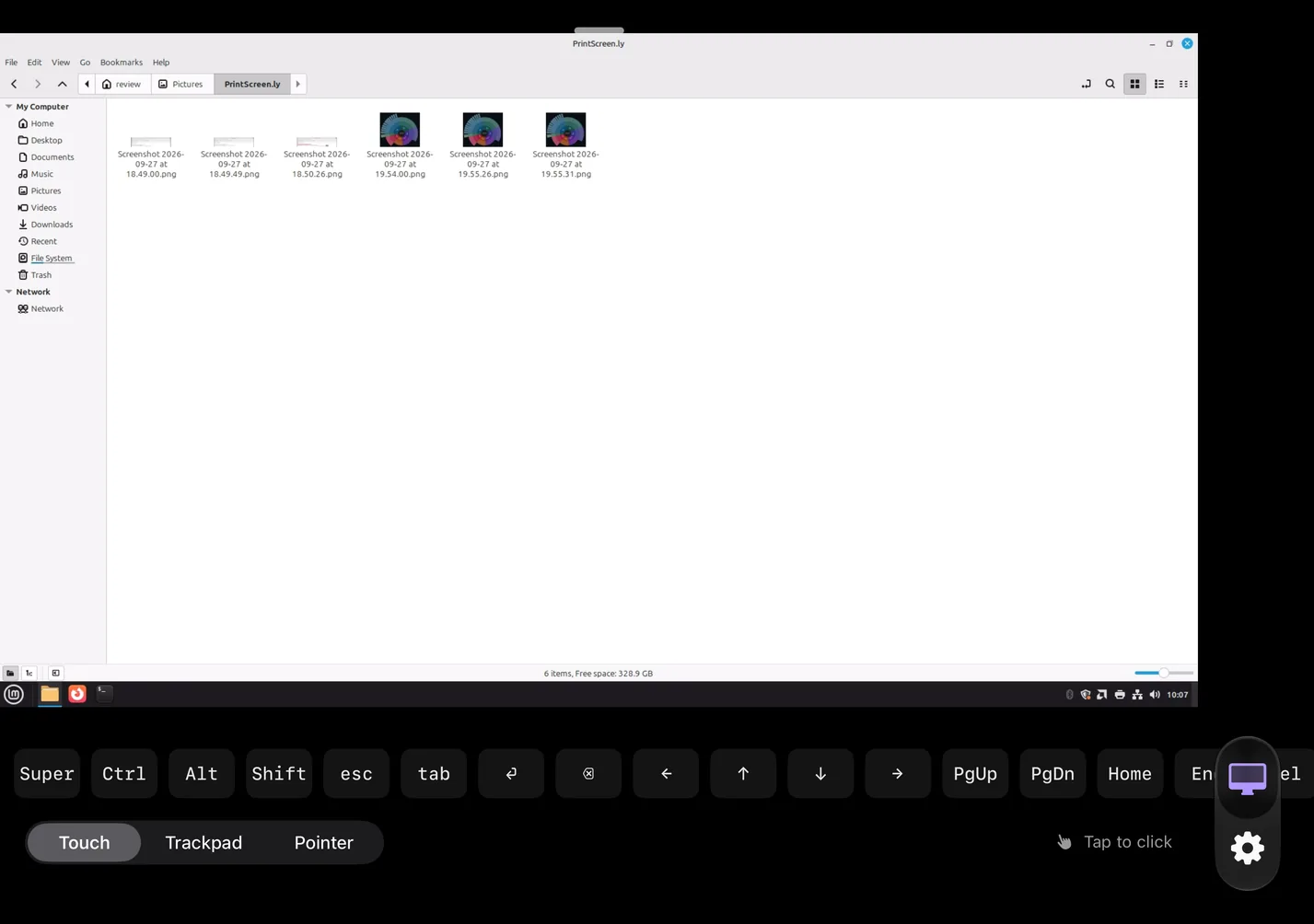
With the phone open, your computer's screen scales to the full width of Scry's content area, under one row of controls, with the key bar and the pointer-mode switch below it.
Full screen hides the toolbar and enlarges the picture; a handle at the top brings the toolbar back.
Turned on its side, the open phone shows a 16:9 desktop across the middle of the tall display.
Closed
Your computer on the 5.4-inch outer display
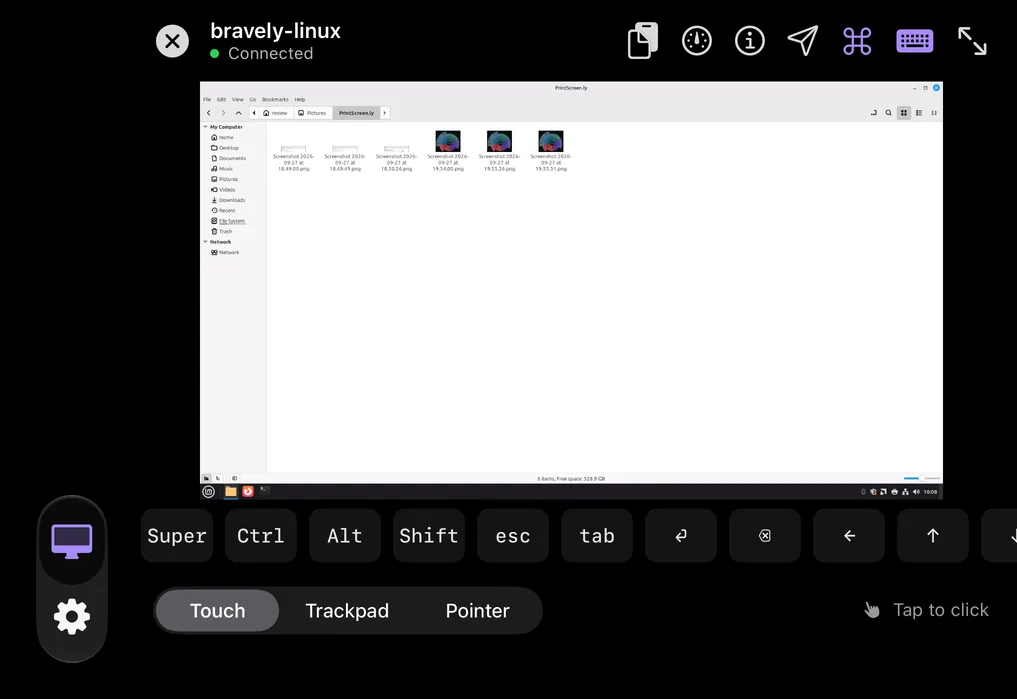
Closed and turned sideways, iPhone Duo shows your computer's screen large, between the toolbar and the key bar, with the tab rail on the left.
Held upright, the closed phone shows a smaller picture across the middle.
Fold and unfold without dropping the session
A live session stays connected when you fold, unfold or turn iPhone Duo. In Apple's iPhone Duo simulator, one session to a Linux computer kept running, with no reconnect, while the phone was folded, turned sideways while closed, unfolded and partially folded, and Scry re-laid out the picture each time.
Driving your computer from iPhone Duo
On either display, a session gives you:
- Touch, Trackpad or Pointer: choose how your finger drives the pointer. In Touch you tap what you want to click; in Trackpad and Pointer you drag to move the pointer and tap to click.
- Right-click, scroll and zoom: press and hold, or tap with two fingers, to right-click. Drag two fingers to scroll, and pinch to zoom in on the other screen, up to 4x.
- A key bar labelled for the computer you're on: ⌘, ⌃, ⌥ and ⇧ for a Mac; Win, Ctrl, Alt and Shift for Windows; Super, Ctrl, Alt and Shift for Linux; then keys a phone keyboard lacks, such as Esc, Tab, the arrows, Page Up and Page Down.
- Modifier keys that wait for the next key: tap ⌘ or Ctrl and it goes with the next key you press, on the key bar or the keyboard, so ⌘ then C copies on a Mac. Tap it twice quickly and it stays down until you tap it again.
- Send Keys: a menu of whole key presses, such as Alt+Tab, Task Manager and the Windows key on Windows, or Switch Apps (⌘Tab) and Force Quit on a Mac, plus F1 to F12.
- Locked computers: connect and type the password at the lock screen (on Linux, that needs an X11 desktop). A Windows PC at its lock screen also gets a Ctrl+Alt+Del button.
- Native Fit: a quality preset that asks your computer to match its stream to the size of the picture on your display, and asks again when that size changes. Your computer can lower it, and Quality Settings shows what it applied.
- Copy and paste between iPhone Duo and your computer, in either direction, and send files to your computer: choose one or paste it, then click Save on that computer, right in the session.
- Sound from your computer plays on iPhone Duo, with a mute button.
- If the connection drops, Scry tries to reconnect to your computer by itself for up to 2 minutes.
What Scry doesn't do on iPhone Duo
- iPhone Duo connects to your computers; it can't be reached or controlled itself. To share a screen, use Scry on a Mac, Windows PC or Linux computer.
- Your computer has to be awake: Scry can't wake one that's asleep. A Mac or Windows PC that has restarted can be reached again once someone signs in to it.
- A Mac or Windows PC with more than one display shows one at a time; you switch between them mid-session.
- Copy and paste carry text only.
Questions about Scry on iPhone Duo
What makes Scry optimized for iPhone Duo?
Scry is built with the SDK Apple names in its definition: “Apps built with the iOS 27.1 SDK or later are optimized for iPhone Duo. Apps will extend to use the full display, with toolbars and tab bars appearing vertically below the status bar.” If Scry doesn't fill the inner display, update it from the App Store.
Can I control my Mac or Windows PC from iPhone Duo?
Yes, and a Linux computer too. Install Scry on the computer and sign in, then sign in to Scry on iPhone Duo the same way (Apple, Google or email). Your computers show up in one list, with a dot for whether each is online: tap one to connect, from anywhere, with no router setup. No computer set up yet? Scry shows you how to connect one, and can email you the download link.
Can my computer's screen fill the space without black bars?
Yes. Fit, the default, shows the whole screen at its own shape, so a screen shaped differently from the space leaves black bars. Choose Fill under Viewer Scaling in the session's quality menu and the picture covers the space, with its edges trimmed; Actual Size draws it pixel for pixel.
Can I use a keyboard with Scry on iPhone Duo?
Yes. The keyboard button brings up the on-screen keyboard, and what you type goes to your computer. With a hardware keyboard connected, Scry sends the keys you press to your computer, modifier keys included, and ⌃⌥⌘K opens Send Keys.
Do I need to buy Scry again for iPhone Duo?
No. It's the same app as on iPhone and iPad, and a Scry plan bought on any platform, the App Store included, unlocks it wherever you sign in with the same Bravely Account.
What does Scry cost on iPhone Duo?
When the free 24 hours are up, you can add 24 more hours, once. Then pick a plan: Scry Pro by the month, or Bravely Premium for a year or for life. The App Store shows its own prices, in your currency.
Sources, with the date each was read

Scry for iPhone Duo
Set up Scry on your computer too. Try every feature free for 24 hours, no card needed.
Updated . Facts about iPhone Duo were read on Apple’s own pages on the dates shown. Apple, iPhone, iPad and Mac are trademarks of Apple Inc., registered in the U.S. and other countries and regions. iPhone Duo is a trademark of Apple Inc. App Store is a service mark of Apple Inc., registered in the U.S. and other countries and regions. IOS is a trademark or registered trademark of Cisco in the U.S. and other countries and is used under license.