TeamViewer commercial use detected: what it means and your options
The short answer
It means TeamViewer suspects your free installation is being used commercially. TeamViewer’s free version is for personal use only, and it counts work use as commercial, even quickly connecting to your work computer from home. Sessions on a flagged TeamViewer ID time out. If your use is private, send TeamViewer’s reset request; if it’s work, TeamViewer’s answer is a paid license. Uninstalling doesn’t clear the flag.
- TeamViewer reviews each reset request itself: it says within 72 hours, and aims to answer all of them within seven business days.
- Both ends of a connection see the warning, and a flagged device on the other end still blocks the connection after yours is reset.
- Scry has no usage checks on any plan: it never asks what a session is for.
Try every feature for 24 hours with no card, or start a plan with 7 days free.
- Updated
- Outside facts dated and linked at the bottom
Your options
TeamViewer’s own two first. There’s no legitimate way around the check, so this page doesn’t offer one.
What to do, step by step
Work out which kind of use yours is
TeamViewer’s free version covers connecting between your own devices and helping friends and family. Its download page puts connecting to your work computer, supporting clients and monitoring business devices on the commercial side, and its help center says a home office counts even if you only check your email.
If your use is private: send the reset request
Go to teamviewer.com/reset and sign in with your TeamViewer account. Enter your name and email, say briefly how you use TeamViewer, and add every TeamViewer ID involved: yours and the ones you connect to, up to 10 per request.
TeamViewer asks for the request in English and for one request per ID: contacting it again resets the wait.
Wait for TeamViewer’s answer
TeamViewer says it reviews every request and replies by email within 72 hours, while its FAQ says it aims to answer all requests within seven business days; it suggests checking your spam folder after a week.
If TeamViewer still suspects commercial use, it offers a declaration of private use instead. After a reset, TeamViewer suggests restarting its service before you test a connection.
Posting on TeamViewer’s community forum doesn’t start or speed up a reset, TeamViewer’s staff say: the request is the way.
If your use is commercial: license it
TeamViewer’s plans for a single user are Remote Access, at US$24.90 a month billed yearly for 3 unattended devices, and Business, at US$50.90 a month billed yearly for up to 200, with a 14-day trial. TeamViewer sells its subscriptions to businesses and bills them yearly.
Or reach your own computers with Scry
Install Scry on the computer you want to reach, sign in with the same account on the device you’re using, and pick the computer from your list. Scry has no usage checks: it never asks what a session is for, and it never ends a session because of how you use it.
Setup is free, and you’ll see Scry connect before it asks you to pick a plan. Then try every feature for 24 hours with no card, or start a plan with 7 days free.
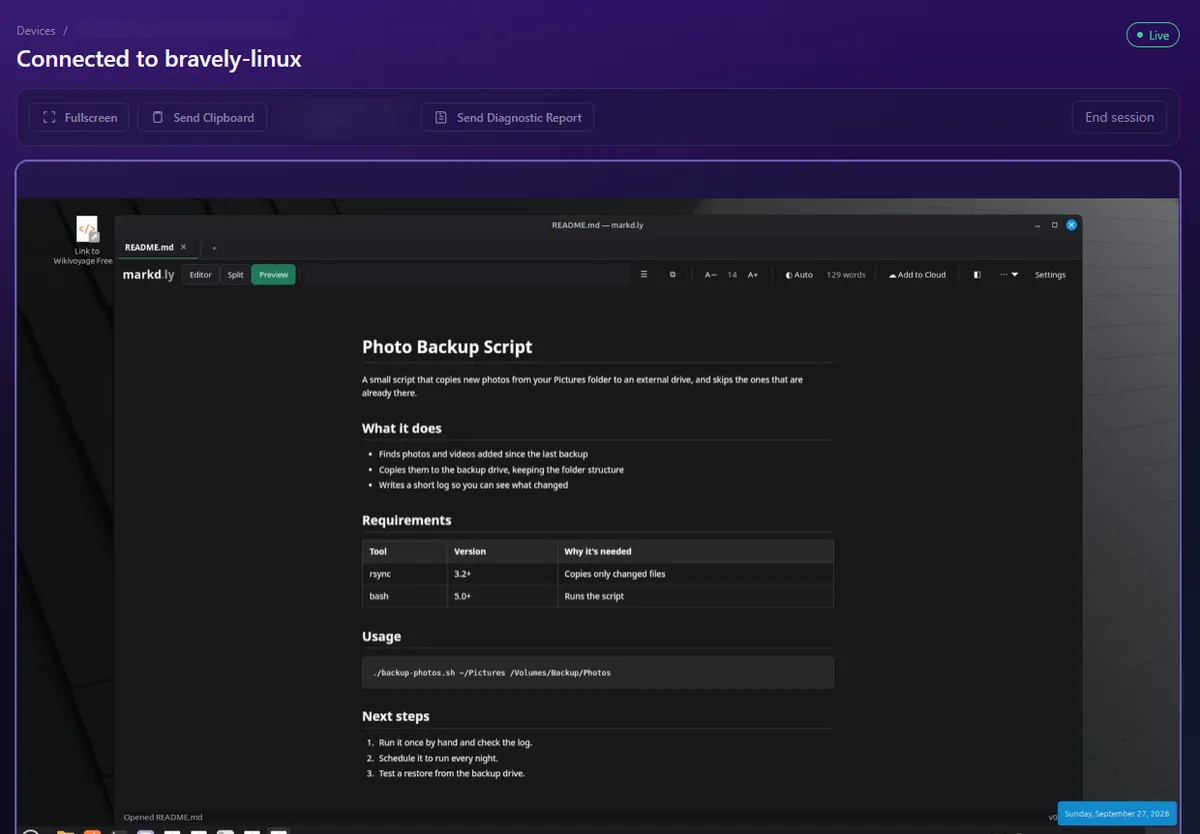
A live Scry session from Chrome on a Windows 11 PC to a Linux computer, in Scry’s web app 0.4.12 on a test account. The device ID and a button for a feature that isn’t out yet are blurred. Captured .
Why TeamViewer shows the warning
TeamViewer’s license lets it analyze how its software is used, check that against the license you chose, and ask for a self-declaration of how you use it.
A post by TeamViewer staff lists some of the factors it weighs: a business email domain on the account, connections to, from or within a corporate network, a server operating system on either end, and device types typical of a business. TeamViewer judges the pattern over time, not one connection, and its staff allow for false positives and point to the reset request.
TeamViewer doesn’t publish how long a session on a flagged ID lasts, or its full list of signals.
What Scry doesn’t do
- It isn’t free: after the trial, it’s a paid plan.
- Someone you help needs Scry, a Bravely Account and an active plan or trial, and so do you.
- It can’t wake a sleeping computer: the computer you reach has to be awake.
FAQs
How does TeamViewer detect commercial use?
TeamViewer’s staff say it compares how you use it with the patterns of free private users and of business users, over time. A staff post names some of the factors: a business email domain, connections to, from or within a corporate network, a server operating system, and device types typical of a business. TeamViewer doesn’t publish the full list.
Why does TeamViewer say I’m using it commercially?
Because something in your usage matches the patterns TeamViewer associates with work, or you connect to a work computer, which TeamViewer counts as commercial even from home. If your use really is private, TeamViewer’s staff allow that it can be a false positive, and point you to the reset request.
How do I reset TeamViewer’s commercial use flag?
Send TeamViewer’s reset request at teamviewer.com/reset, signed in with your TeamViewer account, listing every ID involved. TeamViewer says it replies within 72 hours, and aims to answer all requests within seven business days. If it still suspects commercial use, it offers a declaration of private use.
Does uninstalling TeamViewer remove the commercial use warning?
No. TeamViewer says the suspicion comes off a TeamViewer ID only after a reset request and a positive reply from its team.
Is TeamViewer free for commercial use?
No. TeamViewer’s free version is for personal use only, and TeamViewer counts work use, a home office included, as commercial. Work use needs a subscription, billed yearly: Remote Access is US$24.90 a month.
Does Scry check how I use it?
No. Scry has no usage checks on any plan: it never asks what a session is for, and it never ends a session because of how you use it.
Sources, with the date each was read
- TeamViewer help center: Commercial use suspected (last modified May 11, 2026) (2026-09-27)
- TeamViewer: Windows download page, free version FAQ (2026-09-27)
- TeamViewer End User License Agreement (version as of July 27, 2026) (2026-09-27)
- TeamViewer: reset request (teamviewer.com/reset) (2026-09-27)
- TeamViewer: prices, For single users (2026-09-27)
- TeamViewer help center: All about subscription (last modified July 24, 2026) (2026-09-27)
- TeamViewer help center: FAQ on the Remote Access license (2026-09-27)
- TeamViewer Community blog, by TeamViewer staff: Thank you for playing fair (2026-09-27)
- TeamViewer Community, TeamViewer staff: Commercial use - Connection time out (2026-09-27)

Scry
Remote desktop, anywhere
Free for 24 hours: every feature, no card.
Updated . Facts about other companies’ products were read on their own pages on the dates shown and can change.