Fold Clock: a bedside clock and white noise for iPhone Duo
The short answer
Fold Clock is a free bedside and desk clock with white noise and rain. On iPhone Duo, fold the phone partway and set it down: the time fills the top half, and the sounds, the volume and a sleep timer sit on the bottom half.
- Five sounds: white, pink and brown noise, light rain and heavy rain.
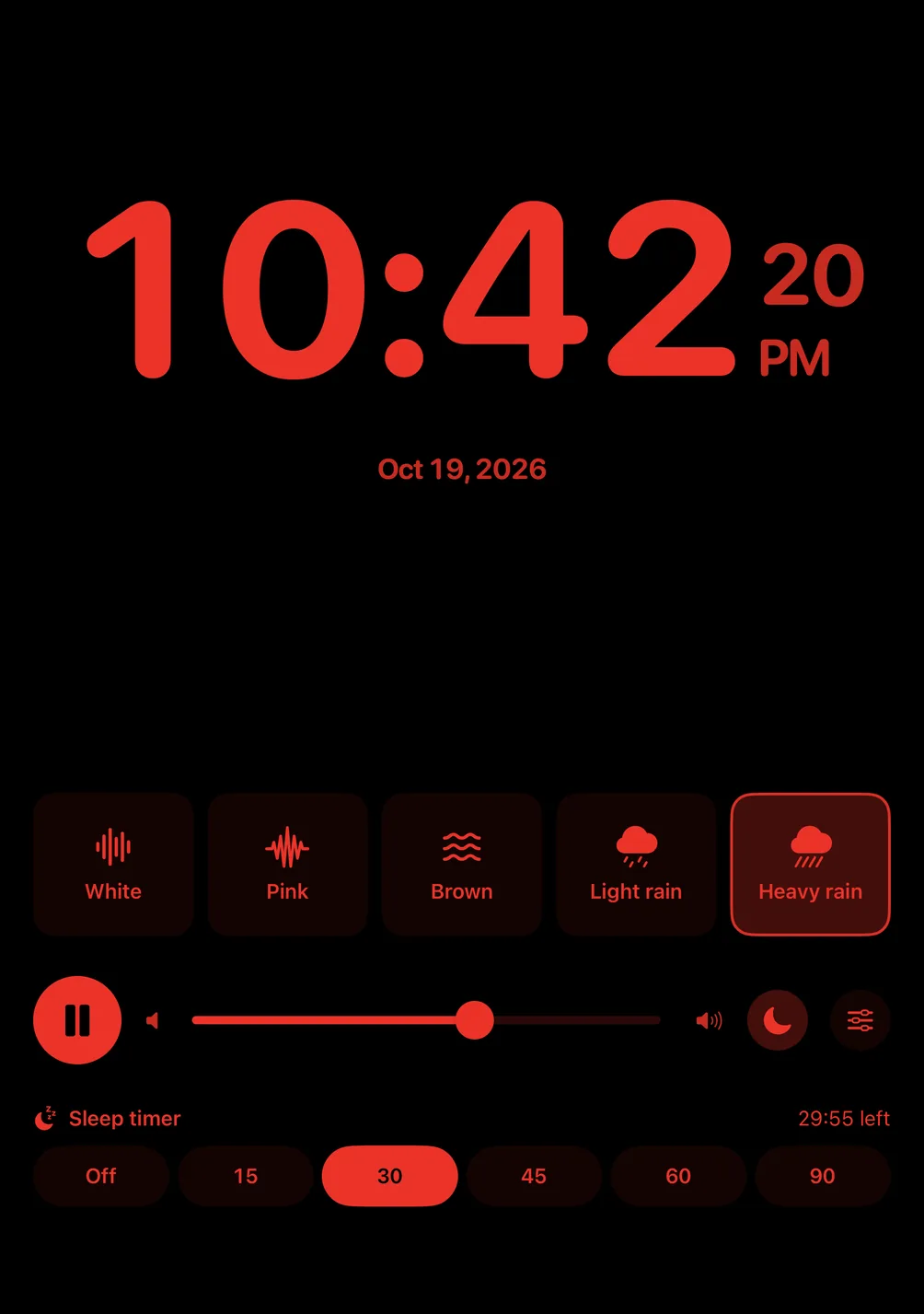
- Night mode turns the clock and the sounds red on black, for a dark bedroom.
Free for iPhone and iPad with iOS 17 or later. No account, no purchase.
- Updated
- Screens captured on Apple's iPhone Duo simulator
Partially folded
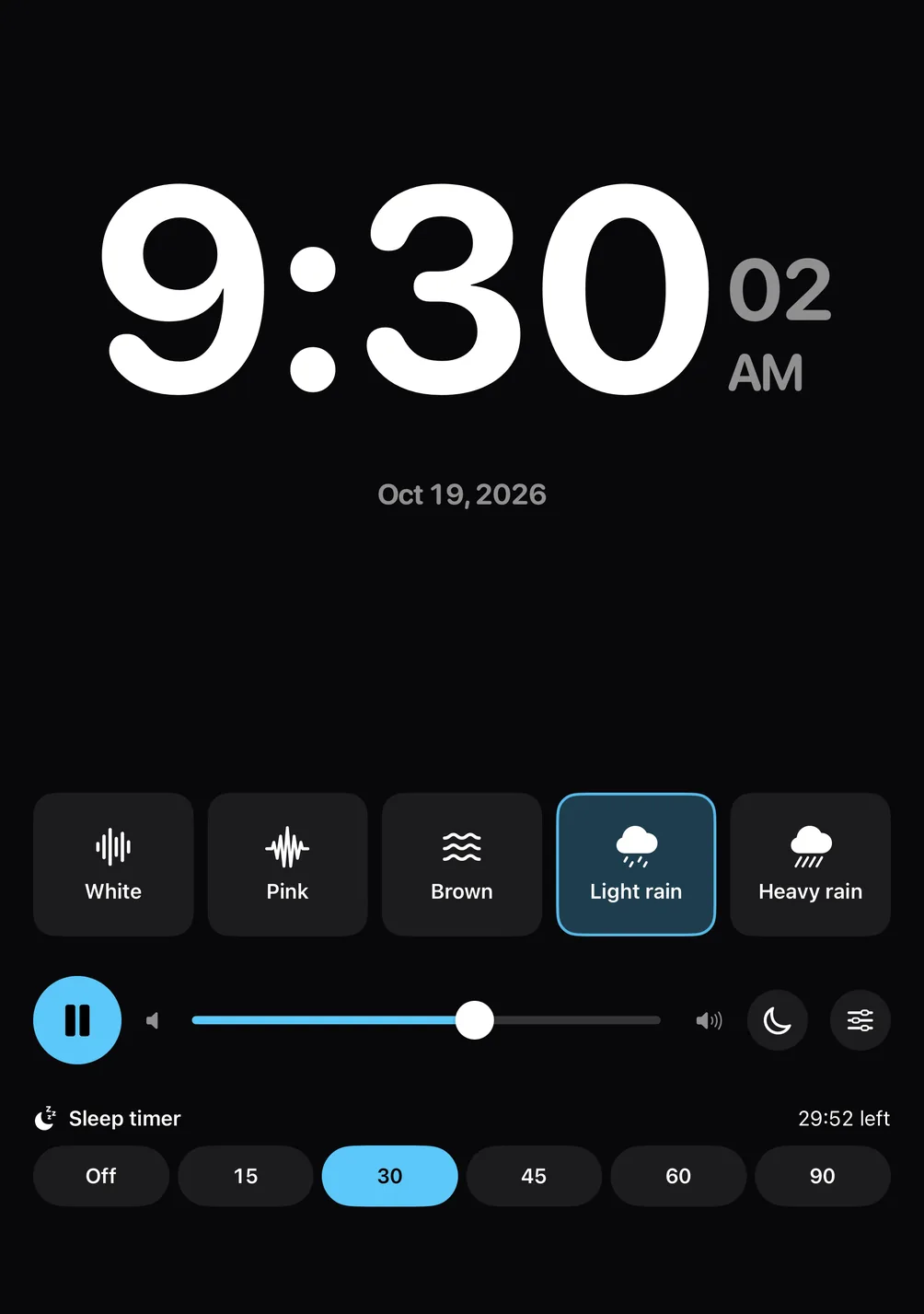
The time on top, the sounds below
Fold iPhone Duo partway with the fold across, and set it down on a nightstand or a desk, the pose Apple calls Seated. Fold Clock puts the time, large, on the top half, and everything you touch on the bottom half: a button for each sound, play and pause, the volume, the sleep timer and night mode.
The screen stays on while the app is open. Partially folded, it darkens after 30 seconds without a touch, and the first touch only wakes it, so reaching over in the dark never presses a button.
Like a book
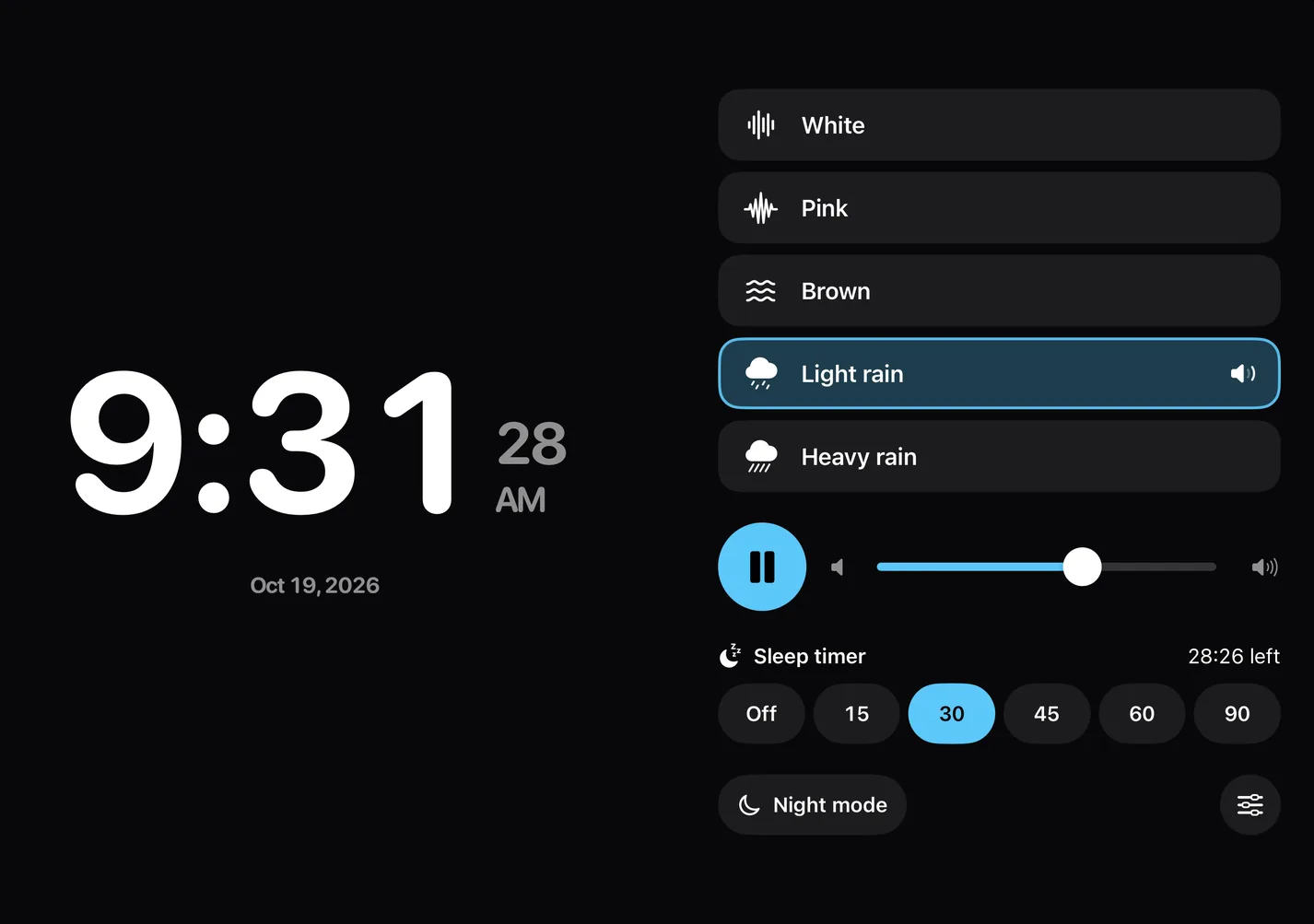
The clock on one side, the sounds on the other
Hold the phone partly open like a book, the fold running down the middle, and the clock takes one side while the sounds and the timer take the other.
Open
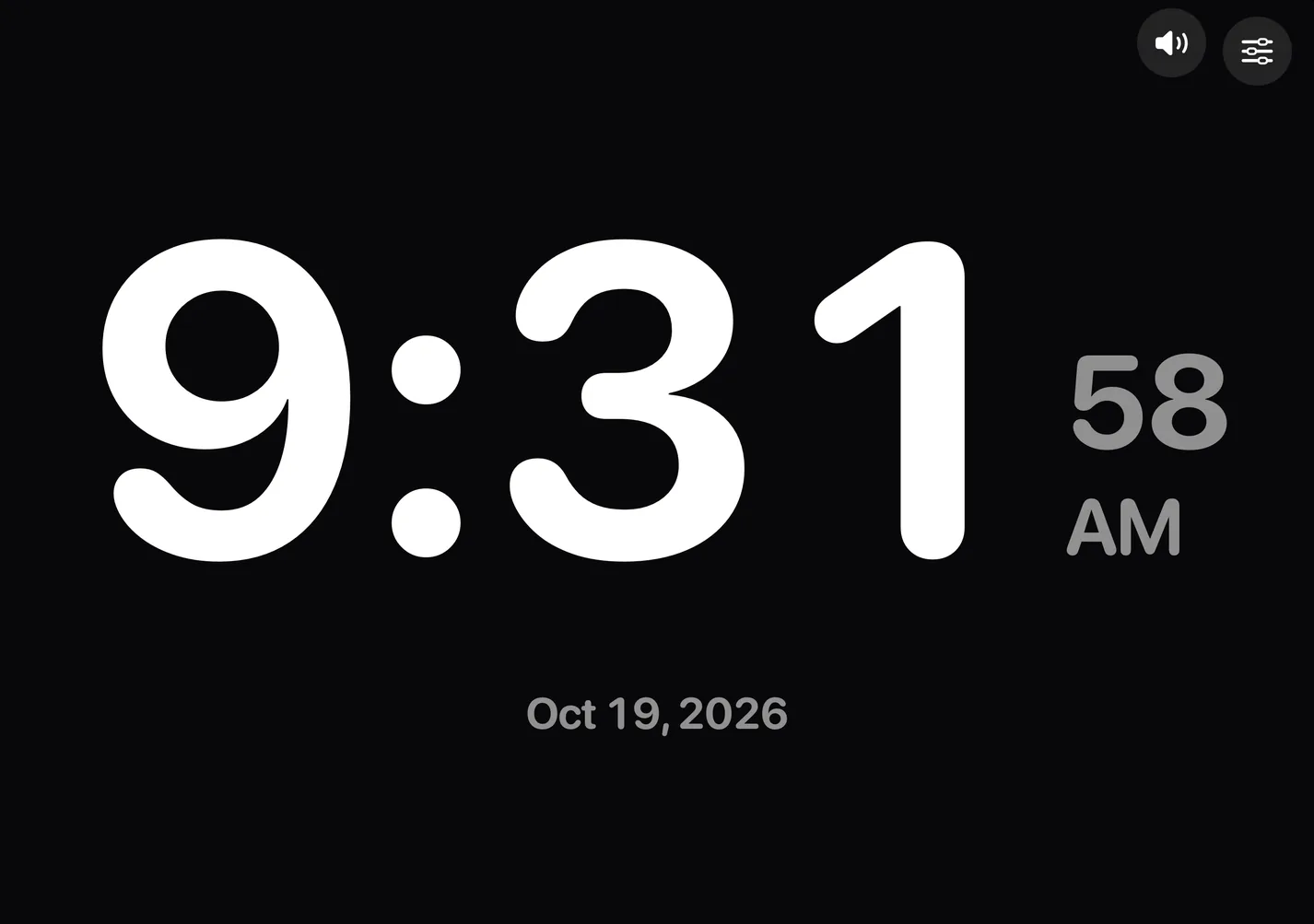
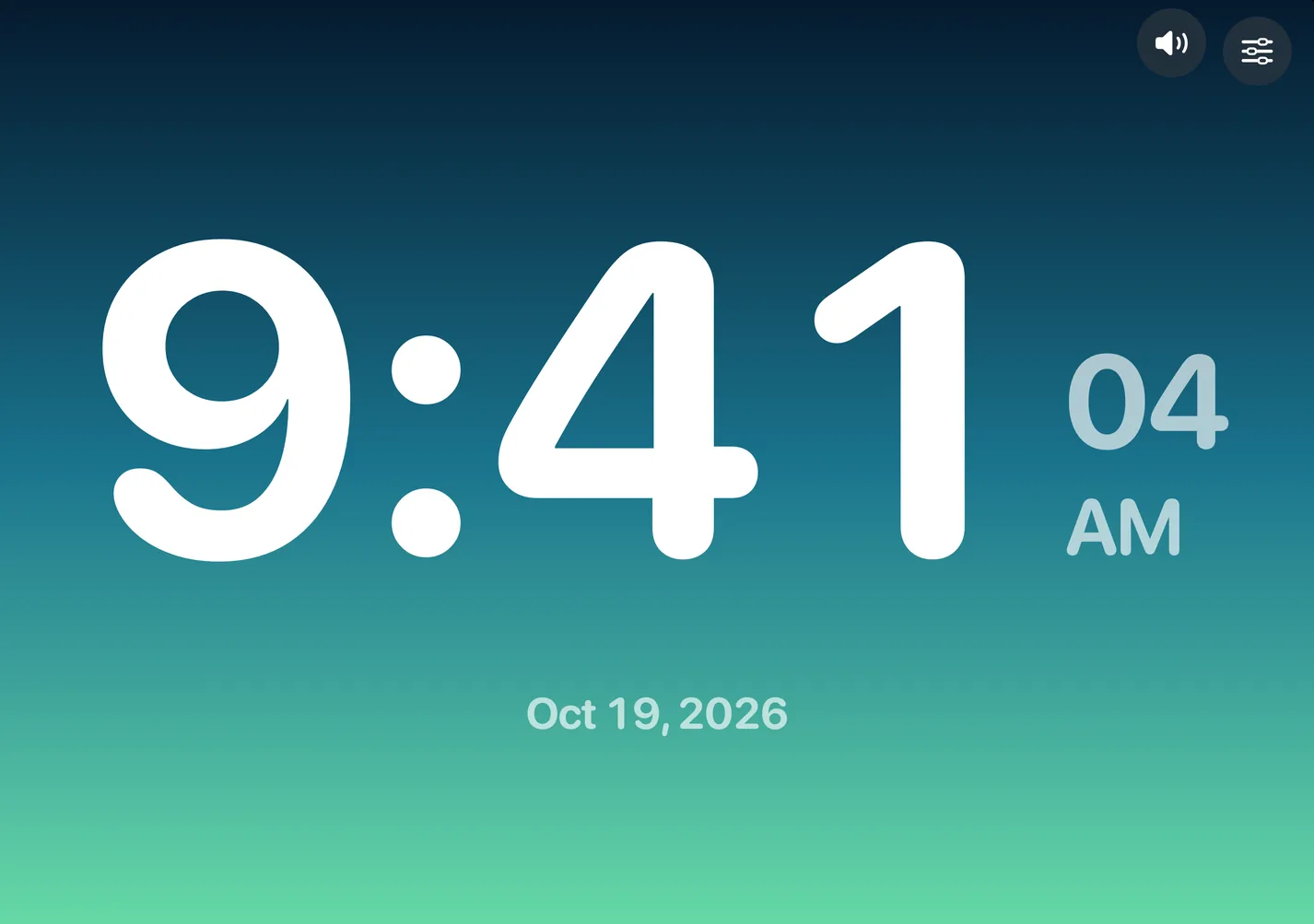
The whole clock on the 7.6-inch inner display
Open flat, the time fills the 7.6-inch inner display, with a Sounds button for the sound panel and Settings for the clock's modes, themes and fonts.
Closed
On the 5.4-inch outer display
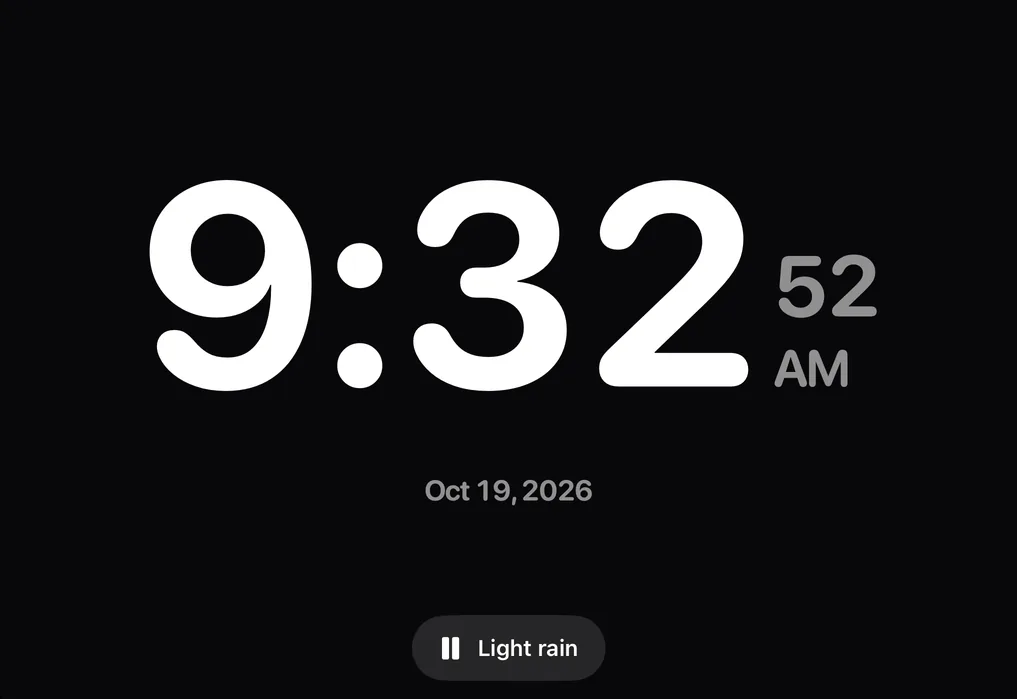
Closed, the 5.4-inch outer display shows the clock and one button, named for your sound, that plays or pauses it.
Folding never stops the sound: close the phone, open it again, and the sound and the sleep timer carry on.
Five sounds, made on the phone
White noise, pink noise, brown noise, light rain and heavy rain. Fold Clock makes each one on the phone as it plays instead of playing a recording, so there's no loop to hear repeating and nothing to download.
The sleep timer runs for 15, 30, 45, 60 or 90 minutes from when you press play, fades the sound out over the last 30 seconds, and stops it. The app's volume slider sets the sound's level, on top of the phone's own volume.
A phone call pauses the sound and it picks up again after, and unplugging headphones pauses it. Fold Clock remembers your last sound, volume and timer.
More than the time
Fold Clock grew out of our presentation clock and keeps its modes: Clock, Countdown, Timer, World Clocks and Cues. Start and stop them on the open screen; partially folded, a countdown or a timer shows on its own line under the time.
Pick from 16 themes and 8 fonts, 12- or 24-hour time, or a photo of your own behind the clock.
What Fold Clock doesn't do
- It has no alarm: it shows the time and plays sounds, but it won't wake you.
- One sound plays at a time, and starting one stops other audio, such as music or a podcast.
- The Timer and Cues chime only while their screen is open, and nothing alerts you when the app is closed.
- No widgets, no StandBy view and no Apple Watch app.
- English only.
Questions about Fold Clock
Is Fold Clock free?
Yes. There's no purchase, no subscription, no ads and no account.
Do I need iPhone Duo to use Fold Clock?
No. It runs on any iPhone or iPad with iOS 17 or later as a full-screen clock with a Sounds button. The layouts for a partially folded phone, with the time on top and the sounds below, need iPhone Duo.
Does the sound keep playing when the screen locks?
Yes. It plays on with the screen locked, and the Lock Screen has play and pause.
Does Fold Clock need the internet?
No. Everything it plays is made on the phone, so it works without a connection.
Doesn't iPhone Duo already have a bedside clock?
Apple says StandBy can show a bedside clock on either display of iPhone Duo. Fold Clock is an app you open instead: the clock and its sounds share the screen when the phone is partially folded, with the volume and the sleep timer a touch away.
Sources, with the date each was read
Related pages
Fold Clock for iPhone Duo
Free for iPhone and iPad with iOS 17 or later. No account, no purchase.
Updated . Facts about iPhone Duo were read on Apple’s own pages on the dates shown. Apple, iPhone and iPad are trademarks of Apple Inc., registered in the U.S. and other countries and regions. iPhone Duo is a trademark of Apple Inc. App Store is a service mark of Apple Inc., registered in the U.S. and other countries and regions. IOS is a trademark or registered trademark of Cisco in the U.S. and other countries and is used under license.