Todoing.ly for iPhone Duo
The short answer
Yes. Todoing.ly 1.14.8 and later is optimized for iPhone Duo. Open the phone and Todoing.ly fills the 7.6-inch inner display; fold it and it runs on the 5.4-inch outer display.
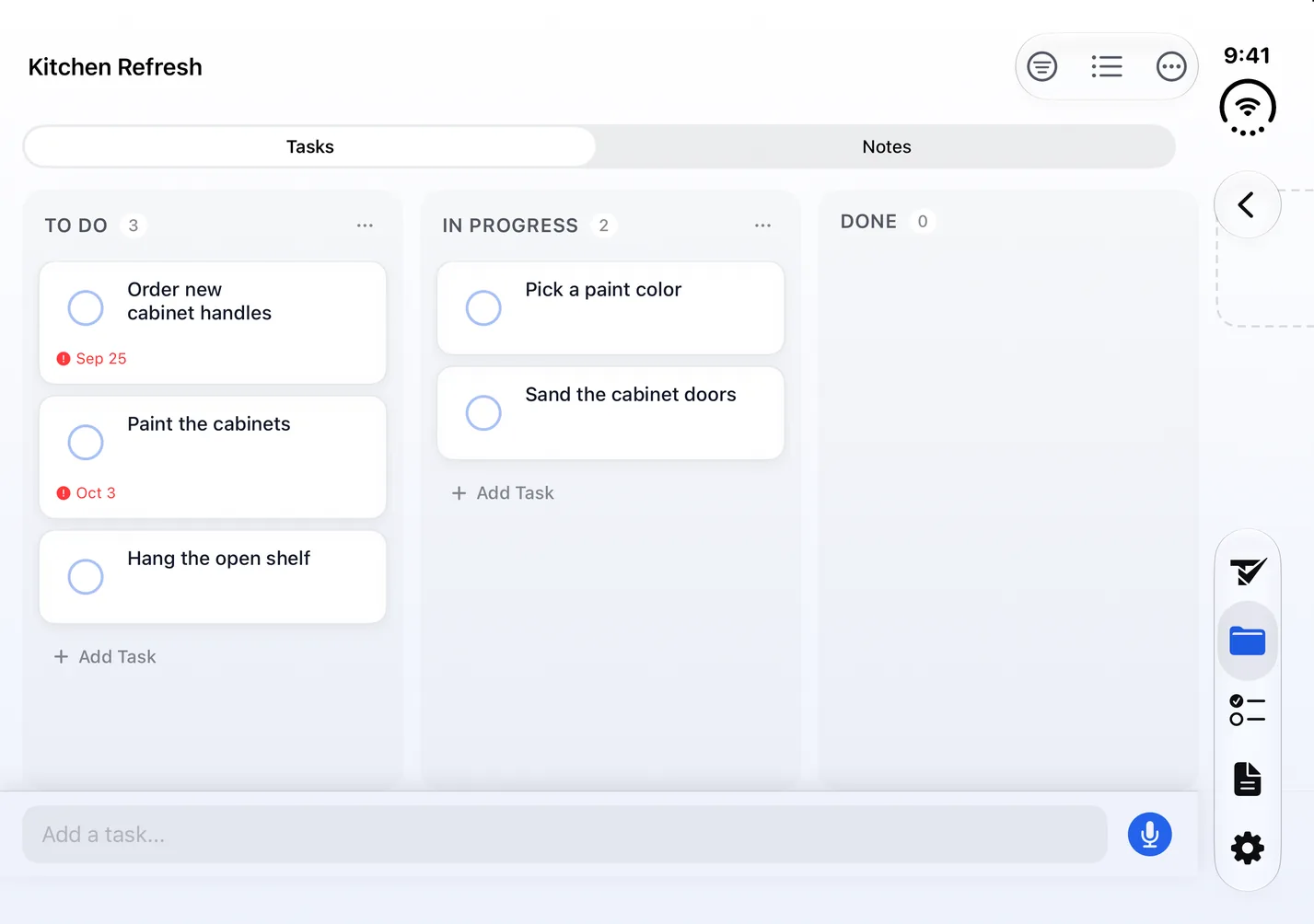
- Any project flips between a list and a kanban board, which starts with To Do, In Progress and Done columns.
- Type “Ship the beta build friday at 5pm !!” and the date, time and priority fill themselves in. Or tap the microphone and say the task.
Try every feature free for 24 hours, no card needed.
- Updated
- Screens captured on Apple's iPhone Duo simulator
- All our apps for iPhone Duo
Open
The 7.6-inch inner display
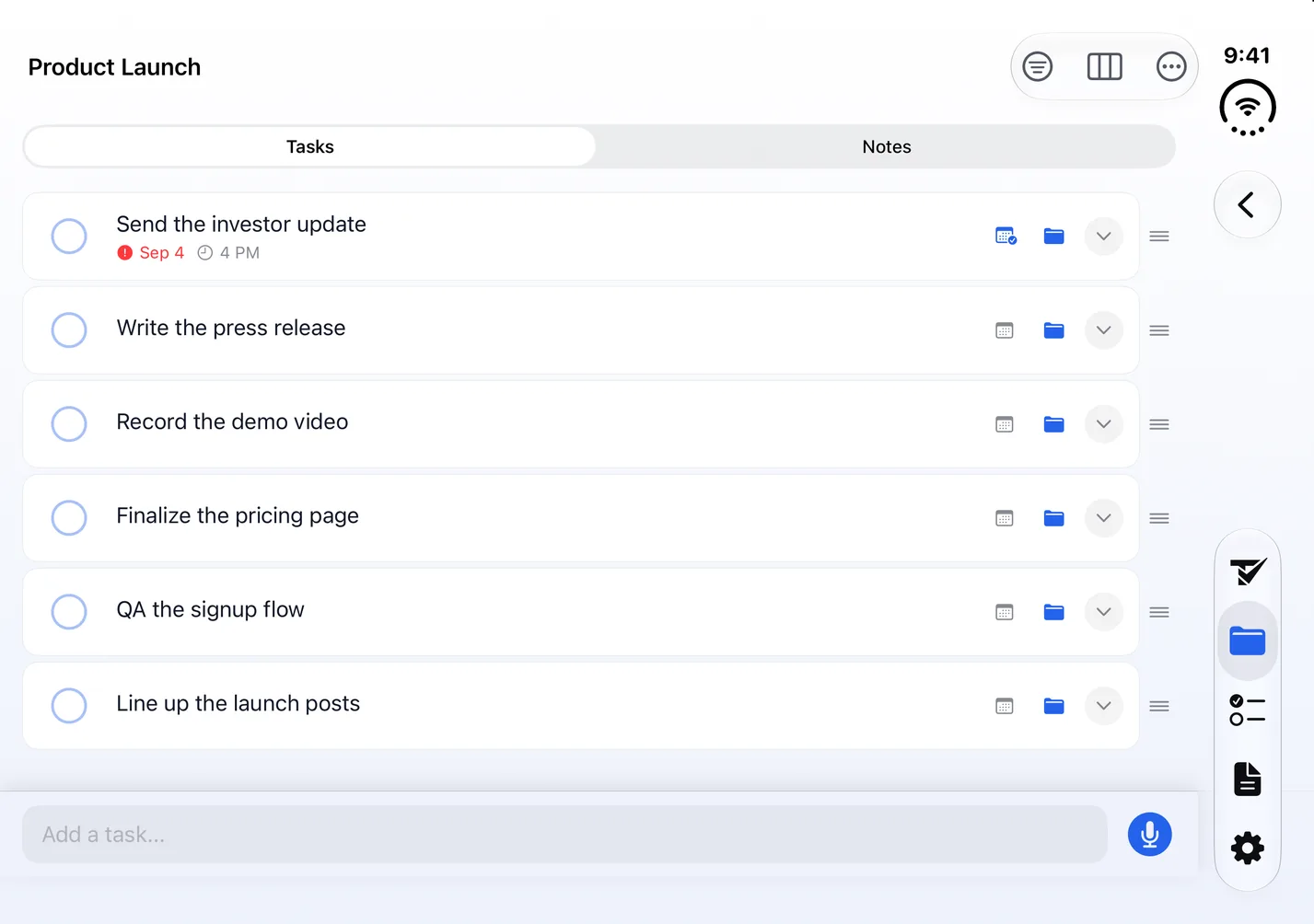
In landscape, with the phone open, a project's board shows three columns side by side and a project's task list spans the full width, while Today keeps a centered column. The tab bar becomes a floating rail on the right edge, below the status bar, as it also does on the outer display.
Turn the open phone on its side, into portrait, and the board shows two columns and part of the third, with the tab bar along the bottom.
Closed
The 5.4-inch outer display
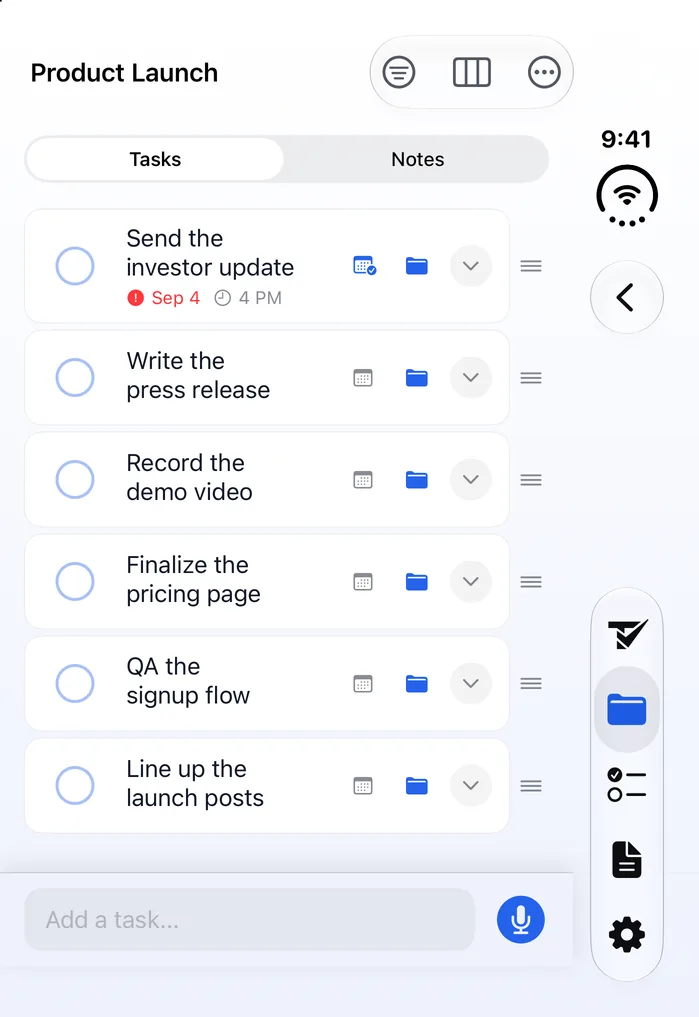
Closed, the Product Launch list fits the outer display with all six tasks on screen, their titles wrapping onto a second line. A board shows one column and part of the next.
Fold it in the middle of a task
Todoing.ly keeps running when you fold or unfold the phone. Start typing a task in the Add a task bar on the outer display, then open the phone: the text is still there, and it stays there when you partially fold the phone, upright or turned on its side.
The project or board you have open stays open too, whether you fold the phone or unfold it.
What Todoing.ly does on iPhone Duo
Beyond boards and plain-English entry, Todoing.ly has:
- Today, Inbox and Upcoming: overdue tasks and today's in their own sections, the next 14 days one switch away (or a window you set), an Inbox for tasks with no project, and a month calendar where you tap a day to see its tasks or add one.
- Boards your way: add, rename and move columns, add a task right inside a column, and drag cards from one column to the next.
- Plain words: “every monday” sets a repeat, !! marks a task medium priority and !!! high, and #project files it, each shown as a chip you can remove.
- Subtasks and repeats: a progress count such as 2/3 on a task you break down, and repeats daily, weekly, monthly or yearly, with intervals (every 2 weeks, say) and the weekdays you pick, until an end date if you set one.
- Reminders at the time you set, whether Todoing.ly is open or not, with Complete and Snooze 15 min on the notification, plus daily reminders about what's due today: morning, midday and evening, at times you choose.
- Four Home Screen widgets: Today's Focus, with checkboxes you tap to complete a task, plus Add Task, Speak to Add and Stats.
- An activity feed in each shared project, showing who did what.
- 15 themes, each in dark, medium or light, and 30 matching app icons.
- Export your tasks as a CSV file from Settings.
What Todoing.ly doesn't do on iPhone Duo
- Todoing.ly's calendar doesn't connect to any other calendar.
- Reminders can't be tied to a place.
- Todoing.ly doesn't import tasks from other to-do apps.
- There are no Lock Screen widgets.
Questions about Todoing.ly on iPhone Duo
Is Todoing.ly optimized for iPhone Duo?
Yes. Apple says apps built with the iOS 27.1 SDK or later are optimized for iPhone Duo and extend to use the full display, and Todoing.ly is built that way.
Do my tasks sync between iPhone Duo and my computer?
Yes. Todoing.ly runs on Mac, Windows and Linux, on Android and on the web, and every one shows the same tasks once you sign in to your Bravely Account the same way (Apple, Google or email).
Does Todoing.ly work offline on iPhone Duo?
Yes. Keep working offline: a small strip says the phone is offline, and Todoing.ly catches up when you're back.
Can I share a project from iPhone Duo?
Yes. Add a friend by email or friend code, share a project with up to 10 people, you included, and choose what each person can do: View, Add, Edit or Mark Done. You can assign a task to one or more people. Everyone you share with uses their own Todoing.ly (their own plan or trial, or Bravely Premium) or the one partner seat a paid plan includes, under Plan sharing in Settings.
Do I need to buy Todoing.ly again for iPhone Duo?
No. iPhone Duo runs the same Todoing.ly app as iPhone and iPad, and a plan bought on any platform, the App Store included, unlocks it wherever you sign in with the same Bravely Account.
What happens when the 24-hour trial ends?
You can add 24 more hours, once. After that, start a plan to keep using Todoing.ly; the App Store shows its own prices.
Sources, with the date each was read

Todoing.ly for iPhone Duo
Try every feature free for 24 hours, no card needed.
Updated . Facts about iPhone Duo were read on Apple’s own pages on the dates shown. Apple, iPhone, iPad and Mac are trademarks of Apple Inc., registered in the U.S. and other countries and regions. iPhone Duo is a trademark of Apple Inc. App Store is a service mark of Apple Inc., registered in the U.S. and other countries and regions. IOS is a trademark or registered trademark of Cisco in the U.S. and other countries and is used under license.