SayCopyPaste for iPhone Duo
The short answer
Yes. SayCopyPaste 0.10.7 and later is optimized for iPhone Duo. Open the phone and it uses the full 7.6-inch inner display; fold it and it runs on the 5.4-inch outer display. It's the same SayCopyPaste as on iPhone and iPad: tap once to talk and again to stop, and your words land on the clipboard, ready to paste anywhere.
Try every feature free for 24 hours, no card needed.
- Updated
- Screens captured on Apple's iPhone Duo simulator
- All our apps for iPhone Duo
Open
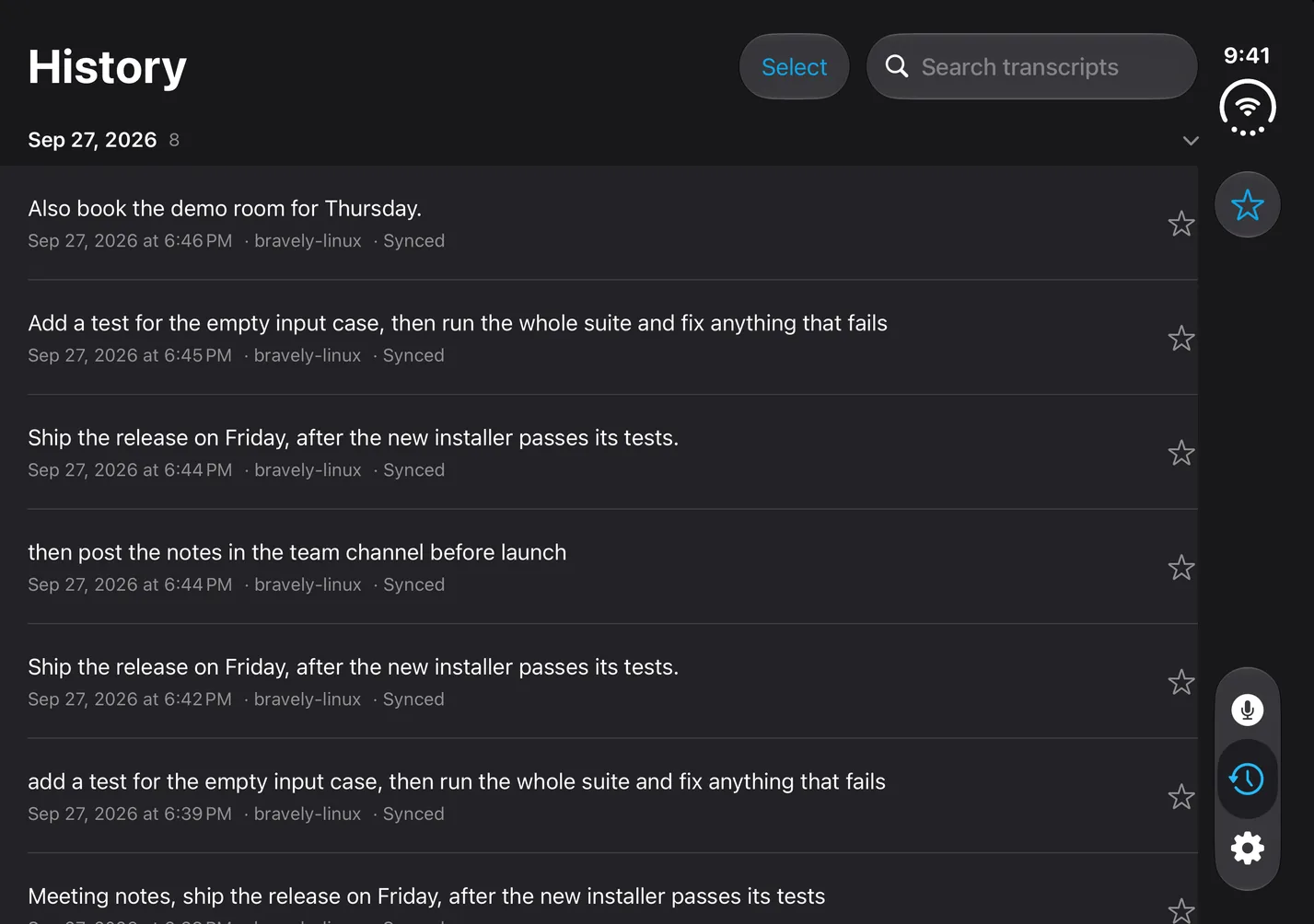
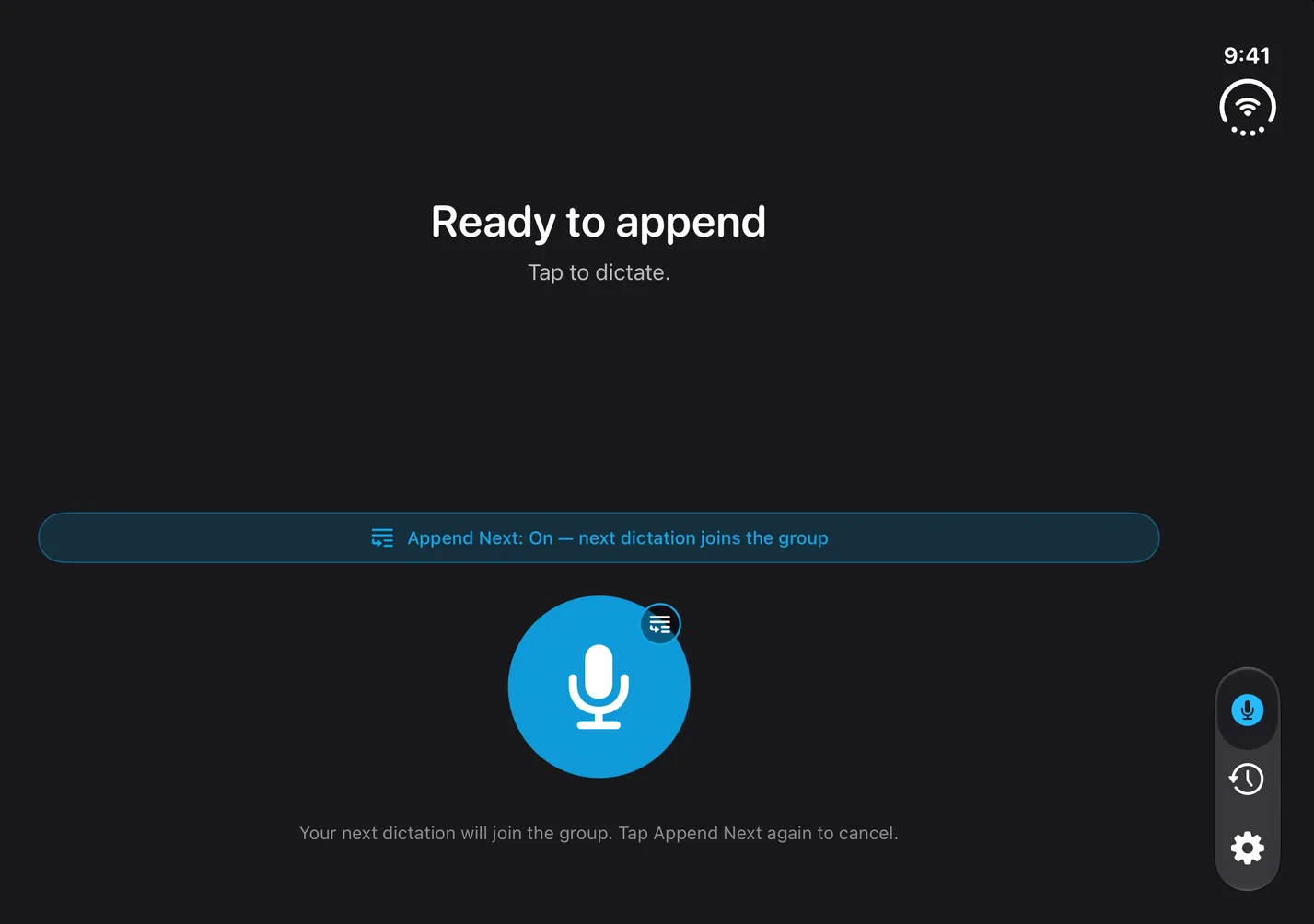
SayCopyPaste on the 7.6-inch inner display
The Dictate tab is one centered layout across the width: the status line, the Append Next switch, the record button and a hint below it. History runs its transcript rows the full width, with the search field at the top.
The three tabs, Dictate, History and Settings, float in a rail on the right. Turn the open phone on its side and they move to a bar along the bottom.
Closed
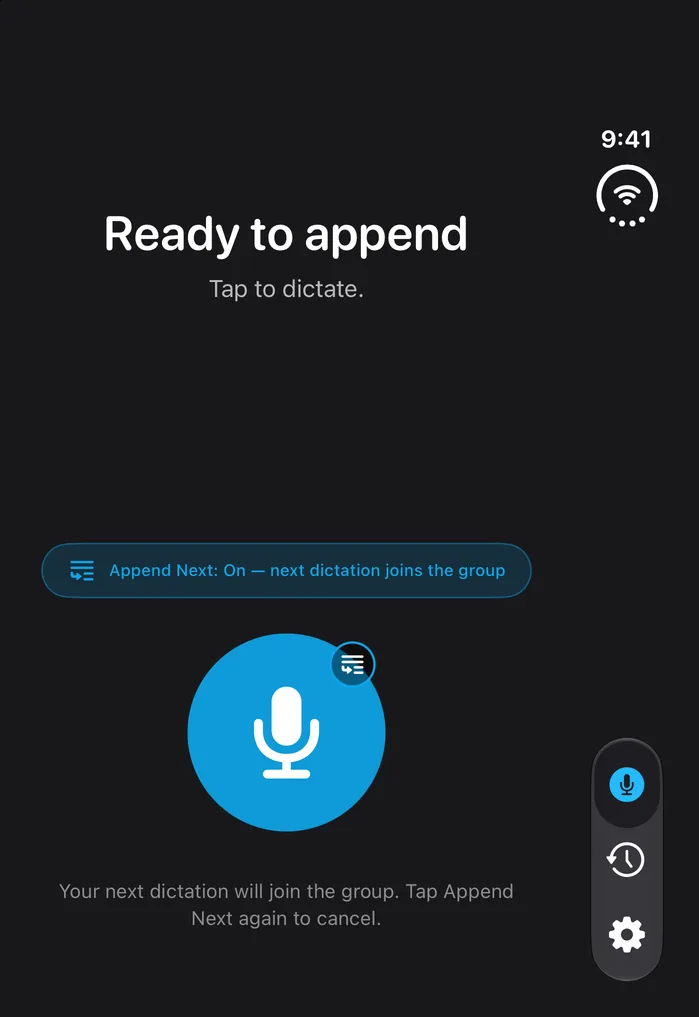
SayCopyPaste on the 5.4-inch outer display
Closed, the Dictate tab keeps its centered layout on the narrower display, with the Append Next switch above the record button, and the tabs stay in a rail on the right.
Fold it, and History keeps your place
SayCopyPaste keeps running when you fold the phone, partially fold it or open it again: it's resized, not relaunched. Scroll down in History and fold the phone, and the outer display shows the same rows; open it again and they're still there.
What SayCopyPaste does on iPhone Duo
What else it does, on either display:
- Append Next: switch it on and your next dictation joins the last one, so you can pause, think and keep going. After each part the whole passage is on the clipboard, and Copy group copies it again.
- A Live Activity shows Listening, Transcribing and Copied, with a Stop button while it listens.
- Widgets: Dictate opens SayCopyPaste listening from the Home Screen or the Lock Screen, and Recent Dictations copies a past transcript without leaving the Home Screen.
- History: dictations grouped by day, with a favorites filter. Swipe one to copy it again, or select several and Append & copy puts them on the clipboard as one.
- Vocabulary: add names, brands and jargon in Settings. Up to 30 of them go along with each dictation as a spelling hint, and a misheard word you list is swapped for your spelling.
Your dictations on your other devices
SayCopyPaste also runs on Mac, Windows, Linux and Android. Sign in with the same Bravely Account everywhere and your saved dictations follow you as text: they show up in History on each device, and in your browser at saycopypaste.bravely.dev, where you can read, search, star and copy them.
What SayCopyPaste doesn't do on iPhone Duo
- There's no SayCopyPaste keyboard, and nothing is typed or pasted for you.
- Words don't appear while you talk: a waveform shows, and the text arrives once you stop.
- One dictation runs up to about 13 minutes, and a longer recording isn't transcribed. There's no daily or monthly cap; for more, use Append Next.
- Transcribing needs a connection. With no signal, your recording is saved and transcribed when you're back online. On-device transcription for offline use is optional, its quality can be lower, and it doesn't detect which language you speak.
- Your vocabulary stays on the device where you add it, and each device fetches your newest 200 synced dictations.
Questions about SayCopyPaste on iPhone Duo
Is SayCopyPaste optimized for iPhone Duo?
Yes. It's built with the iOS 27.1 SDK, and Apple calls apps built that way optimized for iPhone Duo: they extend to use the full display, with toolbars and tab bars appearing vertically below the status bar. If you already have SayCopyPaste, update it from the App Store.
Can I dictate in languages other than English?
Yes: Spanish, French, German, Portuguese, Italian and Japanese, with no setting to change. Your transcript comes back in the language you spoke, though Japanese comes back without most of its punctuation.
Can I start a dictation without opening SayCopyPaste?
Yes. Say “Dictate with SayCopyPaste” to Siri, or tap the SayCopyPaste Dictate control once you add it to Control Center, and do the same again to stop. SayCopyPaste records in the background and copies the transcript when you stop.
Does SayCopyPaste keep my audio?
No. Your recording is sent securely for transcription, and we keep the text, never the audio. Turn off Save dictations in Settings and nothing is saved or synced.
Do I need to buy SayCopyPaste again for iPhone Duo?
No. A plan bought on any platform, the App Store included, unlocks SayCopyPaste wherever you sign in with the same Bravely Account. New to it? After your trial, start a plan; the App Store shows its own prices.
Sources, with the date each was read
SayCopyPaste for iPhone Duo
Try every feature free for 24 hours, no card needed.
Updated . Facts about iPhone Duo were read on Apple’s own pages on the dates shown. Apple, iPhone, iPad, Mac and Siri are trademarks of Apple Inc., registered in the U.S. and other countries and regions. iPhone Duo is a trademark of Apple Inc. App Store is a service mark of Apple Inc., registered in the U.S. and other countries and regions. IOS is a trademark or registered trademark of Cisco in the U.S. and other countries and is used under license.