Looking for a WinDirStat alternative? Here's an honest Diskaroo vs WinDirStat comparison. Diskaroo runs on Mac and Linux as well as Windows, with the same four views on each: a treemap, a sunburst, a largest-items list and a duplicate finder that compares file contents. One free Bravely Account covers all three, and the Collector gathers what you want gone from any folder so you review it once and clear it in one go. If every machine you own runs Windows and you want free, open-source software with nothing to sign in to, WinDirStat is the one to get.
Mac and Linux as well as Windows. WinDirStat runs only on Windows; Diskaroo gives your Mac, PC and Linux machine the same treemap, sunburst, largest-items list and duplicate finder, and one free Bravely Account covers all three apps.
The Collector: add files from any folder as you explore, review the whole batch, then move it to the Trash or Recycle Bin in one go, or delete it for good. A running Total Space Saved shows what you've won back.
A sunburst view next to the treemap, for the same disk drawn as rings.
vs
Pick WinDirStat if
Free and open source under GPLv2, free for any use at home or at work, with the code on GitHub and nothing to sign in to. Diskaroo is closed source and asks you to sign in with a Bravely Account.
More Windows detail: saved and exported scans, live updates as files change, logical vs physical sizes, permissions and storage tiers, extension statistics and shortcuts to Windows maintenance tools. Diskaroo can't save or export a scan to a file.
Native installers for x64, x86 and ARM64 Windows, portable archives, and a Microsoft Store edition that updates automatically. Diskaroo for Windows is x64 only, on Windows 10 or 11.
More than two decades of development: WinDirStat dates from 2003.
Diskaroo vs WinDirStat, feature by feature
Verified . Source linked at the bottom.
Feature
Diskaroo
WinDirStat
Platforms
Mac, Windows and Linux (one account)
Windows only
Price
Free with a Bravely Account
Free
Account needed
Yes, a free Bravely Account
No
Source code
Closed source
Open source (GPLv2)
Views
Treemap, sunburst, largest-items list, duplicates
Treemap, sortable lists, extension statistics, Largest Files
Duplicate finder
Yes, by file contents
Yes, by content
Filters
Name or extension only (no size filter)
Yes (filter results)
Collector tray (stage, review, then clear)
Yes, with a running Total Space Saved
Open, move or delete items directly
Save or export a scan
No
Yes
Permissions and storage tiers
No
Yes
Runs on Windows
x64 (Windows 10 or 11)
x64, x86 and ARM64, plus portable; Windows 7 to 11 and Windows Server 2008 R2 to 2025
Updates
Updates itself in the app
Automatic from the Microsoft Store; also winget, Chocolatey or Scoop
First released
2026
2003
Diskaroo on Windows and Linux: what we ran, and when
Screenshots and measurements from our own machines, . A generated test folder: 100,000 files in 3,698 folders, 17.45 GB, with 250 planted sets of duplicate files. It holds no one's real files, and the same seed builds the same folder on Windows and Linux.
Windows · measured
5.2 s
First scan of the test folder on Windows, with Windows' file cache emptied before each run.
Median of 7 runs (1.0 to 16.4 s), read from Diskaroo's own status line. Repeat scans, with the files already cached, took 0.2 s (median of 5).
Build
Diskaroo 2.7.5
System
Windows 11 Pro 25H2 (build 26200)
Machine
a desktop PC with an AMD Ryzen 9 5950X and 32 GB of RAM
Disk
XPG GAMMIX S60 2 TB NVMe SSD (NTFS)
How to repeat it
Generate the test folder on the drive.
In Diskaroo, choose Choose Folder… and pick the test folder.
Empty Windows' working sets and standby list (RAMMap's Empty menu does both), then wait 12 seconds.
Press Rescan and read the time on the status line when it says Scan complete.
Repeat 7 times and take the median.
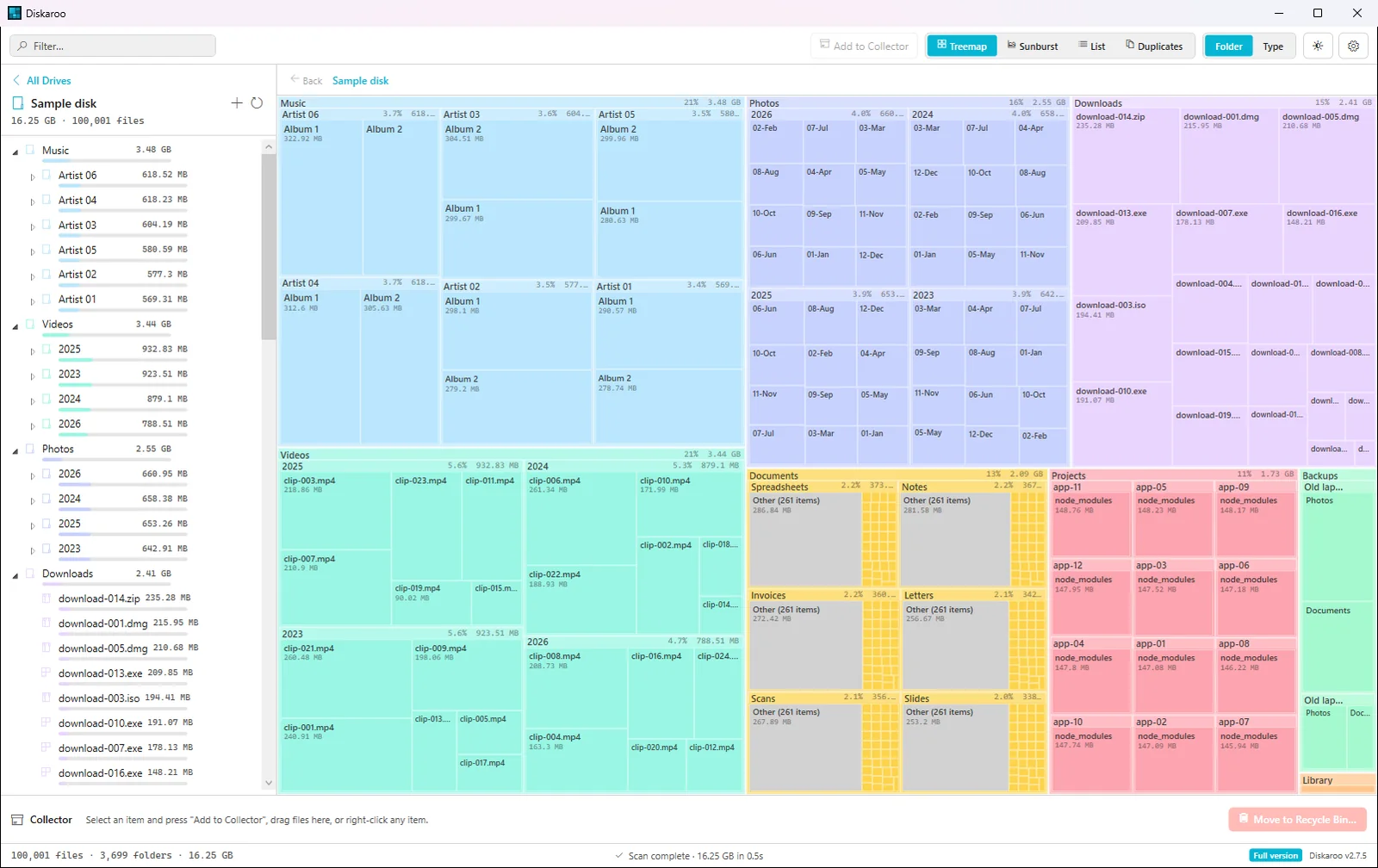
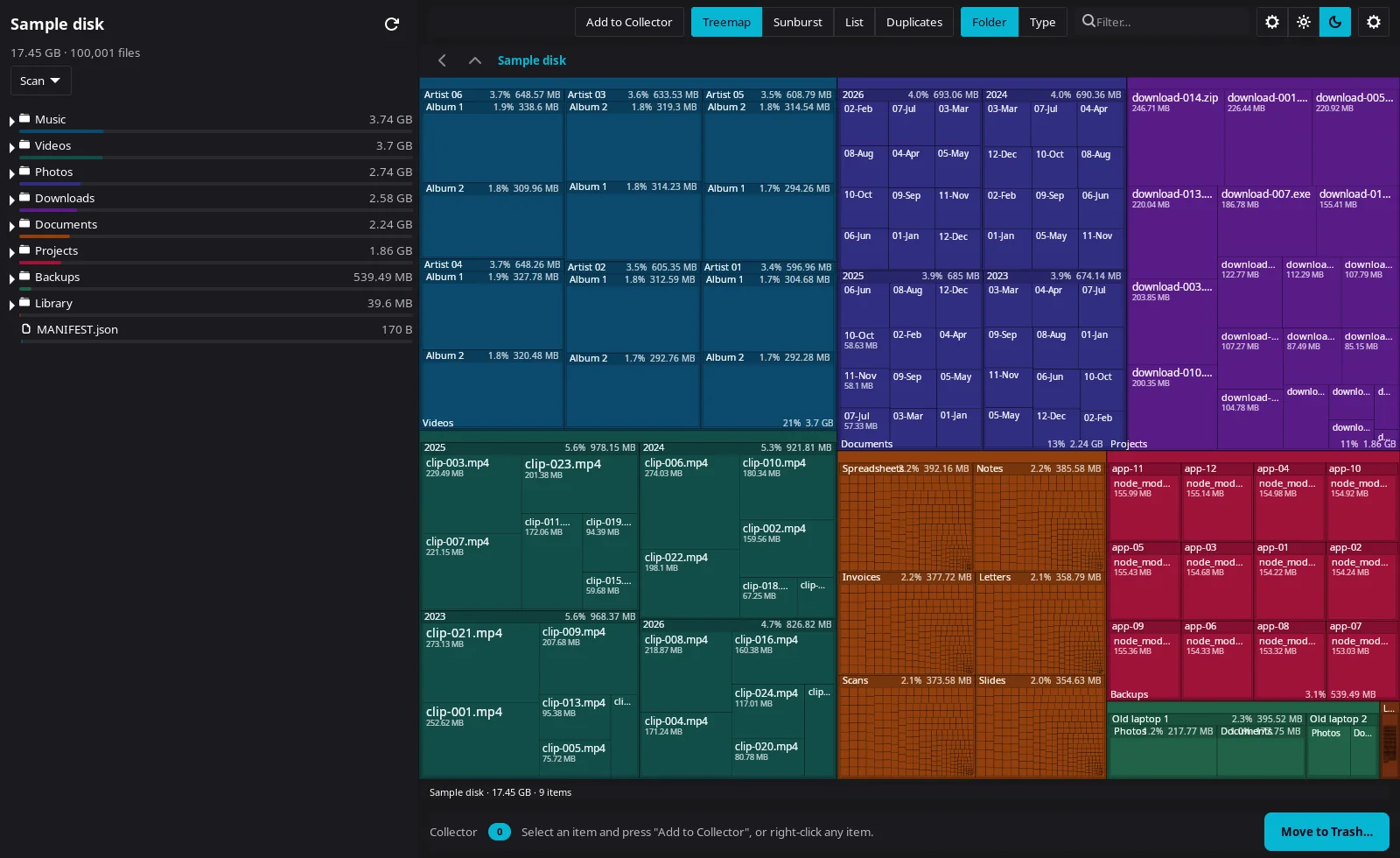
Diskaroo's treemap of the test folder on Windows 11.Diskaroo 2.7.5 on Windows 11 Pro 25H2 (build 26200), Diskaroo's treemap of the same folder on Linux.Diskaroo 0.8.3 on Linux with the Cinnamon desktop (kernel 6.14),
Diskaroo vs WinDirStat FAQs
Is WinDirStat free for commercial use?
Yes. It's open source under GPLv2, and its site says you can use it free of charge in personal or commercial settings, with no need to tell its team. Diskaroo is a gift: sign in with a free Bravely Account, map your first folder, then claim Diskaroo Pro in the app, free, for life. No card, no trial clock, no subscription.
Does WinDirStat find duplicate files?
Yes, by content, on Windows. Diskaroo compares file contents too (the size, then the start of each file, then the whole file) and does it on Mac and Linux as well, skipping files under 1 KB.
Can I run WinDirStat on a Mac?
No. WinDirStat runs only on Windows. Diskaroo runs on Mac, Windows and Linux under one free Bravely Account, with the same views on each.
Is WinDirStat still maintained?
Yes. Its team released 2.9.0 on September 26, 2026, posts betas between releases on GitHub, and you can install it from the Microsoft Store or with winget, Chocolatey or Scoop.
Does WinDirStat run on Linux?
No. WinDirStat is built for Windows 7 to 11 and Windows Server. Its own site points Linux users to QDirStat. Diskaroo runs on the Linux machine itself: 64-bit (x64) Linux with GTK 4, as a .deb or an AppImage, under the same free Bravely Account as your Mac and PC.