An Adobe Acrobat alternative for every device you own
The short answer
If you pay for Acrobat Pro month to month, ASAPDF fills forms, signs, fixes printed typos, sends documents for signature, scans and merges for $240 a year less: Acrobat Pro is $29.99 a month and ASAPDF's monthly plan is $9.99 a month, as of November 13, 2026. ASAPDF runs on Mac, Windows, Linux, iPhone, iPad, Android and the web, and one plan covers every device you own. What you'd give up: Acrobat builds web forms, and ASAPDF doesn't.
- Every device: one plan for Mac, Windows, Linux, iPhone, iPad, Android and the web, with no limit on how many you're signed into.
- Fill, sign and fix: type into a form, sign by drawing or pasting a screenshot of your signature, and change a printed word in its own font, size and color.
- Send it to sign: by QR code, link or email. They sign in a browser with no app and no account, and the signed copy comes back with a Certificate of Completion.
- On a phone: scan a paper receipt into a searchable PDF, and merge scans into one PDF.
 The video goes up soon 3:04
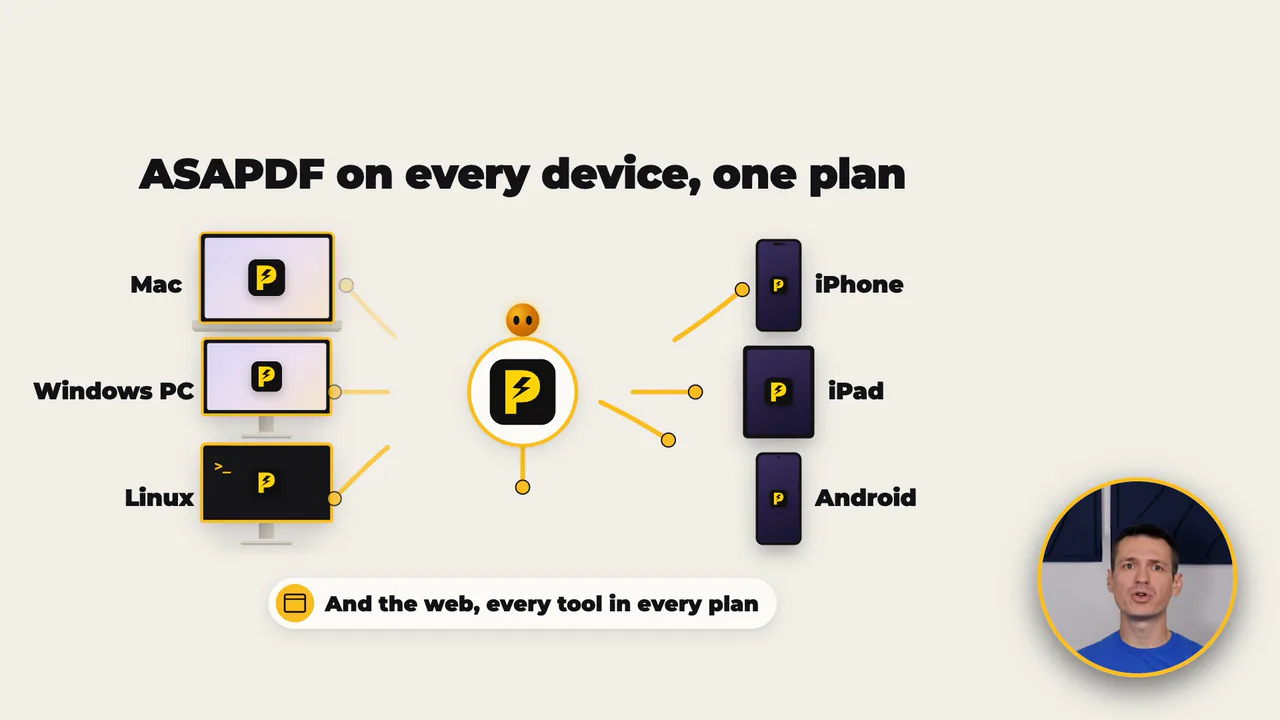
Mac, Windows, Linux, iPhone, iPad, Android and the web, on one plan.
- Updated
- Outside facts dated and linked at the bottom
Every device, no limit
ASAPDF runs on a Mac, a Windows PC, Linux, iPhone, iPad, Android and the web. One plan covers every one of them, with every tool included, and there's no limit on how many devices you're signed into. Adobe's own help page says you can be signed into two devices at the same time.
- Mac
- Windows
- Linux

- iPhone
- iPad
- Android
Sign in with the same Bravely Account on each one, as many as you own, and on the web.
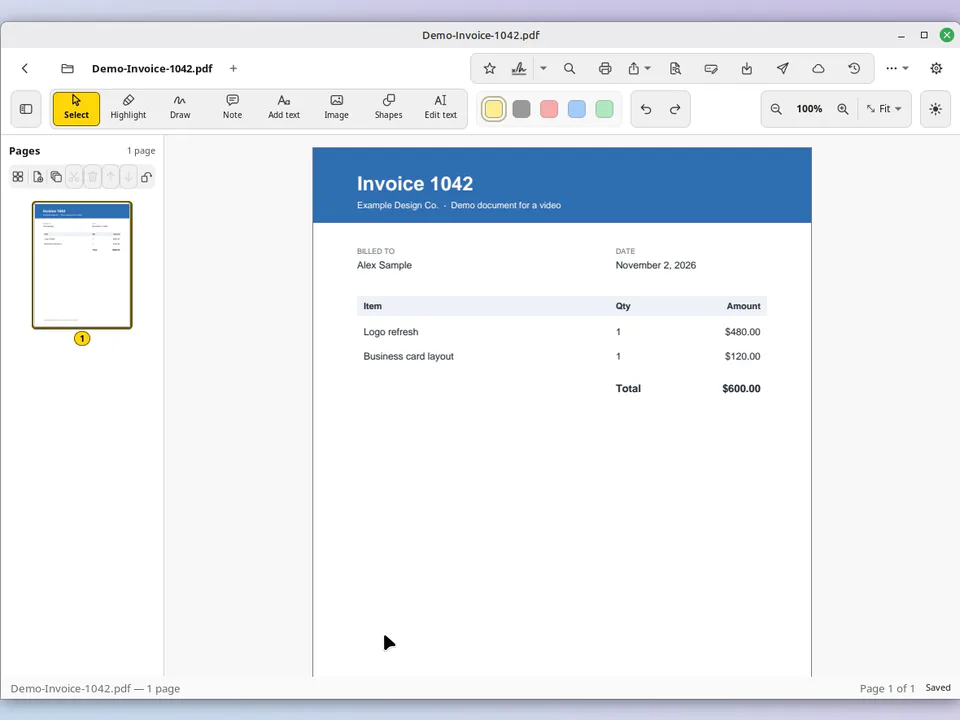
- Linux: Acrobat's desktop app is made for Windows and macOS. On Linux, ASAPDF is an app of its own: a .deb for Ubuntu, Mint and Debian, or an AppImage.
- The same tools everywhere: every tool is in every plan, on every device.
Fill in a form
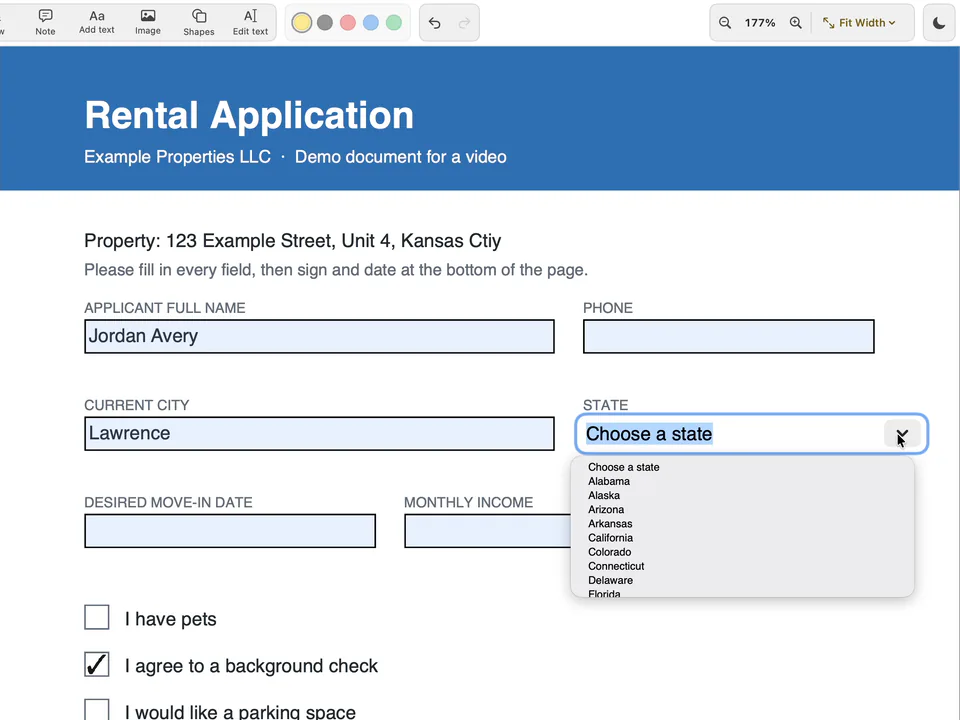
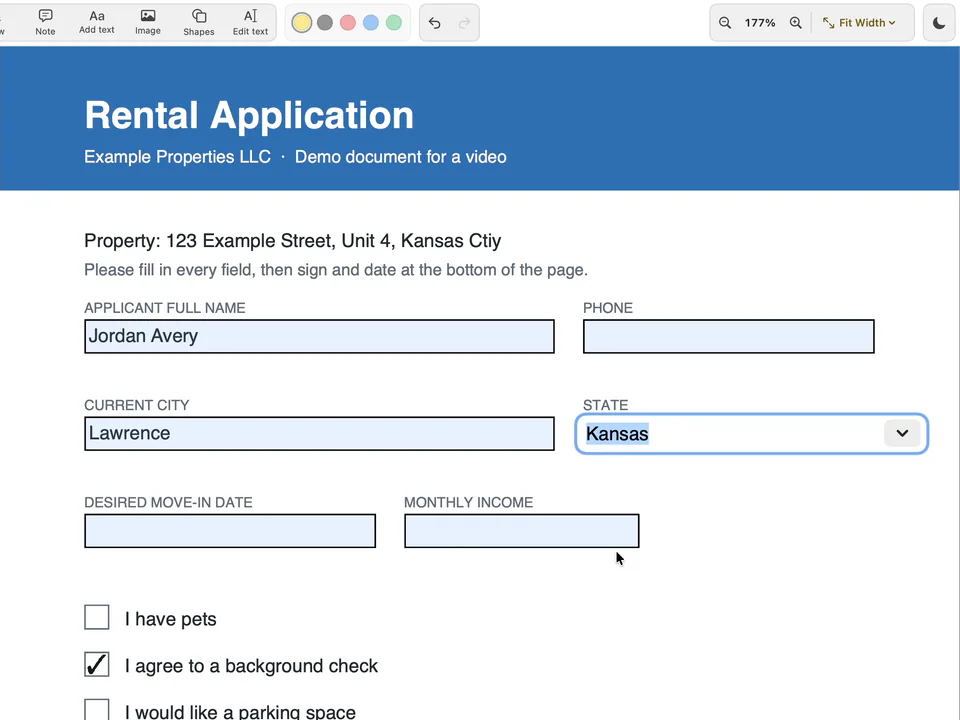
Open the PDF, click into a field and type. Checkboxes tick with a click, and a dropdown opens its list so you can pick from it.
- Fill the formFields, checkboxes and dropdowns
- Sign itDraw it, or paste a screenshot
- Saved onceReady on every device you sign in on
- Fix a typoClick the word and change it
Sign it
Choose the signature tool and draw your signature on the trackpad, or paste a screenshot of one you already have and crop it down to the signature. Tick Save to my signatures, choose Use Signature, then click where it goes on the page.
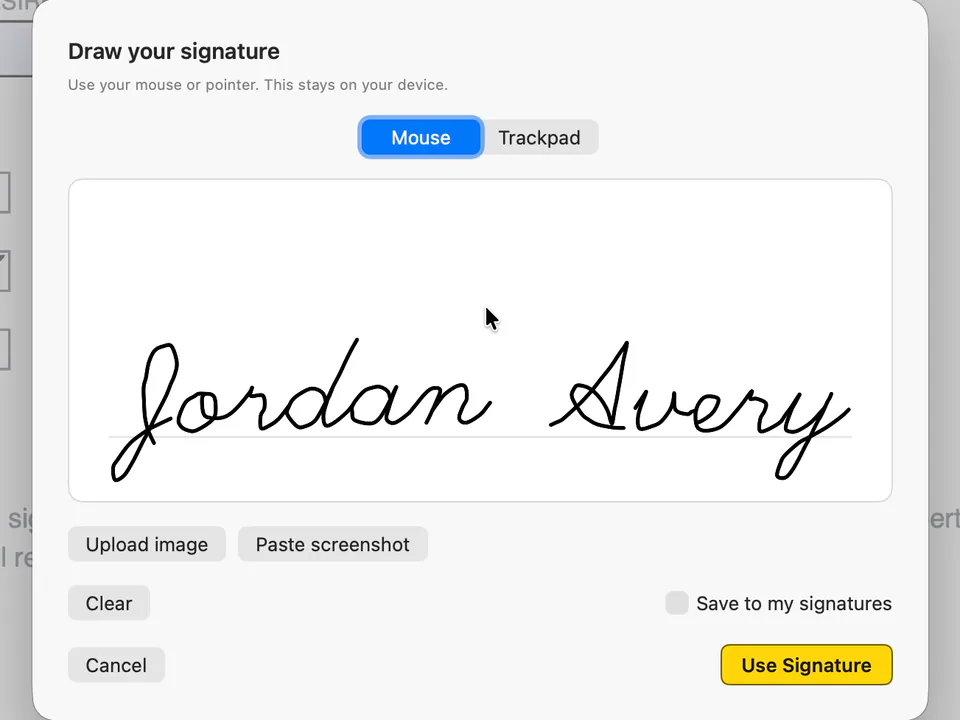
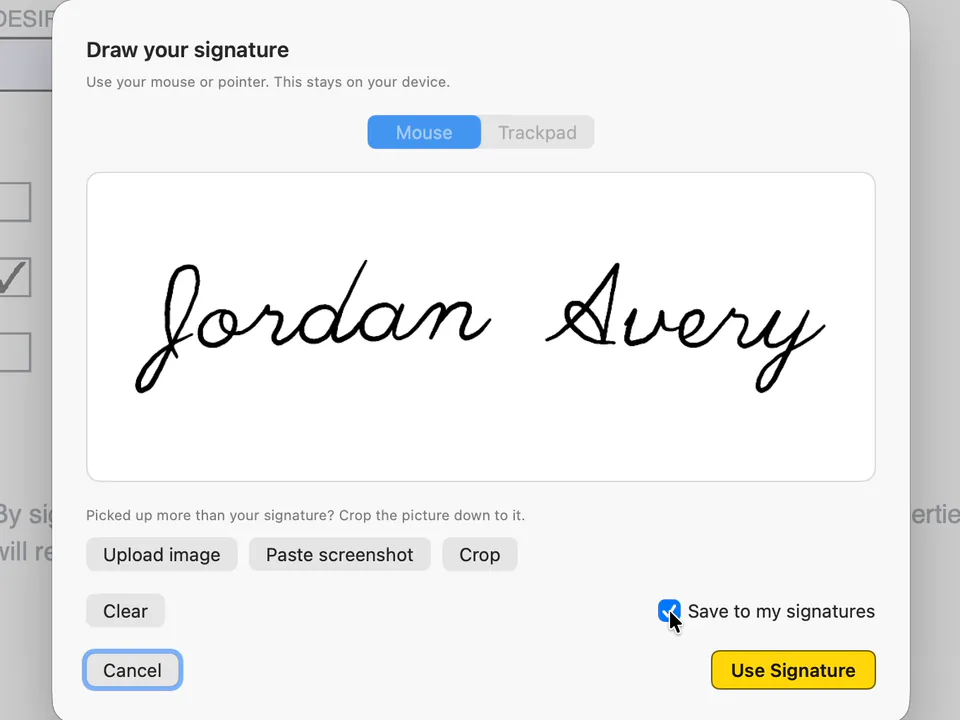
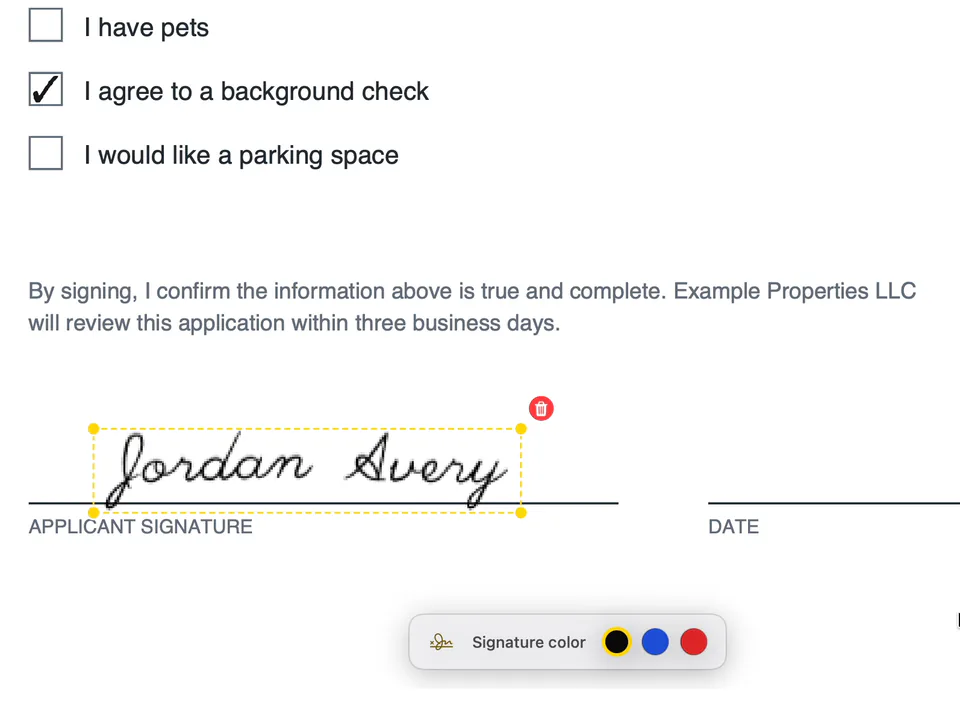
Saved once, on every device
A signature saved on one device is in your saved signatures on every device you sign in on with the same Bravely Account: open a PDF on your phone and it's there to place.
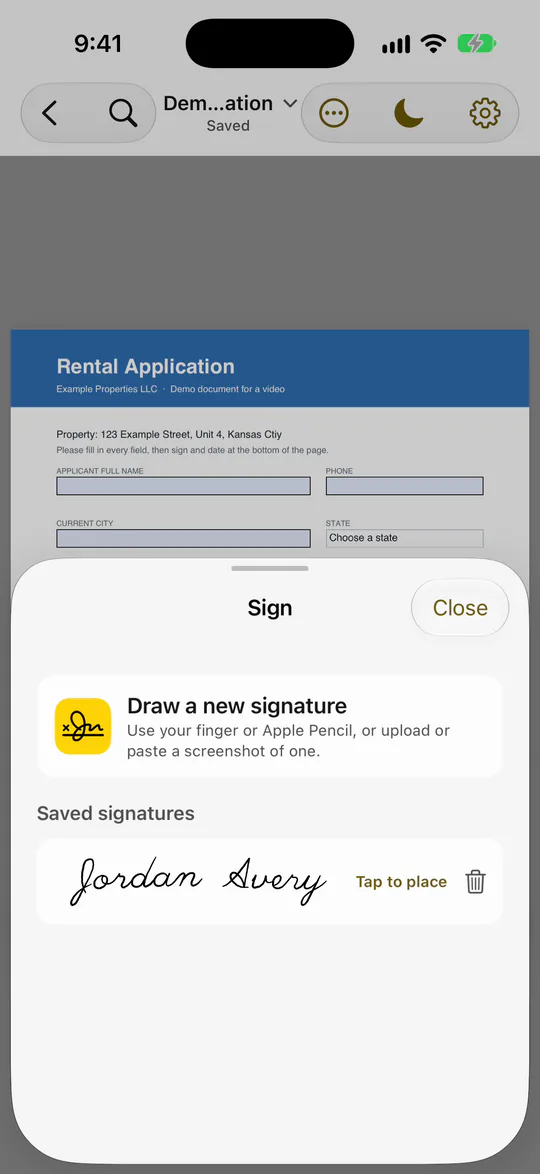
Fix a printed typo
If the printed text has a typo, choose Edit text, click the word and choose Edit, then type the fix and choose Replace. ASAPDF sets your change in the original's font, size and color.
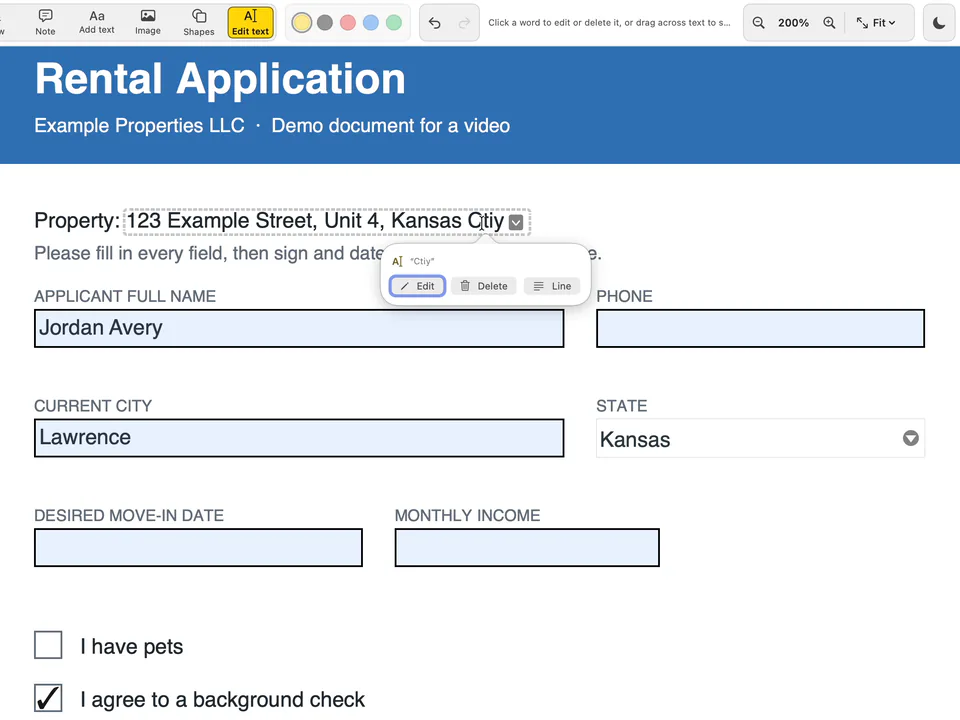
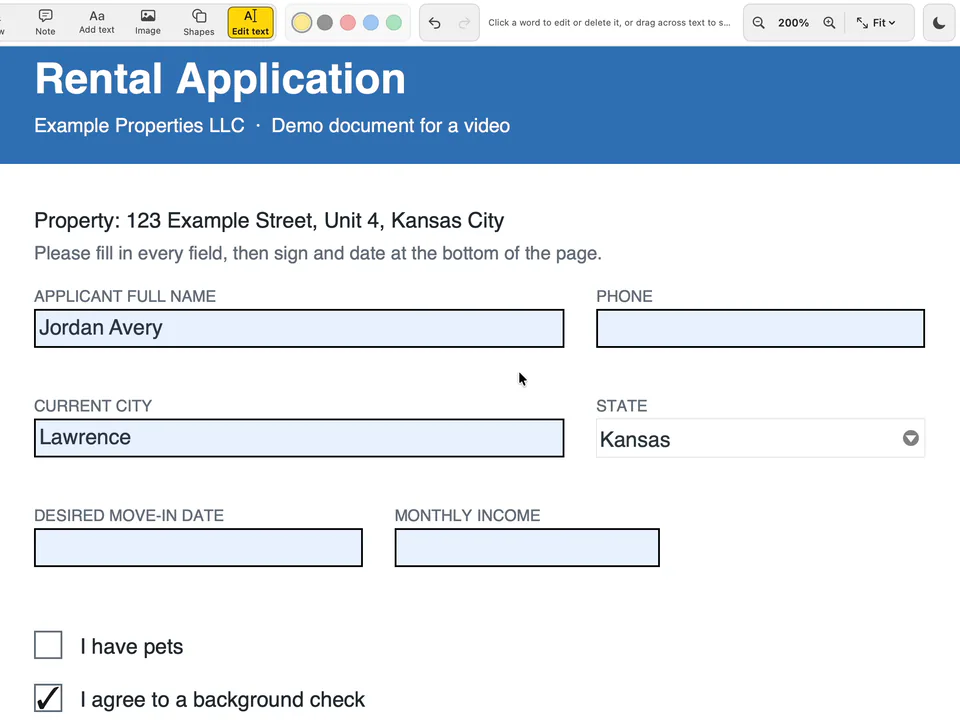
- It's for a word or a line, not a paragraph: a longer fix takes the rest of its line along, and the text doesn't reflow onto the next line.
Send it to sign
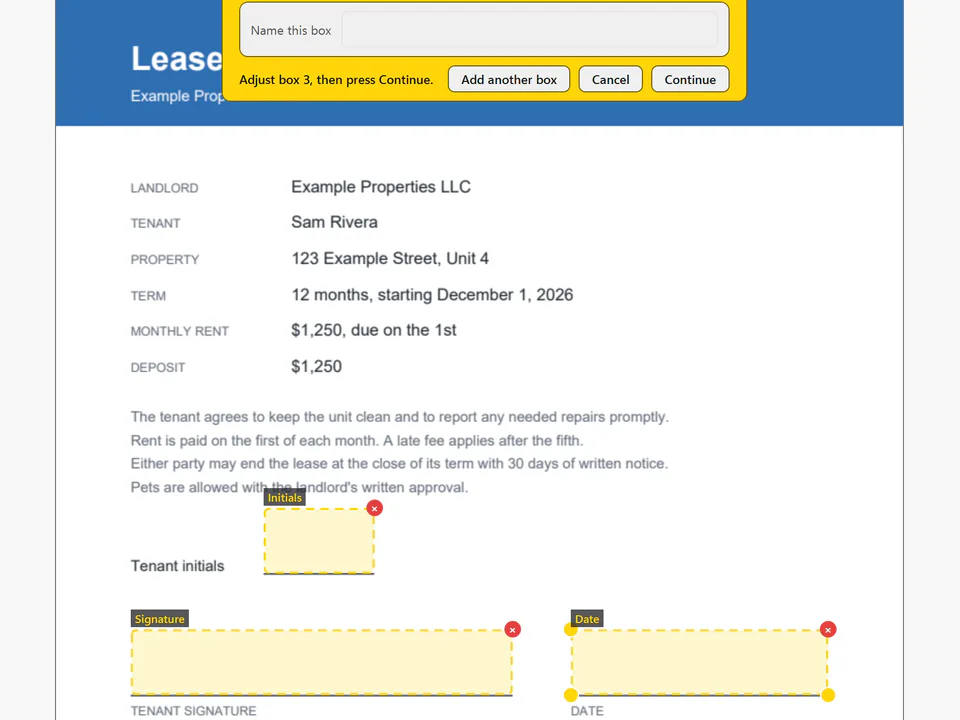
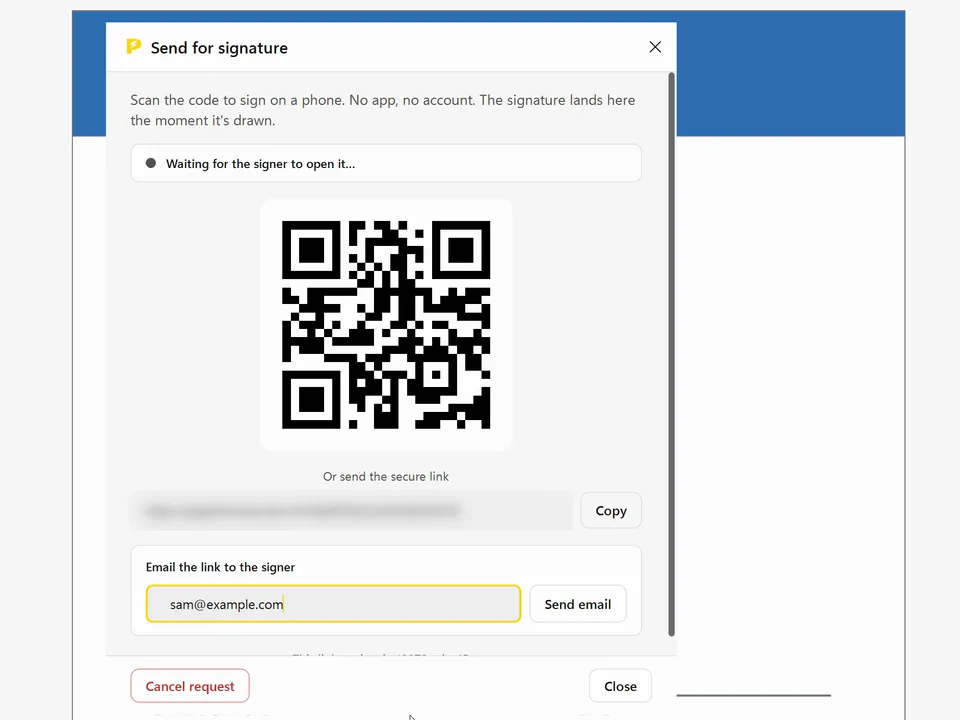
Choose Send for signature, then drop a signature box, initials and a date where they belong (there are text and checkbox boxes too). Choose Continue, and send it by QR code, link or email.
- Drop the boxesSignature, initials, date
- Send itQR code, link or email
- They sign in a browserNo app, no account
- The signed copyWith a Certificate of Completion
They sign in a browser
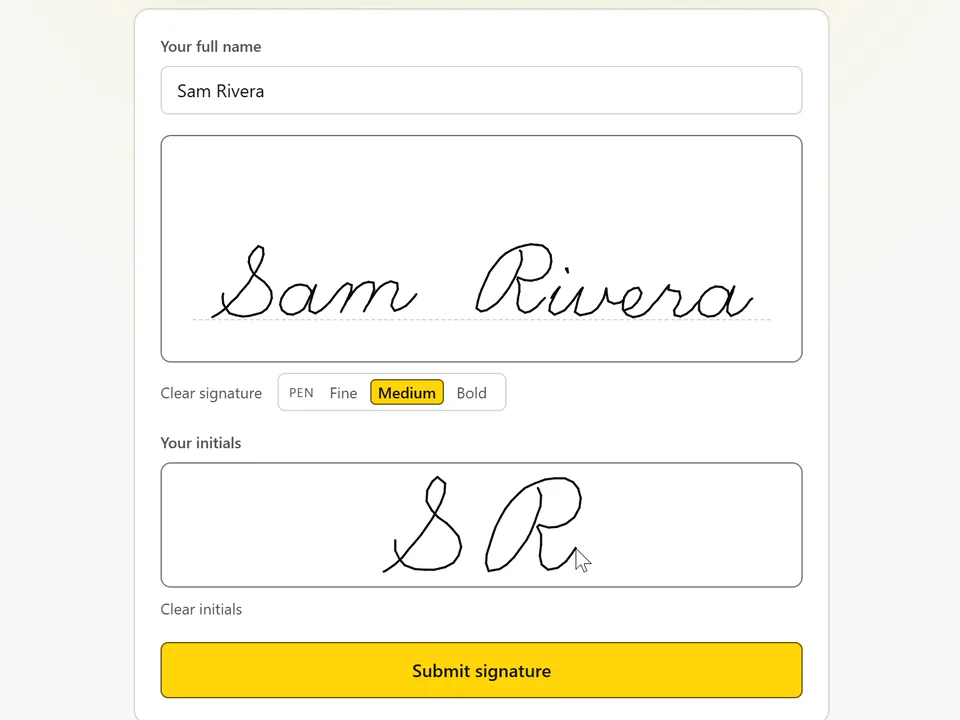
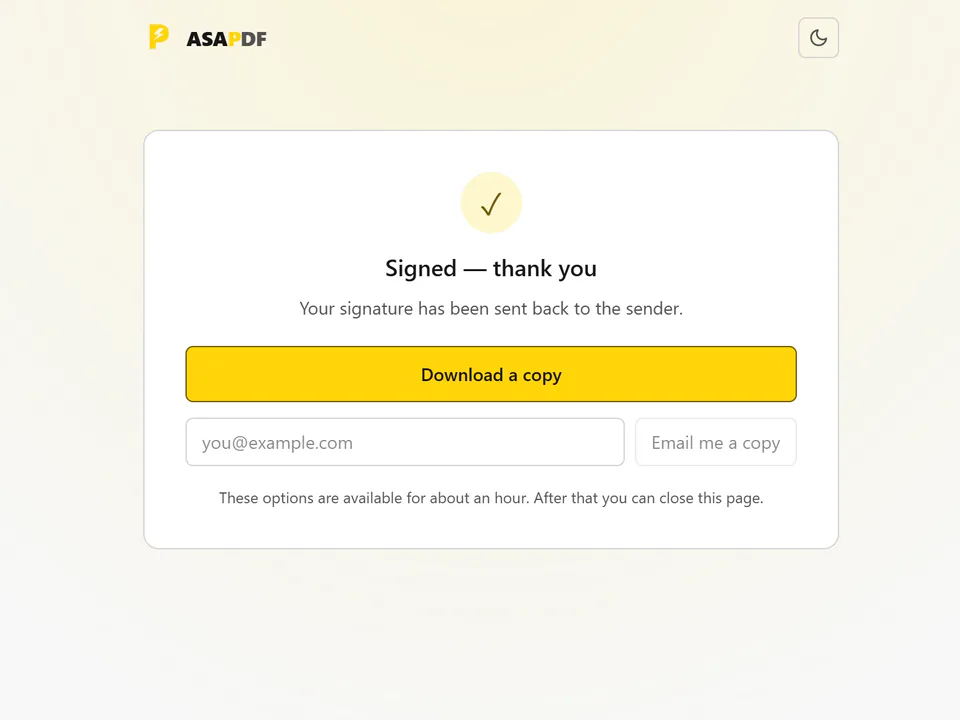
The other person opens the link in a browser, agrees to sign electronically, types their name and signs. There's no app to install and no account to make.
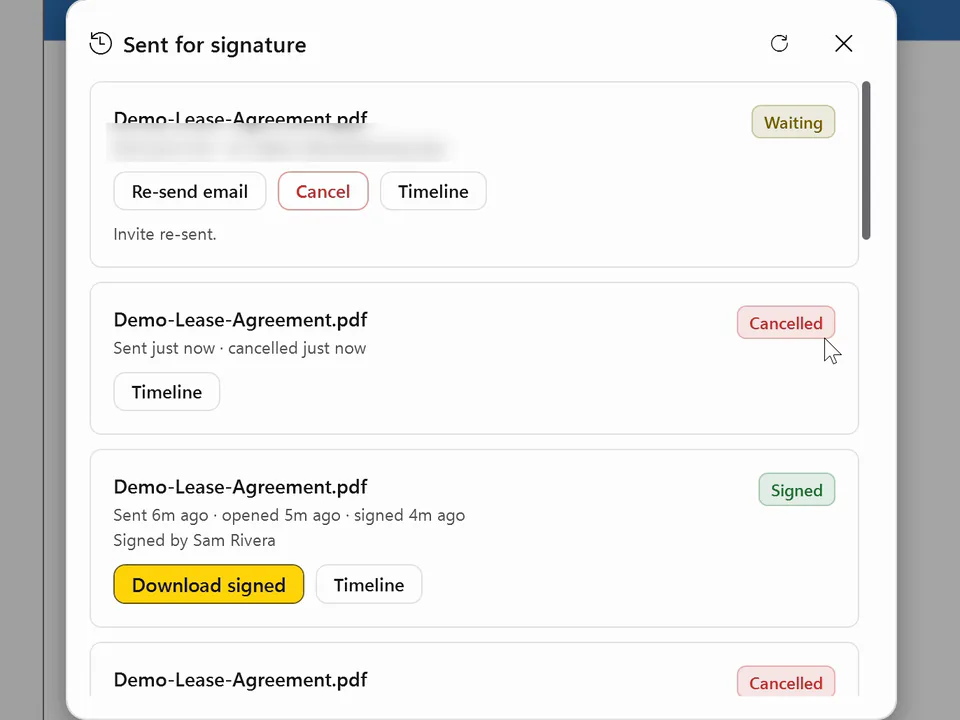
The signed copy, and a reminder
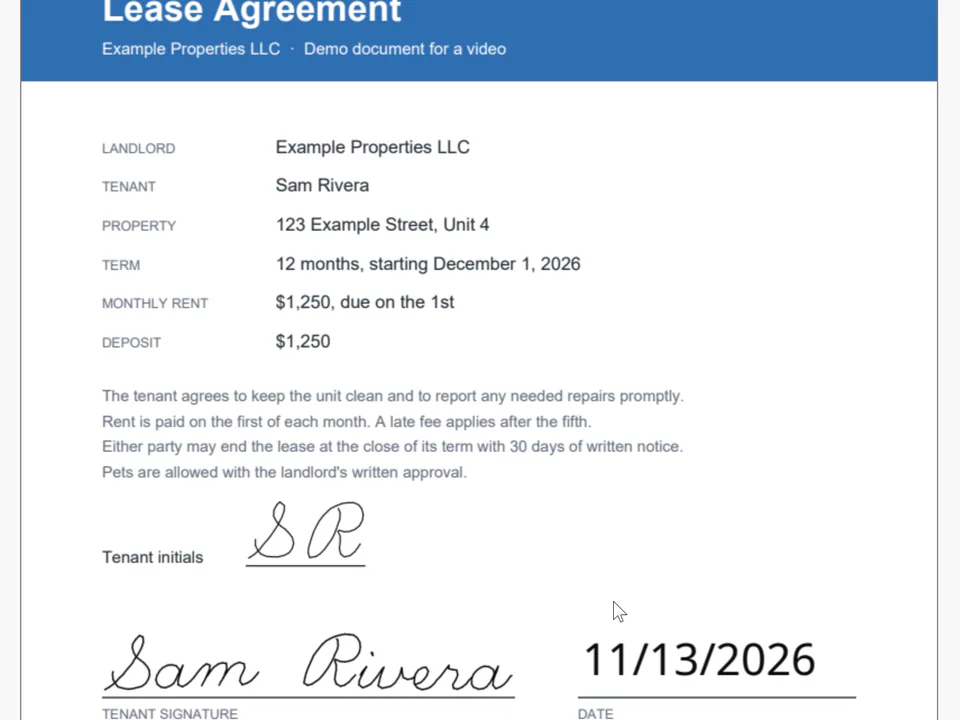
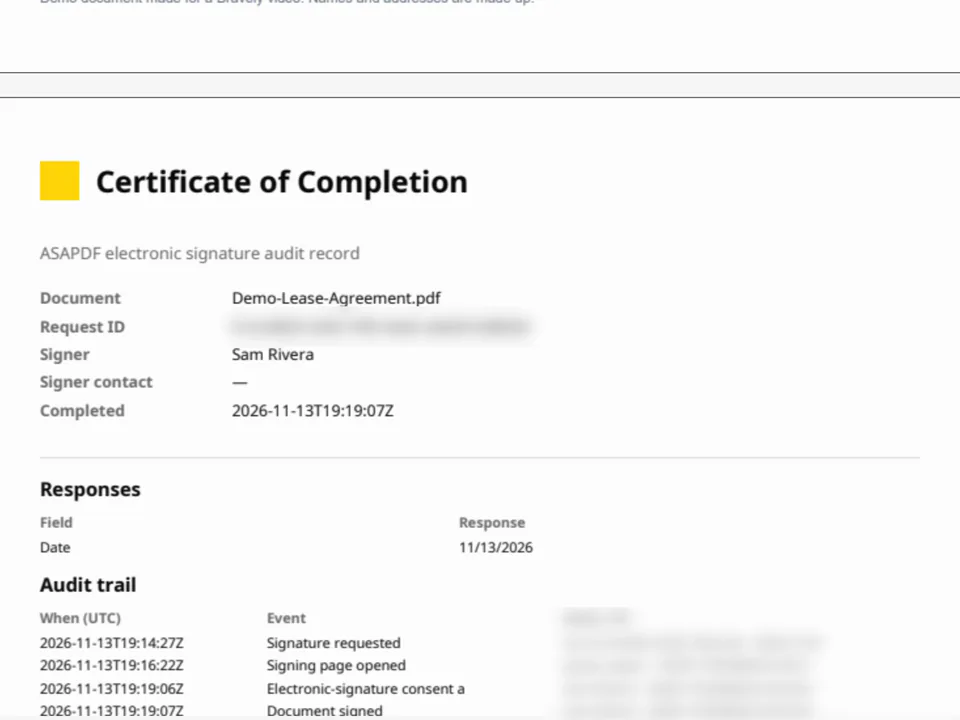
When they're done, the signed copy comes back to you with a Certificate of Completion at the end: the document, the signer, when it was completed and an audit trail. If you emailed it and they forget, a reminder emails them a fresh link, and the old one stops working.
Signing across the desk
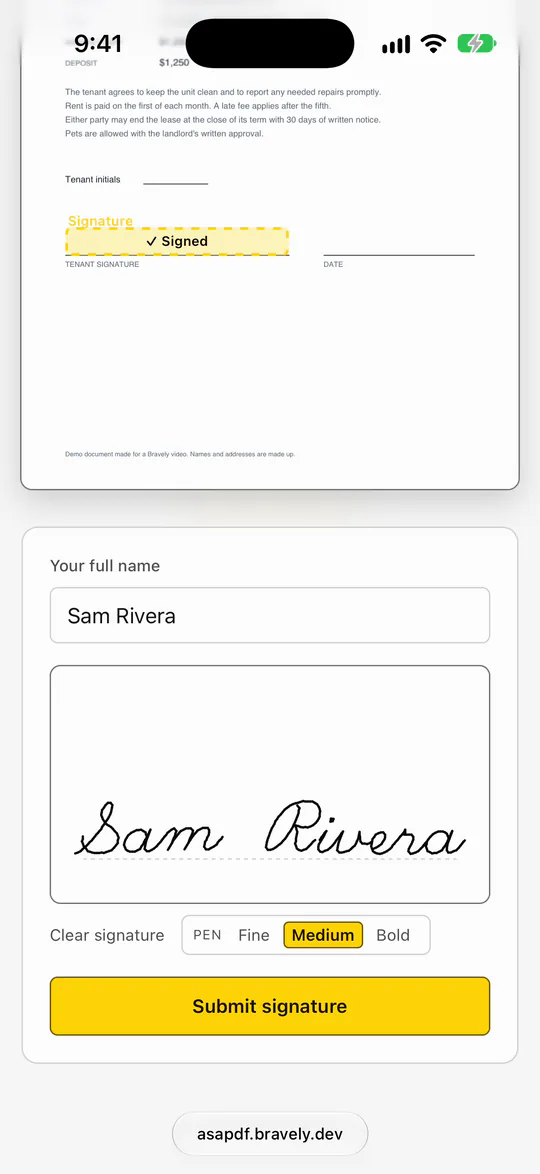
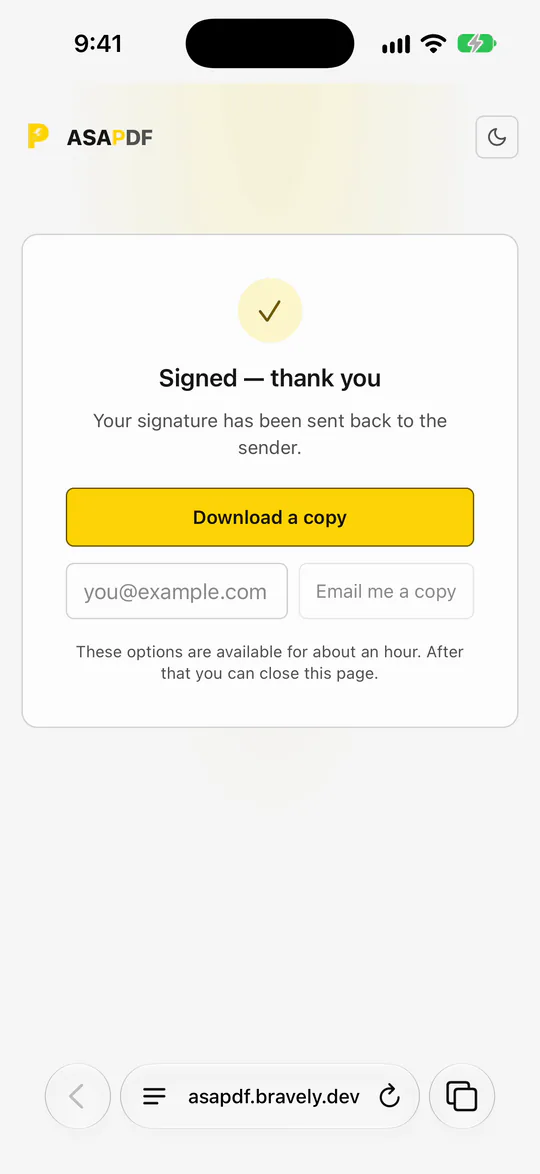
If the person is sitting across the desk, show a QR code on your screen instead. They scan it with their phone's camera, sign with a finger on their own phone, and the signature shows up on your screen. When they finish, your screen says Signed, with their name, and the signed copy is ready to save.
- Show a QR codeOn your screen
- They scan itWith their phone's camera
- They signWith a finger
- On your screenThe signature shows up
Scan a receipt
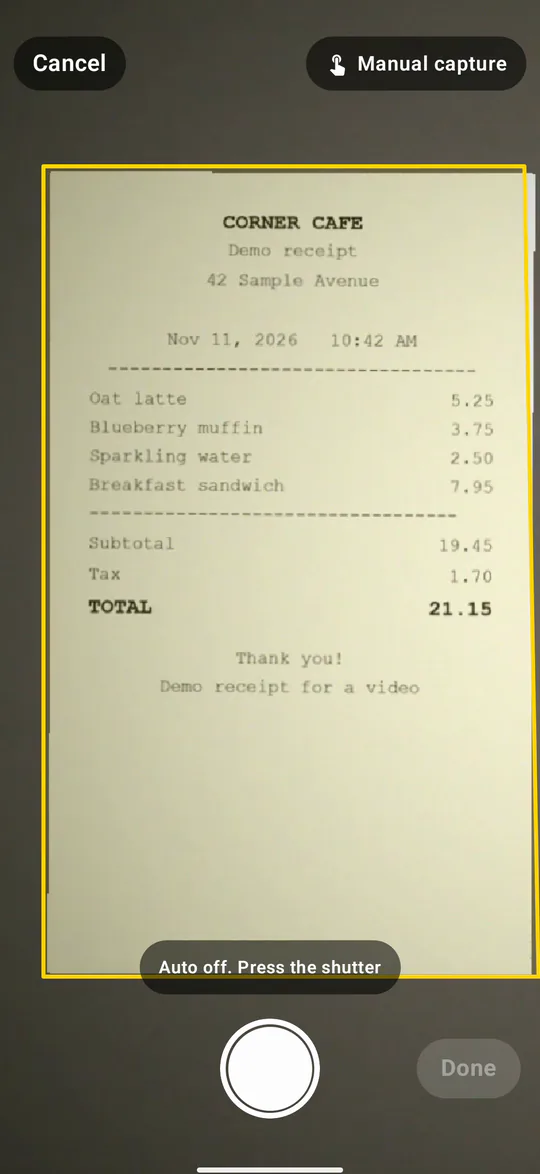
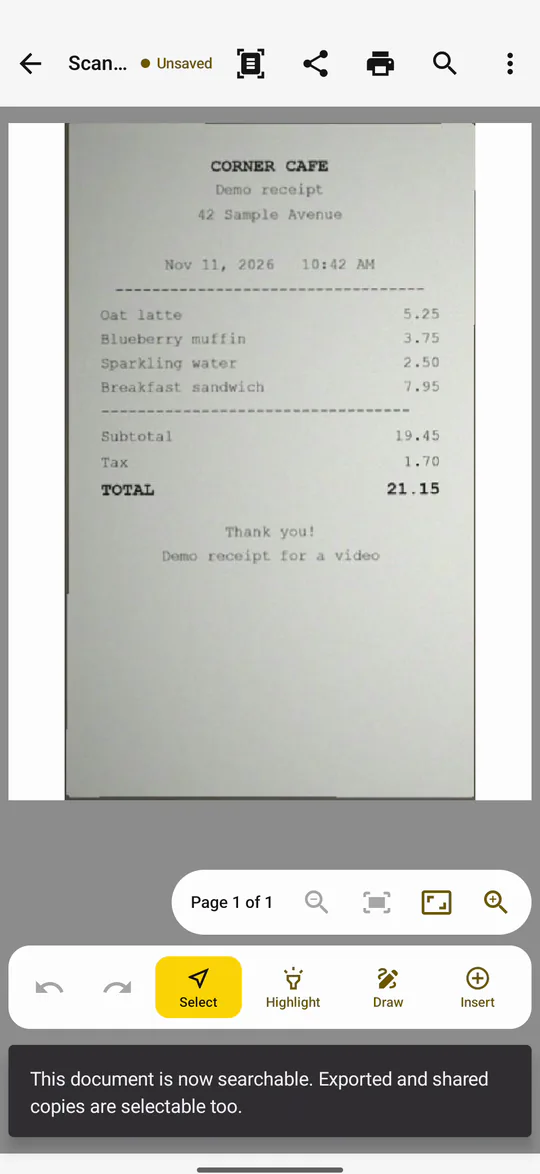
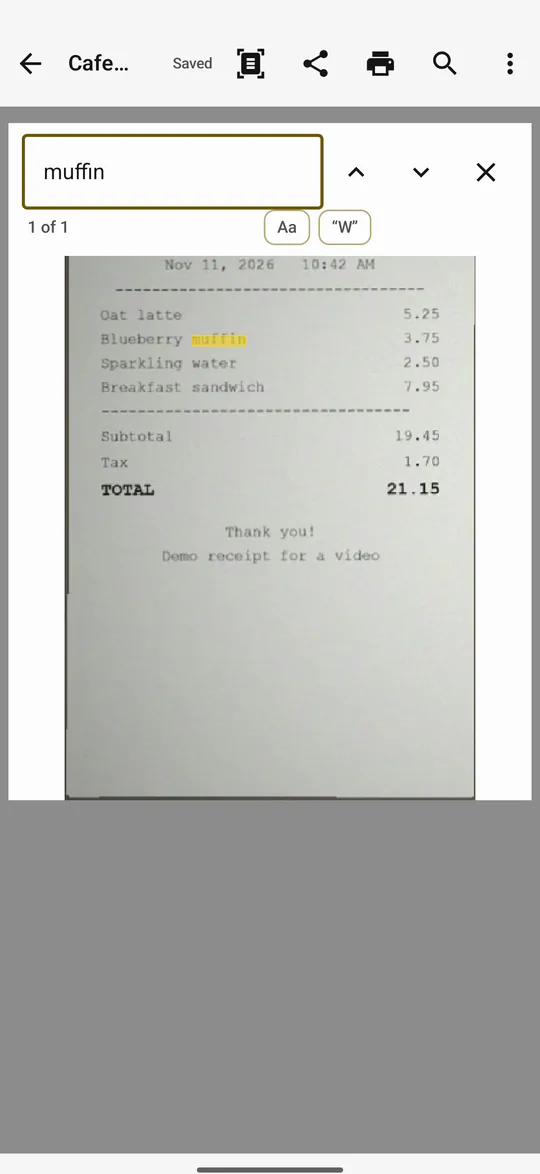
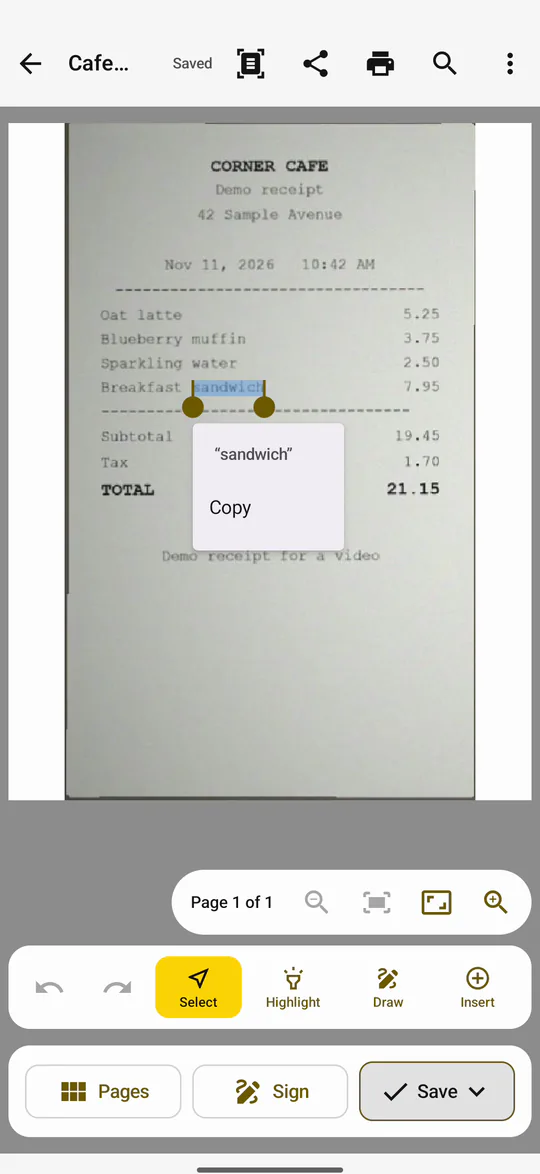
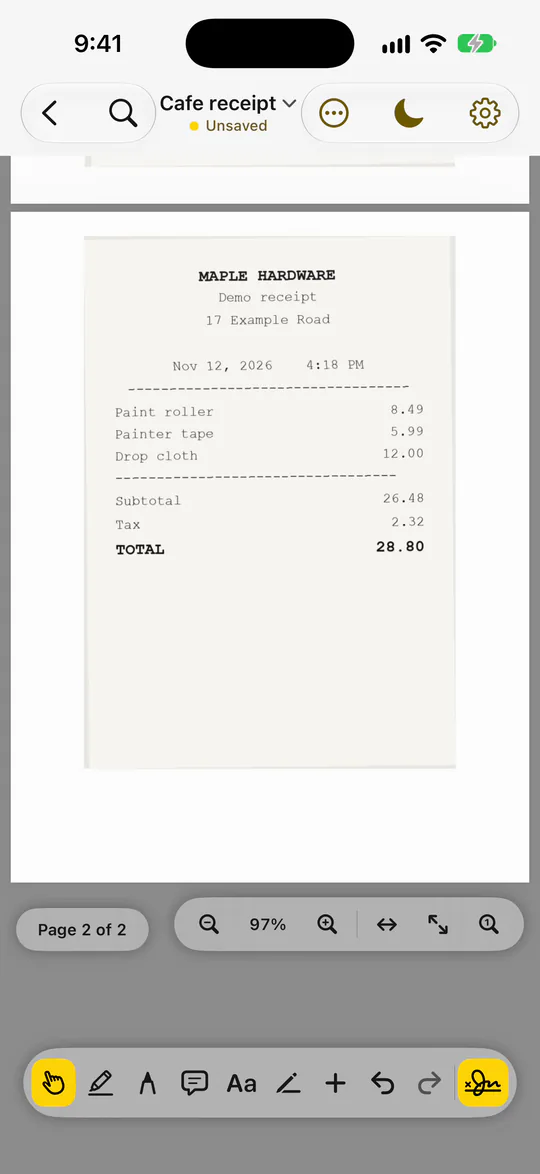
With a phone, scan a paper receipt with the camera. Text recognition makes its words searchable and selectable inside the PDF, so you can find a line later or copy it out.
- Scan itWith your phone's camera
- A PDFIts words recognized
- Search itAnd select the words
Merge scans into one PDF
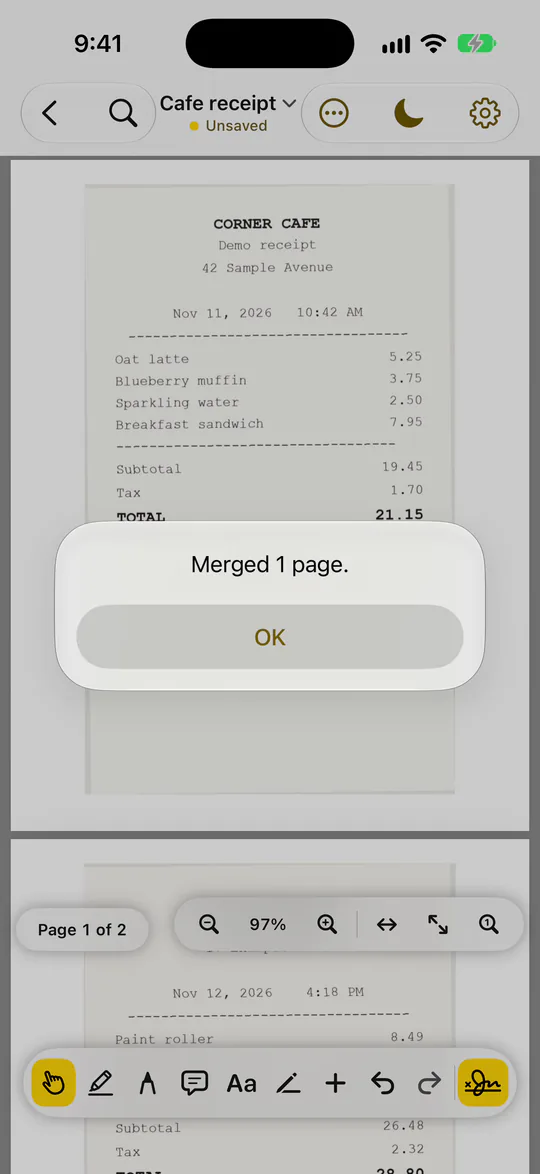
Merge several scanned documents into one PDF: open one, choose Merge PDFs, and pick the others. Their pages go at the end.
What you'd give up
ASAPDF doesn't build web forms. It fills a PDF's own form fields and places boxes for someone to sign, but if building web forms is what you use Acrobat for, Acrobat is probably worth its price.
- For every feature side by side, see ASAPDF vs Adobe Acrobat.
The money
Paying as you go, Acrobat Pro is $29.99 a month. ASAPDF's monthly plan, which you can stop anytime, is $9.99 a month. Over a year, that's $240 less. Adobe's annual plan, billed monthly, is $19.99 a month: still more than twice ASAPDF's monthly plan. All as of November 13, 2026.
- Acrobat ProMonth to month$29.99 a month
- ASAPDFMonthly plan, stop anytime$9.99 a month
$240 a year less
Prices as of November 13, 2026. Read on Adobe's plans page and bravely.dev/asapdf.
- Acrobat ProAnnual plan, billed monthly$19.99 a month
- ASAPDFMonthly plan$9.99 a month
Still more than 2x
Prices as of November 13, 2026. Read on Adobe's plans page and bravely.dev/asapdf.
- Devices: one ASAPDF plan covers every device you own, with no limit on how many you're signed into. Adobe's help page says you can be signed into two devices at the same time.
- Rather not subscribe? There's a one-time lifetime option.
Tell us, and try it
ASAPDF is actively developed. If there's something you need that it doesn't do, tell us. It's a download for Mac, Windows and Linux, it's on the App Store and Google Play, and it runs in your browser. Sign in with your Bravely Account and open a PDF.
- Get ASAPDFMac, Windows, Linux, phone or web
- Sign inOne account, every device
- Open a PDFFill it, sign it, send it
Acrobat Pro, and ASAPDF
What each one costs and where it falls short, as of November 13, 2026. Adobe's facts were read on Adobe's own pages on the dates shown.
What ASAPDF doesn't do
- It doesn't build web forms. If that's what you use Acrobat for, Acrobat is probably worth its price.
- One person signs each request, and a signing link stays open for 7 days.
- It's a paid app: a monthly plan, or the one-time lifetime option.
FAQs
What's an alternative to Adobe Acrobat Pro?
If what you do is fill forms, sign, fix a printed typo and send documents for signature, ASAPDF does those on Mac, Windows, Linux, iPhone, iPad, Android and the web, and on a phone it scans paper and merges scans into one PDF, for $9.99 a month, as of November 13, 2026. If you build web forms, Acrobat does that and ASAPDF doesn't.
How much is Adobe Acrobat Pro?
As of November 13, 2026, Adobe's plans page lists Acrobat Pro at $29.99 a month paying month to month, and at $19.99 a month on the annual plan, billed monthly.
How much is ASAPDF?
ASAPDF's monthly plan is $9.99 a month, and you can stop it anytime (as of November 13, 2026). There's also a one-time lifetime option.
How much would I save by switching from Acrobat Pro?
If you pay Acrobat Pro month to month, $240 a year: $29.99 a month against ASAPDF's $9.99 a month, as of November 13, 2026. On Adobe's annual plan billed monthly, $19.99 a month, Acrobat Pro still costs more than twice ASAPDF's monthly plan.
Can I pay once instead of subscribing?
Yes. If you'd rather not subscribe at all, ASAPDF has a one-time lifetime option.
How many devices can I use ASAPDF on?
All of yours. One plan covers every device you own, and there's no limit on how many you're signed into.
How many devices can I sign into with Acrobat?
Adobe's help page says you can be signed into two devices at the same time.
Is there an Adobe Acrobat for Linux?
Acrobat's desktop app is made for Windows and macOS. ASAPDF is a real Linux app: a .deb for Ubuntu, Mint and Debian, or an AppImage. Sign a PDF on Linux
Can I fill in a PDF form with ASAPDF?
Yes. Click into a field and type; checkboxes and dropdowns fill in the same way.
How do I sign a PDF on a Mac?
Open it in ASAPDF, choose the signature tool, draw your signature on the trackpad or paste a screenshot of one you already have, then click where it goes on the page.
Can I use a screenshot of my signature?
Yes. Paste the screenshot into the signature pad, crop it down to your signature, and use it like one you drew.
Will my saved signature be on my other devices?
Yes. Save it once and it's ready on every device you sign in on with the same Bravely Account.
Can I fix a typo in a PDF?
Yes. Choose Edit text, click the word and change it. ASAPDF sets your change in the original's font, size and color.
How do I send a PDF for someone to sign?
Choose Send for signature, drop a signature box, initials and a date where they belong, then send it by QR code, link or email.
Does the other person need an app or an account to sign?
No. They open the link in a browser, agree to sign electronically, type their name and sign, with no app to install and no account to make.
What do I get back when they've signed?
The signed copy, with a Certificate of Completion at the end: the document, the signer, when it was completed and an audit trail.
What if they forget to sign?
If you sent it by email, send a reminder (Send email again on a Mac, Re-send email on Windows). It emails them a fresh link, and the old one stops working.
Can someone sitting with me sign on their own phone?
Yes. Show a QR code on your screen. They scan it, sign with a finger on their own phone, and the signature shows up on your screen.
Can I scan a paper receipt into a PDF?
Yes, with your phone's camera. Text recognition makes the receipt's words searchable and selectable inside the PDF.
Can I merge scanned documents into one PDF?
Yes. Open one, choose Merge PDFs and pick the others; their pages go at the end.
What does Acrobat do that ASAPDF doesn't?
Acrobat builds web forms, and ASAPDF doesn't. If that's what you use Acrobat for, Acrobat is probably worth its price. ASAPDF vs Adobe Acrobat, feature by feature
Do I need an account?
Yes, a Bravely Account. Sign in with the same one on each device, and your saved signatures follow you.
What does ASAPDF run on?
Macs on macOS 14 or later, Windows 10 and 11 PCs (x64), 64-bit Linux PCs (a .deb or an AppImage), iPhones and iPads on iOS 17 or later, Android phones on 8.0 or later, and the web.
Can I ask for a feature ASAPDF doesn't have?
Yes. ASAPDF is actively developed, and if there's something you need that it doesn't do, tell us. Contact us
Sources, with the date each was read
More on ASAPDF
ASAPDF
Sign, edit & send PDFs anywhere
One plan for every device you own, or a one-time lifetime option.
Updated . Facts about other companies’ products were read on their own pages on the dates shown and can change.