How to sign a PDF on Linux, and send one to be signed
The short answer
To put your own signature on a PDF on Linux, you don't need to buy anything: Firefox, already on Ubuntu and Linux Mint, opens the PDF and has Add signature, where you type, draw or pick an image. For a certificate-based digital signature, use Okular or LibreOffice with a certificate you already have. ASAPDF is for the other half of the job: it signs the PDF on Linux and sends it to someone else to sign, by QR code, link or email. They sign in their browser, with no app and no account, and the signed PDF comes back with a Certificate of Completion.
- Tested on Linux Mint 22.3 with ASAPDF 0.14.0, the current Linux release. It needs Ubuntu 24.04 or later, or Linux Mint 22 or later.
- ASAPDF places a picture of your signature, drawn or pasted in. It doesn't make certificate-based digital signatures.
- One signer per request. Each signing link can be signed once and stays open for 7 days.
- 24 hours free with no card, then a plan.
24 hours free with no card. Ubuntu 24.04 or later, or Linux Mint 22 or later, 64-bit.
- Updated
- Outside facts dated and linked at the bottom
Your options
The free ways first, each with its catch, then ASAPDF. Each fact was read on the project's own page on the date shown.
How to sign and send a PDF with ASAPDF on Linux
Checked on Linux Mint 22.3 (Cinnamon, X11) with ASAPDF 0.14.0.
Install ASAPDF
Download ASAPDF for Linux, open ASAPDF.deb from your Downloads folder and choose Install. It needs Ubuntu 24.04 or later or Linux Mint 22 or later, on a 64-bit (x64) computer. On another distribution, use the AppImage from the same page; it needs GTK 4.10 or newer.
Open ASAPDF, sign in with Apple, Google or email, and try the short tour. Then choose 24 hours free with no card, or a plan that starts with 7 days free.
Add your signature
Open the PDF, click the Sign button, then Add signature…. Draw it with your mouse, touchpad or pen, or use Upload image or Paste screenshot for a signature you already have.
Leave Save to my signatures on to reuse it later on your other devices.
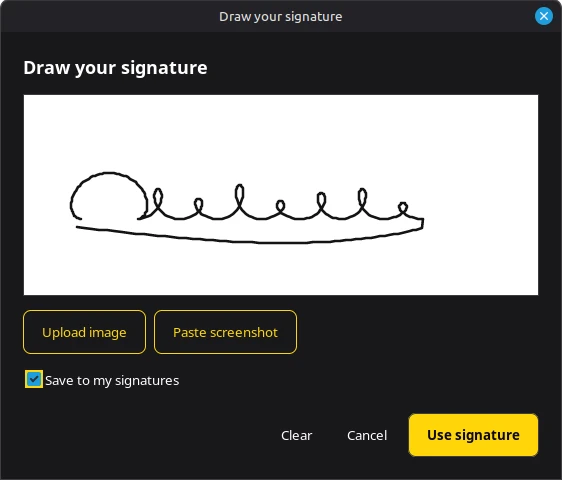
Drawing a signature with the mouse. ASAPDF 0.14.0 on Linux Mint 22.3 (Cinnamon, X11); the sample agreement and the signature are test data. Captured . Place it and save
Click where it goes on the page, then drag to move it or drag a corner to resize. Add text puts a name or a date anywhere on the page.
Click Save. ASAPDF draws the signature into the page, so it shows in any PDF reader.
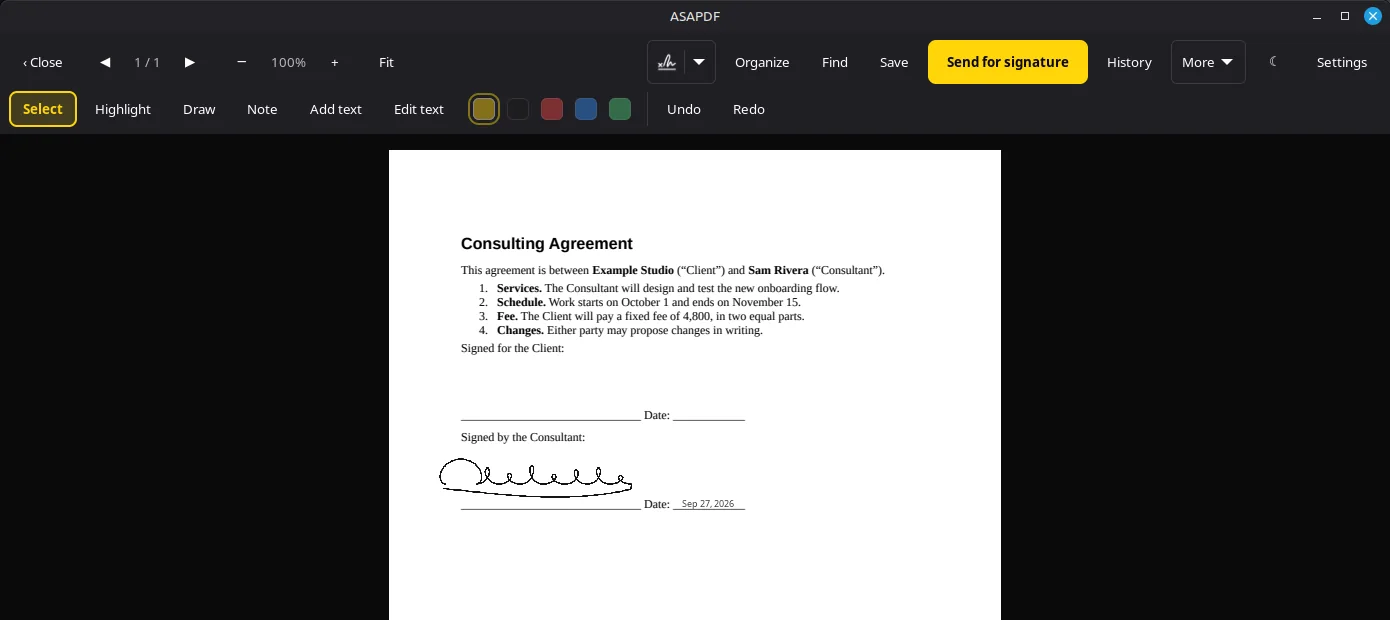
Signed and dated on the consultant's line, then saved. ASAPDF 0.14.0 on Linux Mint 22.3. Captured . Send it for someone else to sign
Click Send for signature, choose Signature (or Initials, Date, Text or Checkbox) and drag a box where it goes. Add more boxes if you need them, then click Create link.
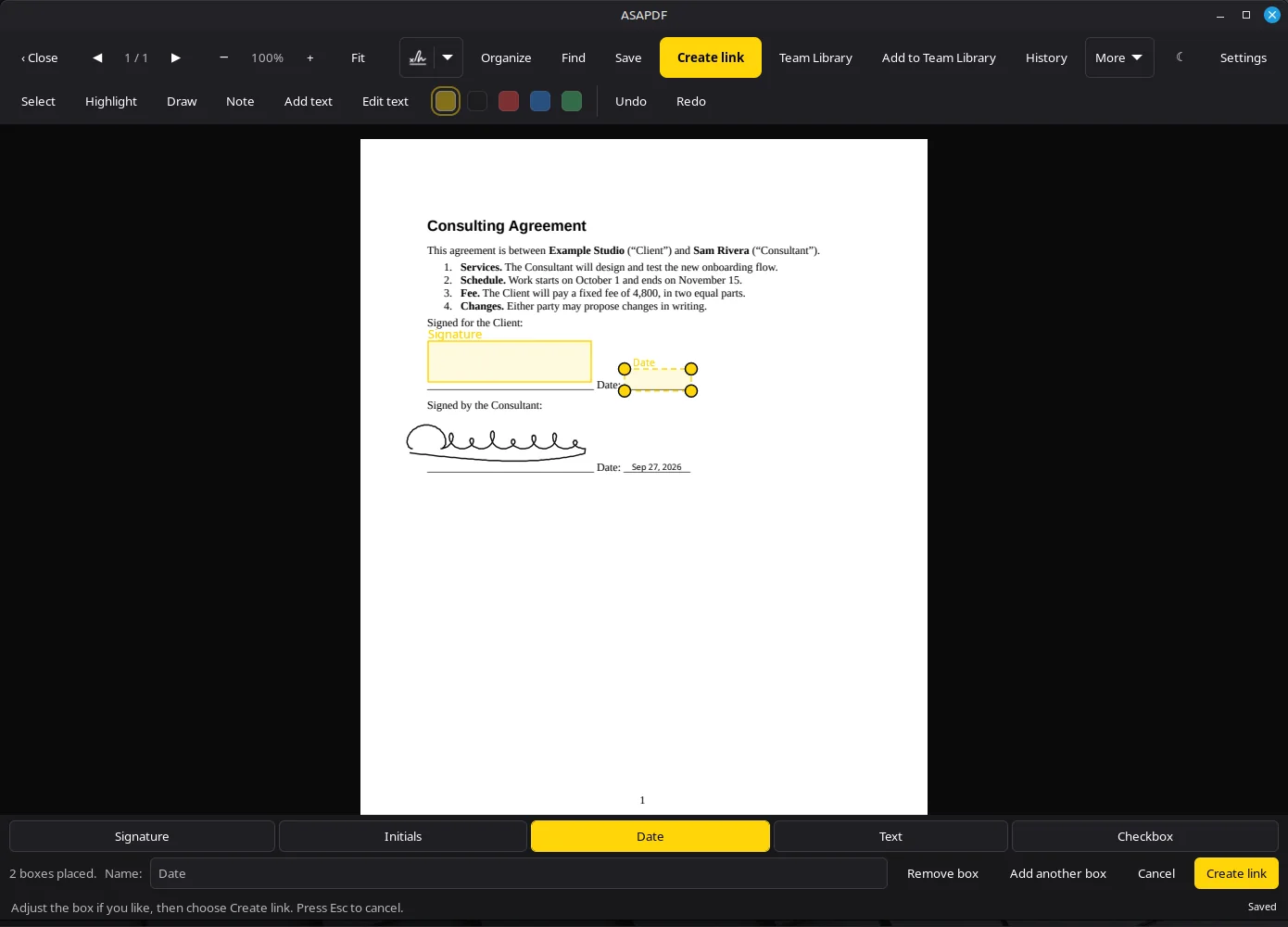
A signature box and a date box for the other person. ASAPDF 0.14.0 on Linux Mint 22.3. Captured . Share the QR code, the link or an email
ASAPDF shows a QR code to scan with a phone camera, a link to copy, and a box to email it. The other person opens it in a browser, with no app and no account, and signs.
When they're done, the signed PDF comes back with a Certificate of Completion, a page recording who signed and when, with an audit trail. History lists every request, where you can also resend or cancel one.
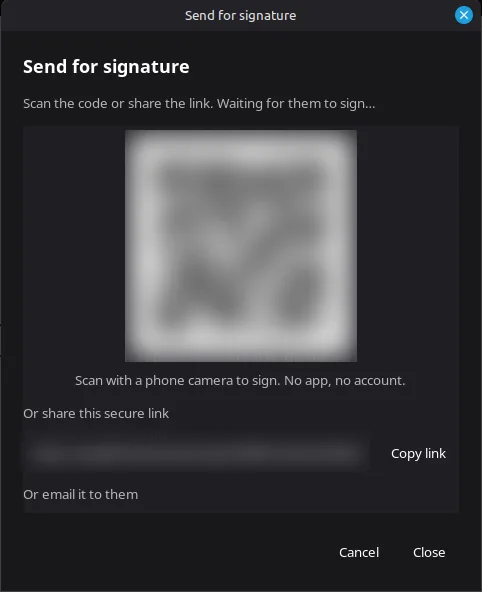
The request is ready to share. We blurred the QR code and the link, and cancelled this test request afterwards. ASAPDF 0.14.0 on Linux Mint 22.3. Captured .
A picture signature or a digital signature?
“Signing a PDF” means two different things. A picture signature is your signature drawn, typed or pasted onto the page: that's what Firefox, Xournal++ and ASAPDF make. A certificate-based digital signature is a cryptographic seal from a certificate you hold, which PDF readers can check: that's Okular, LibreOffice, or GNOME Papers, the Document Viewer on Ubuntu 26.04.
ASAPDF adds a record for the documents other people sign through it: the Certificate of Completion lists the signer, the time and the audit trail. If a PDF already carries a digital signature, ASAPDF warns you before saving over it and offers to save a copy instead.
Where your document goes
Sending for signature uploads the PDF to your Bravely Account so the other person can open it. By default, a copy of each signed PDF is also saved to your account, including ones you sign yourself. Turn off Save signed copies to my cloud library in Settings to stop that.
What ASAPDF doesn't do on Linux
- It doesn't make certificate-based digital signatures. Use Okular or LibreOffice for those.
- One person signs each request. For two signers, send two requests.
- There's no typed signature on Linux: draw it, or add a picture of it.
- Forms fill through More, then Fill form, a list of the form's fields, not by clicking into them on the page.
- The Linux app has no Print or Share button.
- It needs Ubuntu 24.04 or later, or Linux Mint 22 or later, on a 64-bit (x64) computer.
- There's no free tier: after the 24-hour trial, it's $9.99/mo or the Bravely bundle.
FAQs
Can you sign a PDF on Linux?
Yes. Firefox opens a PDF and has Add signature, where you type, draw or pick an image, free and already installed on Ubuntu and Linux Mint. Xournal++ works too. ASAPDF signs PDFs on Linux and also sends them for someone else to sign.
How do I digitally sign a PDF on Linux?
With a certificate you already have, use Okular (Tools, Digitally Sign) or LibreOffice (File, Digital Signatures, Sign Existing PDF), both free. On Ubuntu 26.04, the Document Viewer (GNOME Papers) signs with a certificate too. ASAPDF doesn't make certificate-based signatures: it places a picture of your signature, and adds a Certificate of Completion to documents other people sign through it.
How do I sign a PDF on Linux Mint?
Open it in Firefox, which comes with Linux Mint, and use Add signature. To sign it and send it to someone else to sign, install ASAPDF: it needs Linux Mint 22 or later, and we test it on Linux Mint 22.3.
How do I fill and sign a PDF on Linux?
Firefox fills PDF form fields and adds a signature, free. In ASAPDF on Linux, choose More, then Fill form to fill the fields from a list, then add your signature and save.
Sources, with the date each was read
- Firefox 137.0 release notes (2025-04-01): sign PDFs in Firefox (2026-09-27)
- Okular handbook: Digital signatures (2026-09-27)
- LibreOffice Help: Signing existing PDF (2026-09-27)
- GNOME Papers release notes: signing with digital certificates arrived in 47.0 (2026-09-27)
- Xournal++ guide: working with PDFs (2026-09-27)
- Dropbox Sign pricing (2026-09-27)

ASAPDF
Sign, edit & send PDFs anywhere
Free for 24 hours: every feature, no card.
Updated . Facts about other companies’ products were read on their own pages on the dates shown and can change.