How to copy and paste between your phone and computer
The short answer
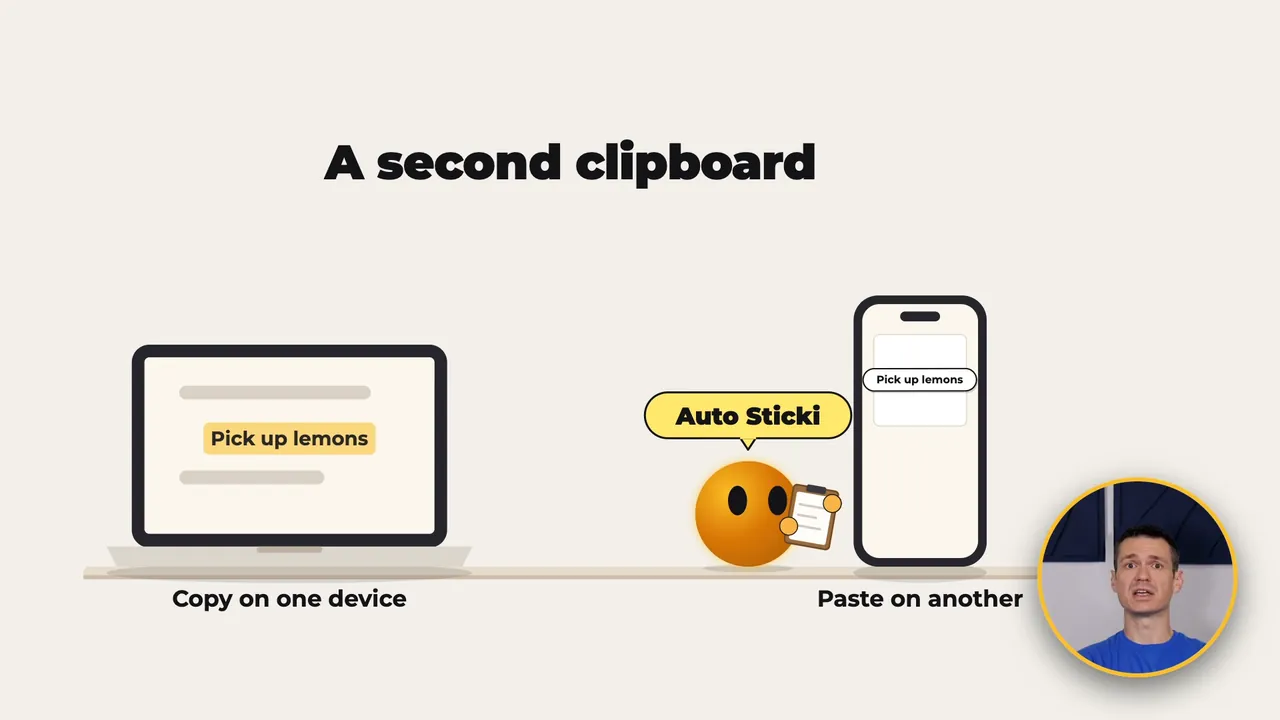
Put Stickily on your computer and your phone and sign in with the same account on both. Its Auto Sticki is a second clipboard: copy something on one device, send it to Auto Sticki, and copy it back out on the other, ready to paste. For anything you want to keep, a sticki holds a note and, if you like, one file up to 100 MB, and it shows up on every device you sign in on. Stickily runs on a Mac, Windows, Linux, iPhone, iPad, Android and in a web browser.
- Auto Sticki: one second clipboard on every device, for text, a photo or a file. On a computer, Command Shift C (Mac) or Control Shift C (Windows) sends your selection to it.
- Stickis: notes with a title, a paper color, a star to pin them and one file each, synced on their own, usually within about 30 seconds.
- Share by link: send a sticki to someone who doesn't use Stickily.
- On your phone: widgets, a New Sticki control or tile, and sharing text in from almost any app.
 The video goes up soon 3:21
Get it on your computer first, then on your phone.
- Updated
- Outside facts dated and linked at the bottom
What Stickily does
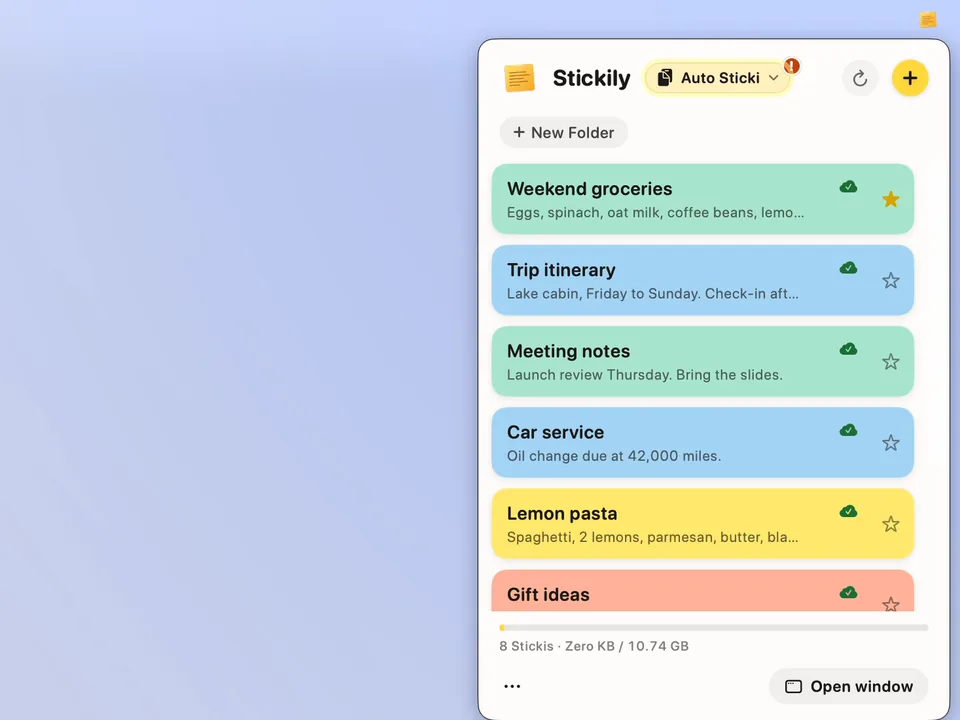
Stickily works on a Mac, on Windows and Linux, on iPhone, iPad and Android, and in a web browser. A sticki is a note with a title, a paper color and room for one file, and it's on each of your devices.
There's also a second clipboard, Auto Sticki, for copying on one device and pasting on another. It holds the last thing you sent it: text, a photo or a file.
- Mac
- Windows
- Linux

- iPhone
- iPad
- Android
And in a web browser. Sign in with the same Bravely Account on each one.
Set up your computer
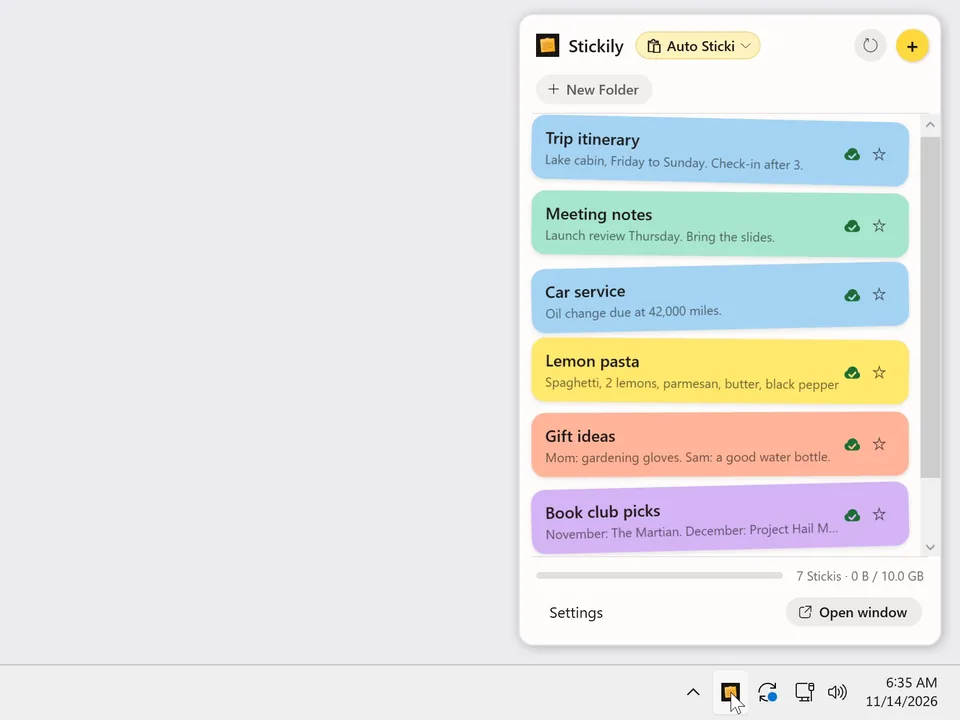
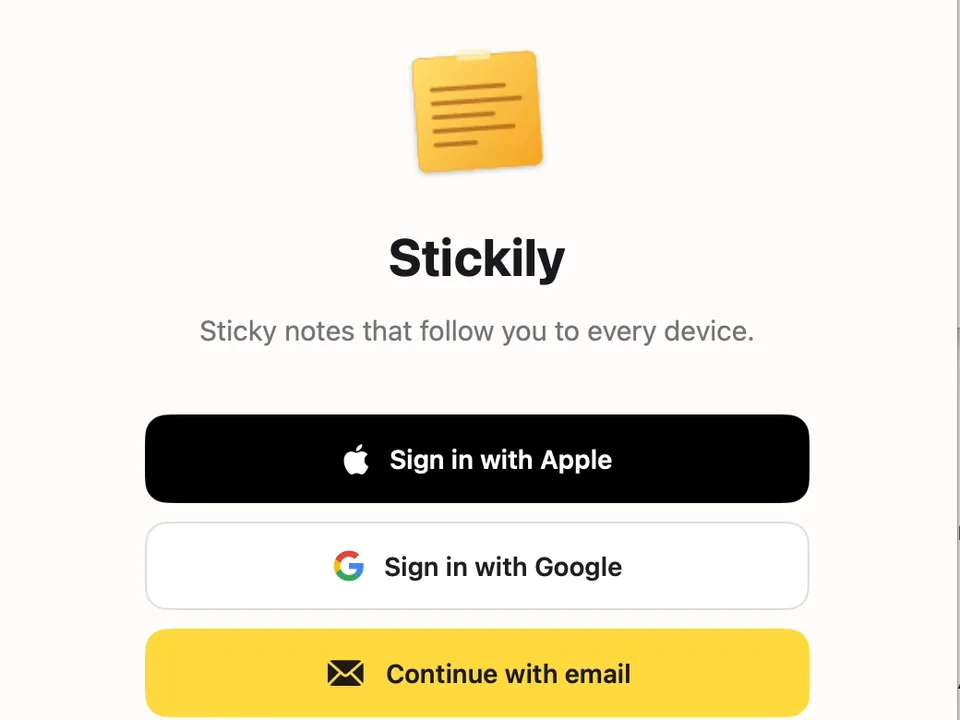
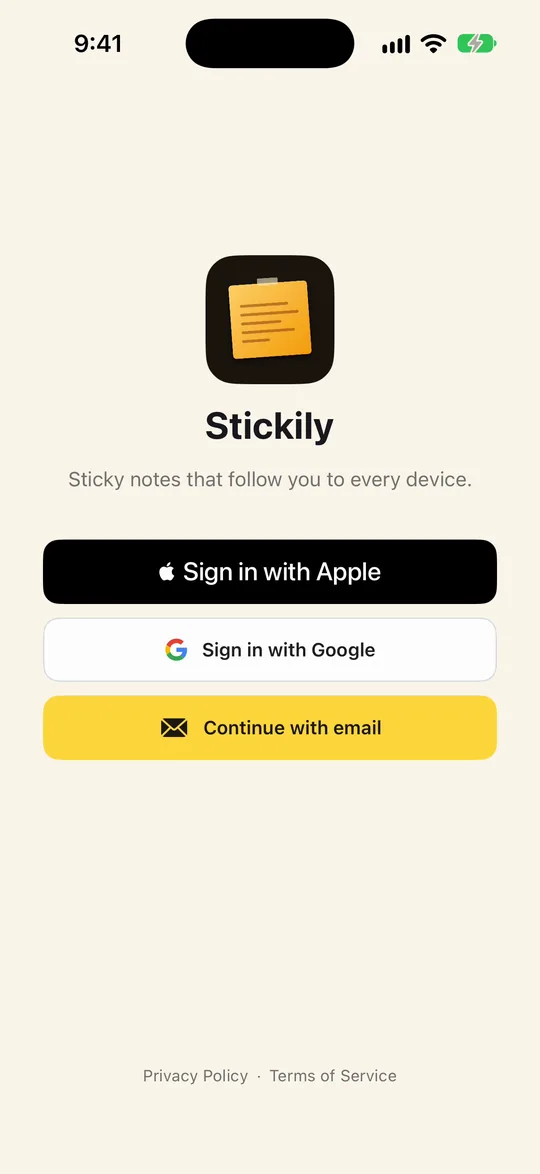
Start on your computer. Go to sticki.ly (it opens bravely.dev/stickily), and the Download button is right at the top. Download the app and open it. On a Mac it lives in the menu bar, up by the clock, and on Windows it sits in the system tray. Sign in with Apple, Google or your email.
- Go to sticki.lyDownload is at the top
- Open itMenu bar on a Mac, system tray on Windows
- Sign inApple, Google or your email
- Get it on your phoneApp Store or Google Play
Then your phone
Next, get Stickily on your phone from the App Store or Google Play, and sign in the same way, with the same account.
Make a sticki
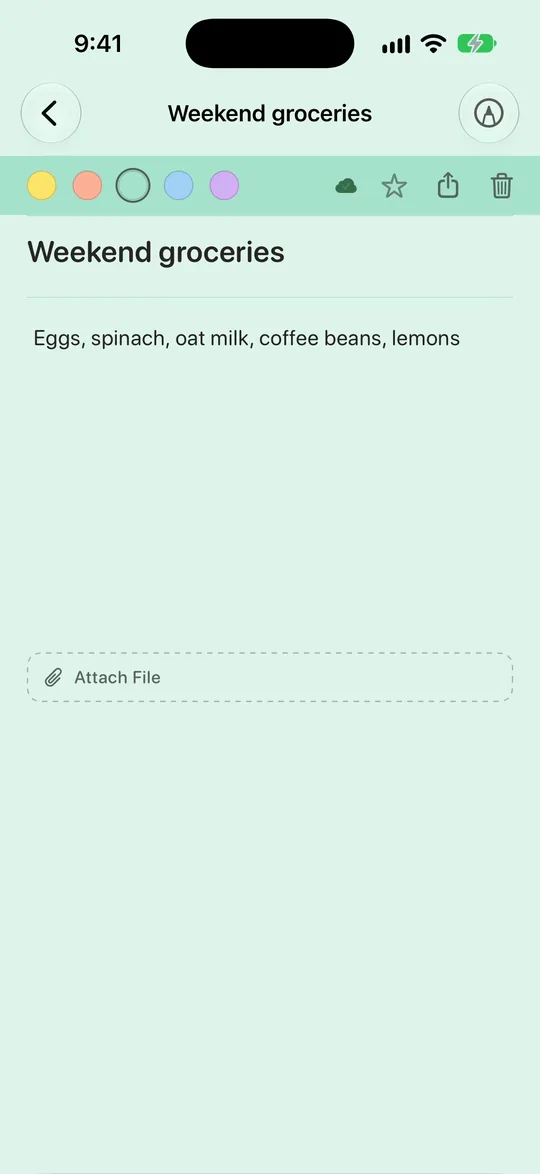
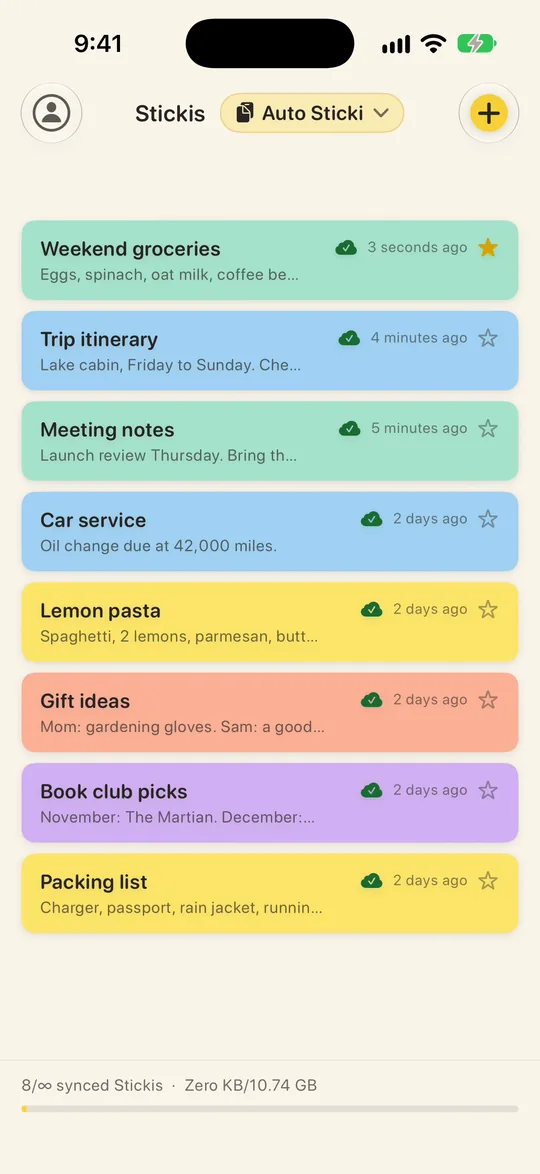
Tap the plus to start a sticki. Give it a title, type what you need, and pick a paper color: yellow, peach, mint, sky or lilac. The star pins it to the top of your list.
- Tap the plusA new sticki
- Title and noteType what you need
- Pick a paperFive colors
- Star itPinned to the top
On your computer a moment later
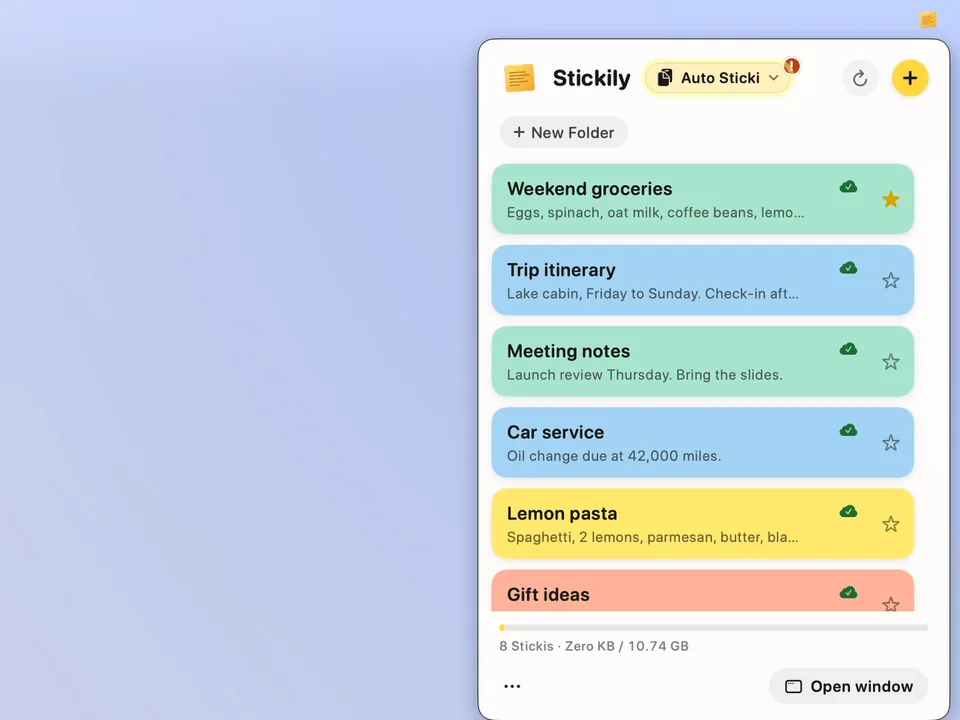
A moment later, the same sticki is on your computer, with its color and its star.
Send a file
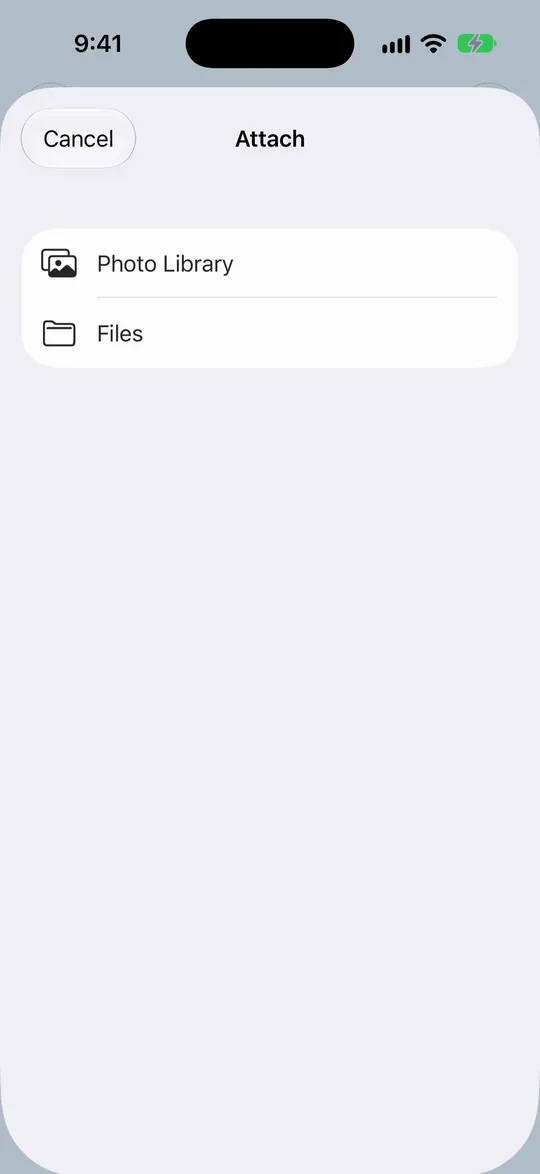
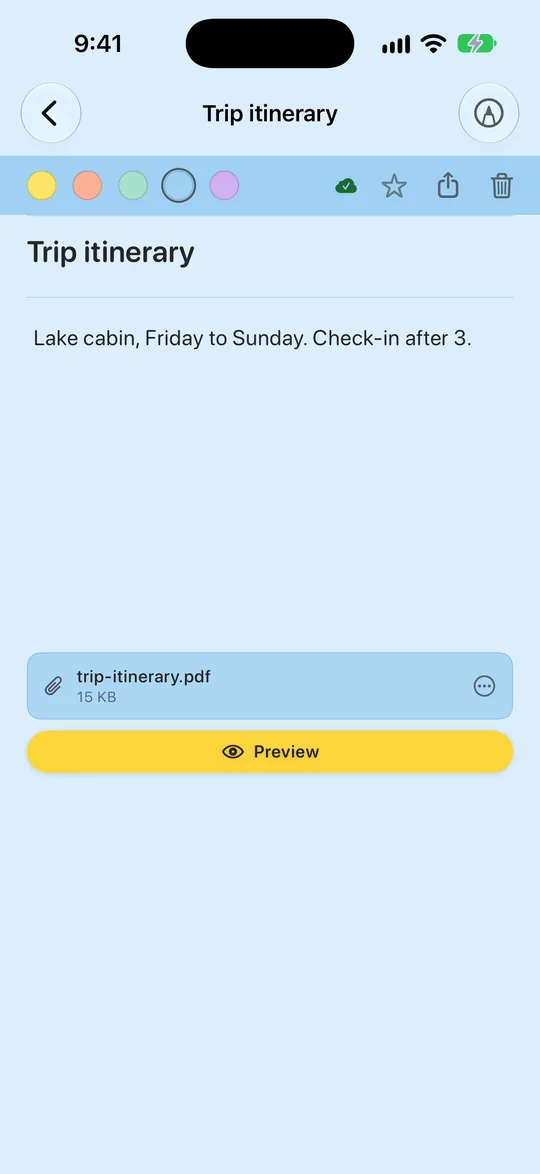
Files work the same way. On your phone, open a sticki and tap Attach File, then choose a photo from Photo Library, or a PDF or anything else from Files, up to 100 MB.
- Attach FileOn your phone
- A photo, a PDF, anythingUp to 100 MB
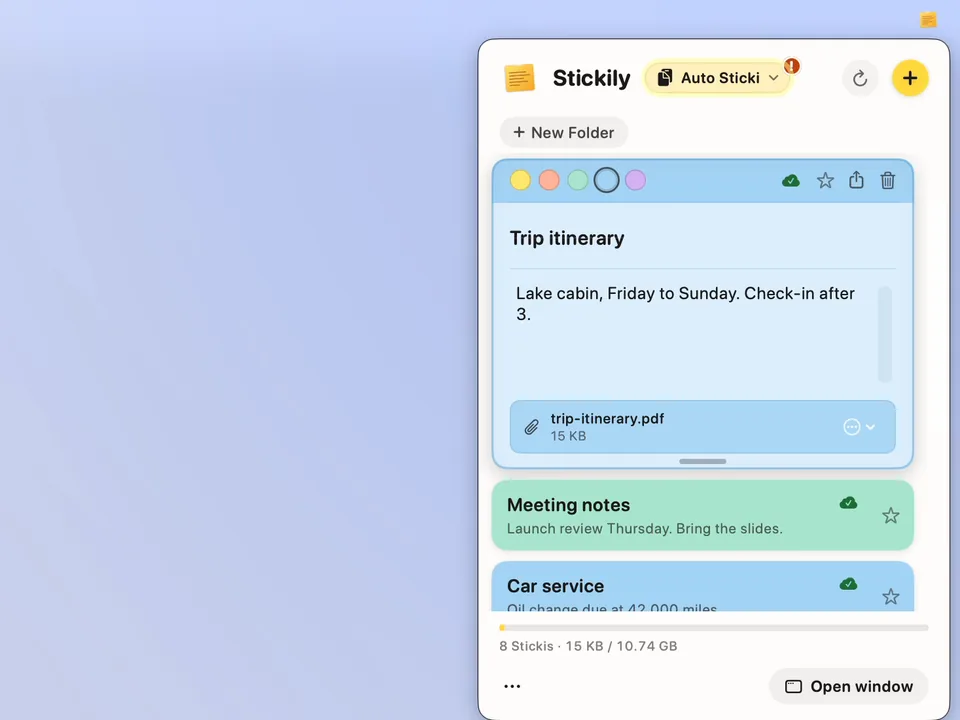
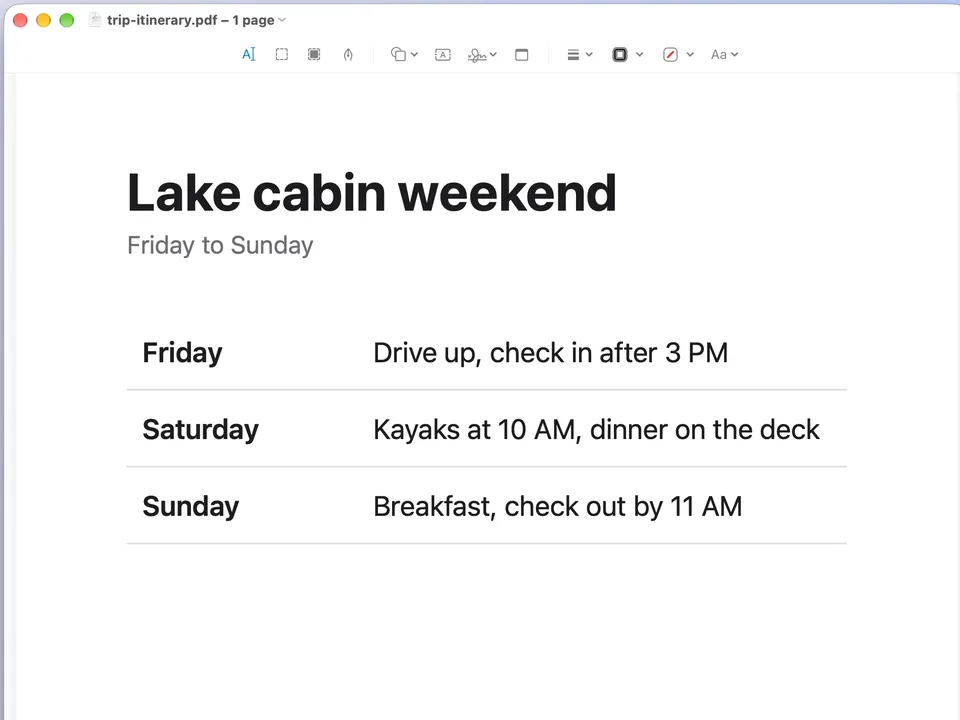
- Open it on your computerIt downloads, ready to use
Open it on the Mac or PC
Open that sticki on the Mac or PC and click the file: it downloads, and opens ready to use.
One file per sticki
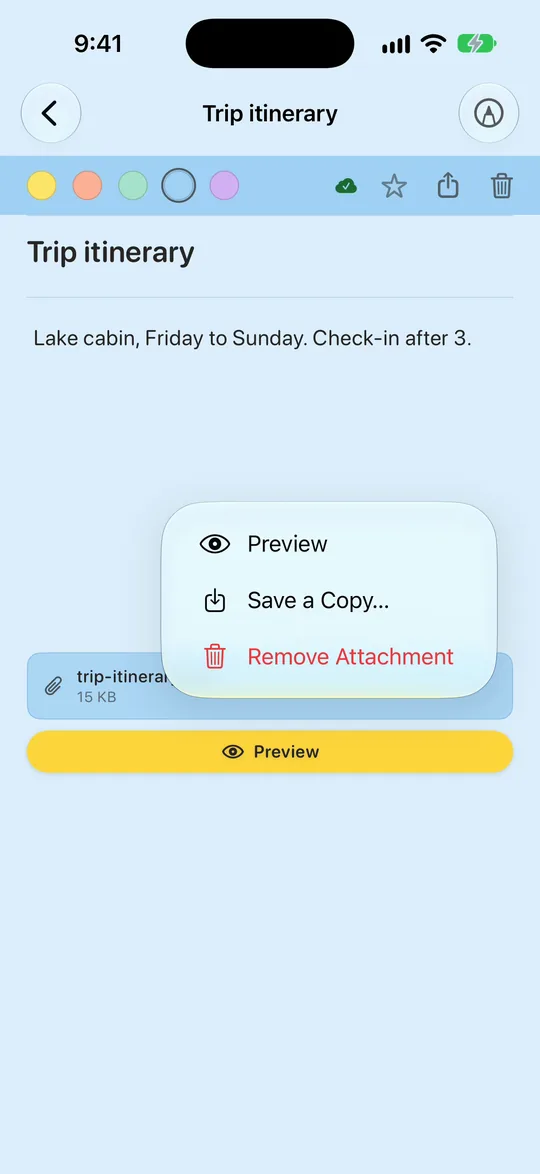
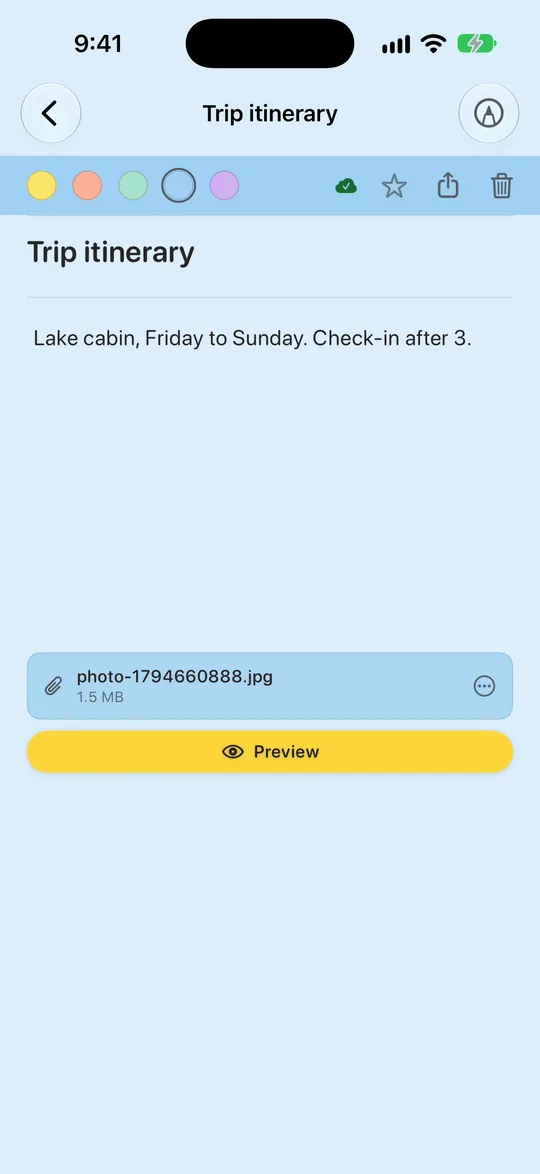
A sticki holds just one file, so remove it to attach a different one: tap the file's menu and choose Remove Attachment. You can have as many stickis as you like.
Auto Sticki from your phone
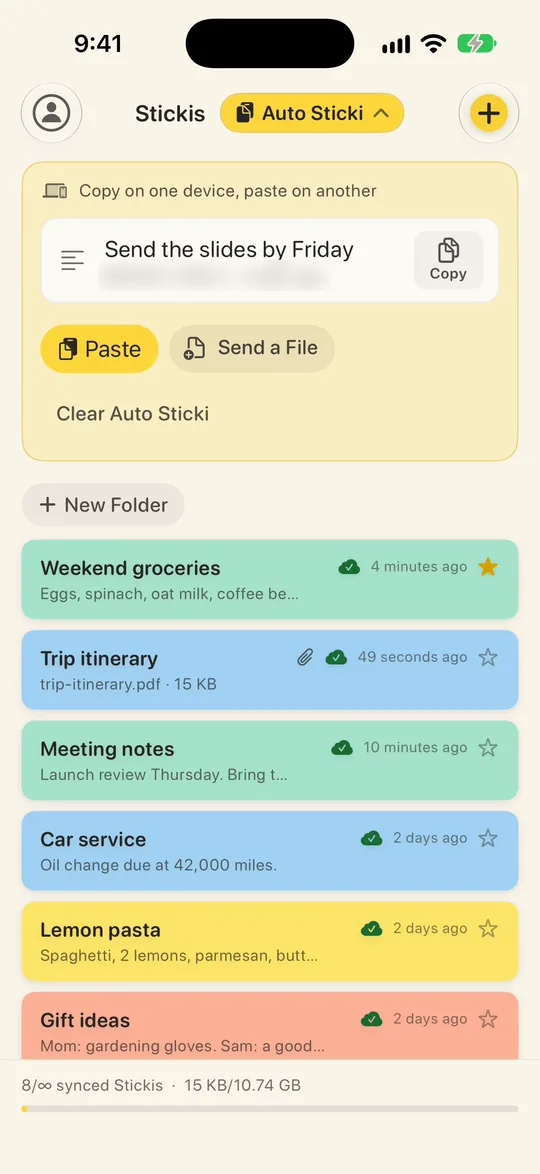
On an iPhone, copy some text or a photo, open Auto Sticki (the button beside Stickis) and tap Paste. That's iOS's own paste button, so there's no Allow Paste question. On Android and in a browser, the button is Send Clipboard.
- Copy itOn your phone
- Auto Sticki, PasteSend Clipboard on Android
- Copy it outOn the computer
- PasteAnywhere
Paste it on the computer
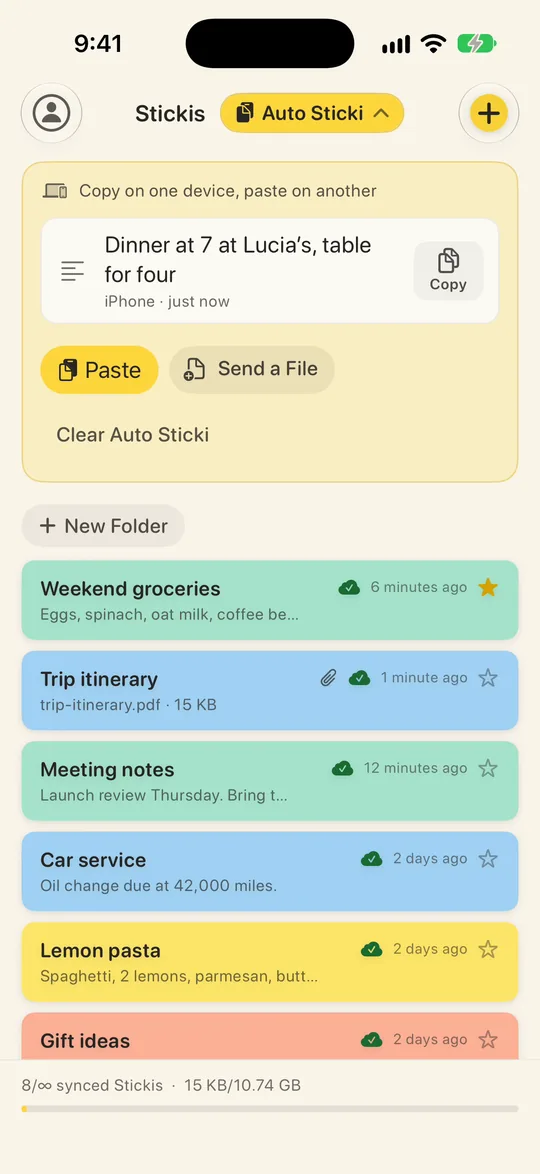
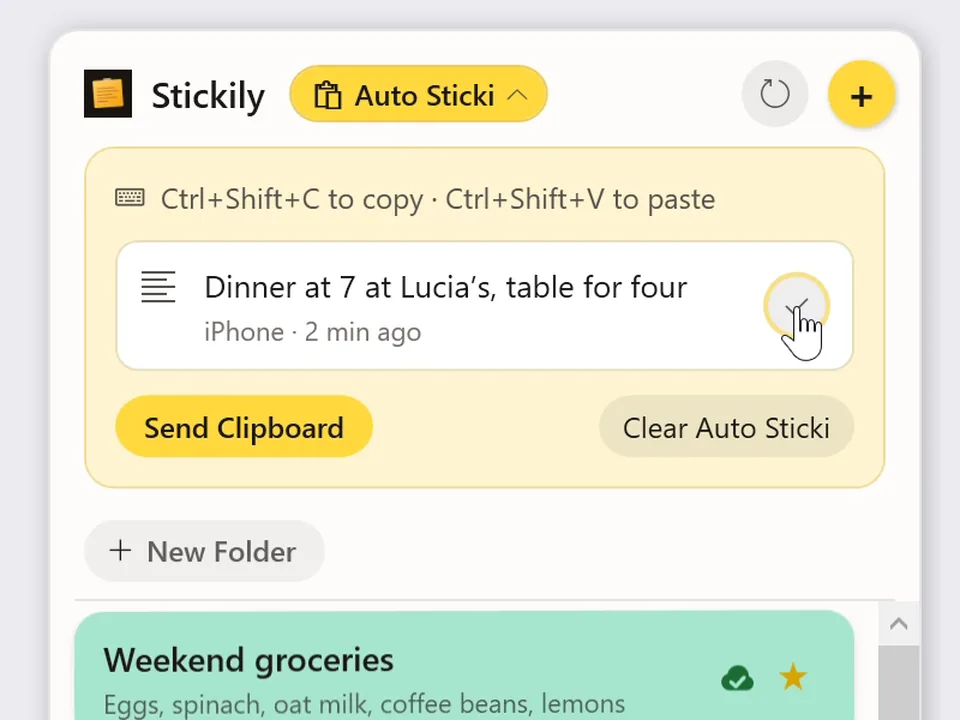
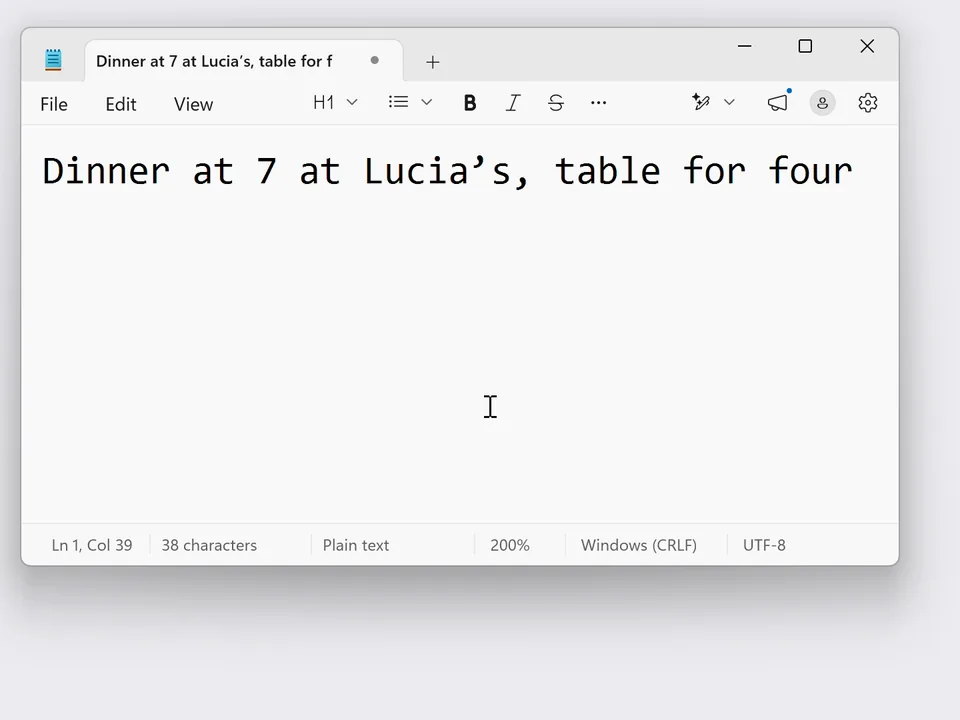
On the computer, it's waiting in Auto Sticki: open Stickily, click Auto Sticki, then click the copy button beside the item. It's on your computer's clipboard, ready to paste.
Auto Sticki from your computer
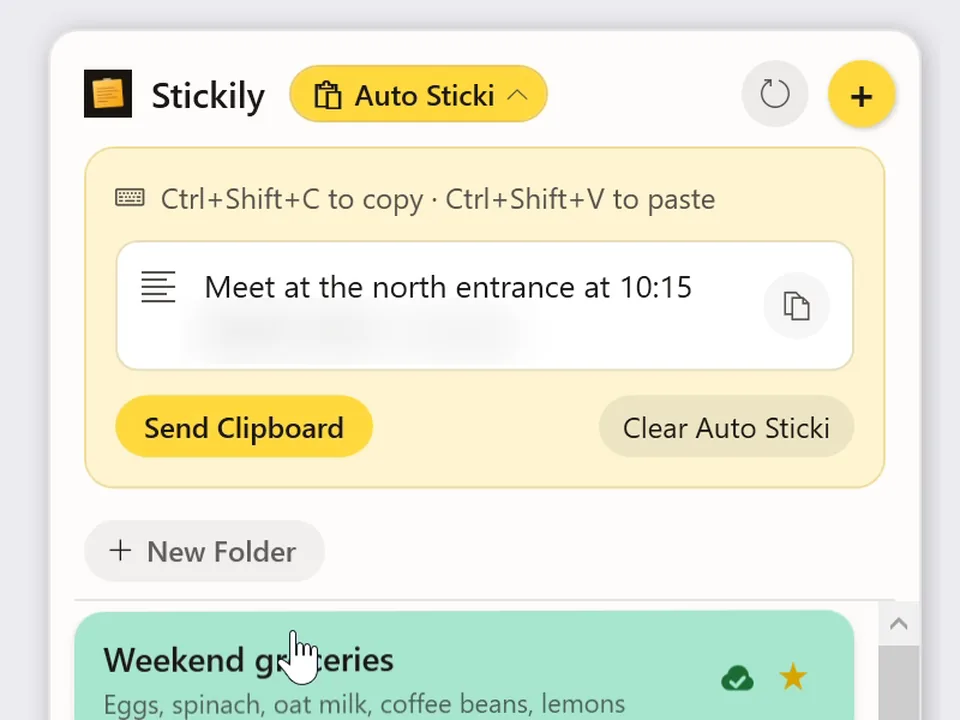
It works the other way too. Copy something on the computer, open Auto Sticki and click Send Clipboard, and it's waiting on your phone.
- Copy itOn the computer
- Send ClipboardIn Auto Sticki
- Tap CopyOn your phone
Copy it on your phone
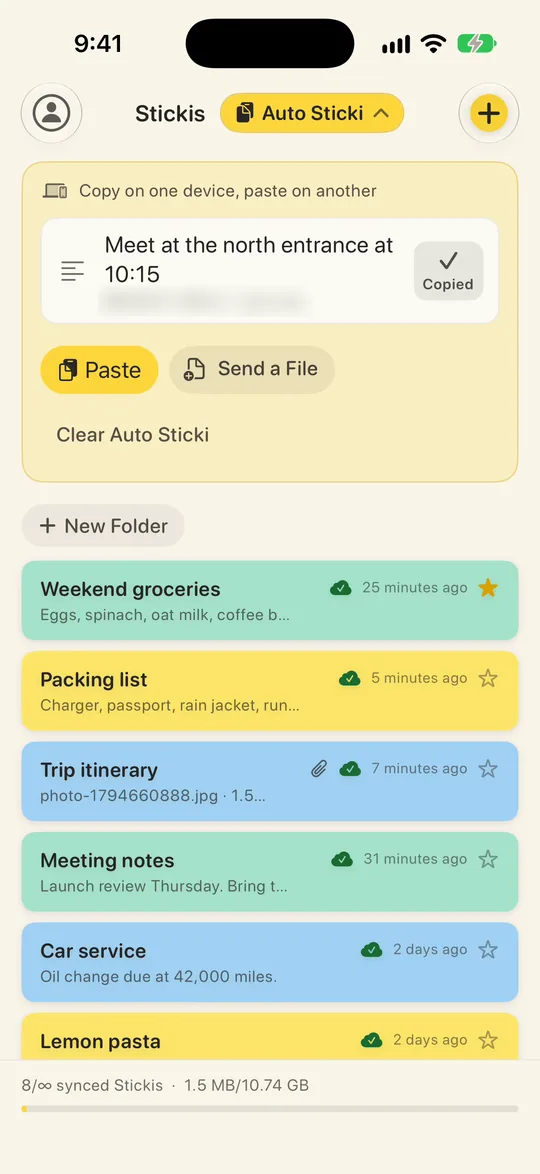
On your phone, open Auto Sticki and tap Copy (on Android, the copy button). It's on the phone's clipboard, ready to paste.
The keyboard shortcut
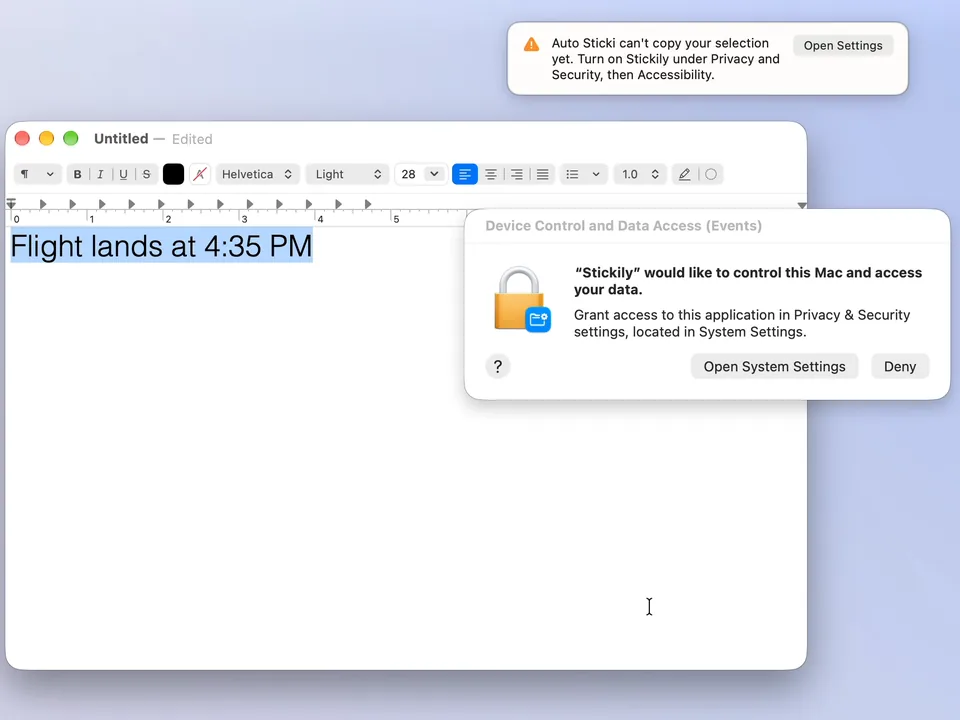
For the keyboard shortcut, turn on Enable Auto Sticki in Stickily's Settings. A Mac asks for Accessibility access the first time: switch Stickily on in System Settings, under Privacy & Security. Then select some text and press Command Shift C. On Windows, the same shortcut is Control Shift C.
- ⇧+⌘+CMac
- Ctrl+Shift+CWindows
Copied to Auto Sticki
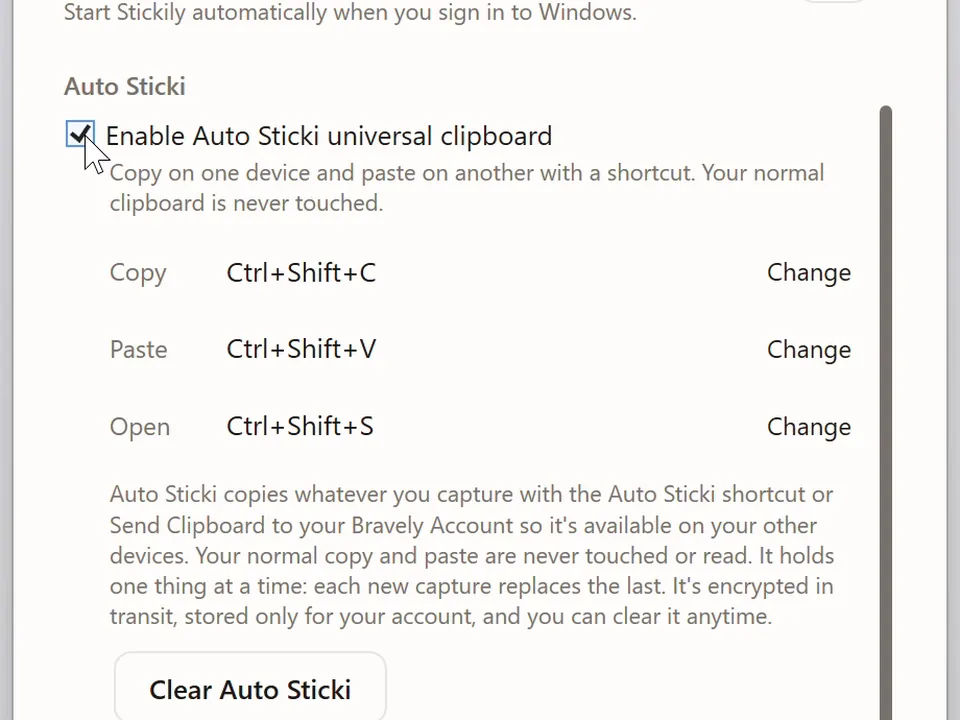
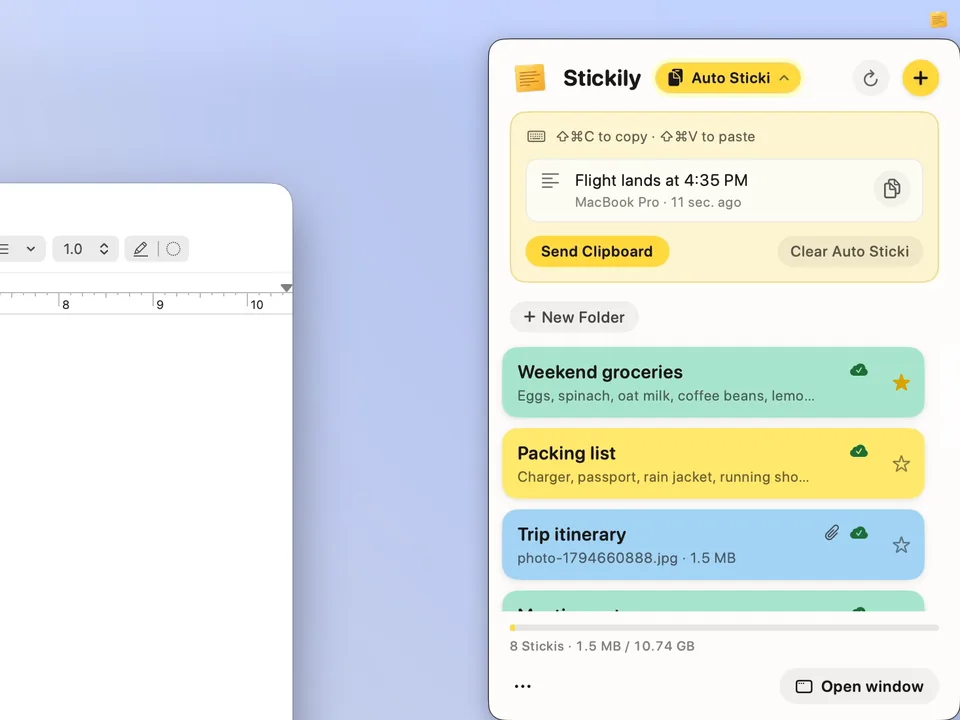
- Paste it back out with Shift Command V on a Mac or Control Shift V on Windows. You can change any of the keys in Settings.
- Linux: the same Control Shift C works on X11 sessions. On Wayland, use the Auto Sticki button beside the Stickily title.
- On a Mac, if the shortcut still says it can't copy right after you switch Stickily on, quit Stickily and open it again.
Share a sticki by link
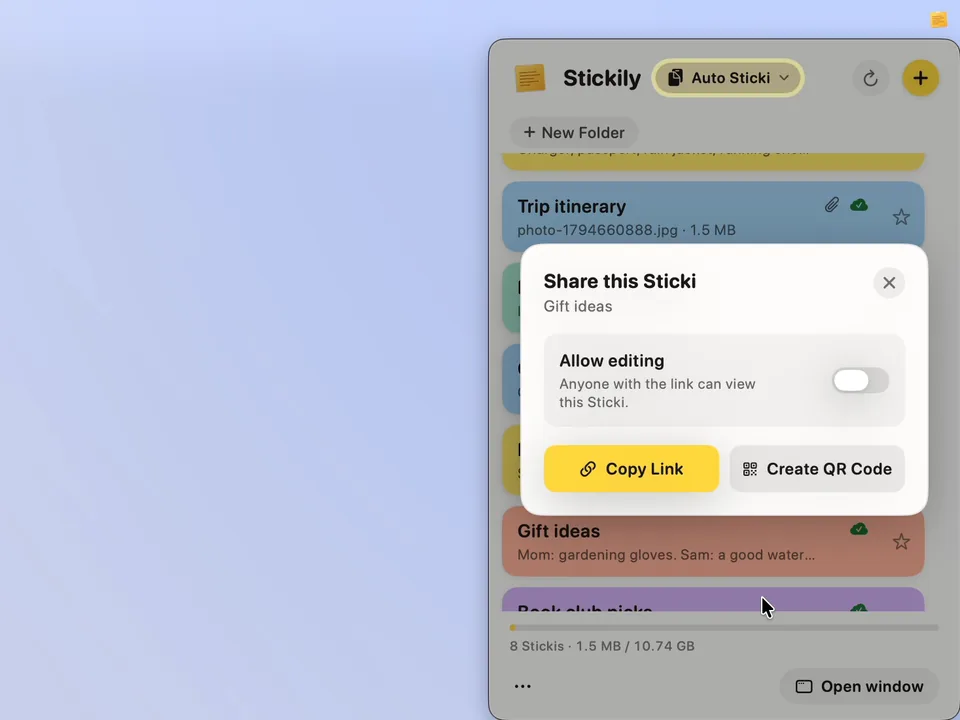
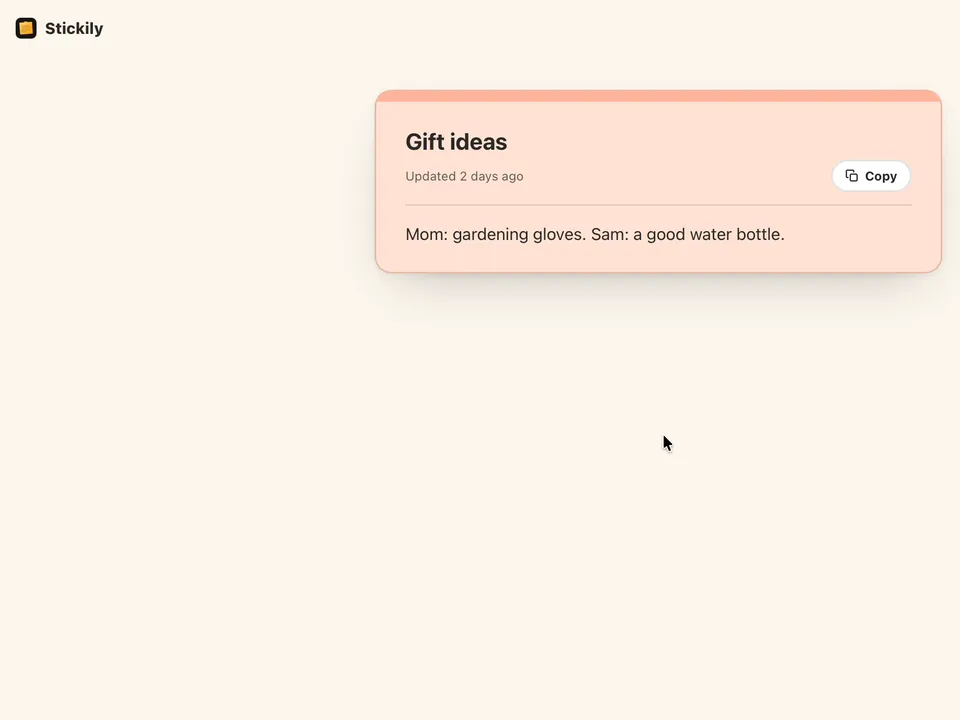
You can also share a sticki with someone who doesn't use the app. Share this Sticki (right-click a sticki on a computer, or use the share button in an open one) gives it a link and a QR code that open in a web browser, so the person you send it to doesn't need the app. Editing stays off unless you turn on Allow editing, and Stop Sharing turns the link off at once.
- Share this StickiCopy Link or Create QR Code
- In a web browserNo app needed
- Allow editingOff unless you turn it on
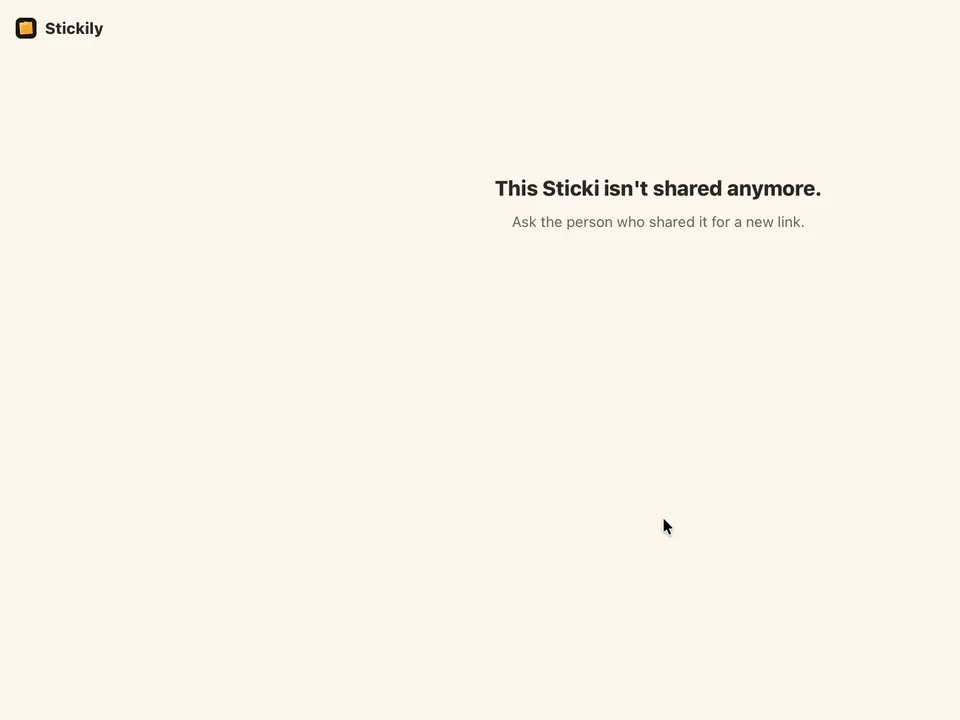
- Stop SharingThe link is off at once
Widgets and quick add on iPhone
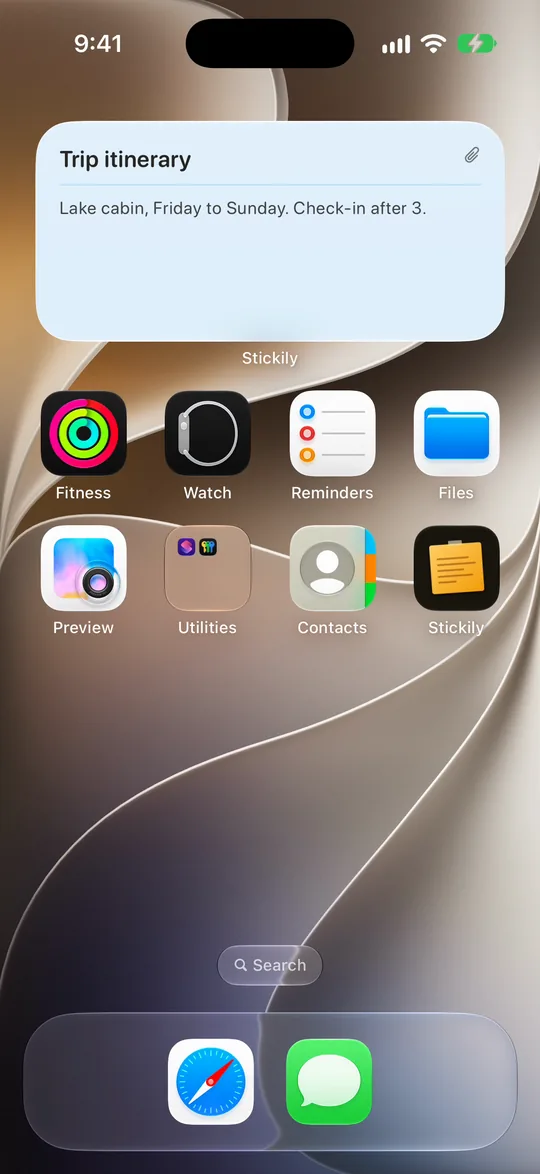
On an iPhone or iPad, the Your Sticki widget shows your latest note right on the Home Screen, and Sticki at a glance puts it on the Lock Screen. New Sticki starts a fresh one: as a small Home Screen widget, or as a control you add to Control Center or the Lock Screen (iOS 18 or later).
Widgets and quick add on Android
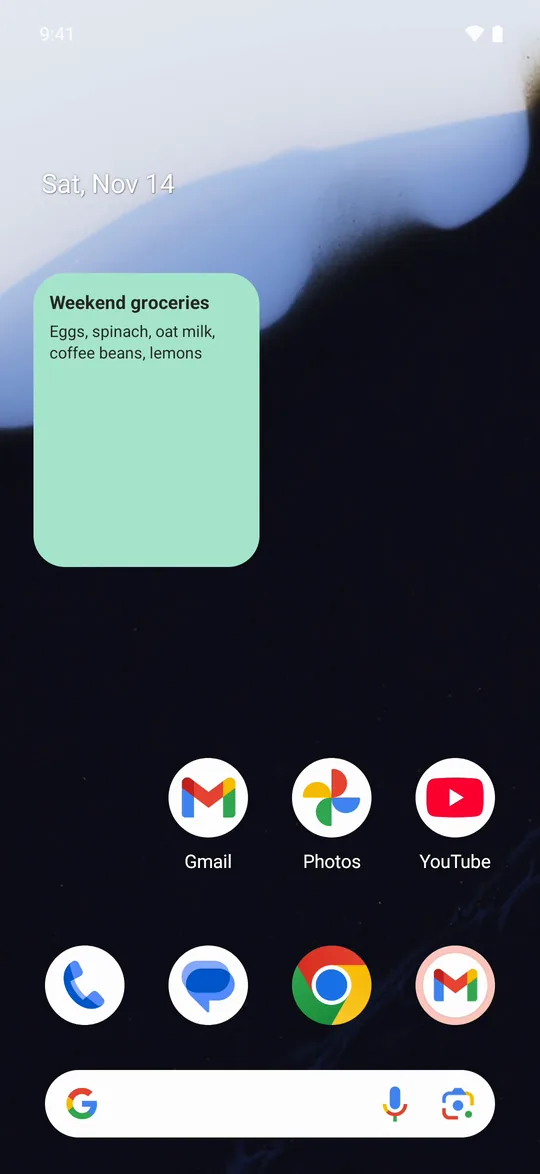
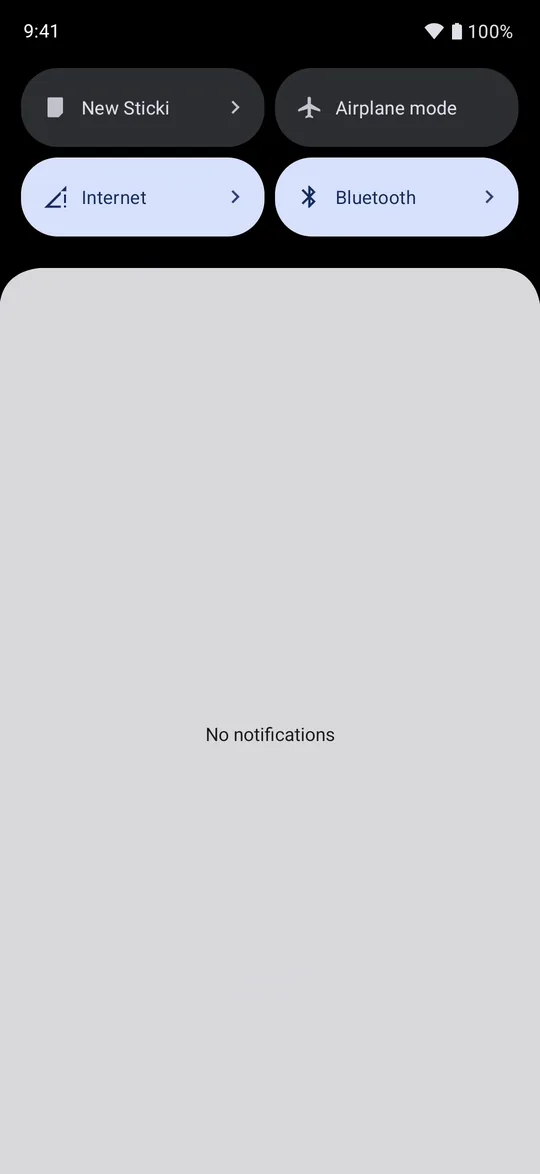
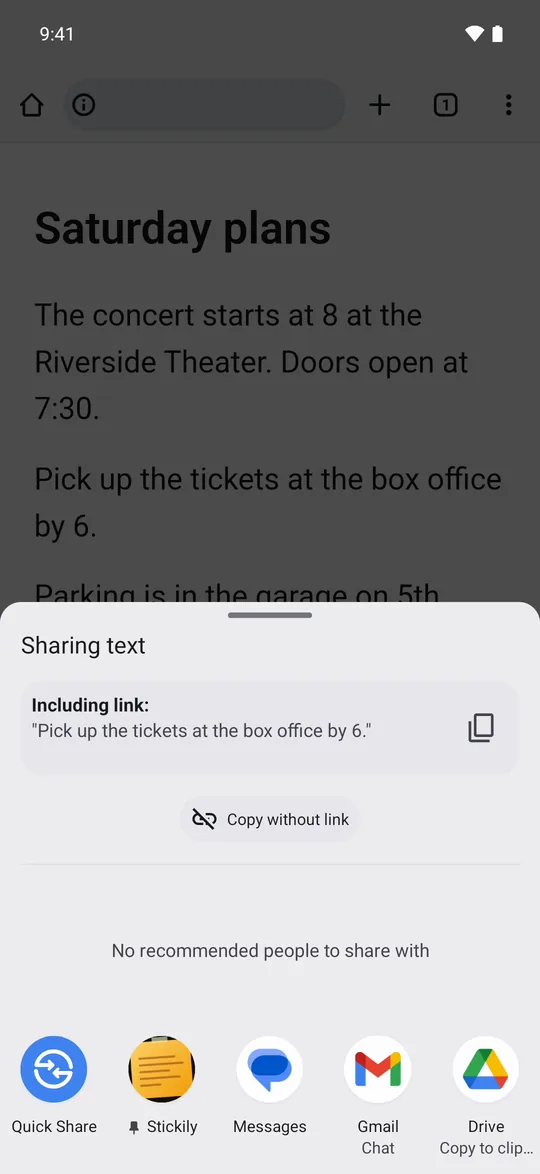
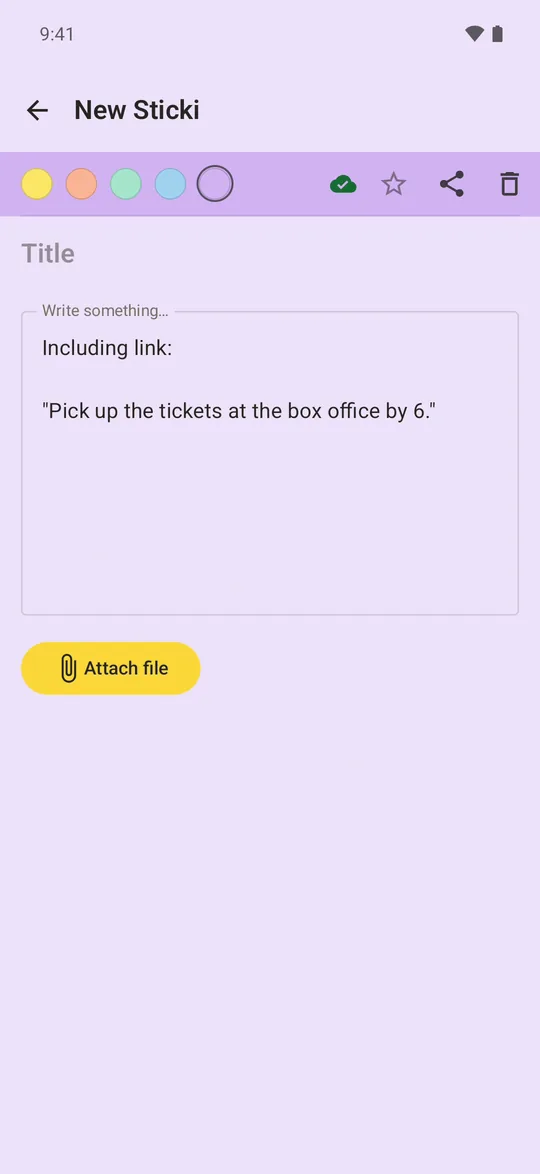
Android has a widget with your latest sticki and a New Sticki tile in Quick Settings. From almost any app, you can share text straight into Stickily, and it becomes a new sticki.
Sync happens on its own
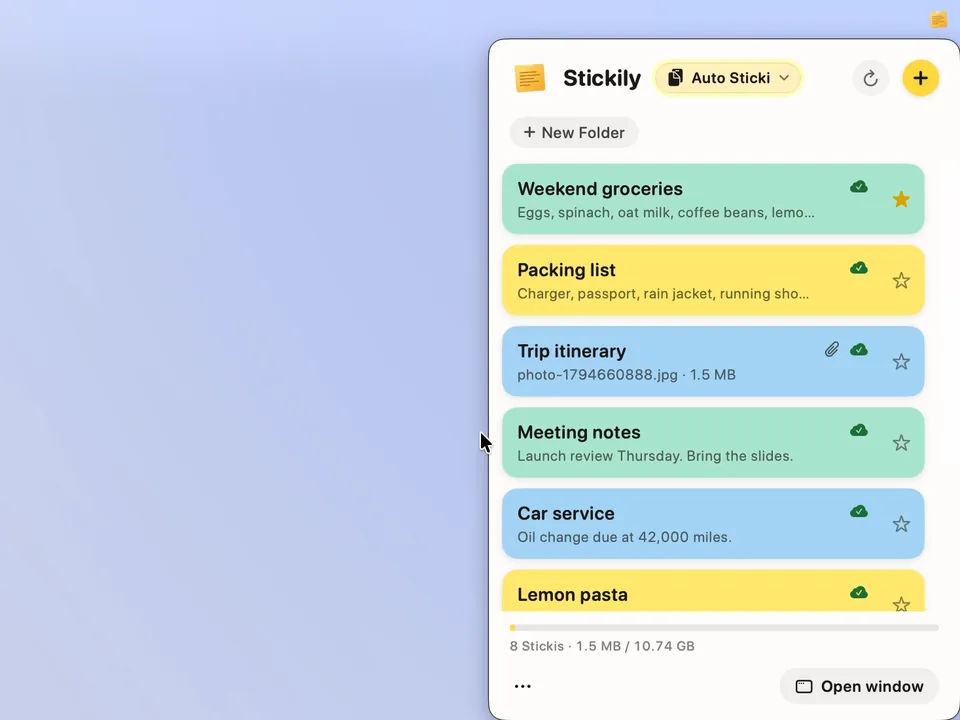
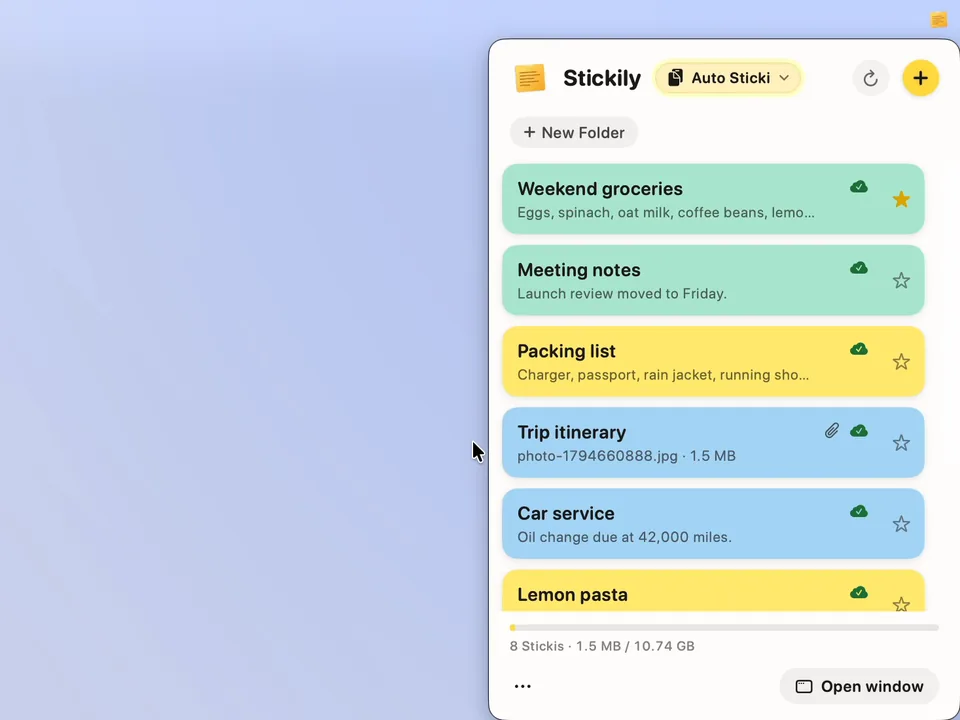
Sync happens on its own, usually within about 30 seconds: each app checks for changes every minute, and opening Stickily on a Mac checks right away. If you're impatient, click refresh (the round arrow beside the plus) to sync now.
- Change it anywhereOn any device
- It syncs on its ownUsually within about 30 seconds
- Or click refreshTo sync right now
Offline, and back
If you're on a plane or otherwise not connected, the apps on your computer and phone keep working offline: open a sticki and change it as usual. When you're connected again, they catch up on their own.
- OfflineKeep writing
- Back onlineIt catches up
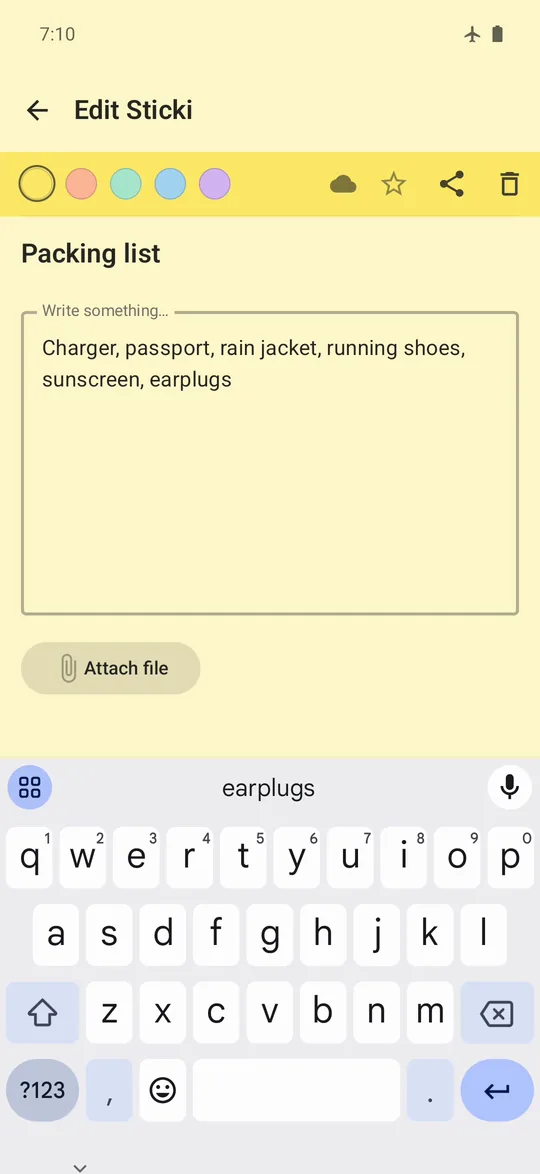
- On Android, attaching a file needs a connection: Attach file waits until you're back online.
Recap
Stickily is a simple app on your computer and your phone: notes that hold text or a file, and a second clipboard between all your devices. It sure beats emailing yourself.
- On your computerMac, Windows or Linux
- On your phoneiPhone, iPad or Android
- Notes with text or a fileOn every device
- A second clipboardCopy here, paste there
The ways to copy between a phone and a computer
Emailing or messaging yourself works anywhere, but each copy is a message to find and copy again. The built-in ways are free and quick, inside their own family of devices. Their facts were read on Apple's and Microsoft's own pages on the dates shown.
What Stickily doesn't do
- Auto Sticki holds one thing at a time, with no history: sending something new replaces it.
- A sticki holds one file, up to 100 MB.
- The keyboard shortcut is on computers: a Mac, Windows, and Linux on X11. On a phone, open Auto Sticki and tap.
- Every device needs Stickily, signed in with the same account. For someone who doesn't use it, share a sticki by link.
FAQs
How do I copy and paste from my phone to my computer?
Put Stickily on both and sign in with the same account. On the phone, copy something, open Auto Sticki and tap Paste (Send Clipboard on Android). On the computer, open Auto Sticki and click the copy button beside the item, then paste it wherever you like.
How do I copy and paste from my computer to my phone?
Copy something on the computer, open Auto Sticki and click Send Clipboard, or select it and press Command Shift C on a Mac or Control Shift C on Windows. On your phone, open Auto Sticki and tap Copy (on Android, the copy button).
Can I copy and paste between an iPhone and a Windows PC?
Yes. Apple's Universal Clipboard works only between Apple devices, but Stickily's Auto Sticki works between any of them: copy on the iPhone and paste on the PC, or the other way around.
Can I copy and paste between an Android phone and a Mac?
Yes. Auto Sticki works the same between Android and a Mac as between any two devices you sign in on.
What is Auto Sticki?
A second clipboard, on every device you sign in on. It holds the last thing you sent it: text, a photo or a file. Send something on one device and copy it out on another.
Does Auto Sticki keep a history?
No. It holds one thing at a time, and sending something new replaces it. Clear Auto Sticki empties it on every device. For anything you want to keep, make a sticki.
Can I send a photo or a file, not just text?
Yes. Auto Sticki takes text, a photo or a file up to 100 MB, and a sticki holds a note plus one file up to 100 MB.
Why does the iPhone button say Paste?
It's iOS's own paste button. Tapping it hands Stickily what you copied, with no Allow Paste question. On Android and in a browser, the button is Send Clipboard.
What's the keyboard shortcut?
Turn on Enable Auto Sticki in Settings, then press Command Shift C on a Mac or Control Shift C on Windows to send what you've selected to Auto Sticki. Shift Command V or Control Shift V pastes it back out. You can change the keys in Settings.
Why does my Mac ask for Accessibility access?
To copy what you've selected in another app, the shortcut needs macOS's permission to control your Mac. It asks once: switch Stickily on in System Settings, under Privacy & Security. If the shortcut still can't copy right after, quit Stickily and open it again.
Does the shortcut work on Linux?
Yes, Control Shift C on X11 sessions. On Wayland, use the Auto Sticki button beside the Stickily title.
How do I get a file from my phone to my computer?
Open a sticki on your phone, tap Attach File and choose a photo, a PDF or anything else. Open that sticki on your Mac or PC and click the file: it downloads, ready to use.
How big a file can I send?
Up to 100 MB a file. All the files in your stickis share 10 GB.
Can a sticki hold more than one file?
No, one file each. Remove it to attach a different one, or put the next file in another sticki: you can have as many as you like.
How fast does it sync?
Usually within about 30 seconds. Each app checks for changes every minute, opening Stickily on a Mac checks right away, and refresh syncs now.
Does it work offline?
Yes. The apps on your computer and phone keep working with no connection, and catch up when you're connected again. On Android, attaching a file waits until you're back online.
Can I share a note with someone who doesn't have Stickily?
Yes. Share this Sticki gives it a link and a QR code that open in a web browser, so they don't need the app.
Can people edit a sticki I've shared?
Only if you let them. Editing stays off unless you turn on Allow editing, and then whoever has the link can change its title and text.
How do I stop sharing a link?
Open Share this Sticki and choose Stop Sharing. The link is off at once, and anyone who opens it sees that the sticki isn't shared anymore.
Is there a widget?
Yes. On iPhone and iPad, Your Sticki shows your latest note on the Home Screen and Sticki at a glance shows it on the Lock Screen. Android has a home screen widget with your latest sticki.
Can I start a new sticki without opening the app first?
On iPhone, add the New Sticki widget to the Home Screen, or the New Sticki control to Control Center or the Lock Screen (iOS 18 or later). On Android, add the New Sticki tile to Quick Settings.
Can I share text from another app into Stickily?
Yes. Share text to Stickily from almost any app's share sheet, and it becomes a new sticki.
Do I need an account?
Yes, a Bravely Account. Sign in with Apple, Google or your email, the same way on every device, and your stickis and Auto Sticki follow you.
What does Stickily run on?
Macs on macOS 14 or later, Windows 10 (version 1809) and 11 PCs (x64), 64-bit Linux PCs (a .deb or an AppImage), iPhones and iPads on iOS 17 or later, Android phones on 8.0 or later, and the web at stickily.bravely.dev.
Sources, with the date each was read
Stickily
One sticky note, everywhere
Your stickis and Auto Sticki, wherever you sign in.
Updated . Facts about other companies’ products were read on their own pages on the dates shown and can change.