How to control your Mac from your iPhone, iPad or Android phone
The short answer
There's no Apple feature for it: iPhone Mirroring puts the iPhone on the Mac's screen, not the other way round, and Screen Sharing is described for another computer on the same network. Scry does it: install it on the Mac, switch on its Screen Recording and Accessibility permissions, and sign in to Scry on your phone with the same account. The Mac then waits in the phone's list, ready from anywhere.
- Scry for Mac is one app for Apple silicon and Intel Macs on macOS 14 Sonoma or later.
- A locked Mac is fine; a sleeping one isn't, so the page shows how to keep it awake.
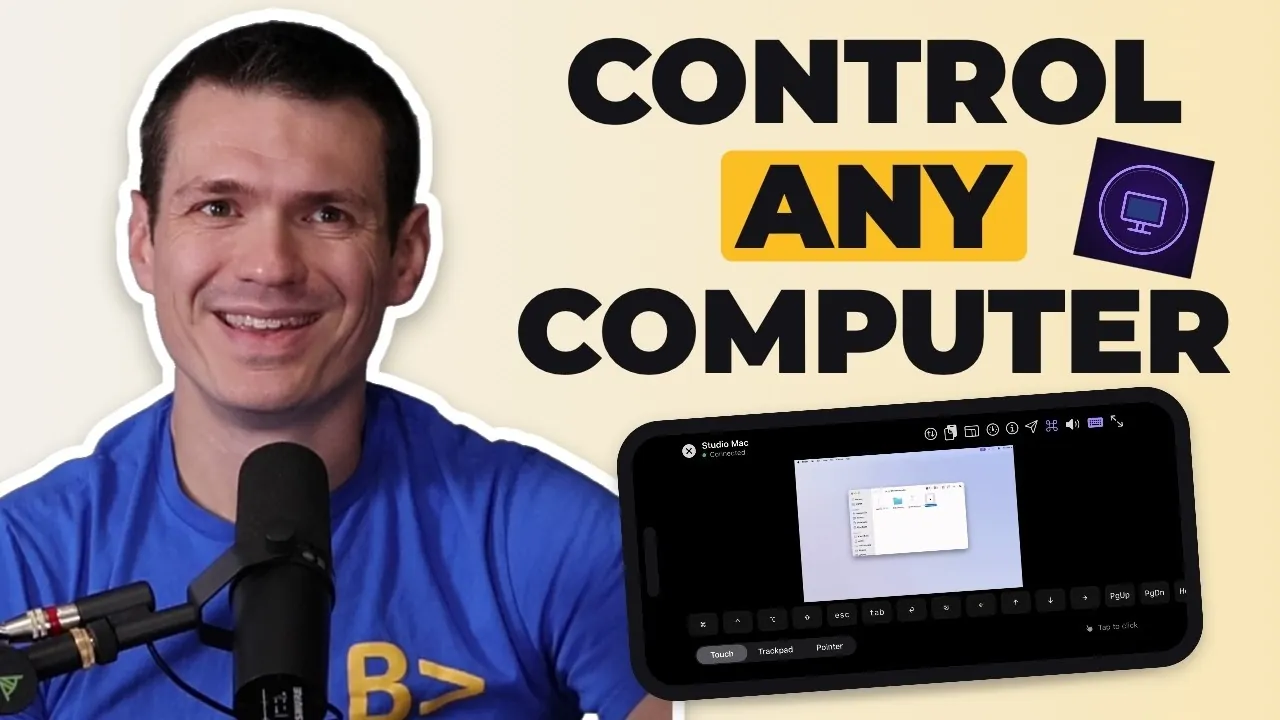
Then get Scry on your phone.
- Updated
- Outside facts dated and linked at the bottom
Set up Scry on the Mac
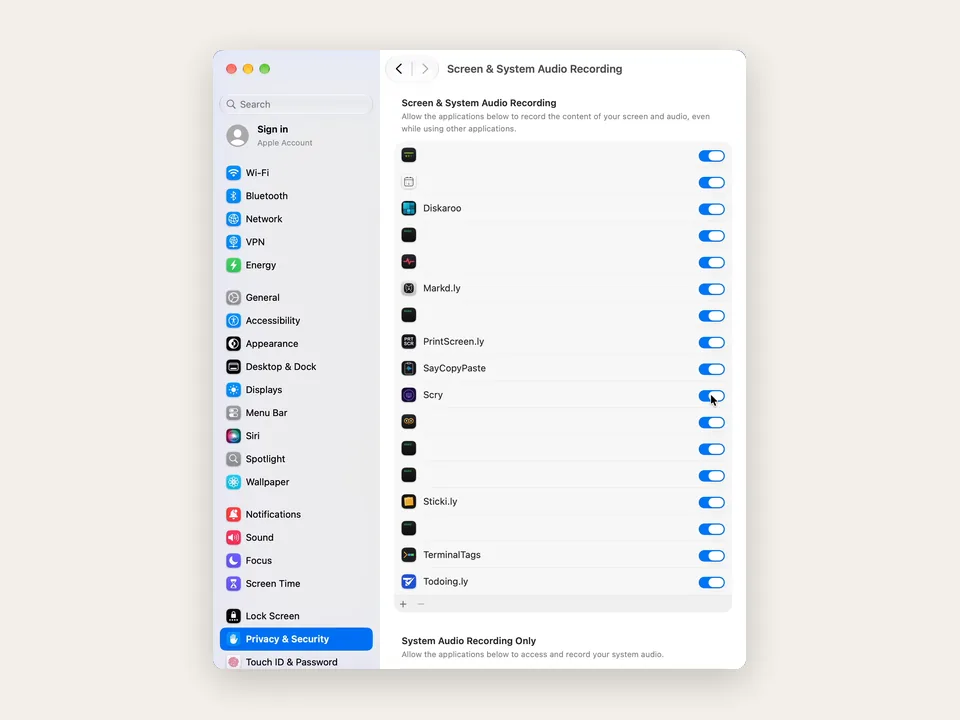
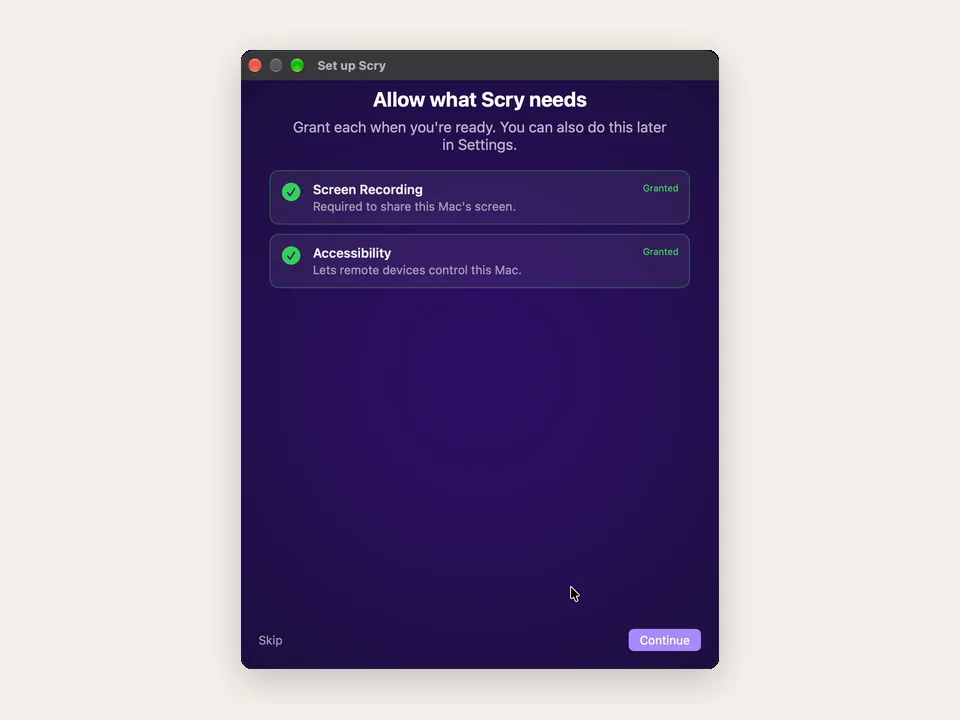
Watch this part 0:19Get Scry for Mac, drag it into Applications and open it. After you sign in, Allow what Scry needs lists the two permissions macOS keeps under Privacy & Security. Each Enable button opens the right page of System Settings with Scry in its list; switch Scry on there, confirm with your Mac's password, and the row in Scry turns to Granted.
Screen Recording lets Scry send the Mac's picture to your phone, and Accessibility lets your taps and typing reach the Mac. The Mac can be reached once both are granted.
- Download Scry for MacThen drag it into Applications
- Open it and sign inApple, Google or email
- Enable Screen RecordingSo it can share the screen
- Enable AccessibilitySo the phone can click and type
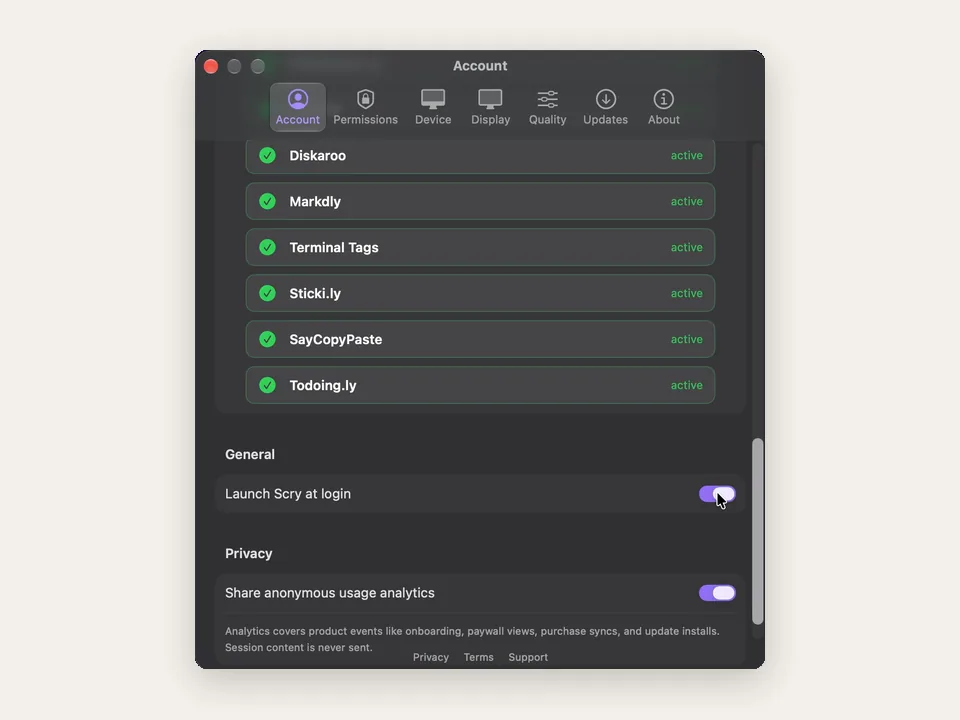
- Launch Scry at loginSettings, Account, General
Keep the Mac awake and reachable
- Launch Scry at loginScry opens whenever you sign in
- Prevent automatic sleepingEnergy, Energy Saver or Battery
- Lid closed? Keep it on powerWith a display, keyboard and mouse
- Scry can't wake a Mac that's asleep. On a desktop Mac, turn on Prevent automatic sleeping when the display is off in System Settings, Energy (called Energy Saver on macOS 14); on a MacBook, turn on Prevent automatic sleeping on power adapter when the display is off under Battery, Options, and leave it plugged in.
- A MacBook with its lid shut sleeps unless it's set up to run closed, which Apple describes as keeping it on power with an external display, keyboard and mouse attached.
- Locking the Mac doesn't matter, but a restart does: nobody can connect until a user signs back in and Scry is running again, which Launch Scry at login handles.
Reach the Mac from an iPhone, iPad or Android phone
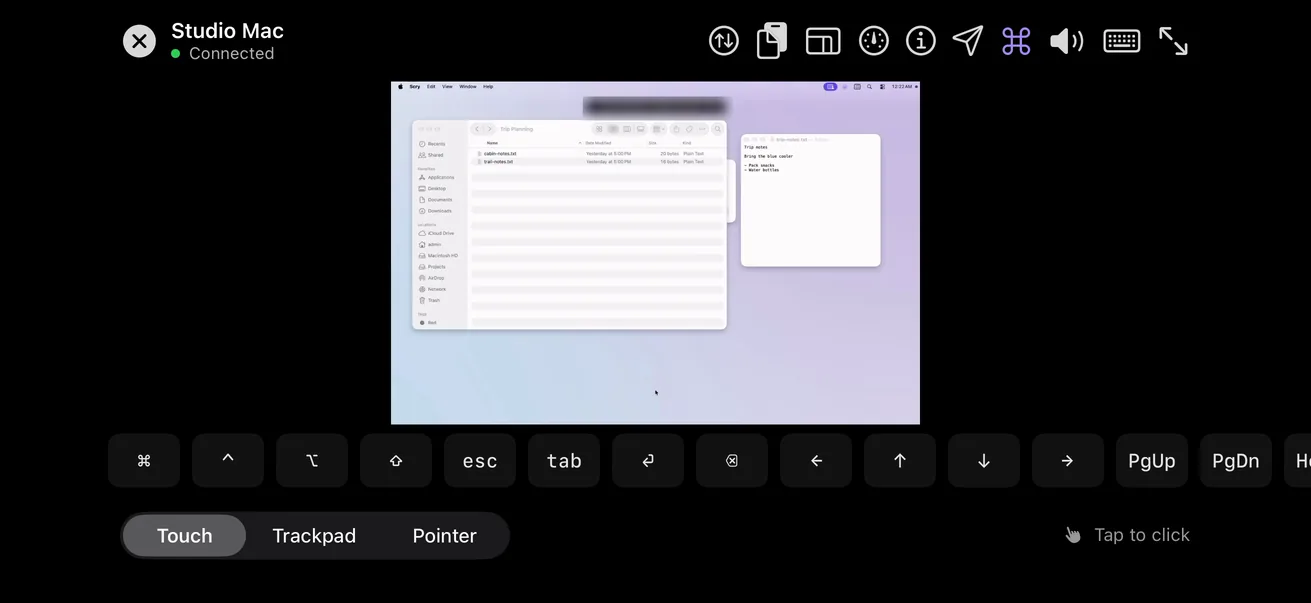
Watch this part 1:10Install Scry from the App Store on an iPhone or iPad, or from Google Play on an Android phone, and sign in with the account the Mac uses. The Mac is listed with its model and a green dot while it's online; tap it to see its desktop.
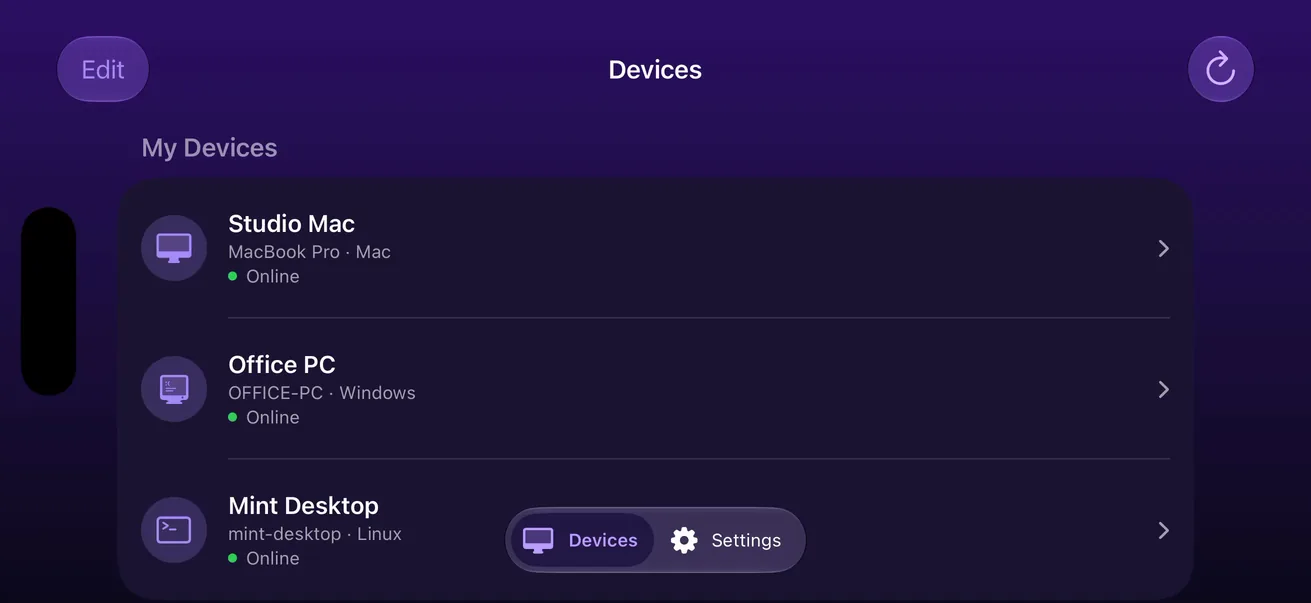
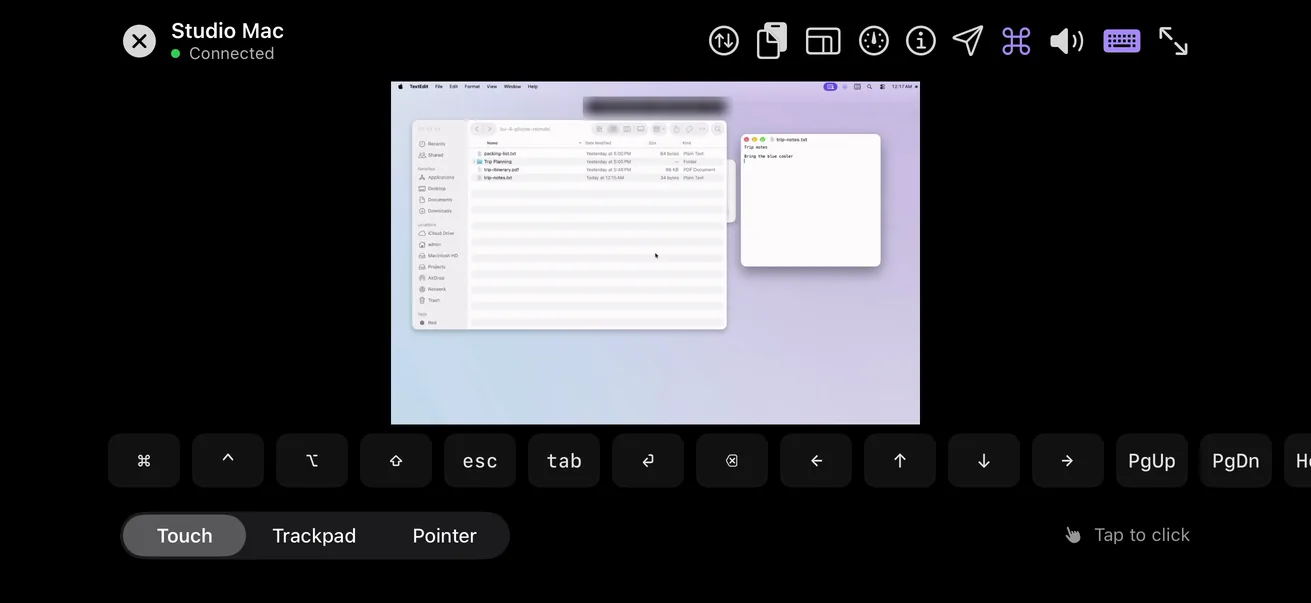
Mac keys and the pointer from your phone
Watch this part 1:31⌘CCopy on the Mac
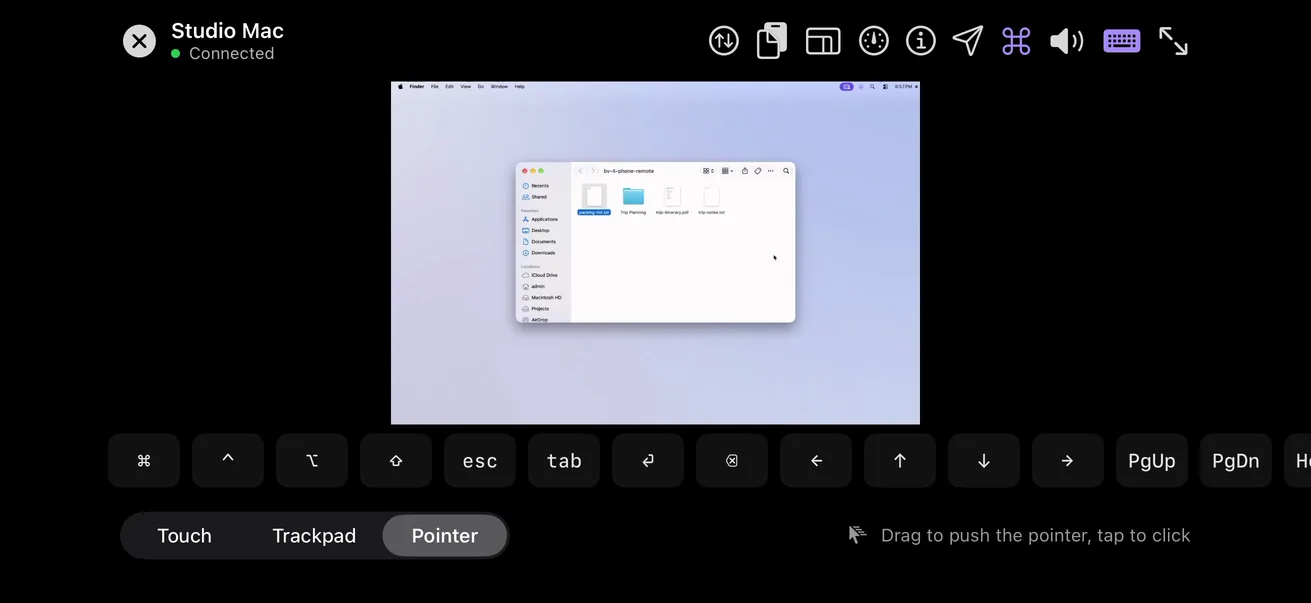
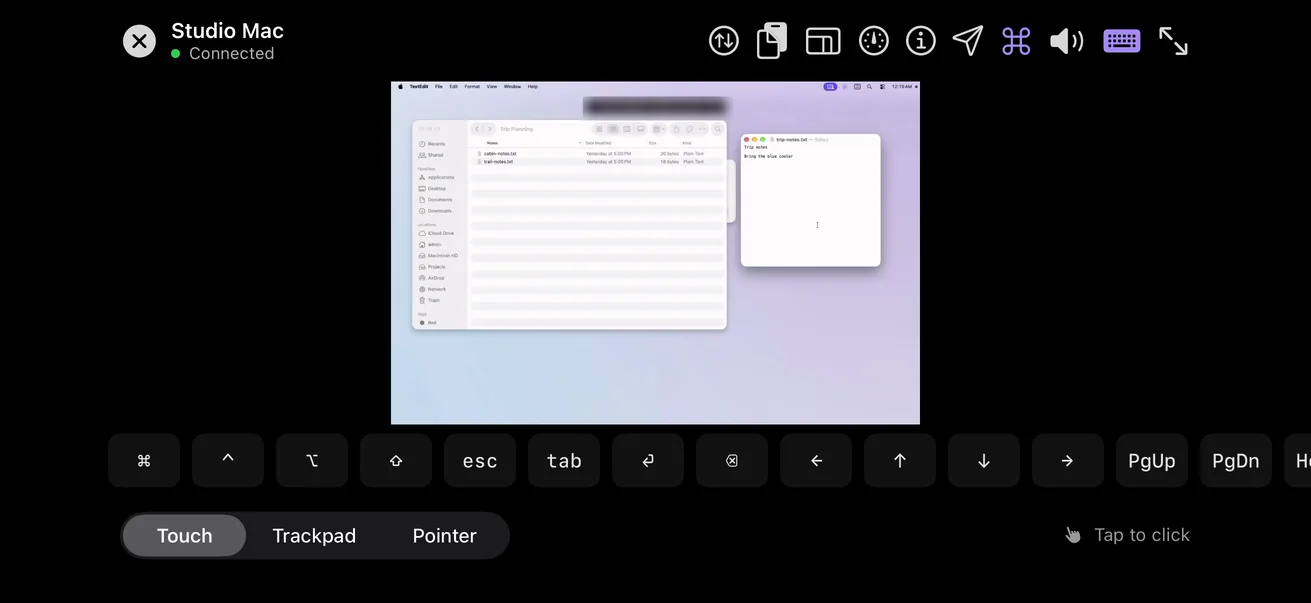
- Connected to a Mac, the key bar opens with ⌘, ⌃, ⌥ and ⇧. Tap one and it rides along with your next key, so ⌘ then C copies and ⌘ then Tab switches apps; tap it twice quickly to hold it until you tap it again.
- With a keyboard attached to an iPad or iPhone, your ⌘ combinations go straight to the Mac.
- Pointer mode moves the Mac's arrow by dragging anywhere on the screen, which suits the Mac's small menu items and window buttons.
Unlock the Mac from your phone
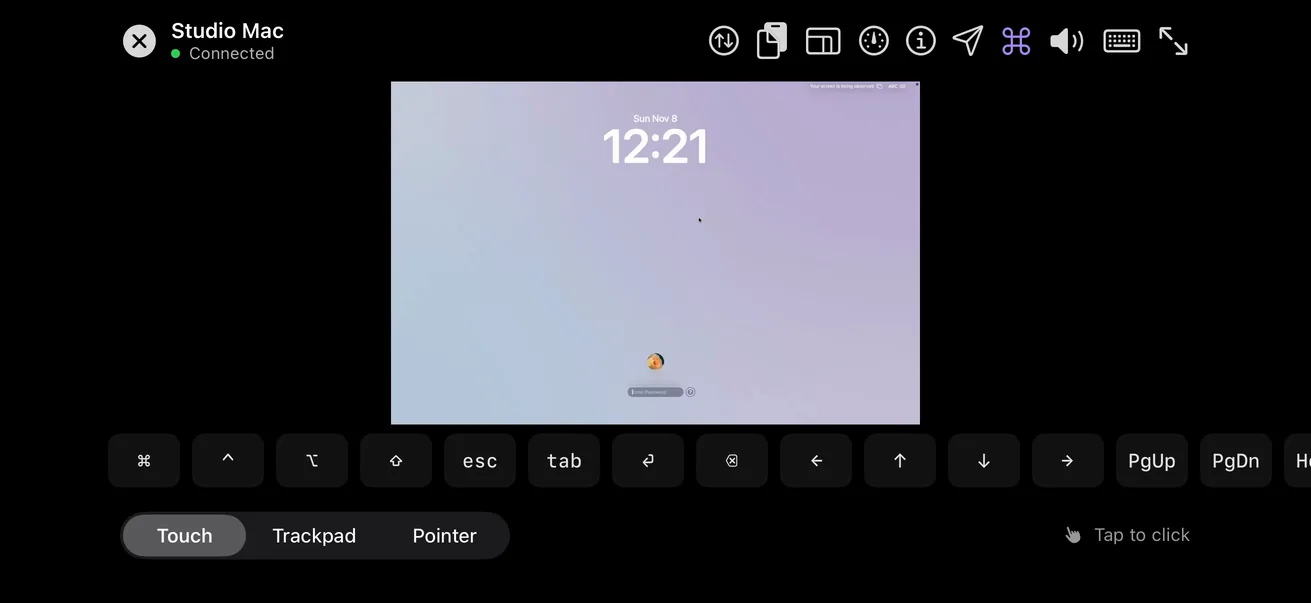
Watch this part 3:04When the Mac is locked, the phone shows its lock screen as it is. Tap the password field, type the Mac's password with the phone's keyboard, press Return, and the desktop takes its place.
Other ways to reach a Mac from a phone
What Apple includes, and the free option, each with its catch.
What Scry can’t do on a Mac
- It can't wake a sleeping Mac, and it has no keep-awake setting of its own; macOS's sleep settings do that job.
- When the Mac restarts, it's out of reach until someone signs in and Scry opens.
- Macs older than macOS 14 Sonoma can't run it.
- Without Screen Recording and Accessibility switched on, the phone can't see or control the Mac.
FAQs
Is there a way to control a Mac from an iPhone?
Yes. Apple doesn't make an app for it, but Scry does: put it on the Mac and on the iPhone, sign in to both with one account, and tap the Mac in the iPhone's list.
Can I control my Mac from an Android phone?
Yes. Scry for Android, from Google Play, reaches a Mac the same way, and its key bar shows ⌘, ⌃, ⌥ and ⇧ while you're connected to one.
Does iPhone Mirroring let me control my Mac?
No. iPhone Mirroring works in the opposite direction: it shows a nearby, locked iPhone in a window on the Mac.
Can I use the Mac's own Screen Sharing from my phone?
Only with a VNC viewer app on the phone, and Apple's instructions cover computers on the same network. Turn on VNC viewers may control screen with password in the Mac's Sharing settings first.
Which Macs can Scry run on?
Apple silicon and Intel Macs alike, as long as they run macOS 14 Sonoma or later.
Why does Scry need Screen Recording and Accessibility?
Screen Recording lets it capture the Mac's screen to send to your phone, and Accessibility lets it turn your taps and typing into clicks and keystrokes on the Mac. macOS asks you to allow both by hand.
What if I skip the permissions during setup?
The Mac still appears in your list, but it stays offline until both are allowed. Switch them on later from the Permissions tab in Scry's Settings, or in System Settings under Privacy & Security.
How do I stop my Mac from sleeping so I can reach it?
Turn on Prevent automatic sleeping when the display is off in System Settings, Energy (Energy Saver on Sonoma), or on a MacBook, Prevent automatic sleeping on power adapter when the display is off under Battery, Options, and keep it plugged in.
Can I reach a MacBook with the lid closed?
Only if it stays awake with the lid closed, which Apple describes as running it on power with an external display, keyboard and mouse. A MacBook that goes to sleep when you close it can't be reached until it wakes.
Will Scry wake my Mac?
No. Scry has no Wake-on-LAN, so the Mac has to be awake when you connect.
Can I connect if the Mac's display has gone dark?
Yes, as long as the Mac itself is awake. Scry turns the display back on when you connect, and keeps it from dimming to sleep until the session ends.
What happens when my Mac restarts?
The Mac is out of reach until someone signs in to it and Scry opens. With Launch Scry at login on, signing in is enough.
Can I unlock my Mac from my phone?
Yes. You'll see the Mac's own lock screen on the phone; type the password with the phone's keyboard, press Return, and you're in.
How do I press ⌘C or ⌘Tab from the phone?
Tap ⌘ on the key bar, then C or Tab. ⌘ stays on for that one next key; a quick double tap holds it until you tap it again.
Do keyboard combinations from an iPad keyboard reach the Mac?
Yes. With a keyboard attached to the iPad or iPhone, what you type goes to the Mac, ⌘ combinations included.
Can I right-click on the Mac from my phone?
Yes. Press and hold where you want the menu, and the Mac's right-click menu opens there.
Can I zoom in on the Mac's small text?
Yes. Spread two fingers to magnify the Mac's screen as much as four times; Fit to screen brings the whole desktop back.
Can I copy text from my Mac to my iPhone?
Yes, in two taps. Select the text on the Mac, choose Copy Selection from the clipboard button so the Mac copies it, then Copy Host Clipboard to put it on the iPhone.
Can I send a photo or PDF from my iPhone to the Mac?
Yes. Choose it from the file button in Scry, and the Mac shows an Incoming file card; Save… lets you pick the folder on the Mac.
Will I hear my Mac's sound on the phone?
Yes, from the moment you connect. The speaker button mutes it on the phone, and the Stream this Mac's audio switch in Scry's Settings on the Mac turns it off at the source.
My Mac has two displays. Can I see both from my phone?
On a phone you see one display at a time and move between them with the display button in the session; on an iPhone or iPad, pressing and holding it lists them all. To see two side by side, connect from Scry on another computer, which can open the second display in its own window.
Can Bravely Studios see my Mac's screen?
No. The picture is end-to-end encrypted between the Mac and your phone, including when it passes through our relay.
Will someone at the Mac see that I'm connected?
Yes. The Mac shows a bar naming the account that's controlling it, with an End button.
Does it work when I'm away from home?
Yes. The Mac and the phone find each other through your account wherever they are, on Wi-Fi or mobile data, with nothing to change on your router.
Sources, with the date each was read
- Apple: Turn Mac screen sharing on or off (2026-11-11)
- Apple: Use iPhone Mirroring on your Mac (2026-11-10)
- Apple: Set sleep and wake settings for your Mac (2026-11-11)
- Apple: Set sleep and wake settings for your Mac (macOS Sonoma 14) (2026-11-11)
- Apple: If your external display is dark or low resolution (2026-11-11)
- Google: Chrome Remote Desktop on iPhone and iPad (2026-11-11)

Scry
Remote desktop, anywhere
$9.99/mo, or every premium Bravely utility for $95.99/yr or $399 once.
Updated . Facts about other companies’ products were read on their own pages on the dates shown and can change.